
Скачать
1
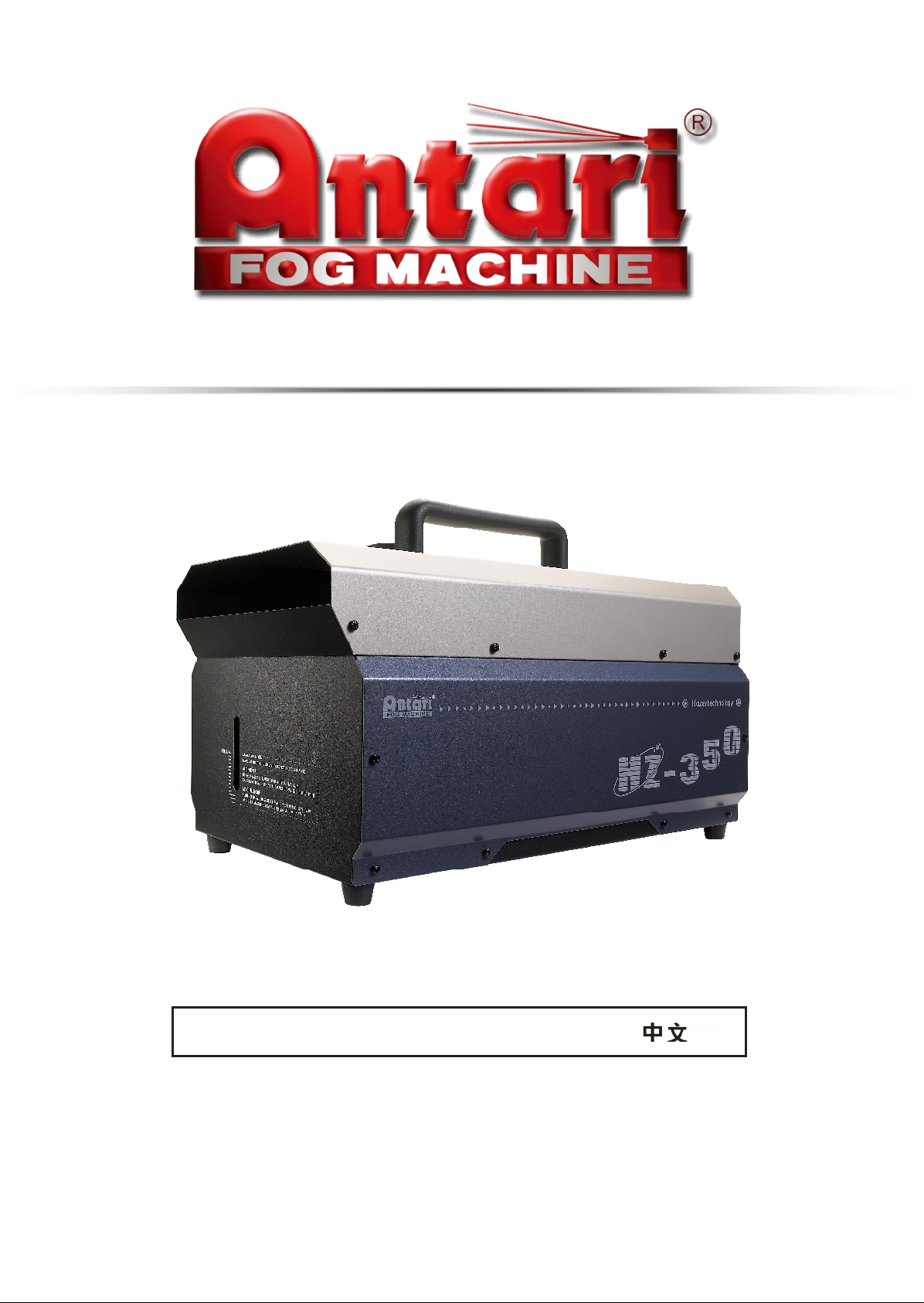
HZ-350 Haze Machine
USER MANUAL
English
Français
Deutsch
•
•
•
2010 Antari Lighting and Effects Ltd.
1
HZ-350 Haze Machine
USER MANUAL
English Français Deutsch • • •
2010 Antari Lighting and Effects Ltd.

3
ANTARI HZ-350 HAZE MACHINE
INTRODUCTION
Thank you for choosing Antari HZ-350 Haze Machine. Prior to use, it is suggested to read
the instructions carefully and thoroughly. By following the instructions listed in this user
manual, you can look forward to the best haze effect and the most reliable performance of
your Antari HZ-350 Hazer for years to come.
Please follow these operation and safety instructions to ensure a long
and safe life for your HZ-350.
DANGER OF ELECTRIC SHOCK
Keep this device dry.
Use grounded electrical outlet. Prior to use, make sure that the unit is installed at the
rated voltage.
Always unplug the hazer before filling haze fluid.
Turn off or unplug when not in use.
This machine is not water-proof. If moisture, water, or haze fluid gets inside the
housing, immediately unplug the unit. After unplugging, wipe the unit with dry clothe
and leave the unit stand still for a while. If any problem while use again, please contact
a service technician or your ANTARI dealer.
DANGER OF BURN
No user serviceable and modifiable parts inside. Do not disassemble the housing and
do any modification; otherwise damage of the device or danger of burn may be
caused.
For adult use only. Hazer must be installed out of the reach of children. Never leave
the unit running unattended.
Position the hazer in well-ventilated area. Please leave at least 20cm spaces
surrounding the machine.
Never aim the machine at open flames or close to flammable articles.
Never add flammable liquids of any kind (oil, gas, perfume) to the haze fluid.
Use only dealer recommended genuine Antari haze fluid (HZL). Please do not use any
other liquid which may cause erosion of inner parts.
If your Antari HZ-350 Hazer fails to work properly, stop using immediately. Contact

4
you’re your Antari dealer first. Drain all hazer liquid from the tank either by placing the
machine up side down or by hazing out the haze fluid left in the tank, pack the unit
securely (preferably with the original packing material), and return it to your ANTARI
dealer for service.
Please note that before sending the machine for transporting purpose, make sure the
haze fluid tank is empty.
Pay attention to all warning labels, signs and instructions printed on the
exterior of your Antari Hazer
UNPACKING & INSPECTION
Open the shipping carton and check that all equipment necessary to operate the machine
have arrived intact. Before beginning initial setup of your ANTARI HZ-350 Hazer, make sure
that there is no evident damage caused by transportation. In the event of that the unit’s
housing or cable is damaged, do not plug it nor use it until contacting your Antari dealer for
assistance.
HAZE FLUID FILLING & POWER ON
1. Place the unit on a flat surface. Plug power cord into a grounded electrical outlet.
2. Remove the fluid tank cap and pour the Antari Haze Fluid into the tank slowly and
carefully to avoid overfilling. Otherwise, the haze fluid may be overfilled and damage
the machine. Basically, after refilling 1 liter of haze fluid you have to stop and check the
tank. Make sure the fluid level does not exceed the indicator outside the housing.
3. Please use only dealer-recommended high-quality haze fluid. Any other types of fluids
4. may cause health hazard and damage to the unit. Use of any other fluids may void
warranty.
5. Set the power switch to “ON” on the rear of the machine. Make sure that the red
indicator light is on.
TRANSMITTER REGISTRATION
After powering on, the LCD screen will show sequentially “Antari HZ-350”, “Version 1.0”
and then “Wireless Setup…”. Press button “A” on the transmitter(s) to register when see
“Wireless Setup…” is on. There are around 15 seconds for finishing the registration of the
transmitter(s). Once registration is completed, the LCD screen will blink and beep. The LCD
screen will finally show “Wireless Setup.OK” once the 15 seconds ends. Up to 5
transmitters are allowed to be registered with one HZ-350. The included transmitter has
been registered with the machine before shipment and can be directly operated without any
start-up setting. Therefore, the registration is only needed before use of new W-1.
5
Note: Transmitter registration must be completed within 15 seconds or HZ-350 has to be
power on again for next registration.
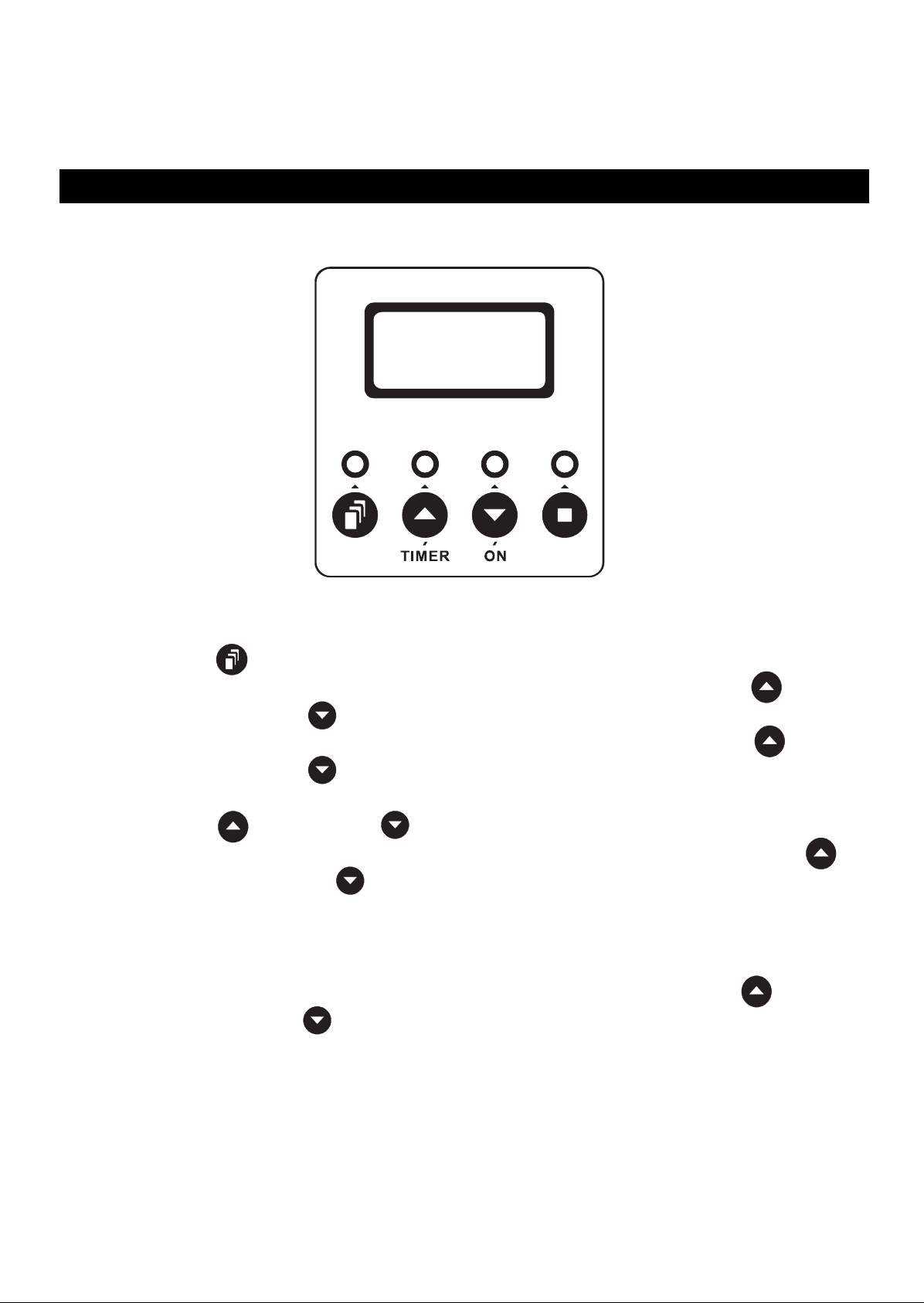
LCD CONTROL OPERATION
After transmitter(s) registration time ends, LCD screen will then show “Ready To Haze”.
Now the machine is ready for operating.
FUNCTIONS SETTING
Press Menu button for setting different functions per sequence as below.
Interval Set To set the interval time under timer mode by pressing Up/Timer and
Down/On buttons (5 to 200 seconds).
Duration Set To set the duration time under timer mode by pressing Up/Timer and
Down/On buttons (5 to 200 seconds).
DMX512 Add. To set the DMX channel under DMX control mode by pressing Up/Timer
and Down/On buttons (1 to 512 channels).
Wireless ON To activate/terminate the wireless control system by pressing Up/Timer
and Down/On buttons (ON/OFF). When wireless control system is
activated, letter “W” will be showed under main screen display “Ready To
Haze”. Once the wireless control system is terminated then the letter “W”
will disappear accordingly.
Quick Start To activate/terminate quick start function by pressing Up/Timer and
Down/On buttons (ON/OFF). Once Quick Start function is on, the
output job under timer or continuous output (LCD/W-1/DMX) mode
terminated by power off will be directly resumed after power on again.
When the unit is power off not under output mode then the LCD screen will
resume to “Ready To Haze” main screen display directly.
6
OUTPUT UNDER TIMER MODE
Press Up/Timer button to execute the interval/duration timing set and press Stop
to stop.
OUTPUT UNDER CONTINUOUS OUTPUT MODE
Press Down/On button to output continuously until Stop button is pressed.
REMOTE CONTROL OPERATION
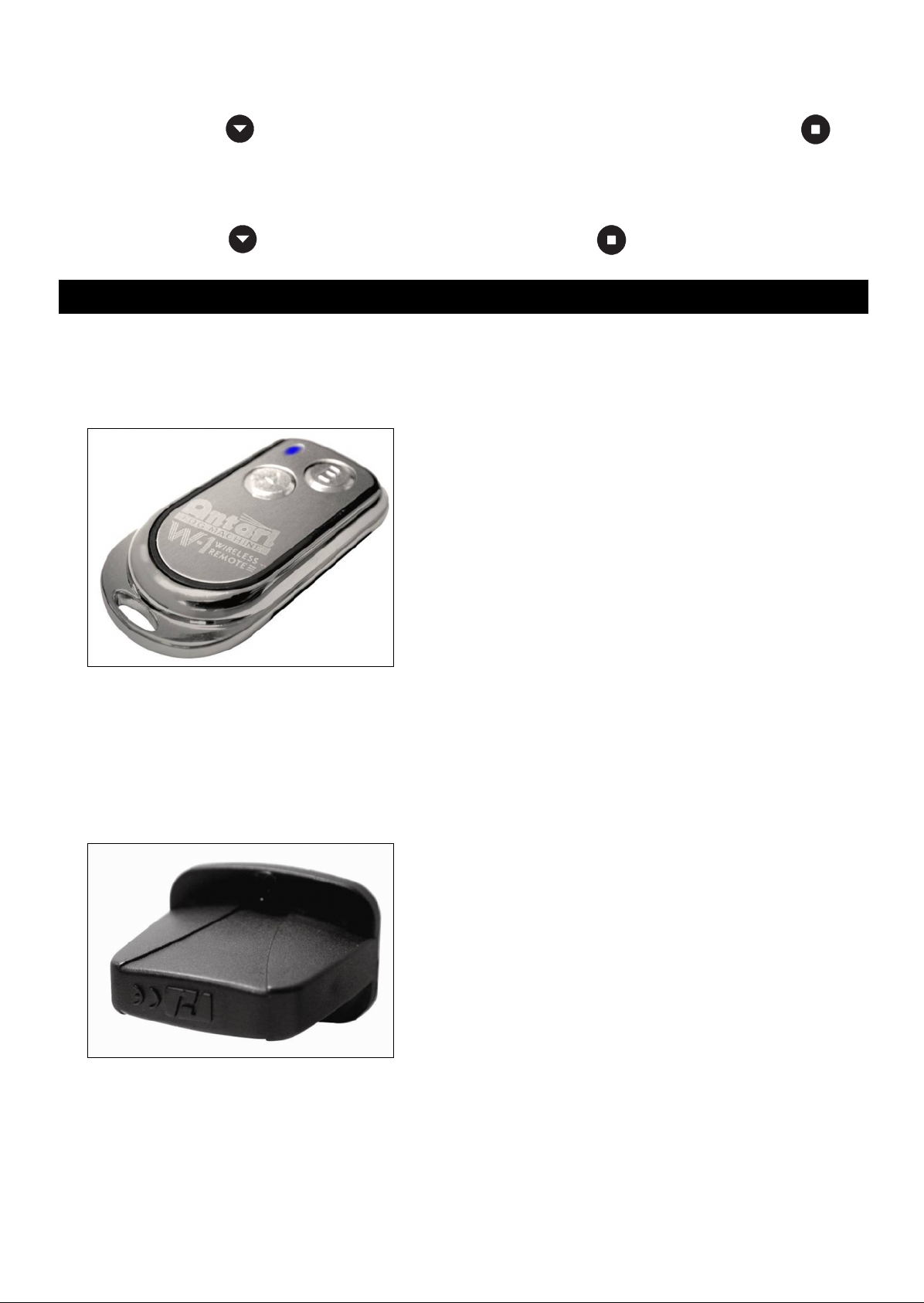
W-1:The wireless remote control W-1 consists of a transmitter equipped with two buttons
for fog on and off, and a receiver pre-attached to HZ-350.
* Transmitter
With the transmitter it is possible to emit fog via radio over a distance of up to 50 meters.
The transmitter is compatible to any receiver of HZ-350 and can control an unlimited
number of machines in parallel. Press the button “A”, to emit fog. As control, the LED on the
transmitter is lit. To stop the fog output, press the button “B”.
* Receiver
The receiver is tested and built in HZ-350. Please do not try to remove it. The receiver
responds to up to 5 different transmitters that are registered with the machine. The included
transmitter has been registered with the machine before shipment. It can be directly
operated without any start-up setting.
7
Battery change on the transmitter
If the range of the transmitter decreases, the battery is probably exhausted and must be
replaced. For this purpose, take off the housing cover and remove the used battery. Insert a
fresh 12 V battery, and refit the housing cover.
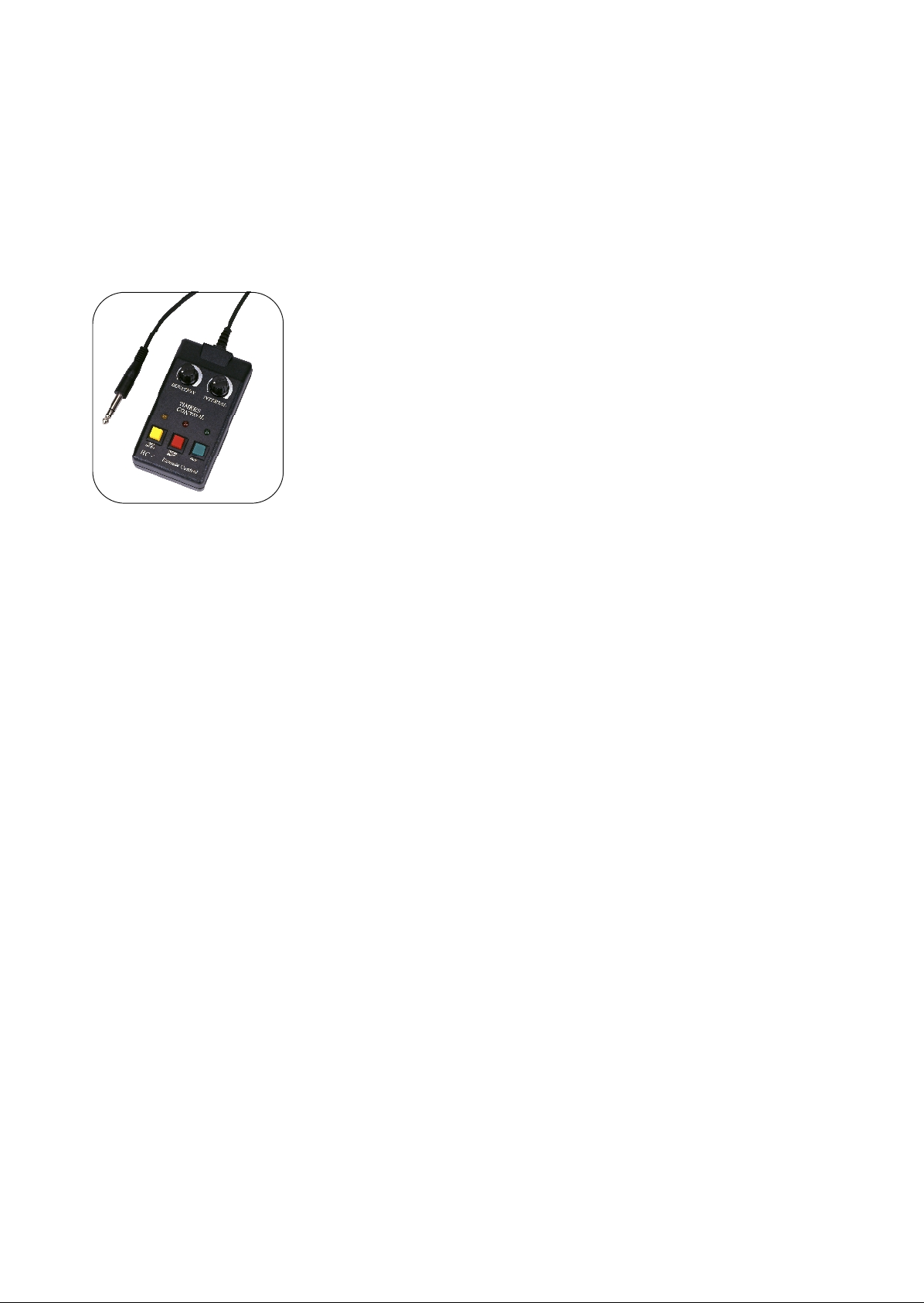
HC-1(Optional): 10 meter wired multi-function remote controller with 1/4” stereo plug.
Red Button – Control ON/OFF
By having the red button pressed, HC-1 is activated and ready for using. The red indicator
light will be on whenever HC-1 is on.
Green Button – Haze
Keep the green button pressed; the unit will output continuously. Release the button to
stop.
Yellow Button – Timer ON/OFF
Duration and Interval Knobs
Press the yellow button to activate the timer function for the knobs DURATION and
INTERVAL located on the top of the controller. Adjust the interval between each haze
emission (within the range from 10 to 200 seconds) by means of the INTERVAL control
knob. Adjust the duration of each haze emission (within the range from 5 to 100 seconds)
by means of the DURATION control knob.
8
DMX CONTROL OPERATION
HZ-350 has on-board DMX control and the addressing is via LCD control panel. HZ-350
uses 1 channel to control on/off operation. The channel has a value range from 0 to 255.
The on/off function can also be programmed with a DMX controller or DMX control software
used by lighting and effects operator.
Channel A
11-255 = ON
0-10 = OFF
If the value of channel A is set between 0 to 10, the unit is off.
While the value is set between 11 to 255, the unit is on.
Note: Once DMX cable is connected to the unit, then the LCD control panel, W-1
transmitter and HC-1 controller connected cannot be used.
CAUTION
Never drink haze fluid. If feel sick after ingesting in any case, call the
doctor immediately. If haze fluid comes in contact with skin or eyes,
rinse thoroughly with cold water.
— The fan located at the rear of the machine is set to stop 60 seconds after the output is
terminated for the purpose of radiating. Thus it is advised to power off the machine after the
termination of fan.
— If you have followed the above operation steps, and you still experience low output,
mechanical noise or no output at all, unplug the unit immediately from the mains. Check the
fluid level, the external fuse, the remote control connection, and the power cable from the
wall. If all of the above appears to be O.K., plug again. If the hazer is still not functional,
discontinue operating otherwise it may result in permanent damage to the unit. Return the
machine to your Antari dealer. Always drain tank before sending the unit.
9
HAZE FLUID
Antari HZL haze fluid was designed for the use with Antari HZ-350. Antari HZL is a
non-toxic solution that produces a pure, translucent haze with extremely long hang time
and low moisture, perfect for HZ-350.
Important: Never mix oil-based and water-based hazer fluids. Before switching the kind of
haze fluid in use, completely drain the tank to avoid mixing.
TECHNICAL SPECIFICATIONS
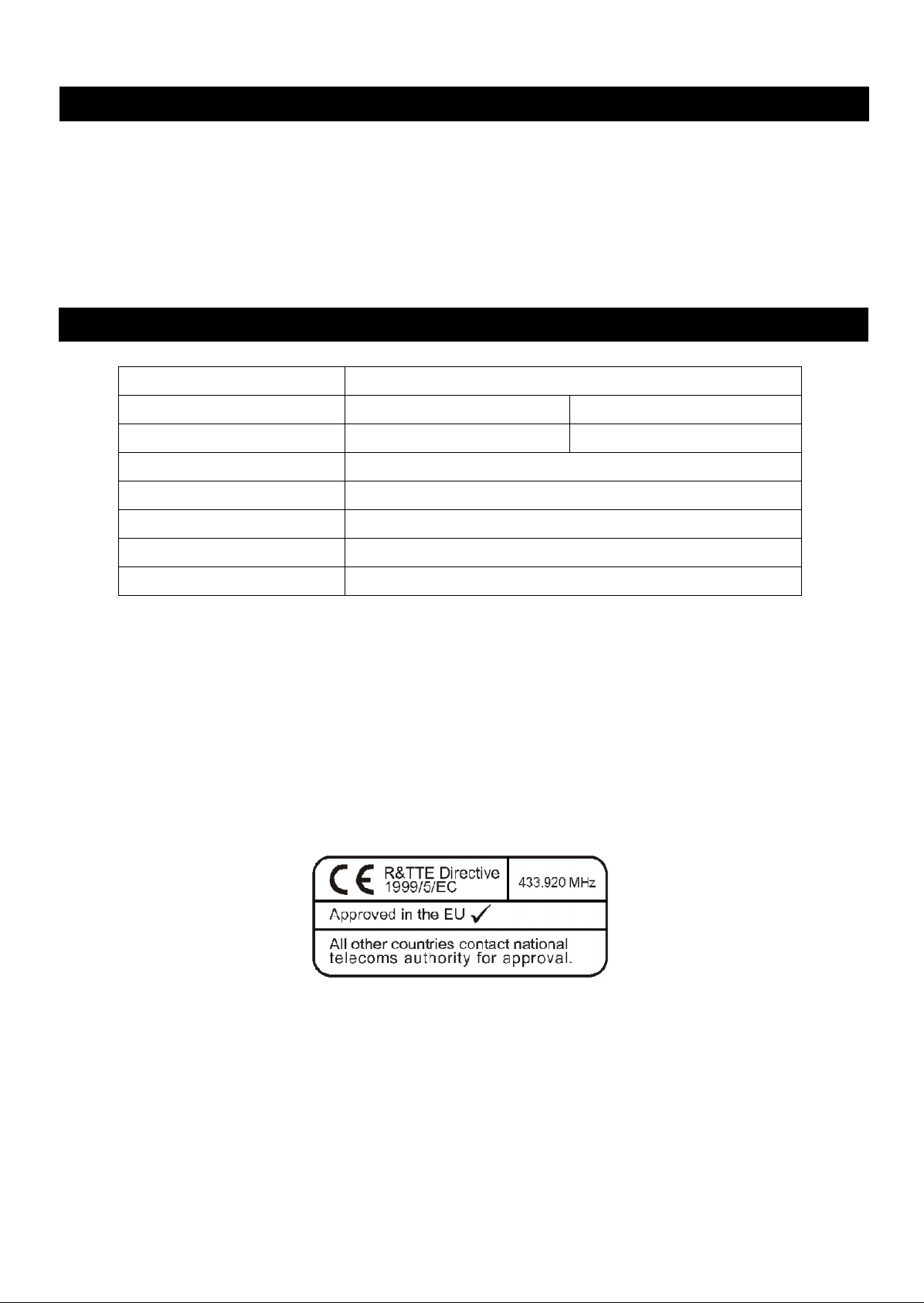
Approval
This product is in accordance with the R&TTE directive (Radio and Telecommunication
Technical Equipment) of the European Union and falls into equipment Class 1. In all EU
member countries, the operation of this wireless system is generally approved by the
national telecom regulatory authority. The system is license-free. In some countries outside
the EU, the operation of this wireless system may needs to be approved by the national
telecoms regulatory authority.
Please save this user manual carefully
10
Antari HZ-350 Hazer
Introduction
Nous vous félicitons pour l’achat de votre nouvelle Antari HZ-350 Hazer. En vue d’utiliser
correctement votre nouvel appareil, veuillez lire attentivement ce mode d’emploi. Si vous
respectez les instructions suivantes, vous profiterez d’une performance solide et
convaincante de votre machine à fumée Antari pour de nombreuses années.
Pour assurer la longévité et le bon fonctionnement de votre machine à
fumée, veuillez lire attentivement les instructions suivantes concernant
le maniement, la sécurité et l’entretien.
Risques d’Electrocution
Protéger de l’humidité.
Utilisez uniquement des prises de courant à terre à 3 broches. Avant la première mise
en marche, assurez vous que l’appareil soit branché à l’alimentation correcte.
Débranchez l’appareil avant de remplir le réservoir.
Mettre la machine hors de service quand vous n’utilisez pas la machine.
L’appareil a été conçu pour un emploi dans des locaux clos. Si de l’humidité, du liquide
ou du liquide à fumée devait pénétrer à l’intérieur de l’appareil, débranchez le
immédiatement. Veuillez nettoyer la machine avec une toile sèche et attendez quelque
minutes. S’il y a des problèmes après de mettre la machine en service, contactez un
technicien ou votre revendeur Antari.
Danger d’Incendie
A l’intérieur de l’appareil, il n’y a aucune partie qui ait besoin d’être révisée. Les travaux
d’entretien sont à faire effectuer par votre revendeur autorisé. S’il vous plaît, n’essayez
pas de démonter le boîtier ou faire des modifications; sinon danger d’endommager
l’appareil ou d’incendie.
L’usage de cet appareil n’est prévu que pour les adultes. Installez le hors de portée
des enfants. Ne jamais faire marcher sans surveillance.
Installez l’appareil à un endroit bien aéré. Pour garantir une aération suffisante, laissez
un espace libre de 20 cm tout autour de l’appareil.
Ne jamais braquer le bec de la machine sur des flammes ou sur des objets
inflammables.

11
Ne jamais mélanger des liquides inflammables gazeux ou huileux avec le liquide à
fumée.
Utilisez uniquement du liquide à fumée de haute qualité Antari HZL ou liquides
recommandée par votre revendeur. S’il vous plaît, n’utilisez pas d’autres liquides.
Ceux-ci pourraient mener à l’usure des parts à l’intérieur de la machine.
Si votre machine à fumée Antari ne devait plus fonctionner correctement, éteignez le
immédiatement. S’il vous plaît contactez votre revendeur Antari. Videz complètement
le réservoir en mettre la machine sur la tête ou en dégager de fumée, emballez le
soigneusement (au mieux dans son emballage d’origine) et l’envoyez-le à votre
revendeur Antari.
Faites attention à ce que le réservoir soit toujours complètement vidé avant d’envoyer
ou transporter l’appareil.
Veuillez suivre toute instruction de sécurité appliquée sur le boîtier de
votre générateur à fumée Antari.
Déballage & Inspection
Ouvrez le carton extérieur et assurez vous que toutes les pièces n’aient subi aucun
dommage durant leur transport. Avant de mettre votre machine à fumée Antari en service,
assurez-vous qu’elle n’ait subi aucun dommage évident pendant le transport. En cas de
livraison endommagée ou incomplète, toujours contactez immédiatement votre revendeur
Antari.
Mise en marche & Remplissage du liquide
6. Placez la machine à fumée sur une surface plane. Branchez la fiche d’alimentation
dans une prise de courant avec terre.
7. Enlevez le couvercle du réservoir et remplissez le réservoir de liquide Antari. Refermez
le réservoir. Veuillez faire attention de ne jamais dépasser le niveau maximale de
liquide. Après de remplisse 1 litre de liquide, attendez et contrôlez le niveau de liquide.
Ne dépassez jamais le repère supérieur de l’indication de liquide.
8. Utilisez uniquement du liquide à fumée de haute qualité Antari HZL ou liquides
recommandée par votre revendeur. D’autres liquides à fumée
représente un risque pour la santé ou pourraient endommager la machine. Des casses
causés du fait de l’usage de liquide diffèrent ne sont pas inclus dans la garantie.
9. Mettez le commutateur d’alimentation à l’arrière de la machine en mode «ON». Comme
contrôle, la LED rouge et allumée.
Loading…
Antari HZ-350
1
HZ-350 Haze Machine
USER MANUAL
English Français Deutsch • • •
2013 Antari Lighting and Effects Ltd.
View the manual for the Antari HZ-350 here, for free. This manual comes under the category effect machines and has been rated by 1 people with an average of a 5.5.
This manual is available in the following languages: English. Do you have a question about the Antari HZ-350 or do you need help?
Ask your question here
Product Images (3)

Antari HZ-350 specifications
Below you will find the product specifications and the manual specifications of the Antari HZ-350.
The Antari HZ-350 is a haze machine that operates using oil as the operating fluid. It features a large liquid tank capacity of 2.5 liters, allowing for longer use between refills. The smoke direction is set horizontally, providing a consistent output across a wide area.
With a DMX connector type of XLR5, the Antari HZ-350 can easily integrate into existing lighting setups. It has one DMX channel, giving users precise control over the output. The machine is powered by 390 watts and operates on an AC input frequency of 50/60 Hz.
One of the standout features of the Antari HZ-350 is its innovative LCD control panel. This built-in panel allows users to easily set the timer and DMX address with accuracy. Additionally, the machine comes with a wireless remote control, enabling users to operate it from a distance.
Overall, the Antari HZ-350 is a reliable and user-friendly haze machine with modern features that make it a great choice for professionals in the event industry.
Smoke machine type
Haze machine
General
| Brand | Antari |
| Model | HZ-350 | HZ-350 |
| Product | effect machine |
| Language | English |
| Filetype | User manual (PDF), Datasheet (PDF), Catalog (PDF) |
Technical details
| Smoke machine type | Haze machine |
| Operating fluid | Oil |
| Liquid tank capacity | 2.5 L |
| Smoke direction | Horizontal direction |
| DMX connector type | XLR5 |
| Product color | Gray |
| Smoke output volume | — m³/min |
| Remotely operated | Yes |
| Remote control type | Wireless |
| Compatible products | HC-1 Cable Timer Remote |
| DMX channels quantity | 1 channels |
Lighting
Power
| Power | 390 W |
| AC input voltage | 220-240 V |
| AC input frequency | 50/60 Hz |
Weight & dimensions
| Width | 273 mm |
| Depth | 492 mm |
| Height | 315 mm |
| Weight | 14200 g |
| Weight | 14200 g |
| Weight | 14200 g |
Display
Features
| Product color | Gray |
| Compatible products | HC-1 Cable Timer Remote |
| Product color | Gray |
show more
Frequently Asked Questions
Can’t find the answer to your question in the manual? You may find the answer to your question in the FAQs about the Antari HZ-350 below.
Does the Antari HZ-350 have a liquid tank capacity of 2.5 liters?
Yes, the Antari HZ-350 has a liquid tank capacity of 2.5 liters, which means users can enjoy continuous operation without the need for frequent refills.
Is the Antari HZ-350 remotely operated?
Yes, the Antari HZ-350 is remotely operated, making it convenient for users to control the haze machine from a distance without the need to manually adjust settings.
What is the power consumption of the Antari HZ-350?
The Antari HZ-350 has a power consumption of 390 Watts, which is relatively high compared to similar haze machines, ensuring efficient performance and output.
Does the Antari HZ-350 have a horizontal smoke direction?
Yes, the Antari HZ-350 has a horizontal smoke direction, allowing users to create unique and dynamic effects that cover a wide area.
How many DMX channels does the Antari HZ-350 have?
The Antari HZ-350 has 1 DMX channel, which may be sufficient for users who require basic control over the haze machine’s functions.
What are the characteristics of the Antari HZL haze fluid that make it suitable for use with the Antari HZ-350 Haze Machine?
The Antari HZL haze fluid is specifically designed for use with the Antari HZ-350 Haze Machine. It is a non-toxic solution that produces a pure, translucent haze with an extremely long hang time and low moisture content. These characteristics make it ideal for the Antari HZ-350 Haze Machine. It is important to note that the Antari HZL haze fluid should not be mixed with oil-based or water-based hazer fluids. Before switching the type of haze fluid, ensure to completely drain the tank to avoid any mixing. Additionally, always use genuine Antari HZL haze fluid recommended by the dealer to prevent erosion of inner parts and ensure optimal performance of the Haze Machine.
What precautions should I take before switching to a different kind of haze fluid in the Antari HZ-350 Haze Machine?
Before switching to a different kind of haze fluid in the Antari HZ-350 Haze Machine, it is crucial to follow these precautions:
1. Drain the tank completely to avoid mixing different types of haze fluids.
2. Never mix oil-based and water-based hazer fluids to prevent any potential issues.
3. Use only the dealer-recommended genuine Antari haze fluid (HZL) to ensure optimal performance and avoid damage to the machine.
4. Do not add any flammable liquids such as oil, gas, or perfume to the haze fluid.
5. If the Haze Machine fails to work properly after switching fluids, stop using it immediately and seek assistance from a service technician or your ANTARI dealer.
What is the weight of the Antari HZ-350?
The Antari HZ-350 has a weight of 14200 g.
What is the height of the Antari HZ-350?
The Antari HZ-350 has a height of 315 mm.
What is the width of the Antari HZ-350?
The Antari HZ-350 has a width of 273 mm.
What is the depth of the Antari HZ-350?
The Antari HZ-350 has a depth of 492 mm.
Is the manual of the Antari HZ-350 available in English?
Yes, the manual of the Antari HZ-350 is available in English .
Is your question not listed? Ask your question here
- June 13, 2024
- Antari
Table of Contents
- Introduction
- Safety Information
- Package Contents & Inspection
- Machine Details
- Technical Label Information
- Haze Fluid
- Setting and Manual Operation
- Control Settings
- DMX Connection
- W-1 Wireless Transmitter (Standard)
- HC-1 Cable Remote (Optional)
- Technical Specifications
- Warranty Disclaimer
- Machine Dimension
- Appendix I Grounding Instruction
- Documents / Resources
- Read User Manual Online (PDF format)
- Download This Manual (PDF format)

HZ-350
Haze Machine
User Manual
Introduction
Please read all the user manual before operating the machine, and place the
manual where the user can refer to it at all time. The manual includes how to
install and operate the machine under safe conditions and explain all the
labels printed on the machine. If you encounter any problem, contact your
local Antari dealer for assistant immediately.
Safety Information
| DANGER | If the danger is not avoided, it will cause death or serious injury |
|---|---|
| WARNING | If the warning is not heeded, it can cause death or serious injury. |
| CAUTION | If the precaution is not taken, it may cause minor or moderate |
injury.
DANGER
- Must connect the machine to the correct rated voltage or it might lead to an electrical shock or a burn and may cause serious consequences.
- Must connect the machine to a protected circuit and ensure it is properly grounded to avoid the risk of electrocution. For grounding instruction, please refer to Appendix I on page 15.
- Do not operate the machine with a bundled power cord, it could lead to a fire hazard.
- When operating the machine, do not point at people, animals, or fire.
WARNING
- Please operate the machine on a flat, level hard and well ventilated surface area, reserve at least 50cm space around the machine and make sure there is no flammable gas or material nearby.
- Do not disassemble, repair or modify the machine, it may cause damages, malfunction, risk of electrical shock or result in fire.
- The machine can only be operated by adults or professionals, is not intended for use by person with reduced physical sensory, mental capabilities, or lack of experience and knowledge including children.
- Do not leave the machine running unattended, make sure all powers are off when leaving.
- Children should be supervised to ensure that they do not play with the machine.
- Do not use the machine upside down or tilt it, it might cause damages or malfunction.
- Please store the fluid inside in a well ventilated area without direct sunlight and keep out of reach of children. In case of eye contact or accidentally swallow the fluid, please seek medical attention immediately.
** CAUTION**
- Keep the machine dry at all time. The machine is not waterproof, do not expose the machine to water, rain or moisture environment.
- Please make sure the power outlet is not damaged or loose before plug in the power cord.
- If the power cord is damaged, it must be replaced by Antari or its local dealers, otherwise the warranty will be void.
- Before transporting the machine, please make sure the fluid is drained and tank is empty. (Recommend using original package)
- The machine is for indoor use only.
- Do not operate the machine in any area with unstable voltage.
- If you experience strange sound or malfunction, turn off the power and unplug the power cord immediately and contact your local Antari dealer for assistant.
- Do not contact any moving part.
- Only use accessories recommended or sold by Antari.
- Please make sure the power is off when not using the machine and unplug the power cord if not intend to use for a long period of time.
- To disconnect, turn all controls to the off position, then remove plug from outlet.
- Do not unplug by pulling on cord. To unplug, grasp the plug, not the cord.
- Unplug from outlet before servicing or cleaning.
- Do not operate the machine with a damaged cord or plug, or after the machine malfunctions or is dropped or damaged in any manner. Return machine to the nearest authorized service facility for examination, repair, or electrical or mechanical adjustment.
- To ensure the lifespan of the machine, please only use the fluid manufactured by Antari, do not use other fluid or additive, otherwise it may cause malfunction.
Before operating the machine, please read all warning labels on the machine,
description as below;
Top Cover Printing
USE DEALER RECOMMENEDED HAZE LIQUID ONLY!
DO NOT OPEN CASE RISK OF ELECTRIC SHOCK
WARNING!
PLEASE USE RECOMMENED, NON-FLAMMABLE FLUID ONLY. MAKE SURE THT THE LIQUID
LEVEL DOES NOT EXCEED THE MARK AS MACHINE PERFORMANCE MAY SUFFER
Rear Cover Printing
WARNING!
DISCONNECT POWER BEFORE CHANGING FUSE.
USE ONLY WITH ADULT SUPERVISION.
DO NOT OPERATE WITHOUT LIQUID.
FOR INDOOR USE ONLY. KEEP DRY.
NO USER SERVICEABLE PARTS INSIDE.
MAX. FLUID LEVEL
MAKE SURE THAT THE LIQUID LEVEL DOES NOT EXCEED THIS MARK.
Package Contents & Inspection
Immediately upon receiving the machine, carefully unpack the carton, check the
content to ensure it is the correct model and all parts are included. If any
part appears to be damaged or missing during transportation, please contact
your local dealer and return in original package for inspection.
3.1 Package Contents
1 x HZ-350 Haze Machine
1 x IEC Connector (Power)
1 x W-1 Wireless Transmitter
1 x User Manual or scan QR Code on the Machine
3.2 Optional Accessories
| Item Code | Description |
|---|---|
| HC-1 | Timer Cable Remote |
Machine Details

| 01. Fog Nozzle | 06. Wireless Receiver |
|---|---|
| 02. Handle | 07. XLR 5-Pin DMX |
| 03. Tank Cap | 08. Remote Input |
| 04. Fan | 09. Power Switch |
| 05. LCD Display | 10. IEC Connector (Power) |
Technical Label Information
Please read the technical label information on the back of the machine before
operating it.

1. Model Name| 5. Breaker/Fuse
2. Input Voltage| 6. QR CODE for User Manual
3. Frequency| 7. Serial No.
4. Rated Power| 1
Haze Fluid
CAUTION
Always turn off the power before filling the fluid tank. Do not add flammable
liquid to the fluid tank. If fluid gets inside the machine, please contact
your local Antari dealer for assistant.
- Only the haze fluid manufactured by Antari can be used, do not mix or dilute the haze fluid. Due to improper storage or using other fluid might cause malfunction.
- The machine is tested and calibrated with the specific haze fluid to get the best performance.
- Please empty the fluid in the tank before switching to another fluid to avoid mixing.
- The warranty on your haze machine will be void if you use haze fluid not manufactured by Antari.
Setting and Manual Operation
WARNING
Machine falling off might cause serious injury, please make sure it is secure
and firm on the overhead.
Step 1. Place the machine on a flat, level hard and well ventilated surface
area and reserve at least 50cm open space around the machine, and make sure
there is no flammable gas or material nearby;
Step 2. Fill with Antari approved haze fluid;
Step 3. Connect the machine to the power outlet. Please read the technical
label on the back of the machine and make sure the power outlet is the
correspond to the rated voltage for the machine;
Step 4. Turn on the machine, once the machine is ready for operation, the LCD
display will show “Ready To Haze”;
Step 5. To start hazing, press [TIMER] once and to stop hazing, press [STOP],
this will run based on “interval” & “duration” setting in the main menu;
Step 6. To start hazing, you can also press [ON] button once and to stop
hazing, press [STOP];
Step 7. To turn off the machine, please make sure the machine is not operating
then turn of the power. If you will not use the machine a long period of time,
please remove the power cord.
Control Settings
HZ-350 Haze Machine can be operated in the following modes. The machine can
only accept 1 type of signal at a time. When using different control modes at
the same time, the machine will work according to built-in control priority:
- Manual
- Timer
- DMX512
- Wireless
- Cable Remote
8.1 Control Panel Description

HZ-350 Haze Machine can be operated with the onboard digital control
interface.
| Button | Operating Method | Action |
|---|---|---|
| Menu | Press | To enter setting menu |
| Up | Press | Increase value |
| Down | Press | Decrease value |
| TIMER | Press | 1. Press to start hazing according to the set time |
2. Press “stop” to stop hazing
ON| Press| 1. Press to start hazing
2. Press “stop” to stop hazing
Stop| Press| 1. Press once to choose function in set menu
2. Leave setting menu
3. Stop hazing
8.2 Menu Options Description
| Options | Description |
|---|---|
| Interval | Set Interval between 5-200 sec |
| Duration | Set Duration between5-200 sec |
| DMX512 Add.001 | 001-512 |
| Wireless On | On (“W” Showed) / Off (“W” not show) “Ready to Haze Sceen” |
| Quick Start | On / Off |
DMX Connection
9.1 DMX Connector Pin Assignment
The machine has a XLR 5-Pin for DMX connection. The diagram below indicates
pin assignment information.
| There is a protection cap on DMX IN, please remove it with your finger
before operation.

—|—
Pin| Function**
1| Ground
2| Data-
3| Data+
4| N/A
5| N/A
9.2 DMX Channel Function
| DMX Value | Function |
|---|---|
| 0~10 | Off |
| 11~255 | On |
W-1 Wireless Transmitter (Standard)
W-1 Wireless Transmitter is a standard accessory for HZ-350 Hazer Machine and
it’s ready to use.
10.1 W-1 Wireless Transmitter
- Battery:27A 12V
- Effective Range:The effective range is approximately 50m, depends on actual condition, it may vary.
- W-1 wireless transmitter has 2 buttons, each function as follow:
| Button | Function |
|---|---|
| [A] | Start |
| [B] | Stop |
10.2 Pairing
Each receiver can pair up to 5 transmitters, please follow the steps below to
pair;
Step 1. Turn on the power, “Wireless Setup” will show on the display for 15
seconds. Within this time period, press button A on the W-1 transmitter to
pair with the machine. When screen shows “Wireless Setup OK”, means it’s
paired;
Step 2. Please repeat Step 1 to pair multiple transmitters;
*If exceed 15 seconds, turn the power off and on again.
HC-1 Cable Remote (Optional)
HC-1 Timer
Cable Remote is an optional accessory for HZ-350 Haze Machine, please see
instruction below;
| Button/Knob | Function |
|---|---|
| DURATION [KNOB] | Adjust Duration |
| INTERVAL [KNOB] | Adjust Interval |
| POWER [RED BUTTON] | Power On / Off |
| HAZE [GREEN BUTTON] | Fogging On / Off |
| TIMER ON/OFF [YELLOW BUTTON] | Timer Mode On / Off |
** If you encounter any problem, please contact your local Antari dealer for
assistant.
Technical Specifications
HZ-350
Input Voltage| US Model : AC 100-120V, 50/60Hz 3.5A
EU Model : AC 220-240V, 50/60Hz 2.0A
Rated Power| 390W
Fluid Consumption| 0.8 ml/min (100% output)
Operating Time| 52 hrs (100% output)
Fluid Tank Capacity| 2.5 Liters (0.66 gallon)
Compatible Fluid| Antari HZL Haze Fluid
Ambient Temp. Range| 0°C – 40°C (32°F – 104°F)
Control Methods| Manual、Timer、DMX512、Wireless (Standard)、Cable Remote
(Optional)
Interface| XLR 5-Pin (DMX)、IEC (Power)
DMX Channels| 1 Channel
Included Accessories| W-1 Wireless Transmitter
Optional Accessories| HC-1 Timer Cable Remote
Dimension| L 492 W 273 H 315 mm (L 19.37 W 10.75 H 12.40 inch)
Weight| 14.2 kg (31.31 lbs.)
Warranty Disclaimer
We guarantee the merchandise manufactured by us to be free from defect in
material and workmanship for a period of one year. Our obligation and
liability under this warranty shall be restricted to repair or replacement at
our factory or local authorized dealer. We assume no liability of the products
that are improperly used or used for any purpose other than that for which
they are specially designed. This warranty shall not apply to any merchandise
which has been repaired, altered or assembled outside our factory in any way
so as in our judgment to affect its performance, nor which has been subjected
to misuse, negligence, or accident nor to any merchandise operated contrary to
our printed instructions. We will not allow or be liable of any loss or any
damages of any kind in connection with the use, sale, or repair of any
merchandise purchased from us.
Machine Dimension

Appendix I Grounding Instruction
This appliance must be grounded. In the event of malfunction or breakdown,
grounding provides a path of least resistance for electric current to reduce
the risk of electric shock. This appliance is equipped with a cord having an
equipment-grounding conductor and a grounding plug. The plug must be plugged
into an appropriate outlet that is properly installed and grounded in
accordance with all local codes and ordinances.
DANGER – Improper connection of the equipment-grounding conductor can
result in a risk of electric shock. The conductor with insulation having an
outer surface that is green with or without yellow stripes is the
equipmentgrounding conductor. If repair or replacement of the cord or plug is
necessary, do not connect the equipmentgrounding conductor to a live terminal.
Check with a qualified electrician or serviceman if the grounding instructions
are not completely understood, or if in doubt as to whether the appliance is
properly grounded. Do not modify the plug provided with the appliance – if it
will not fit the outlet, have a proper outlet installed by a qualified
electrician.
This appliance is for use on a nominal 120 V circuit, and has a grounding plug
that looks like the plug illustrated in sketch A in Figure. A temporary
adaptor, which looks like the adaptor illustrated in sketches B and C, may be
used to connect this plug to a 2-pole receptacle as shown in sketch B if a
properly grounded outlet is not available. The temporary adaptor should be
used only until a properly grounded outlet can be installed by a qualified
electrician. The green colored rigid ear, lug, and the like, extending from
the adaptor must be connected to a permanent ground such as a properly
grounded outlet box cover. Whenever the adaptor is used, it must be held in
place by the metal screw.

C08HZ3506
Documents / Resources
|
Antari HZ-350 Haze
Machine
[pdf] User Manual
HZ-350, HZ-350 Haze Machine, Haze Machine, Machine
—|—
|
Antari HZ-350 Haze
Machine
[pdf] User Manual
HZ-350 Haze Machine, HZ-350, Haze Machine, Machine
Read User Manual Online (PDF format)
Read User Manual Online (PDF format) >>
Download This Manual (PDF format)
Download this manual >>