

Привет всем. Значит начнем все по порядку. Позвонил как то мне знакомый, просит заехать до него. Он работает на сервисе. Думаю ладно, ехать недолго, заеду. Приезжаю к нему. Он грустный выходит с ноутбуком и шнуром. Говорит можешь законектить не работает. Сказал мне сразу, шнур купил за 4000 с Китая. Отзывы там все дела, но как оказалось не работает. Я бегло потыкал. Не получается. Говорю ему если для работы берешь, лучше возьми vag com. А если прошивать то оригинал оборудование, ибо можно уложить блоки. Собственно он подумал и отдал мне шнур. Сказал придумаешь с ним что нибудь оставь себе. Выкидывать жалко. Собственно на этом с ним и разошлись. Долго валялся этот шнур у меня. И раз уж такая пьянка, шнур есть. В комплекте диски Одис. Думаю дай почитаю. Собственно начал изучать понимаю что этим шнурком все ваги читаются в том числе и Порше. Надо бы попробовать его оживить.
Начал читать и сталкиваюсь с тем что информации почти что нет. Платить кому либо за установку тоже не особо горю желанием, так как сам молодец.
Ну и понеслась. Начал курить форумы, тестить.
Скачиваю с торента образ вертуальной машины для VMwere. Ну и собственно сама программа VMwere.
Образ весит 72.5гб. Пробую запустить, а он в ошибку. Типа смените пользователя. И все тут. Нажимаю сменить, и волшебства не происходит. Пробую через администратора и выкидывает ошибку не достаточно прав. Сижу думаю как так то.
И тут до меня дошло. На папке стоит «только для чтения», снимаем галочку. И о чудо все запустилось. Далее долгие муки синхрона провода и виртуальную машину. Короче долго тыкал и матюкался. Собственно для тех кому действительно нужно. Рассказываю как это все запустить на win10.
1. Берем ноут расширение экрана чтоб было не менее 1920х1080.
2. Скачиваем VMwere.
3. Скачиваем с торента образ Piwis 3 38.400
4. Ищем эту волшебную скаченную папку и снимаем с нее галочку «только для чтения»
5. Открываем VMwere, делаем настройки сканируем образы вертуальной машины.
6. После того как нашли делаем настройки(ставим процессор 2 ядра и выше, оперативку от 2гб и в настройках дисплея меняем разрешение как в пункте 1.
7. Запускаем это ведро с болтами.
8. Теперь провод втыкаем в USB разьем, выдаст окно(ставим галочку на подключение к вертуальной машине и выбираем имя в списке. У вас сразу будет звук подключения.
9. Нажимаем пуск>найти>ACIA(либо просто Tester)зеленая иконка. Запускаем ее у вас должно определить кабель. Нажимаем старт. Должен пойти тест.
10. Запускаем Piwis 3, вставляем кабель в тачку и о чудо все работает.
Теперь про нюансы:
Настоятельно не рекомендую пробовать кодировать блоки. Сам не пробовал, но на форумах пишут что можно уложить блоки. Найду какой нибудь блок попробую.
Дальше время и дату в вертуальной машине статье 20 ноября 2020 года. Ну или раньше.
НИ ПРИ КАКОМ ОБСТОЯТЕЛЬСТВЕ НЕ ОБНОВЛЯЕТЕ ДРАЙВЕРА И ЛИЦЕНЗИИ НА КАБЕЛЬ(иначе будет кирпич)
А так в целом диагностику делает, калибровку пневмы делает, ошибки скидывает. Программа интуитивно понятная.
Но все же для банальной диагностики лучше взять vag com или еще что нибудь. Мне досталось бесплатно я решил его запустить.
Про кодировки блоков напишу если же найду блок на котором можно будет проводить тест.


Цена вопроса: 0 ₽
Пробег: 229 000 км
Installing Porsche PIWIS 3 software can be a complex process and may require technical expertise. However, here are the general steps to install Porsche PIWIS 3 software:
1. Obtain the PIWIS 3 software and license key from an authorized Porsche dealer or supplier.
2. Make sure your computer meets the minimum system requirements for the PIWIS 3 software. These requirements may vary depending on the specific version of the software you are installing.
3. Connect the PIWIS 3 diagnostic tool to your computer using the provided USB cable.
4. Insert the PIWIS 3 software installation disc into your computer’s CD/DVD drive or download the installation files from the official Porsche website.
5. Follow the on-screen instructions to install the PIWIS 3 software onto your computer. This may involve selecting the installation destination, accepting license agreements, and configuring any necessary settings.
6. When prompted, enter the license key to activate the PIWIS 3 software. This key should have been provided to you by the Porsche dealer or supplier.
7. Once the installation is complete, launch the PIWIS 3 software and connect the diagnostic tool to a compatible Porsche vehicle.
8. Follow the prompts on the software to diagnose and test the various systems and components of the vehicle.
It is important to note that the installation process may vary depending on the specific version of the PIWIS 3 software you are installing and the configuration of your computer. It is also recommended to refer to the user manual or contact technical support for assistance during the installation process.
Hope help you!
- Piwis 3
- Piwis 3 for sale
- piwis 3 manual
- PIWIS 3 software
- Porsche Piwis 3
- Porsche Piwis 3 software
- porsche piwis 3 software download
- Porsche Piwis III
- Porsche Piwis Tester III
- Porsche Piwis3
- Porsche Tester Piwis III
- VXDIAG Porsche Piwis III
Piwis 3 Software V40.000 Download & Installation Guide
Piwis III Software Update to V40.000 for Porsche Piwis tester 3 already. most client from Europe get Piwis 3 hardware, wanna try to Purchase Piwis 3 software for test. Below Autonumen.com share Piwis 3 V40.000 software download with Piwis 3 Keygen for Porsche PT3G Piwis tester 3.
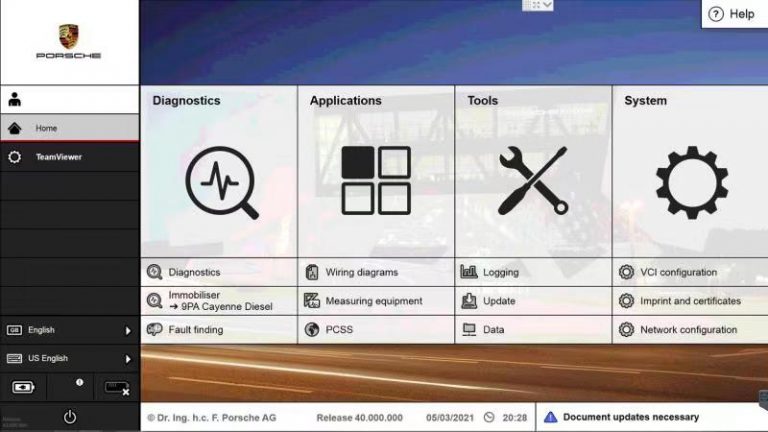
Piwis 3 Software V40.000 Download:
https://www.autonumen.com/goods-7119-Porsche-Piwis-3-Tester-III-Diagnostic-With-Lenovo-T450-Laptop.html
Porsche PIWIS 3 V37.900 SD Card Download Link:
https://mega.nz/#!o1E1DYZC!tQ47l88FfvleQU-28CucaEsCvgtureM8FbFKRR_dXd0
PIWIS 3 Keygen Free Download:
https://mega.nz/#!CUYUlKYR!v9qgglhkXClmKizrVfCm3a33tId3wu1QS7LOvgxYQ1Y.
How do you use the Piwis 3 keygen:
This is the method you can try:
Make sure PIWIS 3 is closed. If it is open, right-click the Task bar, and then run Task Manager. Select co.porsche.piwis.shell and End Task.
Click Start (WinKey) and type services. msc in the search box. Run services.msc. If the service is running, then stop it.
If the Keygen is on the laptop, run it, and then leave it open.
Run a Command Prompt.
At the Command Prompt, type:
WMIC BIOS GET SERIAL NUMBER
Enter the Serial Number into the Keygen.
Enter the Country into the Keygen.
Then change the Expiry Date to 01/01/2030.
The Dealer number is not important, but you can enter one if you know it (7 digit number).
Then just leave the Challenge Key blank for now.
Click Start (WinKey) and type services.msc in the search box. Run services.msc
Then change the AdminService startup to Automatic, and click Apply.
Click Start to start the service.
Run Piwis3.
Go to the Imprint section.
Then enter 4 random digits into the Licence key boxes.
Tick the Accept box, and click License Update — it will say Not Valid — click OK.
Click Licence update twice more and OK.
The Request Key should have disappeared, and the Create Key button should be active — click it then.
Place the mouse pointer at the bottom of the screen, and open the Keygen.
And then enter the Request Key into the Challenge Key box, and click Generate.
Enter the license key shown into the boxes on Piwis. Tick the Accept box and then click Licence update.
If successful, you should get a message to reboot. Click OK, and then the computer will shut down.
IMPORTANT!!
After starting the computer, open services.msc again.
Stop AdminService and then set startup to Disabled. You can now run Piwis directly.
You can also get the serial number by printing out the imprint request.
The snag with that is if you are imprinting a VM, it does not show the complete number.
(Credits to 911Turbo for his great contribution)
This is for your information.
If you don’t have a working Autonumen.com PIWIS 3 program or the keygen is not working for you,
you’d better choose decent Piwis 3 software, tested version better.
The circuit diagram in version 37.900 Porsche Piwis 3 software from Cnautotool。works perfectly even without online access. And whether the updates work now or not is only secondary, the main thing we have to play.
something to know about piwis 3:
from version 37900
the wiring diagram works on-line with ppn account.
after updat, you lost developer mode
my version
developer mode ok
unlimited license 9999days
wiring diagram ok
works perfect
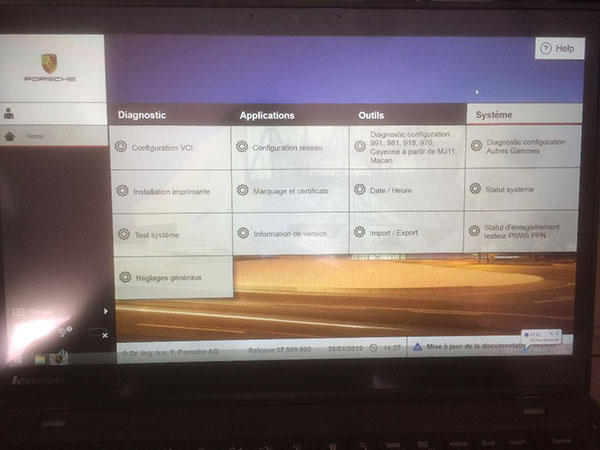
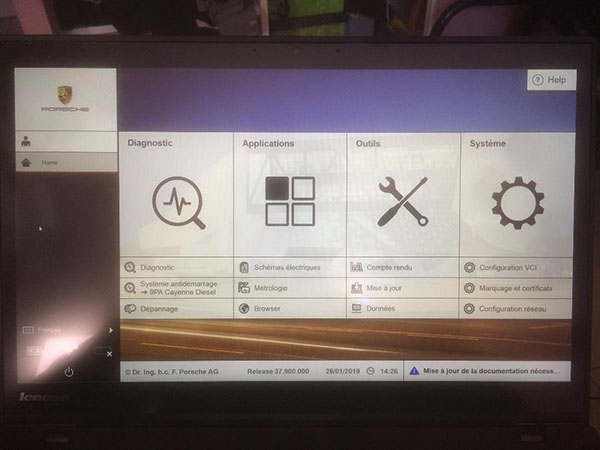
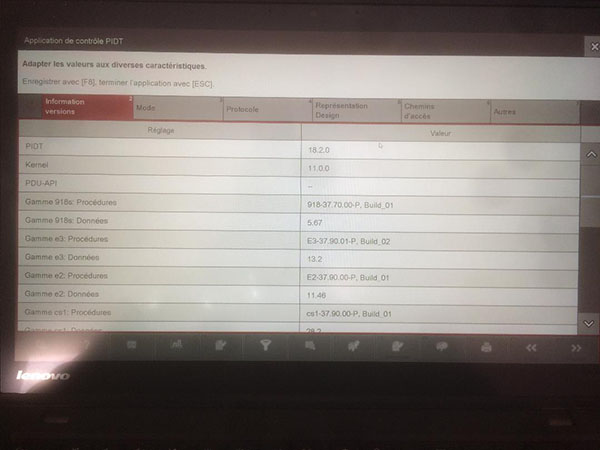
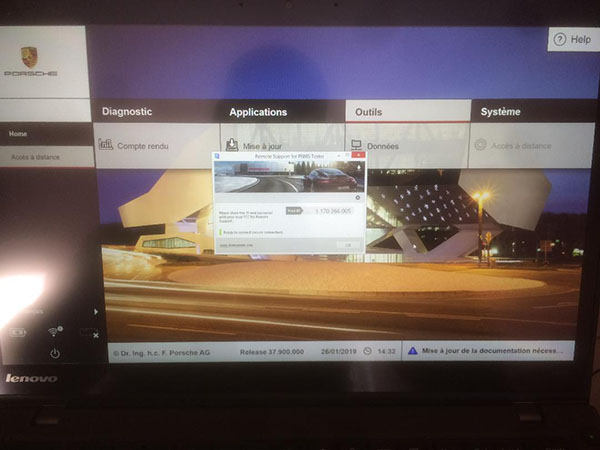
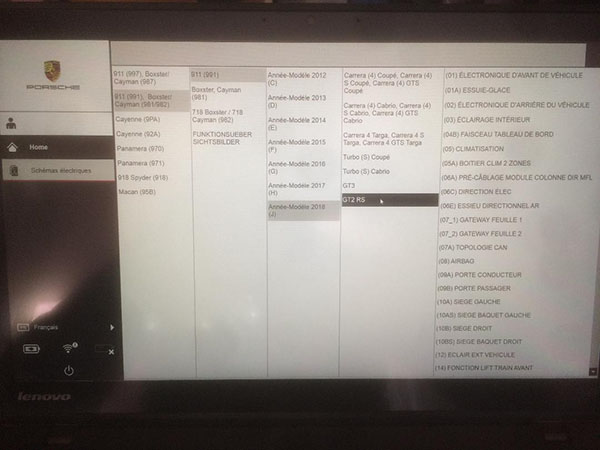
i’d like to show you the guide:
have you control the drive E
the piwis decompresses the sdcard in E
The sdcard this decompresses in this drive after a failure to update
the bitlocker protection is automatically removed
revive the piwis, after a bad update miss
regedit
hkey_local_machine
software
PIWIS
install
IC_STATUS
type 0X0000
now you have access to your piwis, as before
you need the bitlocker key of the sdcard
it’s the same for all sdcard and all versions
088990-425458-311531-582483-281380-229350-162602-208164
copy and past ctrl + v
bitlocker is remove
you have 2 files
change the ending .prs by .rar
now you are decompressing with winrar
you have access to the update decrypt
Manually install the update
you have to manually change the version in regedit
softwar
PIWIS
basis
replace 37.250.030 with 37.900.000
control in piwis system version information
general and diagnostics
that all is changing automatically to be sure
or
regedit
sotware
piwis
PTTD
INSIDE 8 FOLDER
CONTENT_VERSION
he must not have 37.200
you lose the developer mode
now a little brain you go find the rest
as I did
all that finds new !!!!!
help the porschist
37.900 does not have much difference with 38.050.030
just added 992 and 982 ecu available instrument cluster
after success 37.900.000
for infos piwis shell is 1.190.18136
PDU-API is 3.3.3
diagnostic functions 9×1-37.90.00P
……..
think also that the new model 2019
are guaranteed by porsche
you will not see them before 2 years in your garage
when the update 38.100 or 38.200 or 38.300 or 38.400 and available in sdcard
I’m talking about updating FULL, not delta I post it for free in the forum
no need to pay
it will be free to help our porschist friend
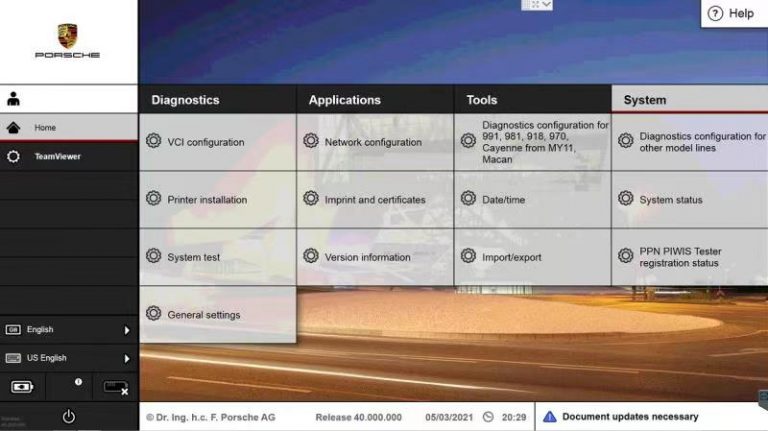
Pictures for piwis teter III V40.000:
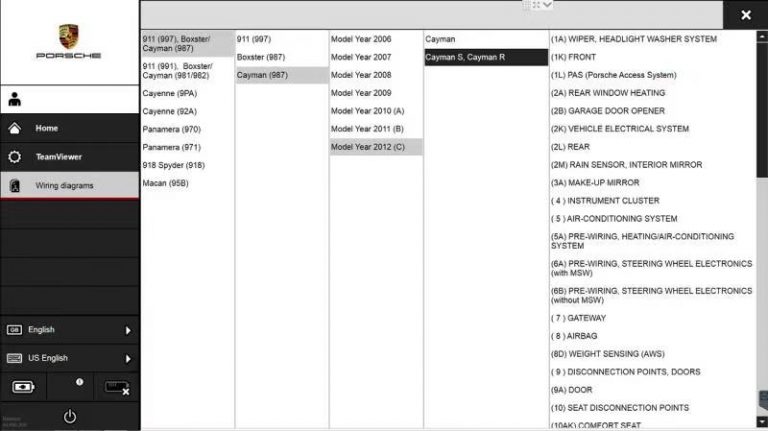
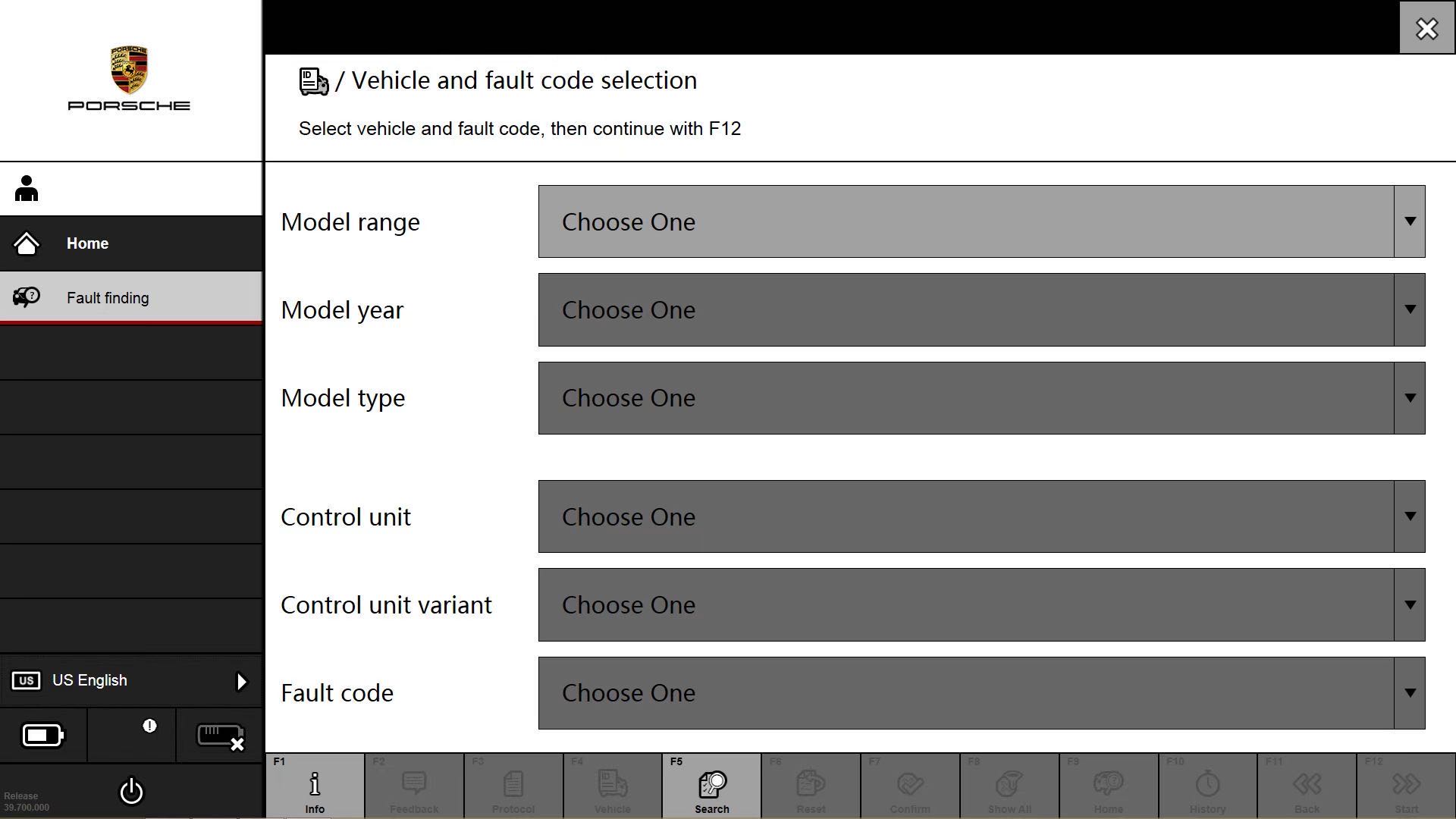
How to set up and connect the wireless diagnosis of the Porsche Piwis3 diagnosis software
1.Introduction to VCI communication module;

(1) Vehicle communication module VCI;
(2) Aviation interface line of PIWIS detector;
(3) WLAN cap;
(4) docking station (or VCI base station);
(5) Dual-head USB cable for connecting the VCI base station to the Y-shaped USB cable of the PIWIS detector;
2.Computer connection VCI;

Tip: The dual connector USB cable is connected to the computer, and the single connector USB cable is connected to the docking station until a horizontal line is displayed below the VCI connection status in the lower left corner of the Porsche system. The connection is successful.

Click on VCI configuration

3.Click “Home” – “VCI Configuration”, enter the VCI configuration interface, enter the general menu and click “Perform pairing now”
Pairing is matched. If the matching VCI diagnostic connector is grayed out, do not rematch and continue to the next step.
It should be noted that if clicking “Perform pairing now” is unsuccessful, the wireless hat on the VCI needs to be taken down.
Newly enter the VCI configuration, click “Reset VCI to factory settings” to continue matching.

4.Select “WLAN access point”, set the wireless password of the VCI connector, the network name cannot be changed, and the number of the network name is followed.
The word is the SN (PT3G_VCI_5159003), the network security key can be set by itself, and the password can exceed eight digits.
The channel can be set by itself. The password set by me here is 12345678, and the channel is 11, which will activate the WLAN access after startup.
Ask the mode”, then click “Use in VCI”, the cue point is normal, and the wireless setting is completed.


5.When the setup is complete, click on “Home” -”network configuration”-”setting s”,
Choose “discard WLAN”,Disconnect other network connections


7.Click Update until you find the PT3G_VCI_XXX wireless network,click Update until you find the PT3G_VCI_XXX wireless network, select PT3G_VCI_XXX, click save, the password is the password you set 12345678. If it is not saved successfully, you can click save again.


8.When the connection status of PT3G_VCI_XXX is displayed in the lower left corner of the computer screen, the connection is successful. If Error: PPN status is prompted, please ignore it. PPN is the Porsche dealer network.

TUNING SOFTWARE FOR HIGH PERFORMANCE
EASY POWERFUL
PERFORMANCE SOFTWARE FOR DSG | S-Tronic
Full reading and writing for TCUS Bosch ZF8HP45, ZF8HP50, ZF8HP90 and Temic DQ250, DQ381 equipped VAG.
TUNING AUTOMOTIVE PARTS
Specific Functions
(TCU/TCM) Transmission control unit Repair
Do you want to have a defective transmission control unit remanufactured? You can submit a remanufacture request quickly and easily via our forums