

How to Trigger SONOFF scene on Your PC with eWeLink Keyboard Shortcut?
By karinfly

DUALR3 Wiring Instructional Video
By zoe66zheng

How SONOFF Works with Home Assistant
By zoe66zheng

WHAT ARE THE EXTERNAL SWITCH TRIGGER MODES OF SONOFF DUALR3?
By zoe66zheng

What Kind of Roller Shades Motor Can Work with DUALR3?
By zoe66zheng

What are new trigger modes for MINI’s external switch?- Pulse Mode
By karinfly

What are new trigger modes for MINI’s external switch?- Edge Mode
By karinfly

What are new trigger modes for MINI’s external switch? – Following Mode
By karinfly
Умный переключатель Wi-Fi с двумя реле и функцией измерения мощности
НЕ СОВМЕСТИМ С ВЫКЛЮЧАТЕЛЕМ С ПОДСВЕТКОЙ!!!
Интеллектуальный модуль управления работает для освещения, бытовой техники и моторизованных устройств. Первый интеллектуальный выключатель с сертификацией TUV, имеет высокий уровень качества и надежности.

Сделайте ваши устройства умными
DUALR3 может работать как интеллектуальный модуль управления для двигателей 100-240 В переменного тока. Как трубчатый двигатель, используемый в моторизованных шторах, жалюзи, рольставнях, тентах и т. Д.
* DUALR3 применим к четырех-проводным электродвигателям переменного тока (заземление, нейтраль, вперед и назад)
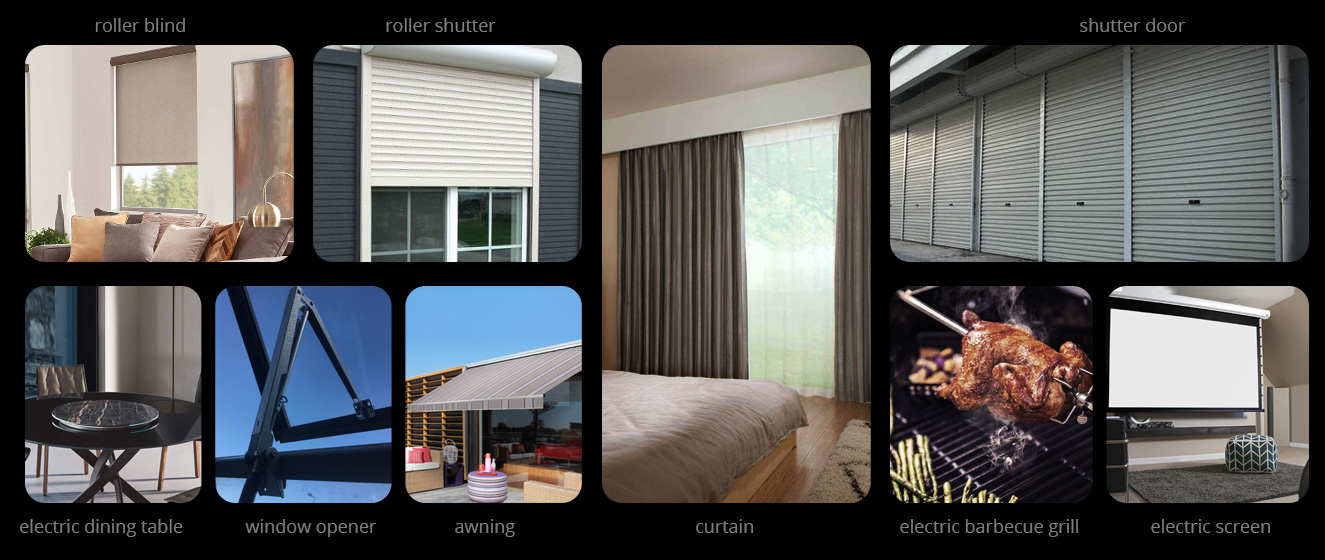
График открытия и закрытия
Хотите, чтобы вас разбудил первый луч солнца утром или отрегулируйте процент открытия штор, чтобы свет не испортил вашу мебель? DUALR3 может помочь вам легко это сделать, просто подключите его к моторизованной занавеске, чтобы наслаждаться своей умной жизнью.

Контролируйте его, где бы вы ни находились
Не беспокойтесь о дожде, закройте окно удаленно.
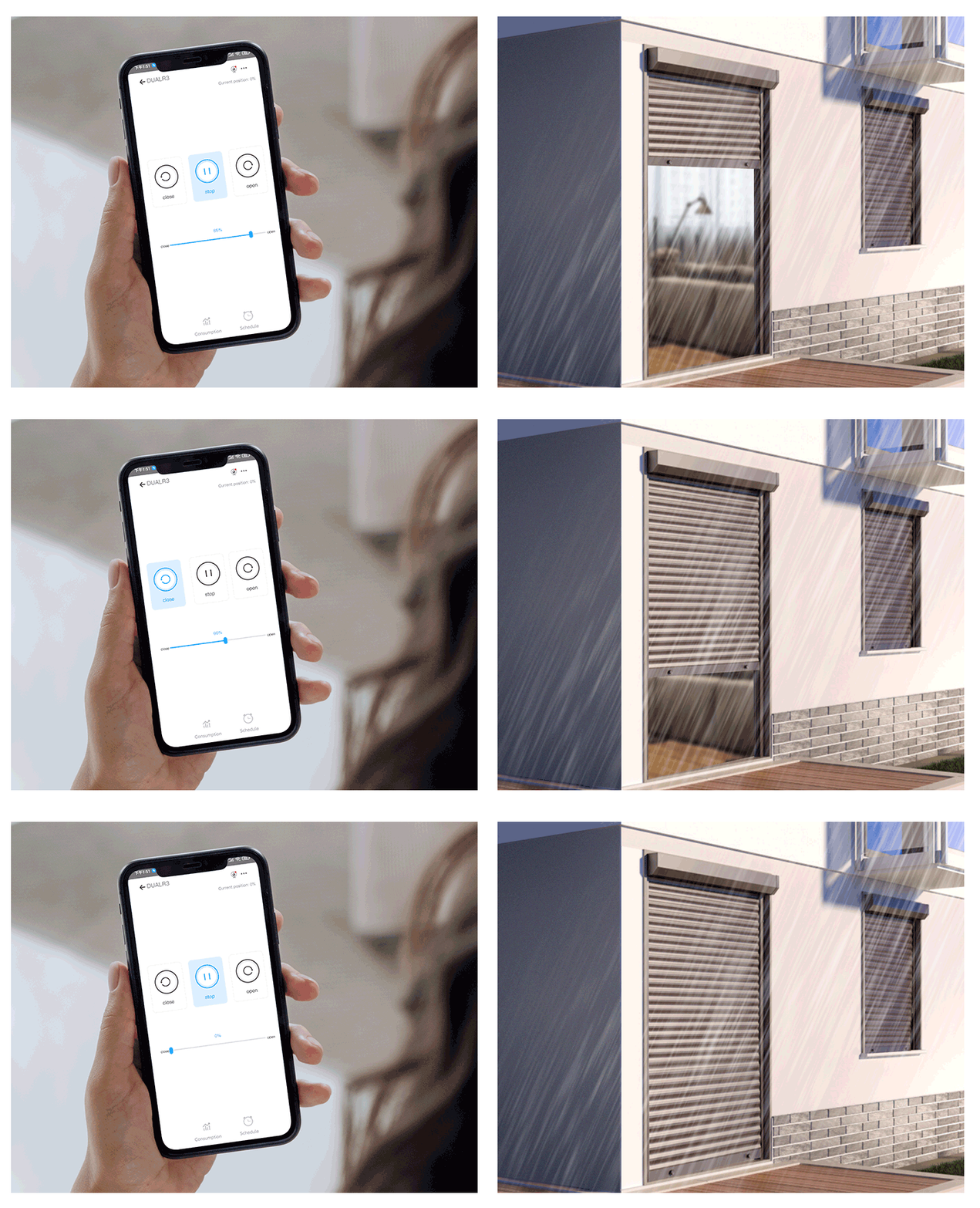
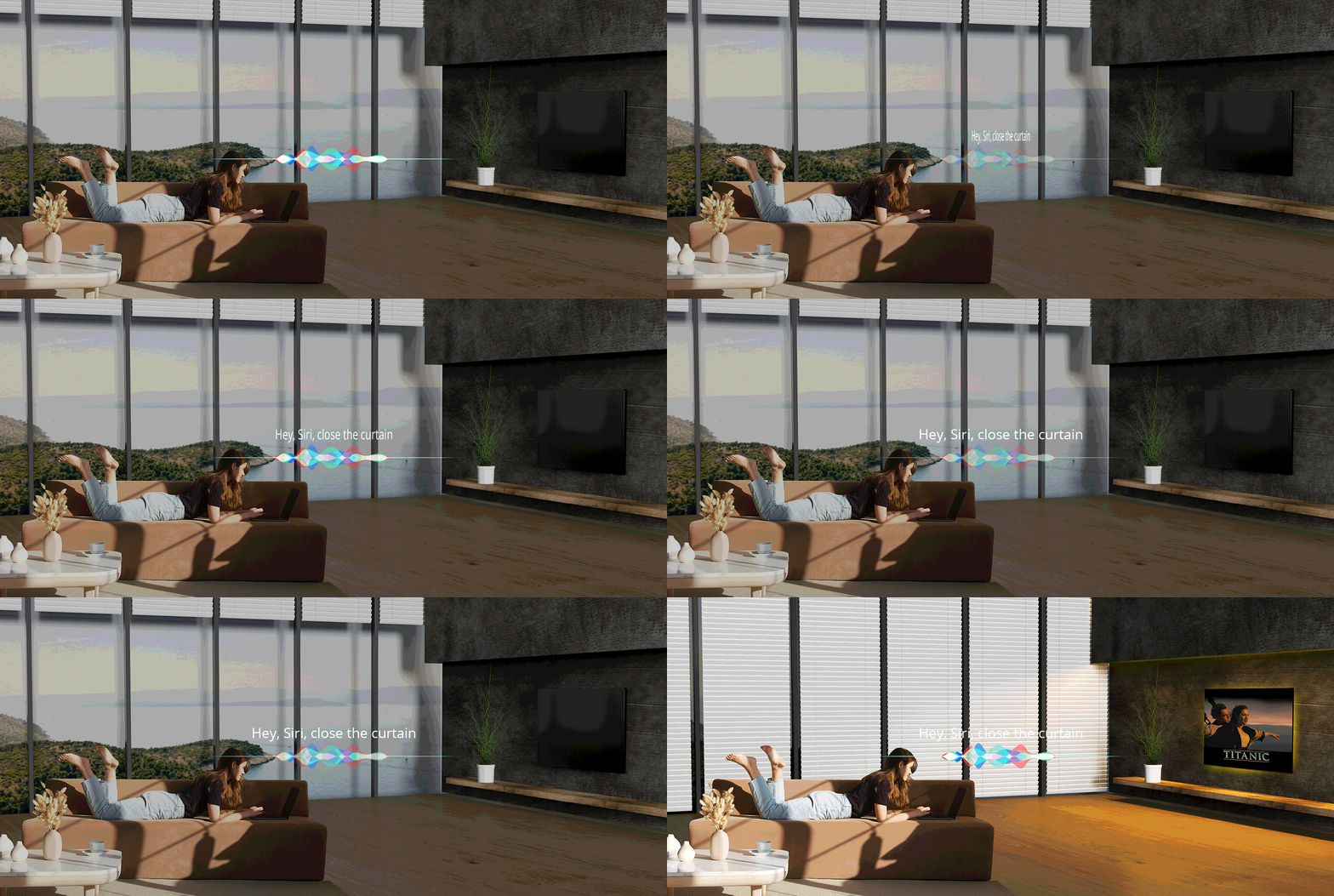
Создание атмосферы на самом деле просто
DUALR3 работает с другими продуктами SONOFF, такими как L1. Просто скажите Siri, и она автоматически закроет для вас занавес, чтобы создать романтическую атмосферу. * Голосовое управление Siri — это ярлык Siri в eWelink, DUALR3 временно не поддерживает Homekit.
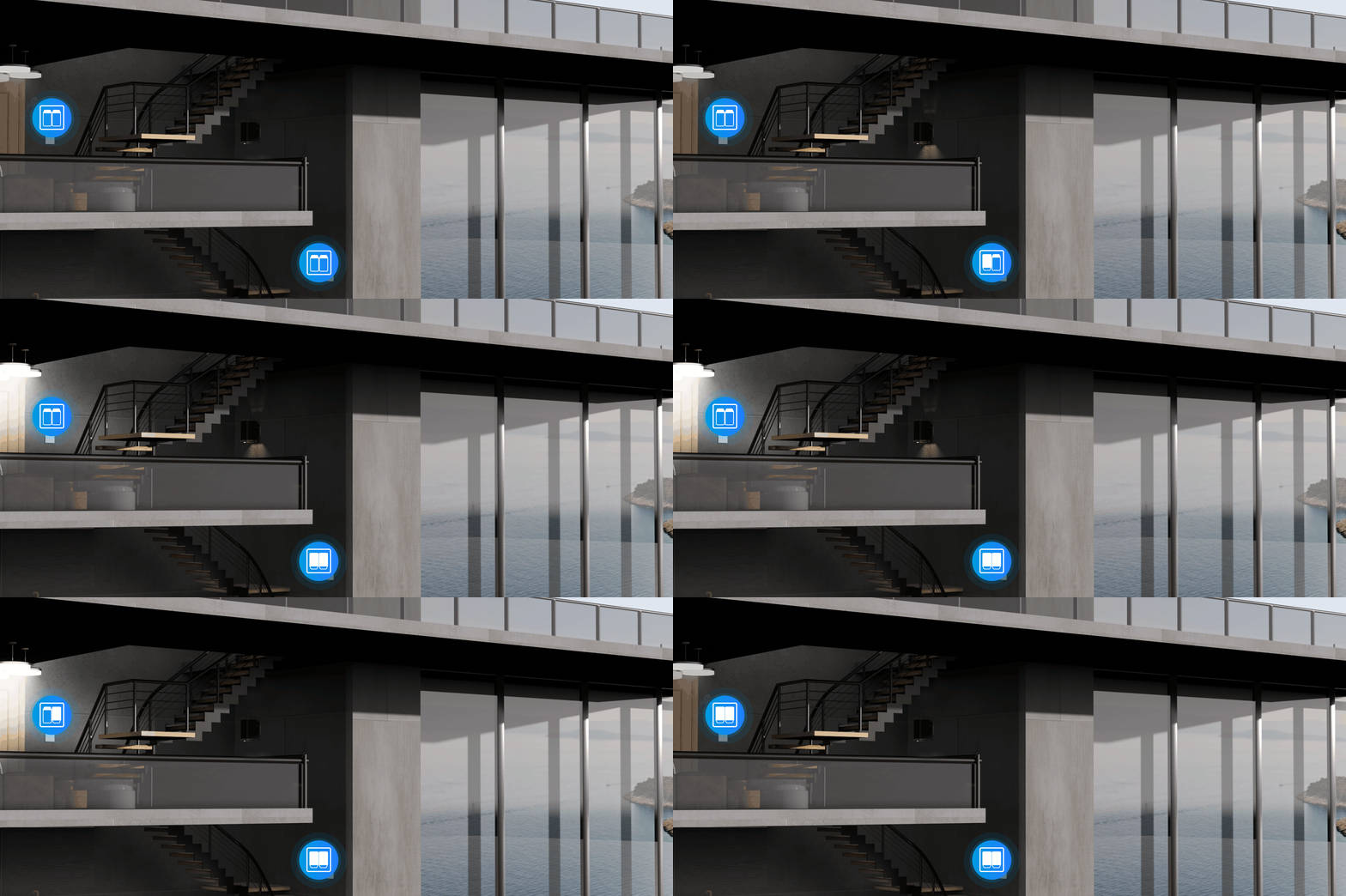
Двойной двусторонний контроль света
Для управления освещением с помощью переключателя на нижнем или верхнем этаже? Рабочий механизм DUALR3 позволяет добиться двухстороннего управления двумя устройствами соответственно.
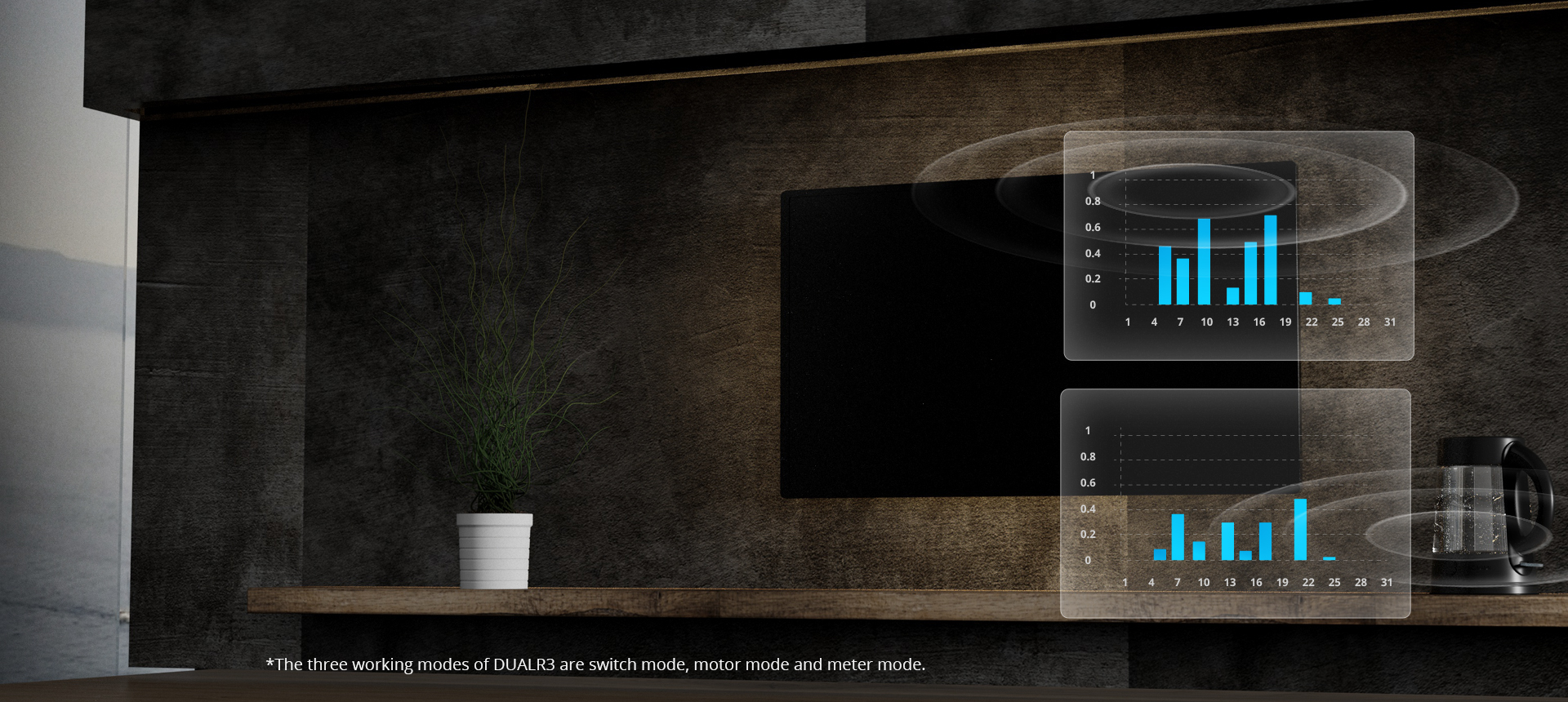
Измерение мощности поможет вам сэкономить на счетах за электроэнергию
Хотите выключить по расписанию, чтобы сэкономить на счетах за электроэнергию? Проверить мощность бытовой техники в реальном времени? Просмотреть историю энергопотребления?
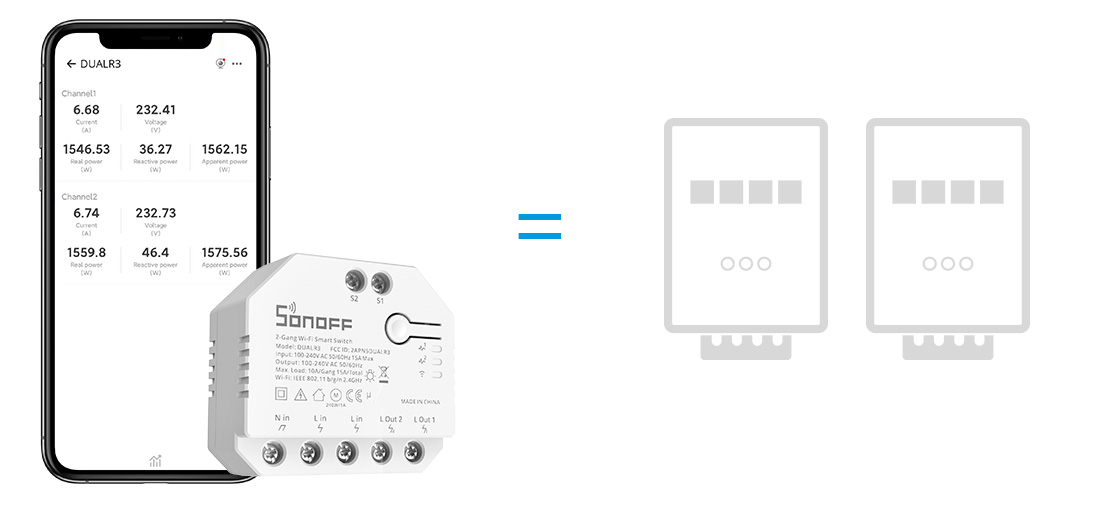
Теперь вы можете наслаждаться двумя независимыми каналами с измерением мощности во всех трех режимах работы!
Держите свою технику всегда включенной — режим счетчика
DUALR3 имеет специальный рабочий режим, называемый режимом счетчика. В этом режиме нагрузки электроприборов они всегда будут оставаться включенными, состояние реле не будет изменено приложением или внешними переключателями. Сосредоточимся только на мониторинге и учете мощности!
Идеально подходит для установки в стену
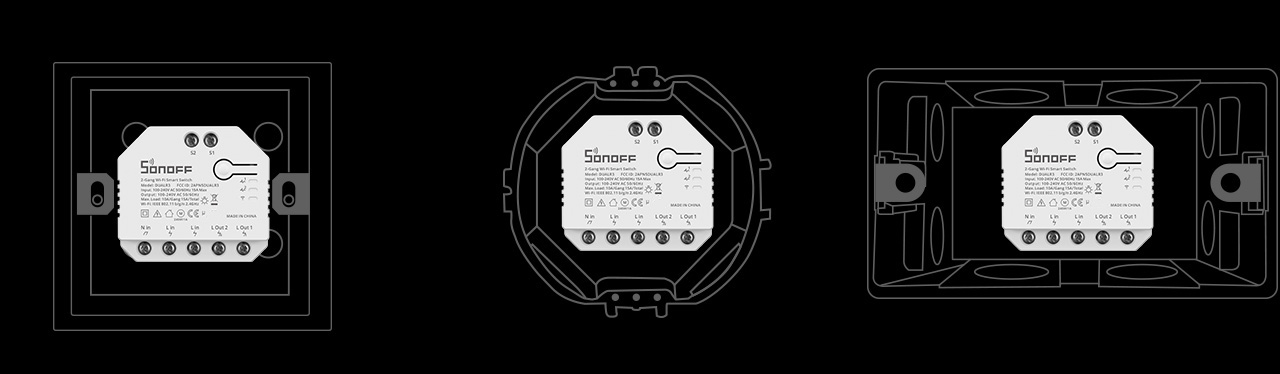
Съемная монтажная база для установки на DIN-рейку

Sonoff Dual R3
User manual V1.0
DUALR3
2-Gang Wi-Fi Smart Switch
· 中 文 ——————— — 1-6
· Deutsch ————— — 13—19
· Français—————— 27-33
· Русский язык———-41-47
· English———————7-12
· Español—————--20—26
· Italiano—————— 34-40
· Português—————48—54
· FCC Warning—————-55
View the manual for the Sonoff Dual R3 here, for free. This user manual comes under the category smart home and has been rated by 1 people with an average of a 8.2. This manual is available in the following languages: English. Do you have a question about the Sonoff Dual R3?
Ask your question here
Index
- 页 1
- 页 2
- 页 3
- 页 4
- 页 5
- 页 6
- 页 7
- 页 8
- 页 9
- 页 10
- 页 11
- 页 12
- 页 13
- 页 14
- 页 15
- 页 16
- 页 17
- 页 18
- 页 19
- 页 20
- 页 21
- 页 22
- 页 23
- 页 24
- 页 25
- 页 26
- 页 27
- 页 28
- 页 29
- 页 30
- 页 31
- 页 32
- 页 33
- 页 34
- 页 35
- 页 36
- 页 37
- 页 38
- 页 39
- 页 40
- 页 41
- 页 42
- 页 43
- 页 44
- 页 45
- 页 46
- 页 47
- 页 48
- 页 49
- 页 50
- 页 51
- 页 52
- 页 53
- 页 54
- 页 55
- 页 56
- 页 57
Product Images (2)


Sonoff Dual R3 specifications
Below you will find the product specifications and the manual specifications of the Sonoff Dual R3.
The Sonoff Dual R3 is a smart home device that offers both wired and wireless connectivity, with 2 channels available for use. Each channel can support a maximum power of 2200 watts, making it suitable for various electronic devices. This product holds sustainability certificates such as CE and RoHS, as well as certifications from TUV and FCC, ensuring compliance with industry standards. Designed for indoor use, the Sonoff Dual R3 features a housing made of Polycarbonate (PC) material, known for its durability.
Installation of the Sonoff Dual R3 is easy, and it can be operated remotely for added convenience. The device supports networking standards such as IEEE 802.11b, IEEE 802.11g, and IEEE 802.11n, allowing for seamless integration with other smart home devices. Each pack includes 1 piece of the Sonoff Dual R3, offering users a reliable and efficient solution for controlling their electronic appliances.
Connectivity technology
Wired & Wireless
Sustainability certificates
CE, RoHS
Quantity per pack
1 pc(s)
Operating temperature (T-T)
-10 — 40 °C
General
| Brand | Sonoff |
| Model | Dual R3 | DUAL R3 |
| Product | smart home |
| EAN | 6920075775402 |
| Language | English |
| Filetype | User manual (PDF) |
Features
| Connectivity technology | Wired & Wireless |
| Wireless technology | Wi-Fi |
| Product colour | White |
| Channels quantity | 2 channels |
| Maximum power per channel | 2200 W |
| Certification | TUV, FCC |
| Operating frequency | 2.4 — 2.4835 MHz |
| Wi-Fi standards | 802.11b, 802.11g, Wi-Fi 4 (802.11n) |
| Placement supported | Indoor |
| Housing material | Polycarbonate (PC) |
| Easy to install | Yes |
| Remotely operated | Yes |
| Networking standards | IEEE 802.11b, IEEE 802.11g, IEEE 802.11n |
| Works with Amazon Alexa | Yes |
Sustainability
| Sustainability certificates | CE, RoHS |
Packaging data
| Quantity per pack | 1 pc(s) |
| Package type | Box |
Power
| Power source | AC |
| AC input voltage | 100 — 240 V |
| AC input frequency | 50 — 60 Hz |
Weight & dimensions
| Width | 54 mm |
| Depth | 49 mm |
| Height | 24 mm |
| Weight | 58 g |
Operational conditions
| Operating temperature (T-T) | -10 — 40 °C |
| Operating relative humidity (H-H) | 5 — 95 % |
show more
Frequently asked questions
Can’t find the answer to your question in the manual? You may find the answer to your question in the FAQs about the Sonoff Dual R3 below.
What is the weight of the Sonoff Dual R3?
The Sonoff Dual R3 has a weight of 58 g.
What is the height of the Sonoff Dual R3?
The Sonoff Dual R3 has a height of 24 mm.
What is the width of the Sonoff Dual R3?
The Sonoff Dual R3 has a width of 54 mm.
What is the depth of the Sonoff Dual R3?
The Sonoff Dual R3 has a depth of 49 mm.
What certifications does the Sonoff Dual R3 have?
The Sonoff Dual R3 has the following certifications: TUV, FCC.
Is the manual of the Sonoff Dual R3 available in English?
Yes, the manual of the Sonoff Dual R3 is available in English .
Is your question not listed? Ask your question here
- October 30, 2023
- SonOFF
Table of Contents
- SONOFF DUALR3 2 Gang WiFi Smart Switch
- Product Information
- Product Usage Instructions
- Operating Instruction
- Wiring instruction
- Light fixture wiring instruction
- Download the eWeLink APP
- Power on
- Add the device
- Specifications
- Product Introduction
- Wi-Fi LED indicator status instruction
- Features
- Switch Network
- Documents / Resources
- Read User Manual Online (PDF format)
- Download This Manual (PDF format)
SONOFF DUALR3 2 Gang WiFi Smart Switch

Product Information
DUALR3 2-Gang Wi-Fi Smart Switch
The DUALR3 is a 2-gang Wi-Fi smart switch manufactured by SONOFF TECHNOLOGIES
CO., LTD. It is designed to control connected devices through the eWeLink app
on Android and iOS devices. The switch can be used to control light fixtures,
motor loads, and dry contact sensors. The device supports IEEE 802.11 b/g/n
2.4GHz Wi-Fi and has a maximum output of 100-240V AC 50/60Hz 15A. The device
is made with PC V0 material and has dimensions of 54x49x24mm.
Product Usage Instructions
-
Power Off: To avoid electric shocks, do not touch the switch during use. Consult a qualified professional for help when installing and repairing the device.
-
Wiring Instruction:
-
Motor Mode: Connect the device to S1 or S2 for smart control of connected devices; connect to S1 and S2 for two-way smart control.
-
Dual Relay Momentary Switch/3-gang Rocker
Switch: Connect S1 and S2 to the push button switch in the pulse mode or the
rocker light switch in the edge mode for dual relay control. -
Light Fixture Wiring Instruction: Connect SPDT switches in edge mode for double two-way control.
-
Dry Contact Sensor Wiring Instruction: Connect dry contact sensors in the given mode.
-
Make sure the neutral wire and live wire connection is correct.
-
If S1/S2 is connected to a physical light switch, select the corresponding working mode in eWeLink APP for normal use.
-
-
Download the eWeLink App: Download and install the eWeLink app on your Android or iOS device.
-
Power On: After powering on, the device will enter the Bluetooth pairing mode during the first use. The Wi-Fi LED indicator changes in a cycle of two short and one long flash and release. The device will exit the Bluetooth pairing mode if not paired within 3 minutes. If you want to enter this mode, long press the manual button for about 5s until the Wi-Fi LED indicator changes in a cycle of two short and one long flash and release.
-
Add the Device: Add the device through Quick Pairing or scanning the QR code. Bluetooth pairing is also available.
Operating Instruction
Power off
To avoid electric shocks, please consult the dealer or a qualified professional
for help when installing and repairing! Please do not touch the switch during
use.
Wiring instruction
Motor mode:

Momentary switch:
- Connect to S1 or S2 for smart control of connected devices; connect to S1 and S2 for two-way smart control.
- Dual relay momentary switch/3-gang rocker switch:


Light fixture wiring instruction
- To enable dual relay control, S1 and S2 are required to connect the push button switch in the pulse mode or the rocker light switch in the edge mode:
- Connect SPDT switches in the edge mode to reach double two-way control:
- Connect dry contact sensors in the following mode:
- Make sure the neutral wire and live wire connection is correct.
- The device still works normally if no a physical light switch is connected to S1/S2. If S1/S2 is connected to a physical light switch, the corresponding working mode is required in eWeLink APP to select for normal use.


Download the eWeLink APP

Power on
- After powering on, the device will enter the bluetooth pairing mode during the first use. The Wi-Fi LED indicator changes in a cycle of two short and one long flash and release.
- The device will exit the bluetooth pairing mode if not paired within 3mins. If you want to enter this mode, please long press the manual button for about 5s until the Wi-Fi LED indicator changes in a cycle of two short and one long flash and release.
Add the device

- Tap “+” and select “bluetooth pairing”, then operate following the prompt on the APP.
Specifications
| Model | DUALR3 |
|---|---|
| Input | 100-240V AC 50/60Hz 15A Max |
| Output | 100-240V AC 50/60Hz |
| Resistive Load | 2200W/10A/Gang 3300W/15A/Total |
| Motor Load | 10-240W/1A |
| Wi-Fi | IEEE 802.11 b/g/n 2.4GHz |
| Operating systems | Android & iOS |
| Number of gangs | 2-Gang |
| Working temperature | -10℃~40℃ |
| Material | PC V0 |
| Dimension | 54x49x24mm |
Product Introduction

The device’s weight is less than 1 kg. An installation height of less than 2 m
is recommended.
Wi-Fi LED indicator status instruction
| LED indicator status | Status instruction |
|---|---|
| Flashes (one long and two short) | Bluetooth Pairing Mode |
| Keeps on | Device is connected successfully |
| Flashes quickly | Compatible Pairing Mode |
| Flashes quickly once | Unable to discover the router |
| Flashes quickly twice | Connect to the router but fail to connect to server |
| Flashes quickly three times | Upgrading |
Working Mode
- After pairing, select the corresponding mode from switch, motor and meter modes according to the connected device. Please check the detailed instruction for working modes on eWeLink app.
Features
This device is a Wi-Fi smart switch with power monitoring that allows you to
remotely turn on/off the device, schedule it on/off or share it with your
family to control together.

Switch Network
If you need to change the network, long press the pairing button for 5s until
the Wi-Fi LED indicator changes in a cycle of two short and one long flash and
release, then the device enters Bluetooth pairing mode and you can pair again.
Factory Reset
Deleting the device on the eWeLink app indicates you restore it to factory
setting.
Common Problems
Q: Why my device stays “Offline”?
- A: The newly added device needs 1 – 2mins to connect Wi-Fi and network. If it stays offline for a long time, please judge these problems by the blue Wi-Fi indicator status:
- The blue Wi-Fi indicator quickly flashes once per 2 seconds, which means that the switch failed to connect your Wi-Fi:
- Maybe you have entered a wrong Wi-Fi password.
- Maybe there’s too much distance between the switch your router or the environment causes interference, consider getting close to the router. If failed, please add it again.
- The 5G Wi-Fi network is not supported and only supports the 2.4GHz wireless network.
- Maybe the MAC address filtering is open. Please turn it off.
- If none of the above methods solved the problem, you can open the mobile data network on your phone to create a Wi-Fi hotspot, then add the device again.
- The blue indicator quickly flashes twice per 2 seconds, which means your device has connected to Wi-Fi but failed to connect to the server.
Ensure a steady enough network. If double flash occurs frequently, which means
you access an unsteady network, not a product problem. If the network is
normal, try to turn off the power to restart the switch.
The full text of the EU declaration of Conformity is available at the
following internet address:
https://sonoff.tech/usermanuals
Documents / Resources
|
SONOFF DUALR3 2 Gang WiFi Smart
Switch
[pdf] User Manual
DUALR3, DUALR3 2 Gang WiFi Smart Switch, 2 Gang WiFi Smart Switch, WiFi Smart
Switch, Smart Switch
—|—
Read User Manual Online (PDF format)
Read User Manual Online (PDF format) >>
Download This Manual (PDF format)
Download this manual >>
Sonoff DUALR3 Switch PDF User Guides and Manuals for Free Download: Found (1) Manuals for Sonoff DUALR3 Device Model (Operation & User’s Manual)
Sonoff DUALR3 Operation & User’s Manual
Details:
- Manufacturer: Sonoff
- Product Name/ID: Sonoff DUALR3 / #2018327
- Category: Switch
- File Path: sonoff/dualr3_2018327.pdf
- Last Updated: 09 May 2025
- Description: Get the most out of your Sonoff DUALR3 with this detailed manual, featuring comprehensive instructions on setup, feature exploration, and troubleshooting to enhance device performance.
- Document Type: User Manual
- Pages: 57
Download PDF
Read Online
The Sonoff DUALR3 is an innovative smart switch that has garnered significant attention in the smart home market. Having tested this device extensively, I am impressed with its capabilities, features, and integration with various ecosystems. This review aims to dissect its functionality, design, and overall performance to provide a comprehensive overview.
At first glance, the DUALR3 strikes a balance between simplicity and advanced tech. The design is compact and user-friendly, allowing for easy installation in any standard electrical box. It supports dual-channel control, enabling you to manage two separate devices independently. This feature is particularly useful for controlling lights in different rooms or managing home appliances like fans and heaters from a single interface.
Key Features of the Sonoff DUALR3:
- Remote Control: Operate devices from anywhere using your smartphone via the eWeLink app.
- Voice Control: Compatible with Amazon Alexa and Google Assistant for hands-free operation.
- Timing and Scheduling: Set timers or create schedules for automatic device management.
- Scene Management: Create scenes for multiple devices to be controlled simultaneously.
- Energy Monitoring: Keep track of consumption through the energy monitoring feature.
One of the standout features of the Sonoff DUALR3 is its ability to monitor energy usage. This not only helps in identifying energy guzzlers but also in promoting more efficient energy consumption habits. The real-time feedback is a significant advantage for those looking to reduce their electricity bills or minimize their carbon footprint.
The installation process is straightforward, thanks to the detailed instructions provided. While some level of electrical knowledge is beneficial, even beginners can manage the installation by following the user manual. After installation, connecting the DUALR3 to the eWeLink app was seamless, taking just a few minutes. Pairing it with voice assistants like Alexa and Google Assistant was equally user-friendly and added a touch of convenience to daily operations.
While the features of the Sonoff DUALR3 are impressive, let’s explore some potential areas for improvement:
- App Stability: Users have reported occasional lags or crashes in the eWeLink app, which can be frustrating during routine operations.
- Physical Durability: The build quality, while satisfactory, could be enhanced to withstand more wear and tear, especially in high-use environments.
In terms of compatibility, the DUALR3 works well with a variety of devices and is flexible enough to be integrated into existing systems. The app allows for easy grouping of devices, which simplifies management and enhances user experience. Moreover, the scheduling and scene features lend a great deal of customization to how you control your home environment.
Overall, the Sonoff DUALR3 is a powerful addition to any smart home setup. Its dual-channel control, energy monitoring, and seamless integration with voice assistants make it a versatile choice for both novice and experienced users. Despite minor issues with app stability, the advantages far outweigh the drawbacks, making this device highly recommendable for anyone looking to automate their home effortlessly.