
OKI B432dn
View the manual for the OKI B432dn here, for free. This manual comes under the category printers and has been rated by 3 people with an average of a 6.3. This manual is available in the following languages: English. Do you have a question about the OKI B432dn or do you need help?
Ask your question here
Product Images (8)

OKI B432dn specifications
Below you will find the product specifications and the manual specifications of the OKI B432dn.
The OKI B432dn is a monochrome LED printer that is capable of producing high-quality black and white prints with a maximum resolution of 1200 x 1200 DPI. The printer supports a range of page description languages, including PCL 5e, PCL 6, PDF 1.7, PostScript 3, Epson FX, and IBM ProPrinter. It is equipped with an economical printing mode that allows users to save on ink costs by reducing the amount of ink used.
The printer is capable of printing up to 40 pages per minute at normal quality, making it ideal for high-volume printing environments. It has a maximum duty cycle of 80,000 pages per month, which ensures that it can handle the demands of busy office environments. The printer also features duplex printing, which allows users to print on both sides of a page, further reducing paper costs.
The OKI B432dn has a total input capacity of 250 sheets, with a maximum input capacity of 880 sheets, making it suitable for large printing tasks. The printer has a relatively fast time to the first page, with a black and white normal print taking only 4.5 seconds. The printer has a total output capacity of 150 sheets and uses a single print cartridge for printing, further reducing the costs of running the printer.
Overall, the OKI B432dn is a reliable printer that is capable of producing high-quality black and white prints quickly and efficiently, making it perfect for busy office environments that require high-volume printing capabilities.
Maximum duty cycle
80000 pages per month
Total input capacity
250 sheets
Maximum ISO A-series paper size
A4
Standard interfaces
Ethernet, USB 2.0
General
| Brand | OKI |
| Model | B432dn | 45762012 |
| Product | printer |
| EAN | 5031713063582, 5031713063698, 5052184941629, 5054629722213 |
| Language | English |
| Filetype | User manual (PDF) |
Printing
| Colour | No |
| Maximum resolution | 1200 x 1200 DPI |
| Duplex printing | Yes |
| Print technology | LED |
| Economical printing | Yes |
| Print speed (black, normal quality, A4/US Letter) | 40 ppm |
| Time to first page (black, normal) | 4.5 s |
| Warm-up time | 17 s |
Features
| Maximum duty cycle | 80000 pages per month |
| Number of print cartridges | 1 |
| Page description languages | Epson FX, IBM ProPrinter, PCL 5e, PCL 6, PDF 1.7, PostScript 3 |
| Printing colours | Black |
| Recommended duty cycle | 500 — 5000 pages per month |
Input & output capacity
| Total input capacity | 250 sheets |
| Maximum input capacity | 880 sheets |
| Total output capacity | 150 sheets |
| Multi-Purpose tray input capacity | 100 sheets |
| Multi-Purpose tray | Yes |
Paper handling
| Maximum ISO A-series paper size | A4 |
| Paper tray media types | Envelopes, Plain paper |
| ISO A-series sizes (A0…A9) | A4, A5, A6 |
| Envelopes sizes | 9, 10, C5, C6, DL, Monarch |
| Photo paper sizes (imperial) | 4×6, 5×7 « |
| Multi-Purpose Tray media weight | 60 — 163 g/m² |
| JIS B-series sizes (B0…B9) | B5 |
| Non-ISO print media sizes | Executive (184 x 267mm), Legal (media size), Letter (media size) |
| Paper tray media weight | 60 — 120 g/m² |
Network
| Ethernet LAN | Yes |
| Wi-Fi | No |
| Network ready | Yes |
| Mobile printing technologies | — |
Ports & interfaces
| Standard interfaces | Ethernet, USB 2.0 |
| Optional connectivity | Wireless LAN |
Performance
| Internal memory | 512 MB |
| Maximum internal memory | 3072 MB |
| Processor frequency | 667 MHz |
| Built-in processor | Yes |
| Sound pressure level (printing) | 22 dB |
| Sound power level (standby) | 30 dB |
Design
| Product colour | White |
| Built-in display | Yes |
| Display number of lines | 2 lines |
| Display | LCD |
Other features
| Power LED | Yes |
| Stand-by LED | Yes |
Power
| AC input voltage | 230 V |
| AC input frequency | 50 — 60 Hz |
| Power consumption (printing) | 600 W |
| Power consumption (max) | 900 W |
| Power consumption (PowerSave) | 7 W |
Sustainability
| Sustainability certificates | ENERGY STAR |
System requirements
| Windows operating systems supported | Yes |
| Mac operating systems supported | Yes |
| Linux operating systems supported | Yes |
Operational conditions
| Operating temperature (T-T) | 10 — 32 °C |
| Storage temperature (T-T) | -10 — 43 °C |
| Operating relative humidity (H-H) | 20 — 80 % |
| Storage relative humidity (H-H) | 10 — 90 % |
Weight & dimensions
| Width | 387 mm |
| Depth | 364 mm |
| Height | 245 mm |
| Weight | 12000 g |
Logistics data
| Harmonized System (HS) code | 84433210 |
show more
Frequently Asked Questions
Can’t find the answer to your question in the manual? You may find the answer to your question in the FAQs about the OKI B432dn below.
What is the weight of the OKI B432dn?
The OKI B432dn has a weight of 12000 g.
What is the height of the OKI B432dn?
The OKI B432dn has a height of 245 mm.
What is the width of the OKI B432dn?
The OKI B432dn has a width of 387 mm.
What is the depth of the OKI B432dn?
The OKI B432dn has a depth of 364 mm.
What is the best way to remove jammed paper from my printer?
It is best to gently pull the paper out of the printer. Turn the printer off, and make sure that the printhead is not hanging over the paper and that no paper remains in the printer.
How come my prints are of poor quality?
There can be various reasons for poor print quality. Check if the cartridges or toners are full. If so, inkjet printers often require cleaning the printer, the cartridges have dried out, or the print head is broken. With laser printers, calibrating the laser printer is recommended.
How come my printer does not accept original cartridges?
Non-genuine cartridges may not be recognised by the printer. In that case you will receive a message that the cartridge is empty. The manual of the purchased cartridge usually contains the solution, if this does not work, it is advisable to contact the seller.
How many cartridges can be placed in the OKI B432dn?
1 cartridges can be placed in the OKI B432dn.
How come my inkjet printer has black stripes?
In most cases, the inkjet printer cartridge is broken and the cartridge needs to be replaced.
What is the difference between a laser printer and an inkjet printer?
A laser printer prints with a toner and an inkjet printer prints with ink.
What does DPI stand for?
DPI stands for Dots Per Inch and is the number of ink droplets (per inch) that end up on the paper when printing.
Is the manual of the OKI B432dn available in English?
Yes, the manual of the OKI B432dn is available in English .
Is your question not listed? Ask your question here
Oki
Loading…
#
- 945
A
- AC Adapter
- ARTI GRAFICHE
B
- B2000 series
- B220020
- B2200N2
- B240020
- B2400n8
- B250018
- B2500MFP10
- B2500 Series MFP8
- B25205
- B2520 MFP16
- B25404
- B2540MFP19
- B400
- B40005
- B400 series
- B4013
- B401d
- B401dn2
- B4109
- B410021
- B410d33
- B410dn35
- B41114
- B411d13
- B411DN12
- B411L6
- B412dn3
- B4202
- B 420030
- B4200,B4300
- B420dn10
- B425015
- B 4250n2
- B4309
- B430030
- B4300N6
- B4300nPS
- B430d28
- B430DN34
- B43114
- B431D9
- B431dn12
- B431L6
- B432dn3
- B435022
- B4350N13
- B 4350nPS4
- B4402
- B440024
- B4400L2
- B4400Ln
- B4400n7
- b 4400 series17
- B440dn25
- B450013
- B4500n7
- B4500 series MFP
- B4520 MFP7
- B4525
- B4525 MFP7
- B4540 MFP8
- B45455
- B4545MFP16
- B45508
- B4550n5
- B460030
- B4600BP2
- B4600L2
- B4600Ln
- B4600LnPS
- B4600LPS
- B4600n12
- B4600nPS11
- B4600PS2
- b4600 series17
- B511dn3
- B512dn3
- B60004
- B6000 series3
- B 610024
- B6100dn2
- B6100n21
- B620017
- B6200dn
- B6200N6
- B6200 series2
- B625030
- B6250DN9
- B6250n10
- B630027
- B6300dn8
- B6300dnSmartFormsSolutions3
- B6300n16
- B6300nSmartFormsSolutions3
- B6300 series2
- B650046
- B B8300
Loading…
Loading…
Nothing found
B432dn
Maintenance Manual
128 pgs6.87 Mb0
User Manual
645 pgs11.2 Mb0
User Manual
637 pgs11.23 Mb0
Table of contents
Loading…
…
Oki User Manual
Download
Specifications and Main Features
Frequently Asked Questions
User Manual
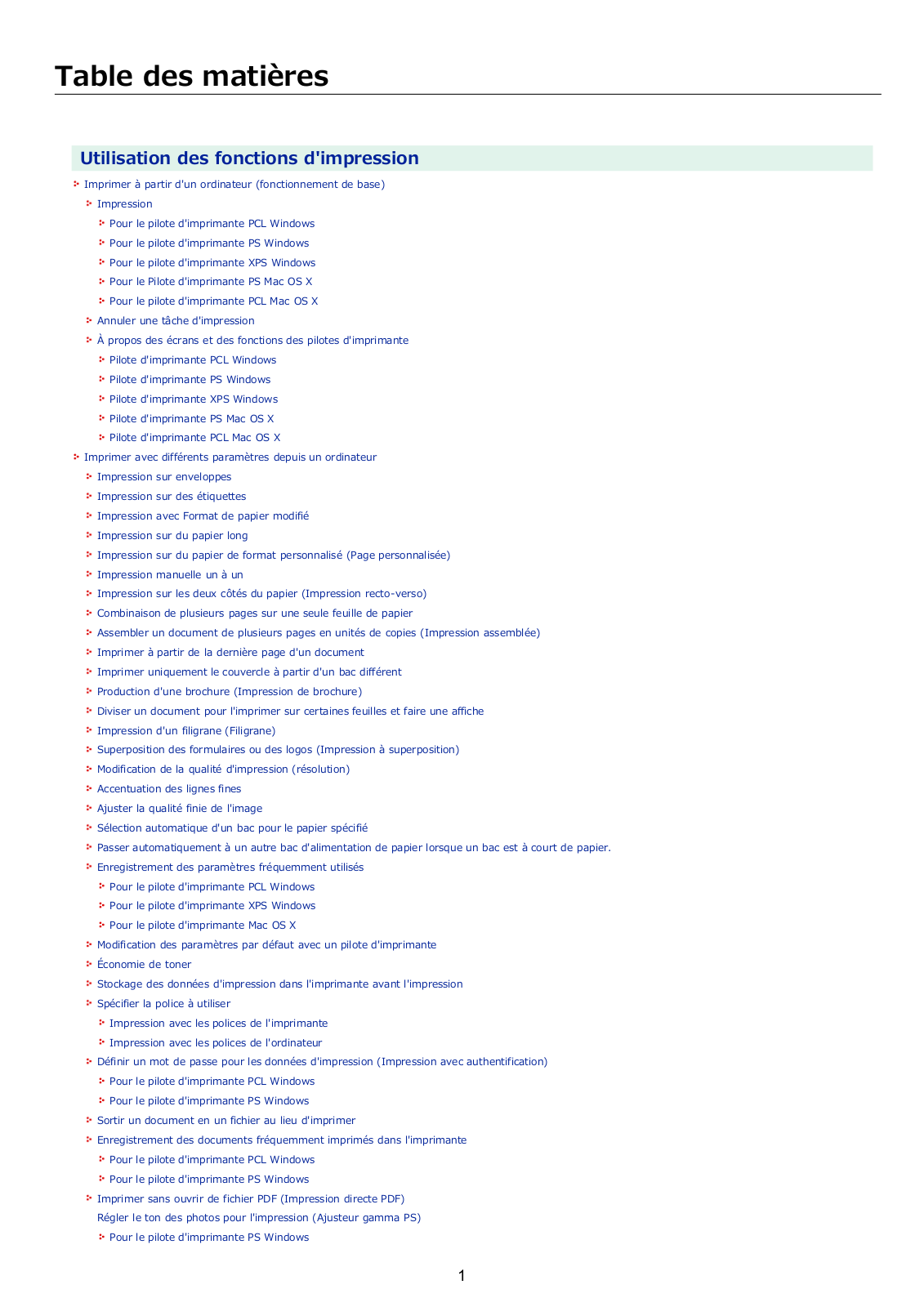
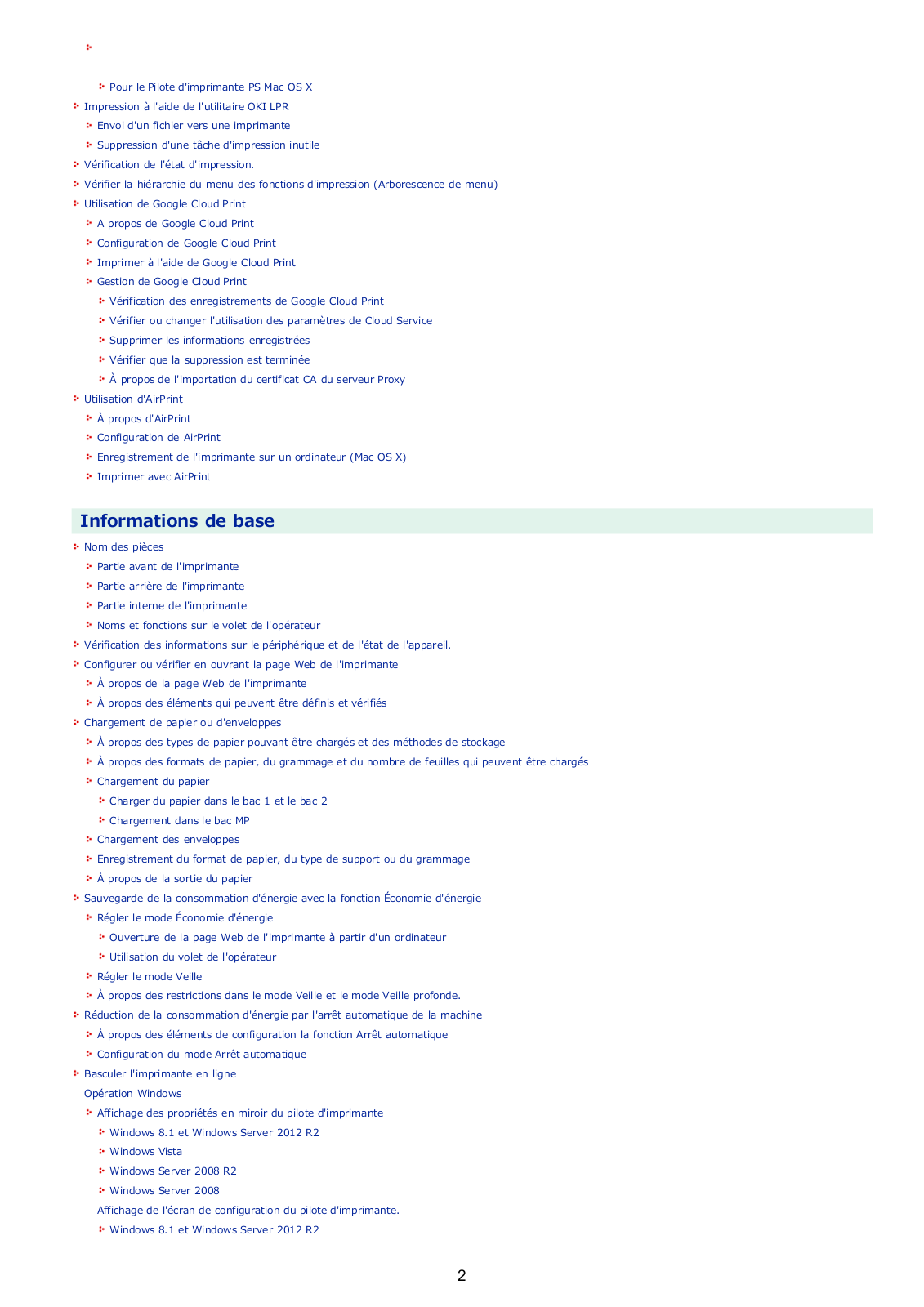
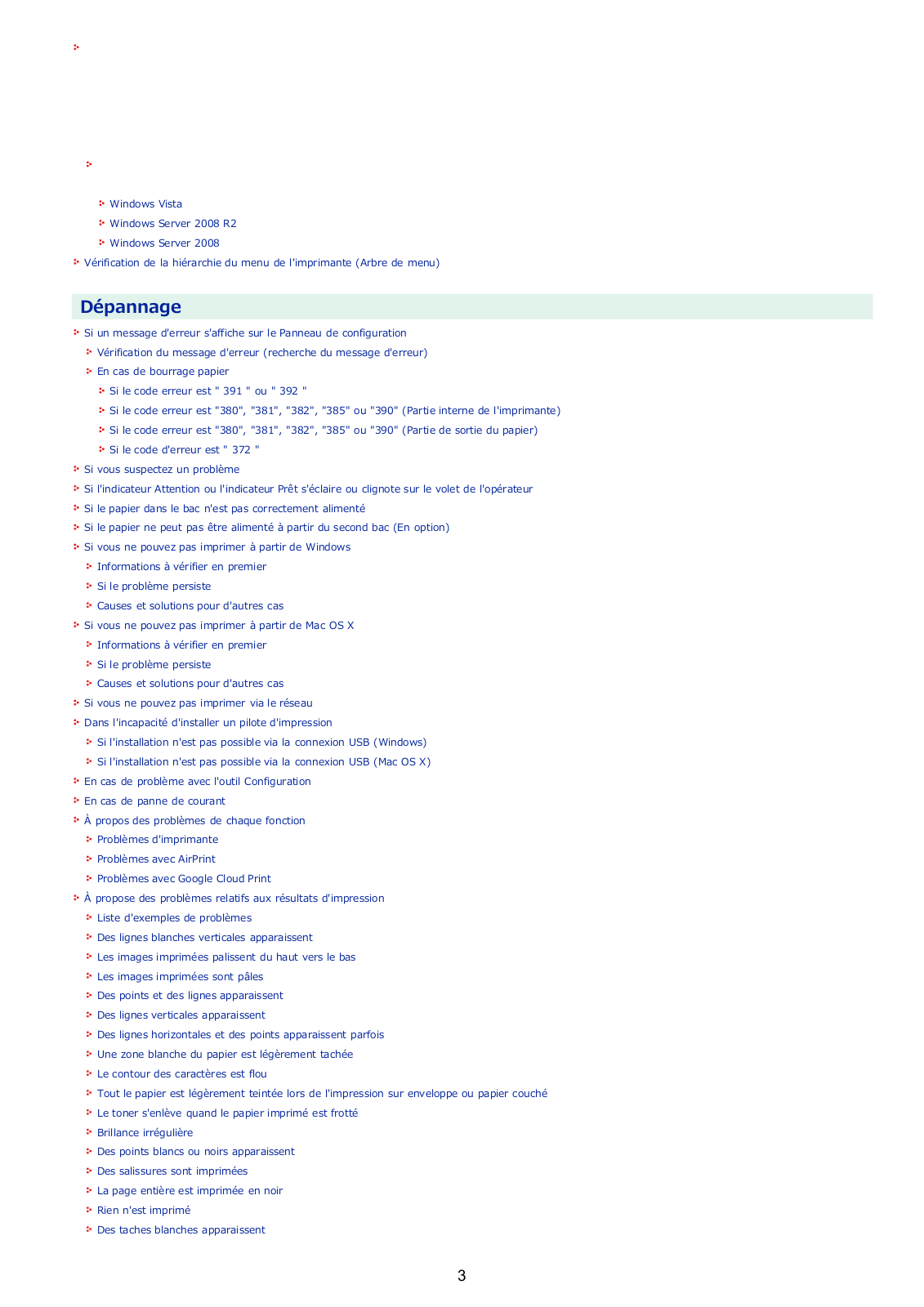
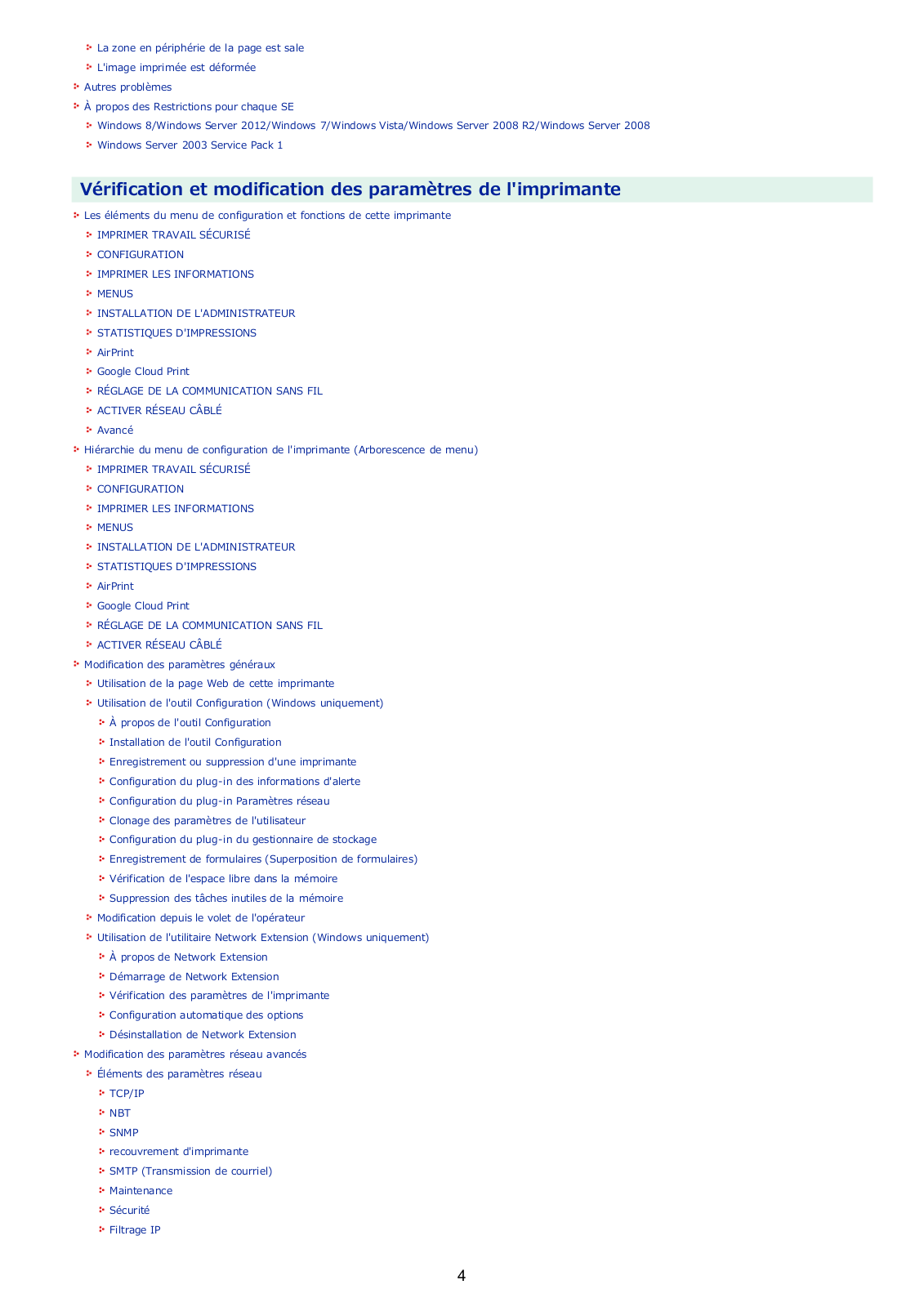
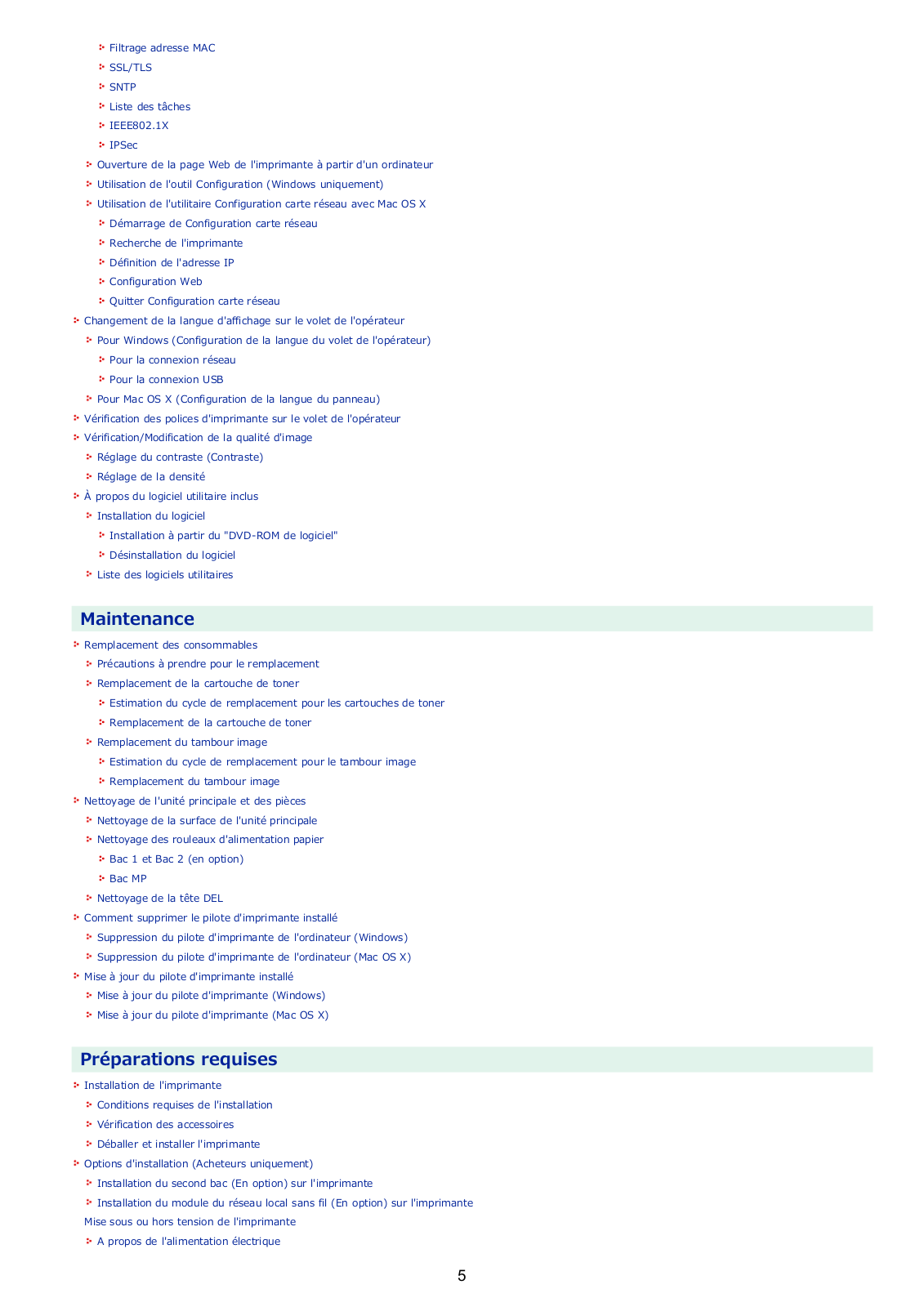
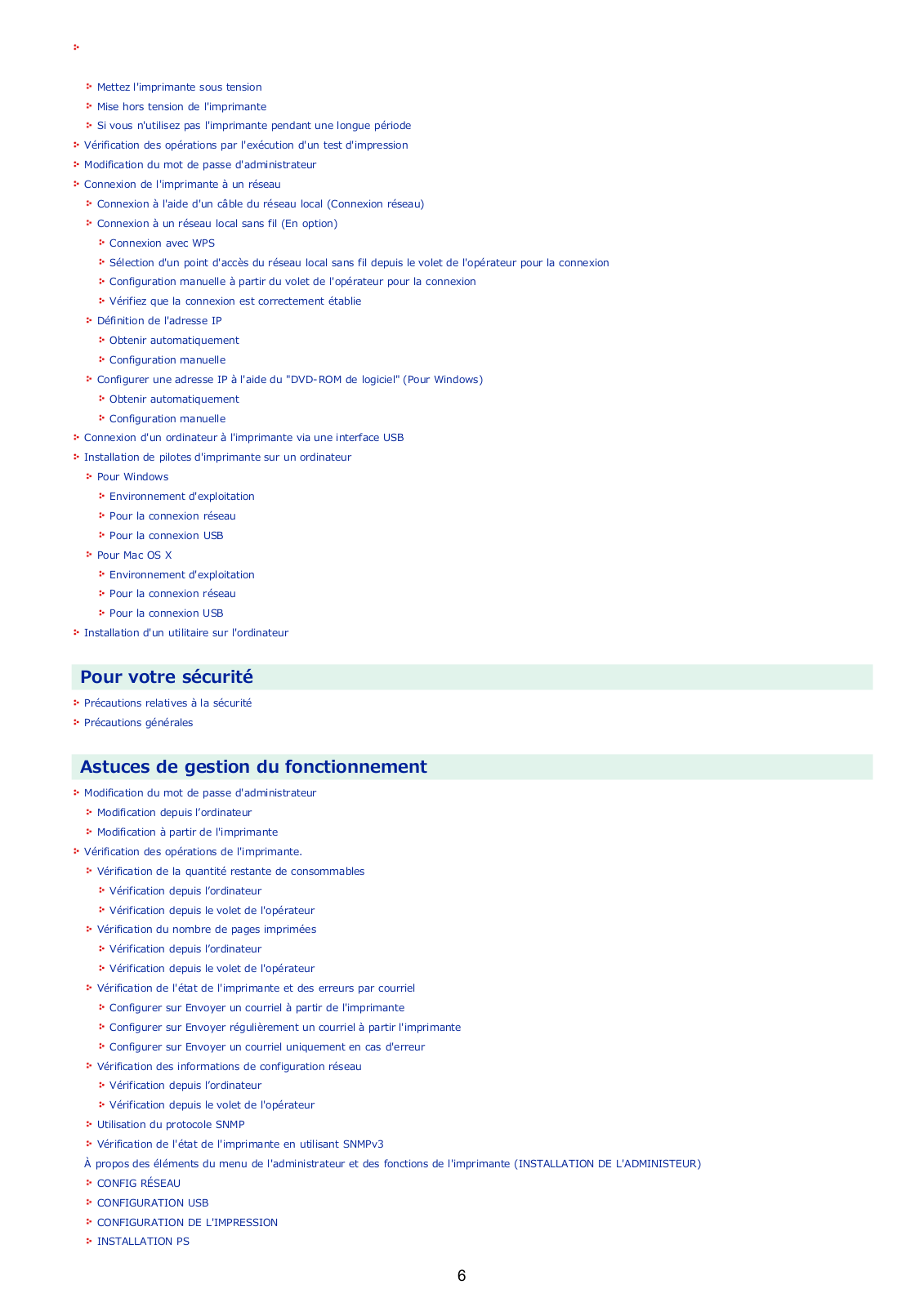
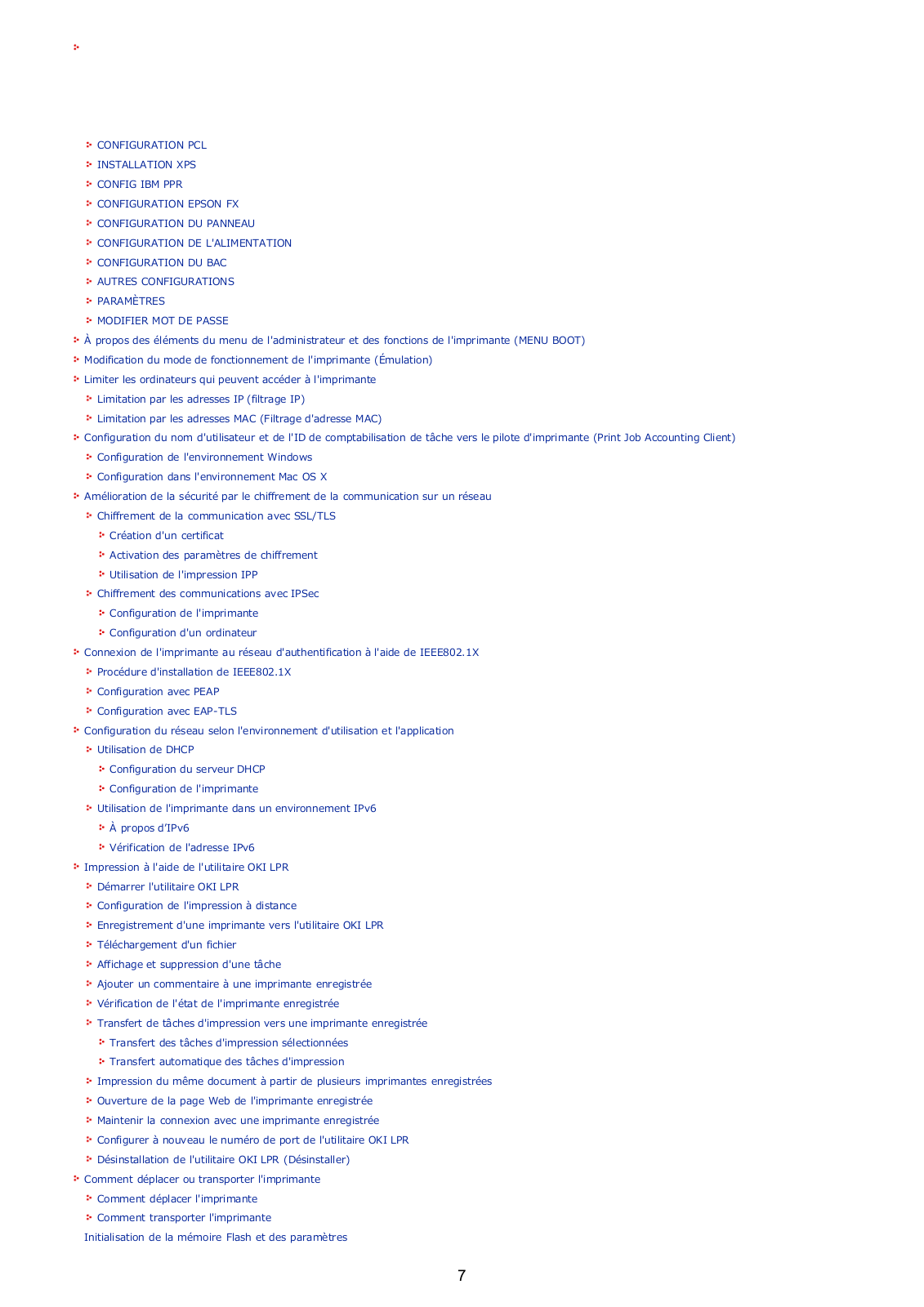

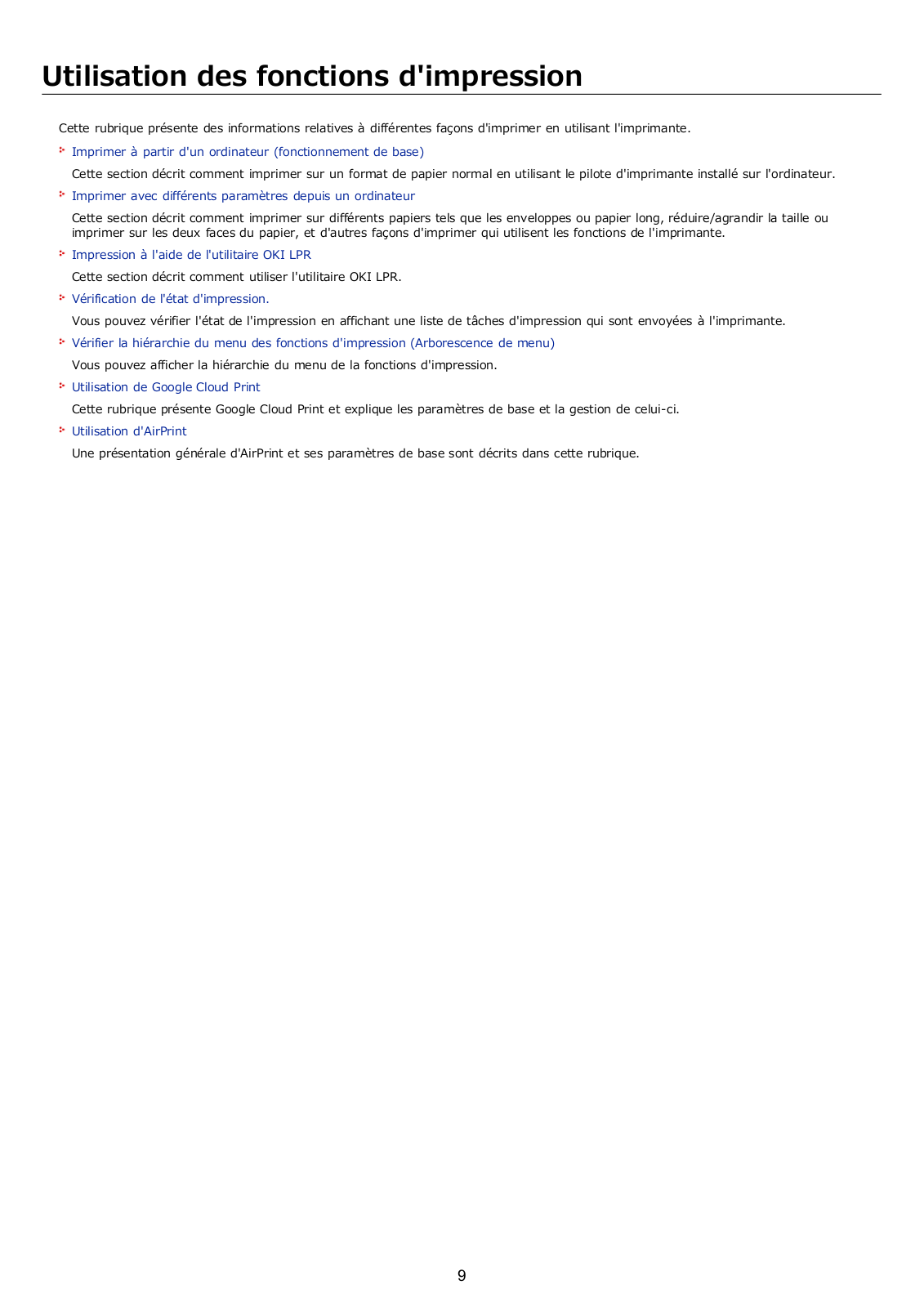


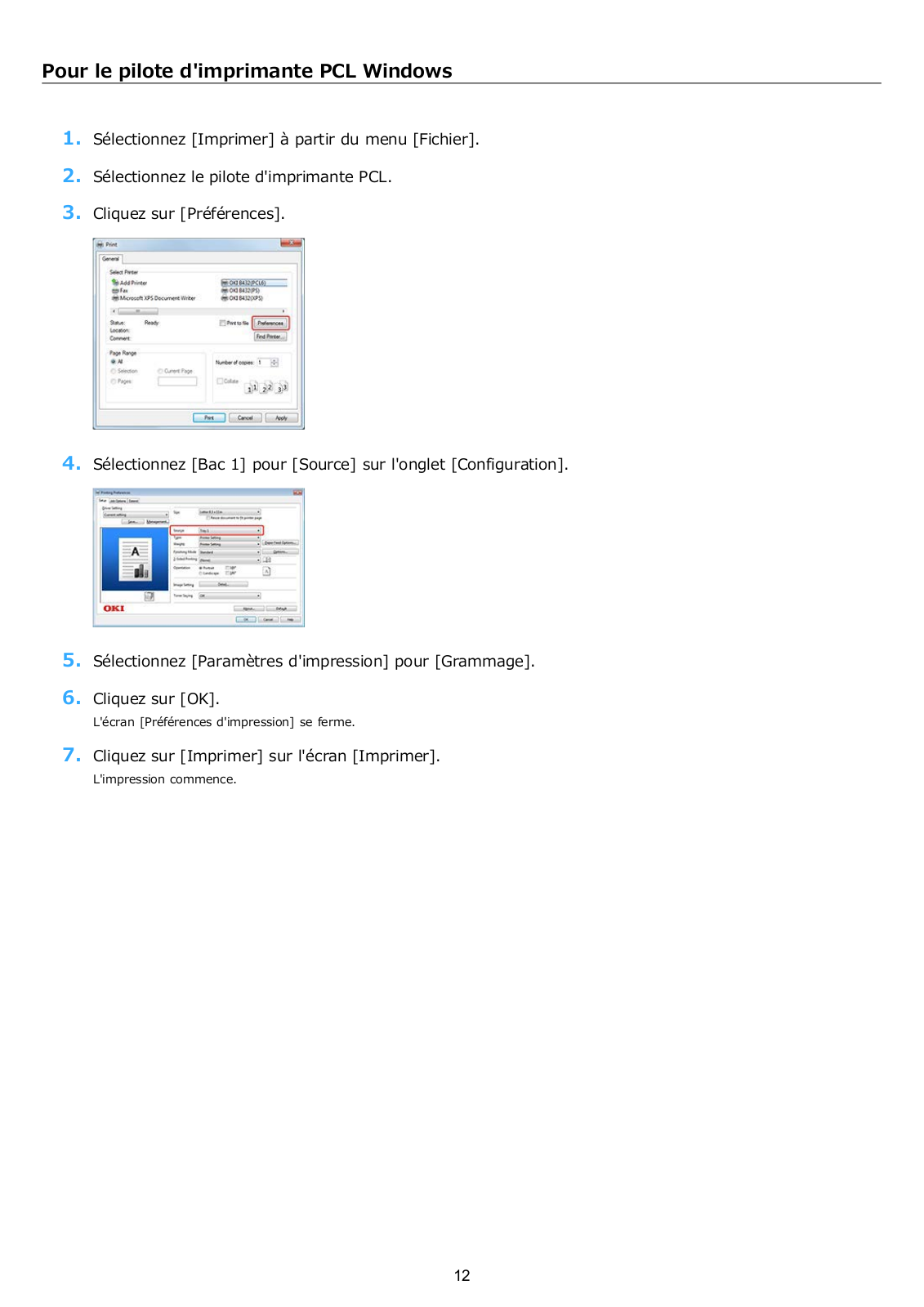
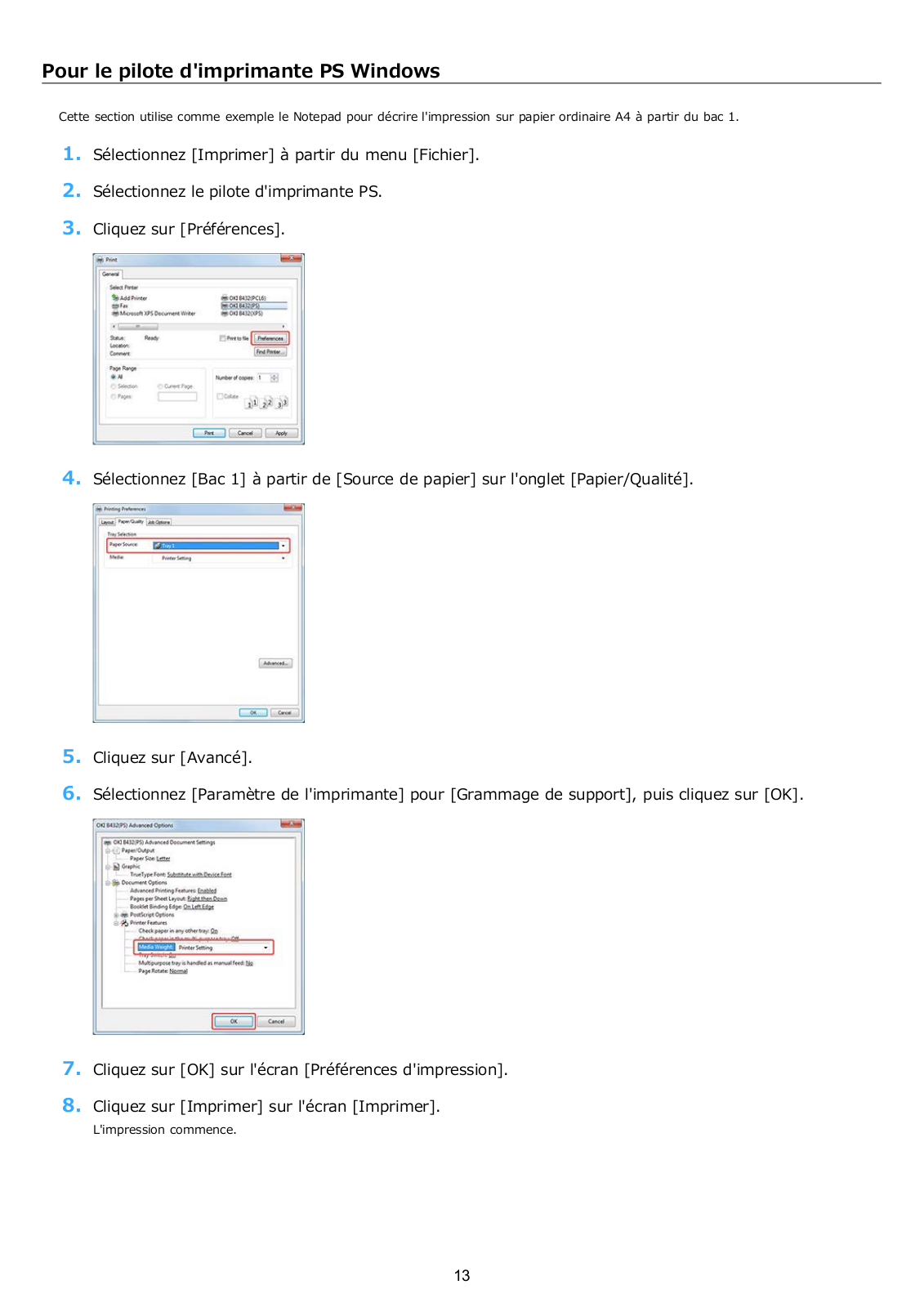
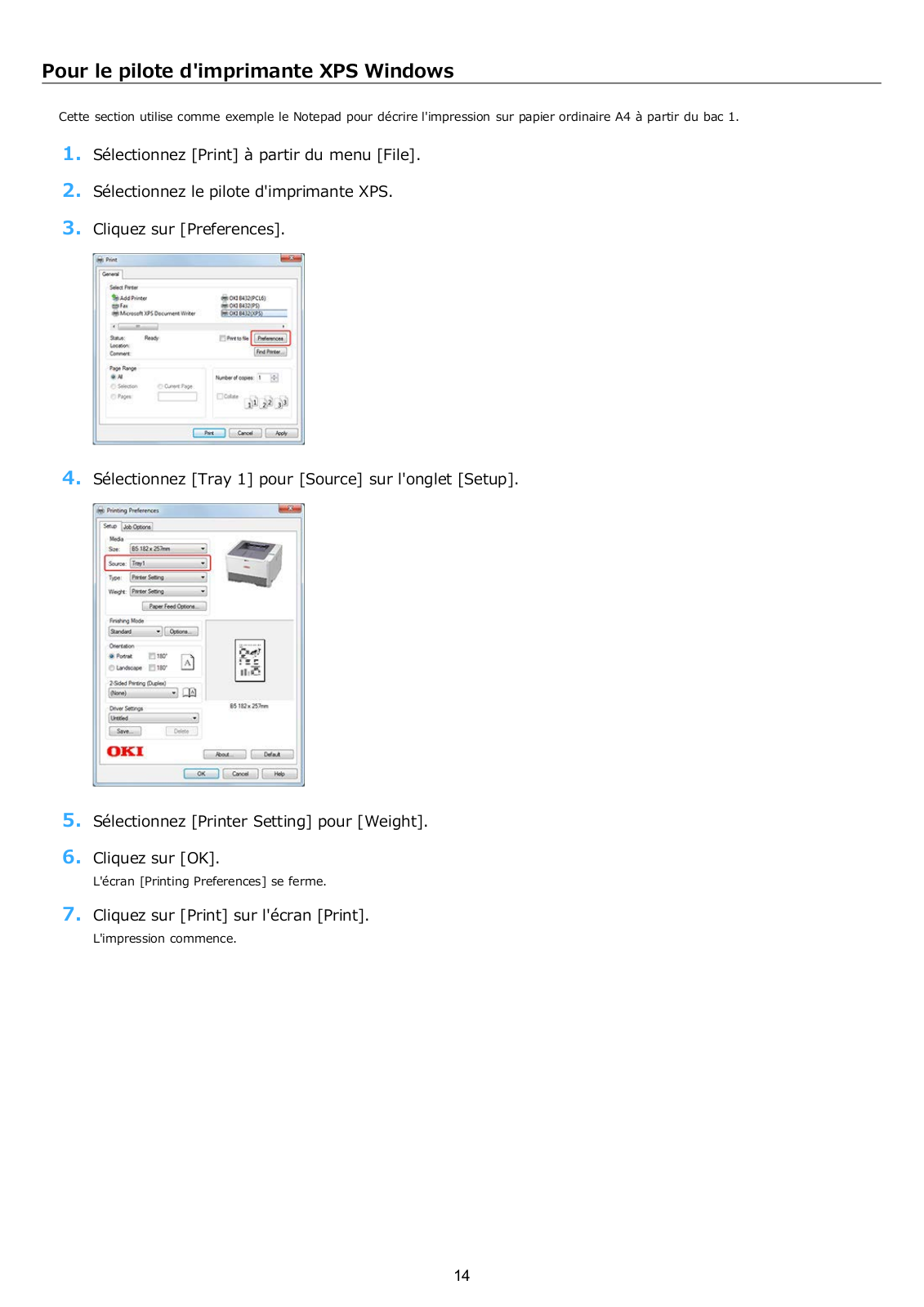
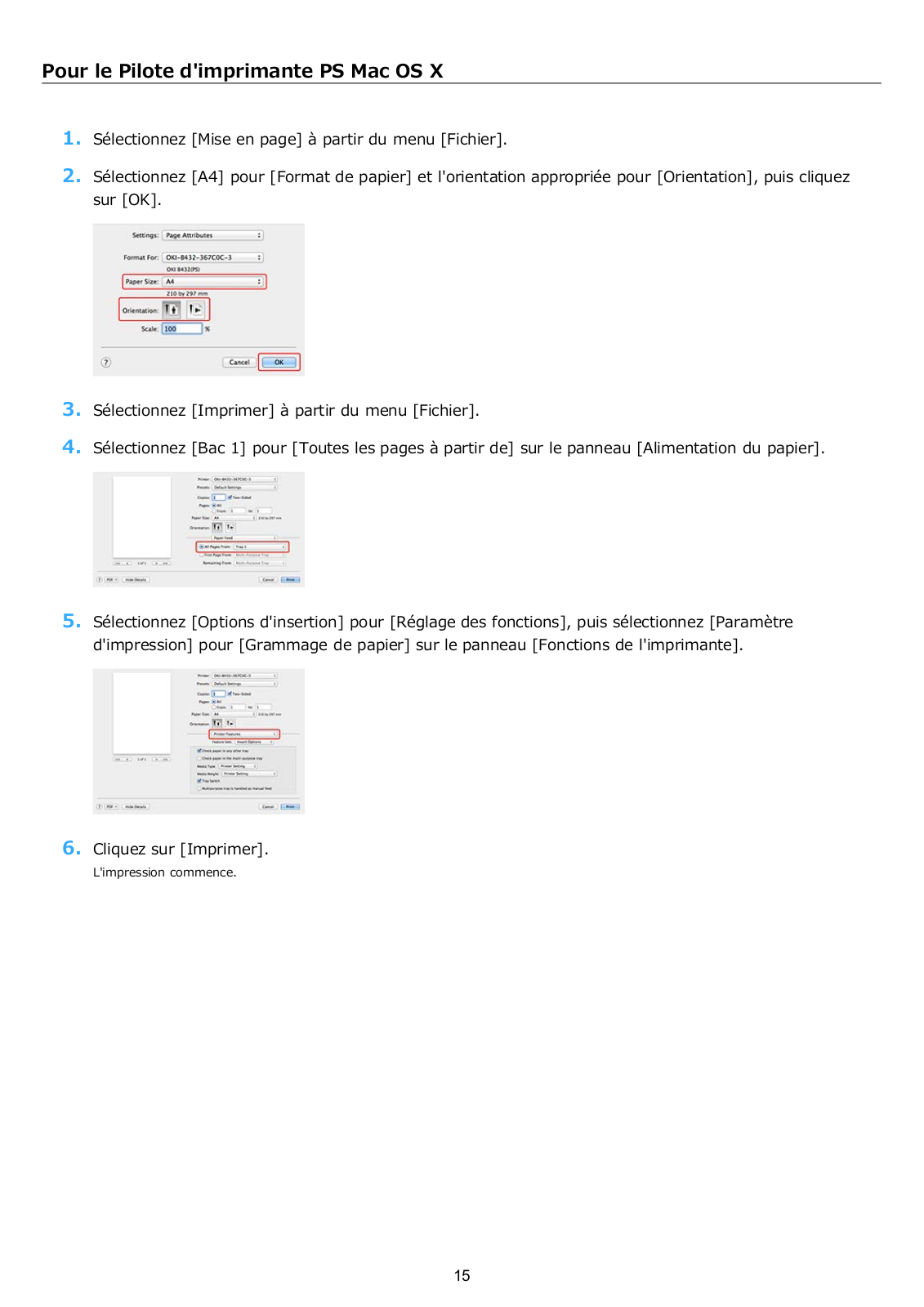
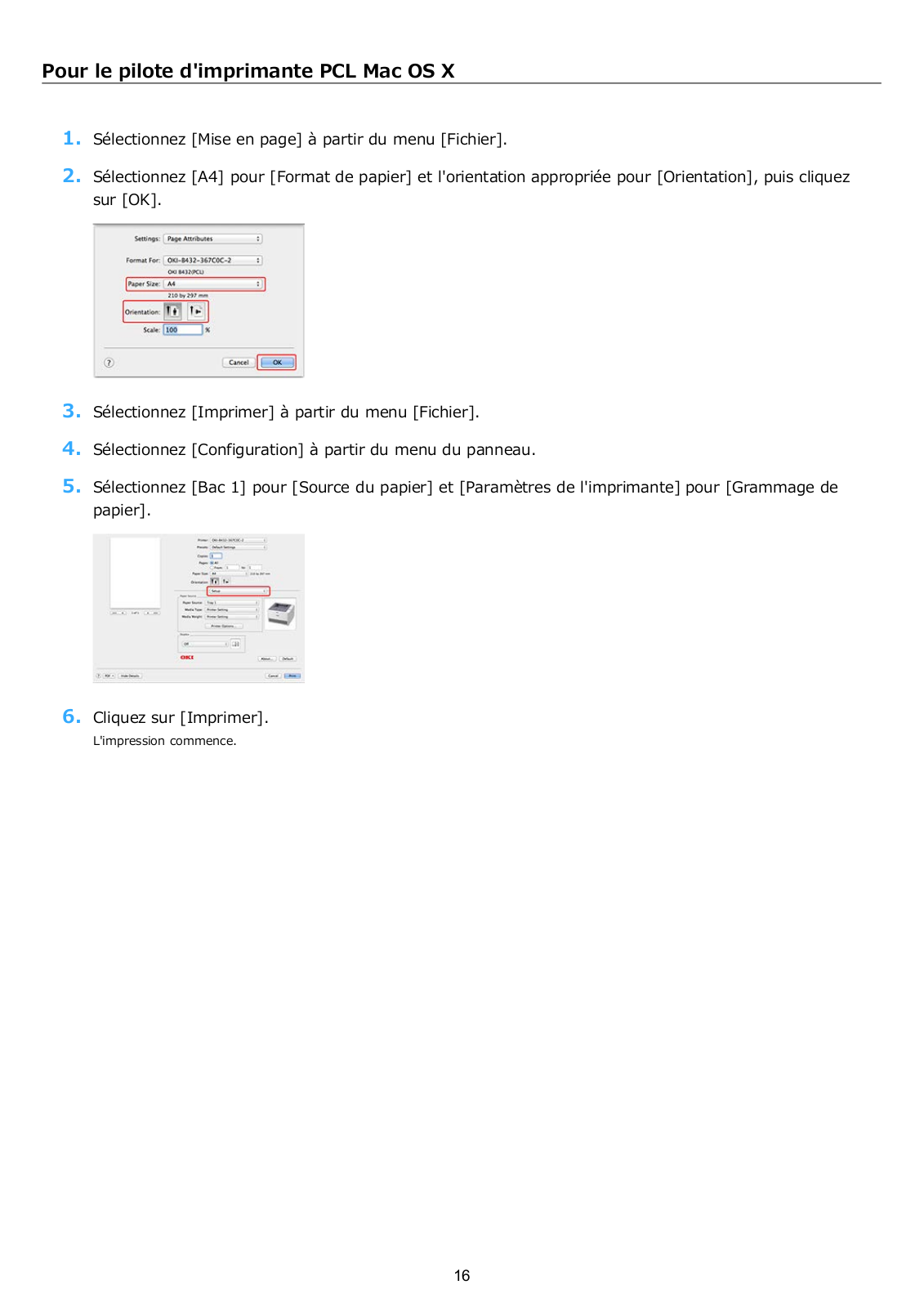


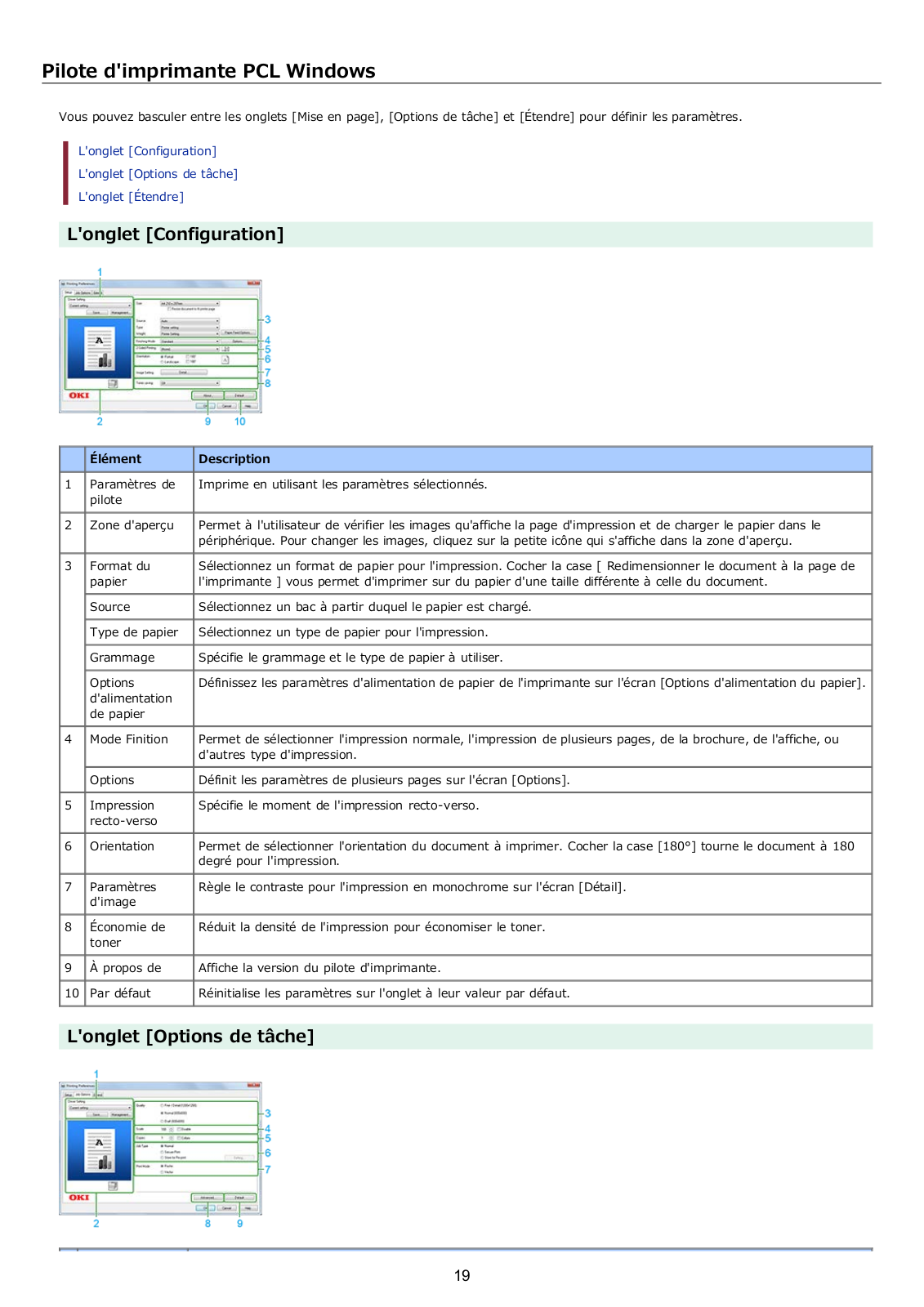
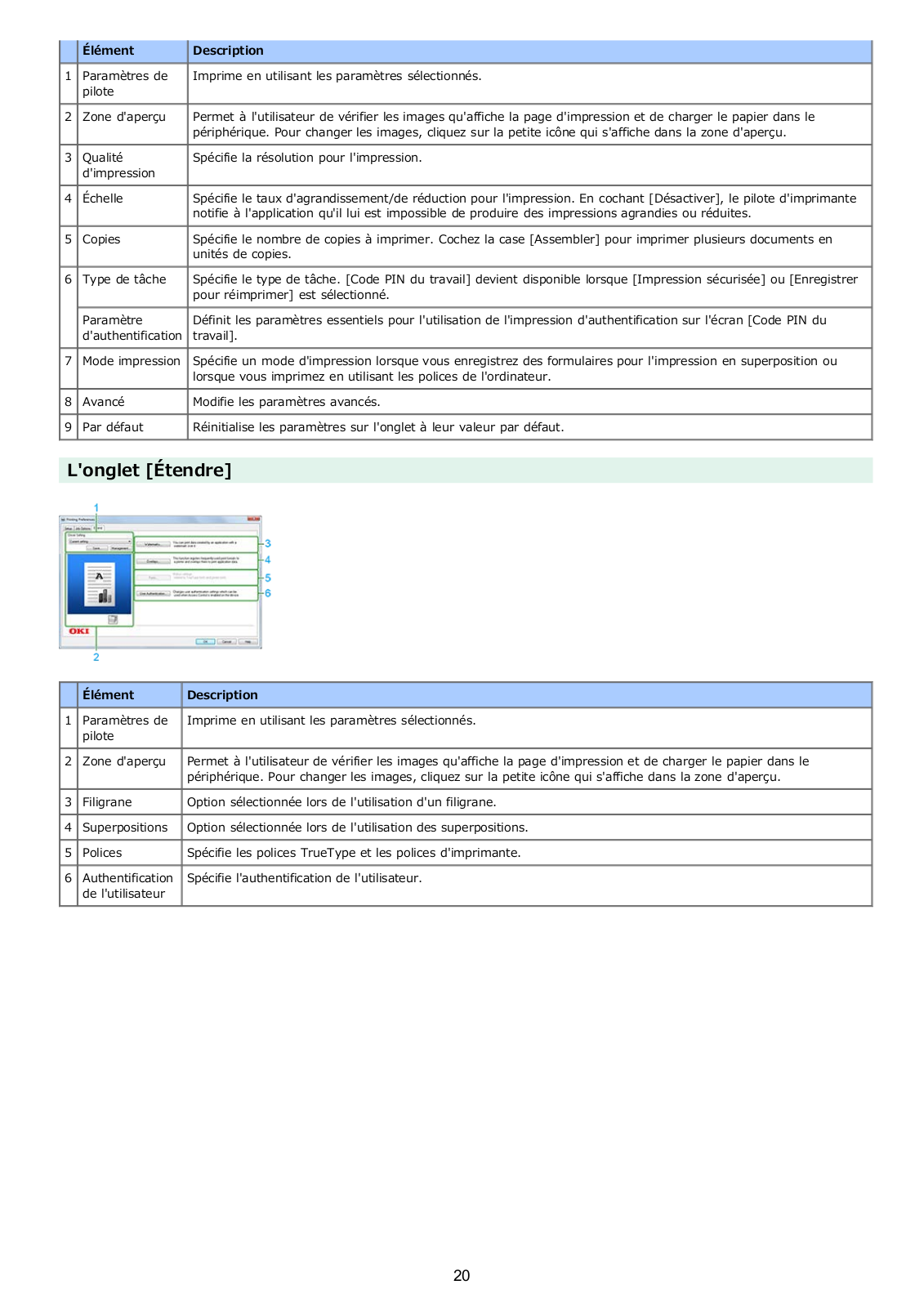
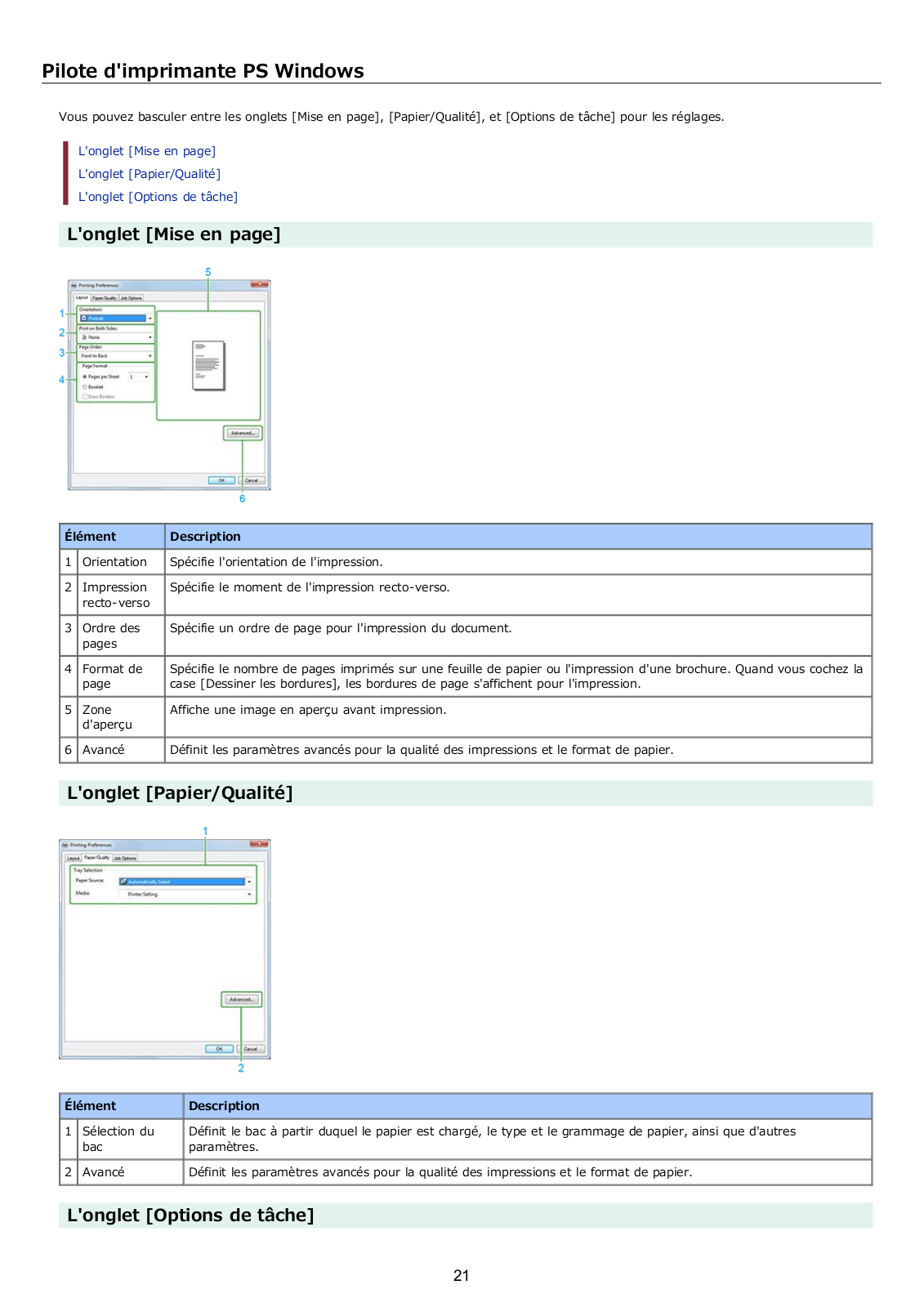
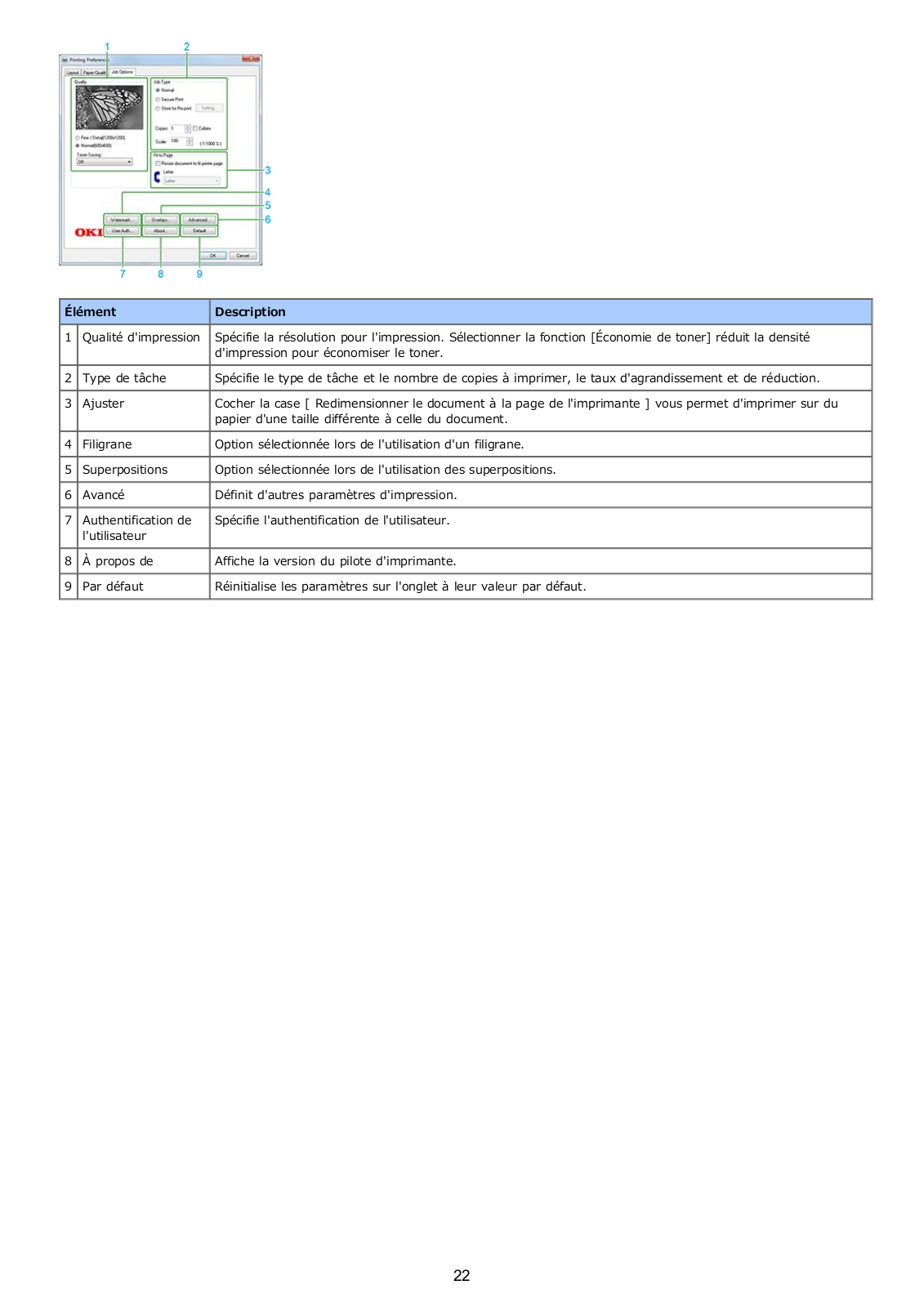
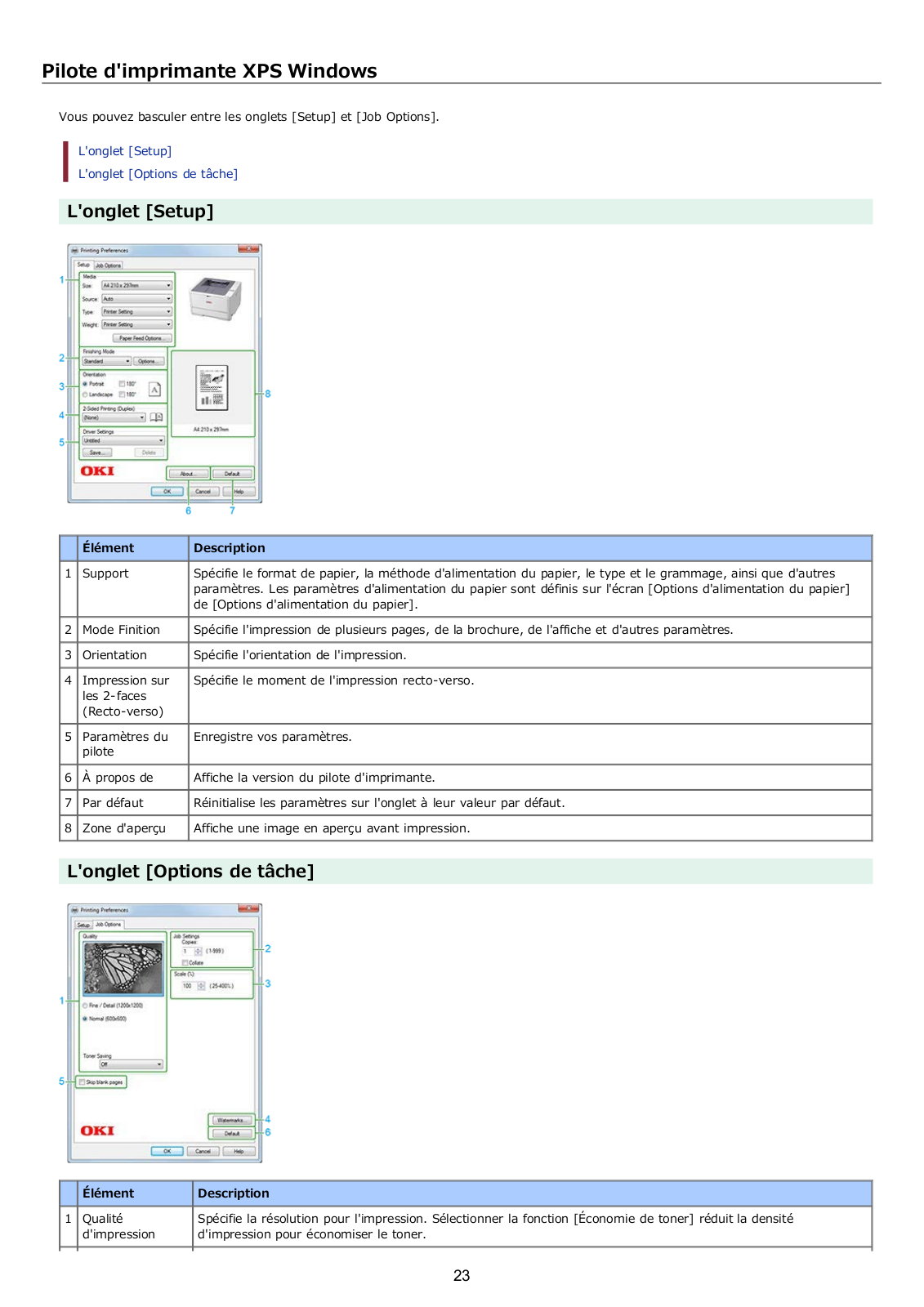

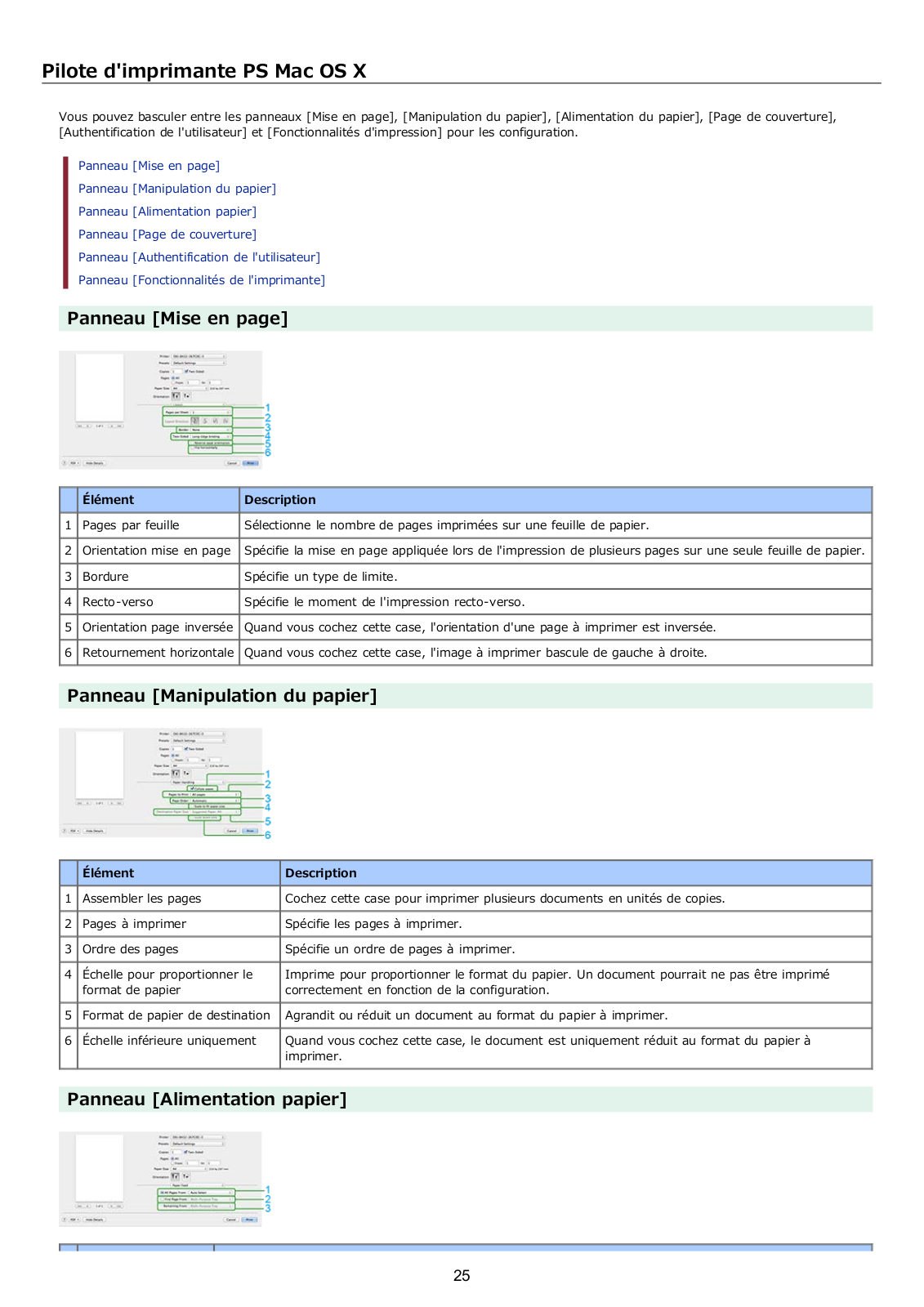
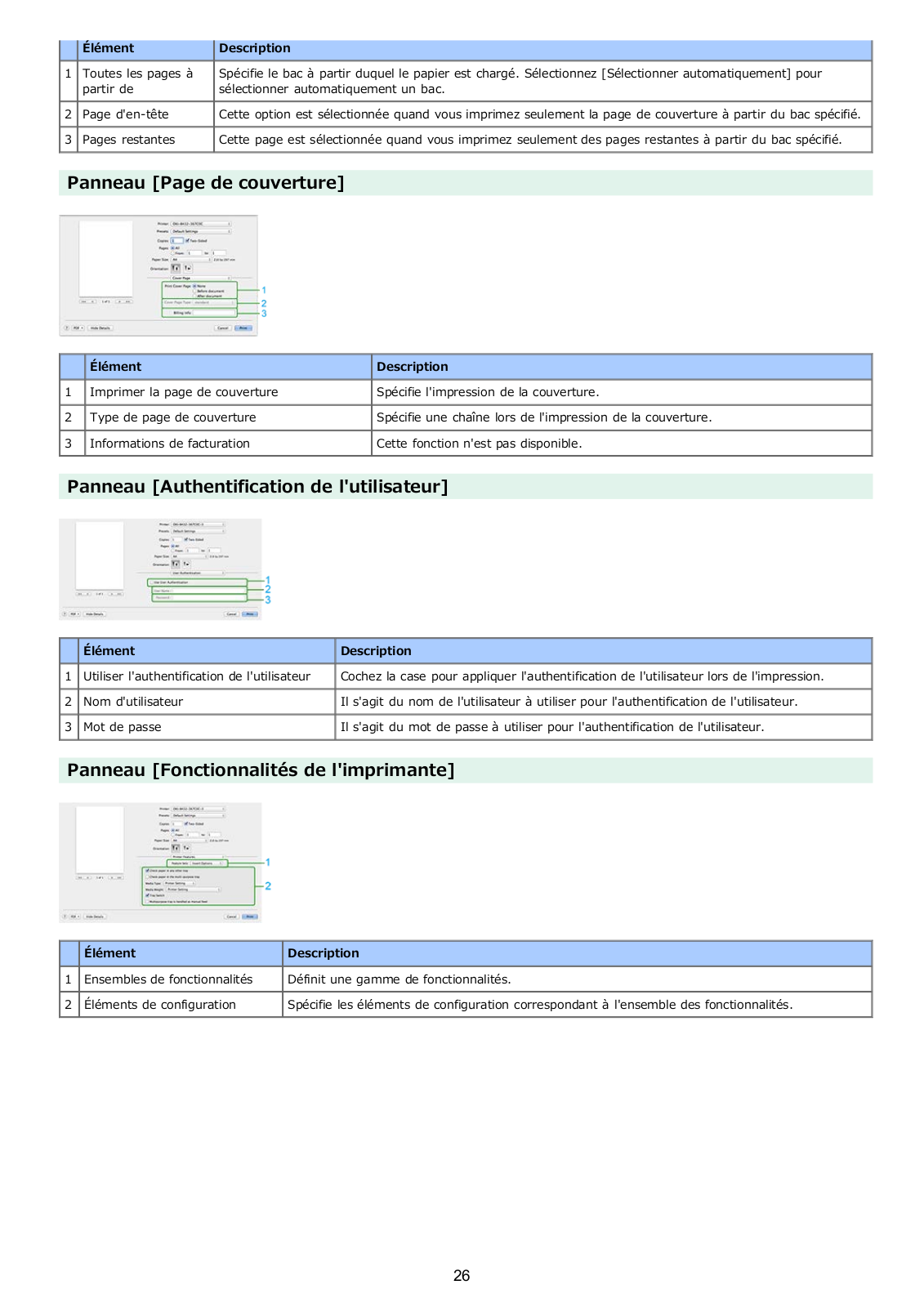
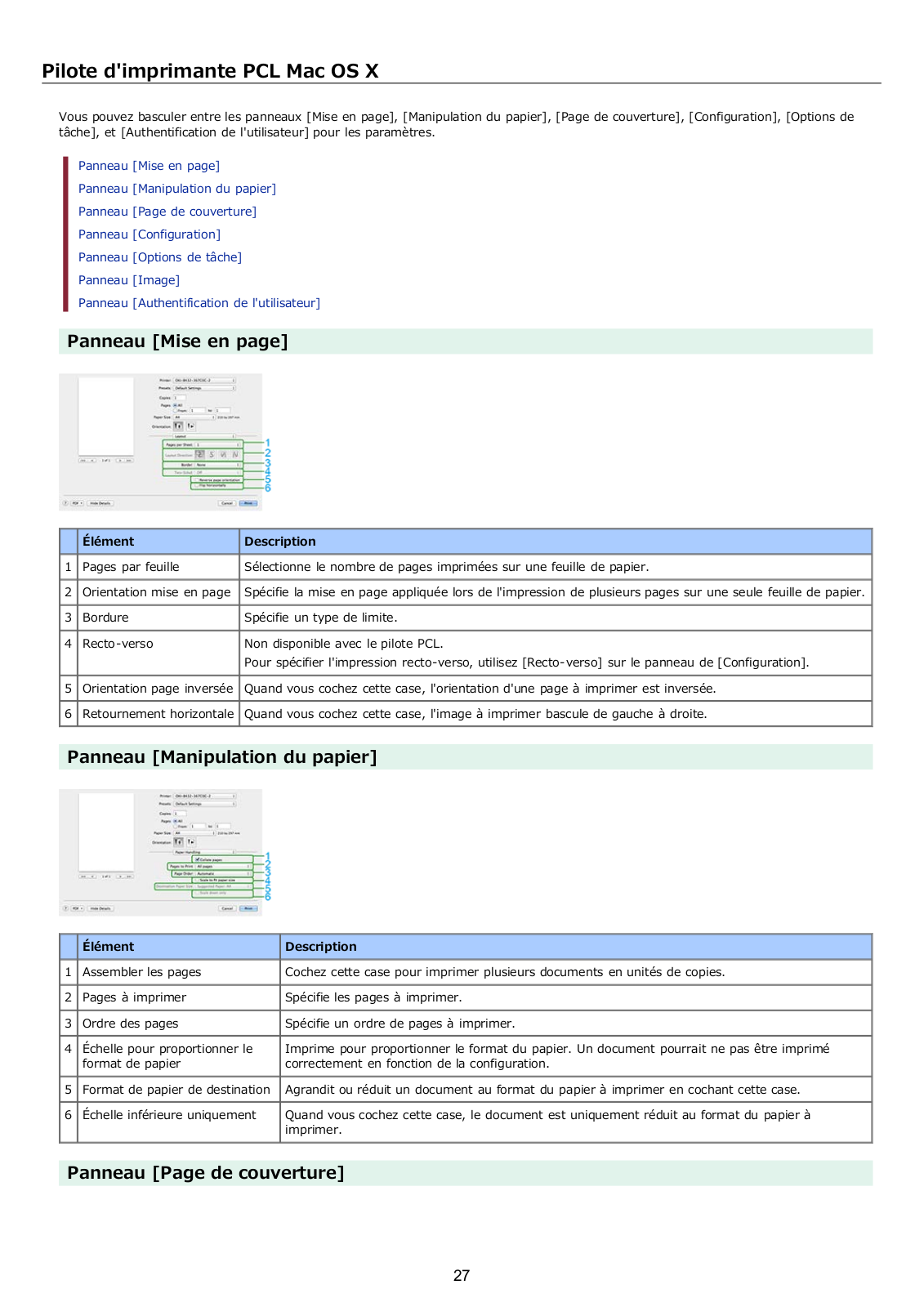
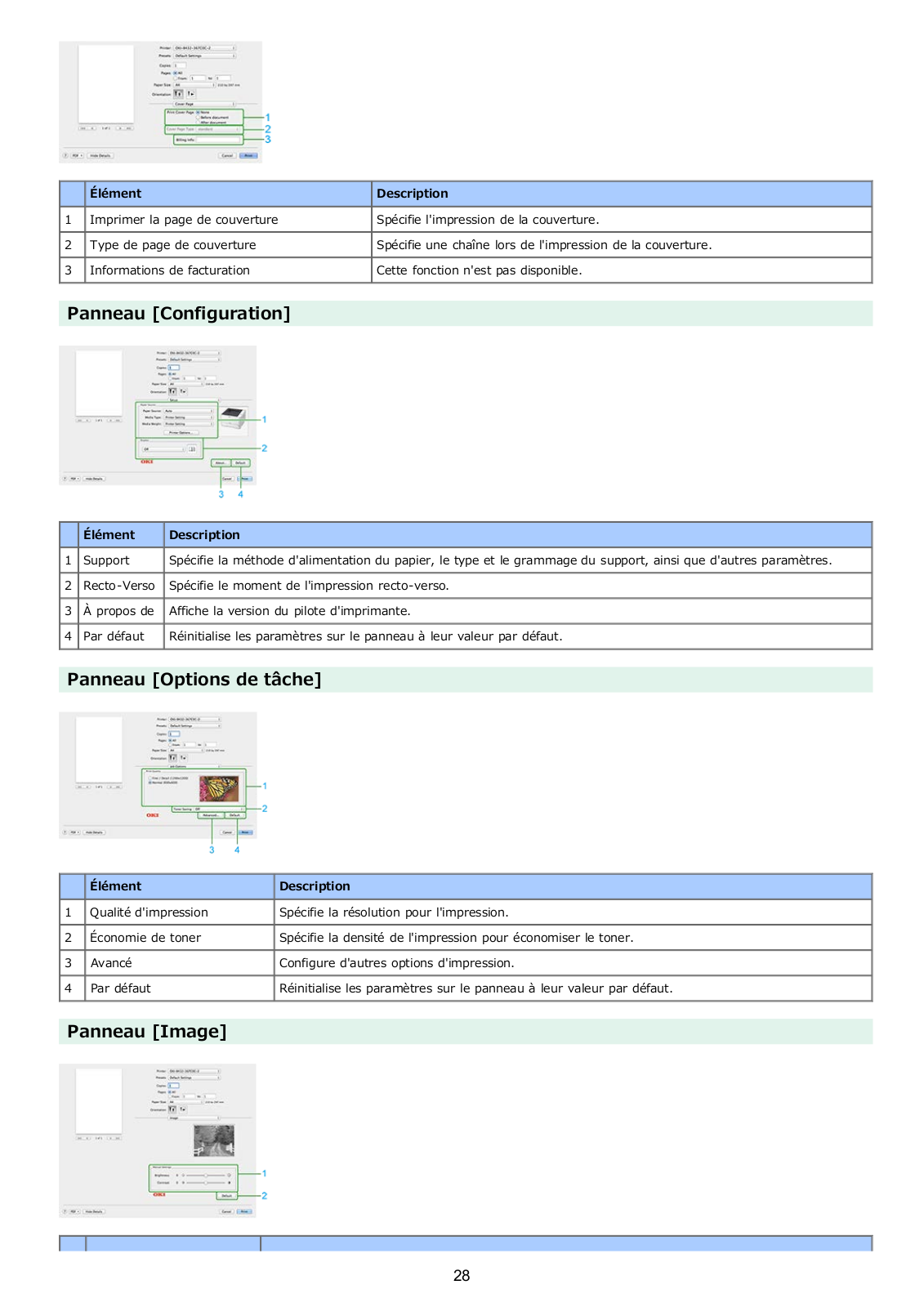
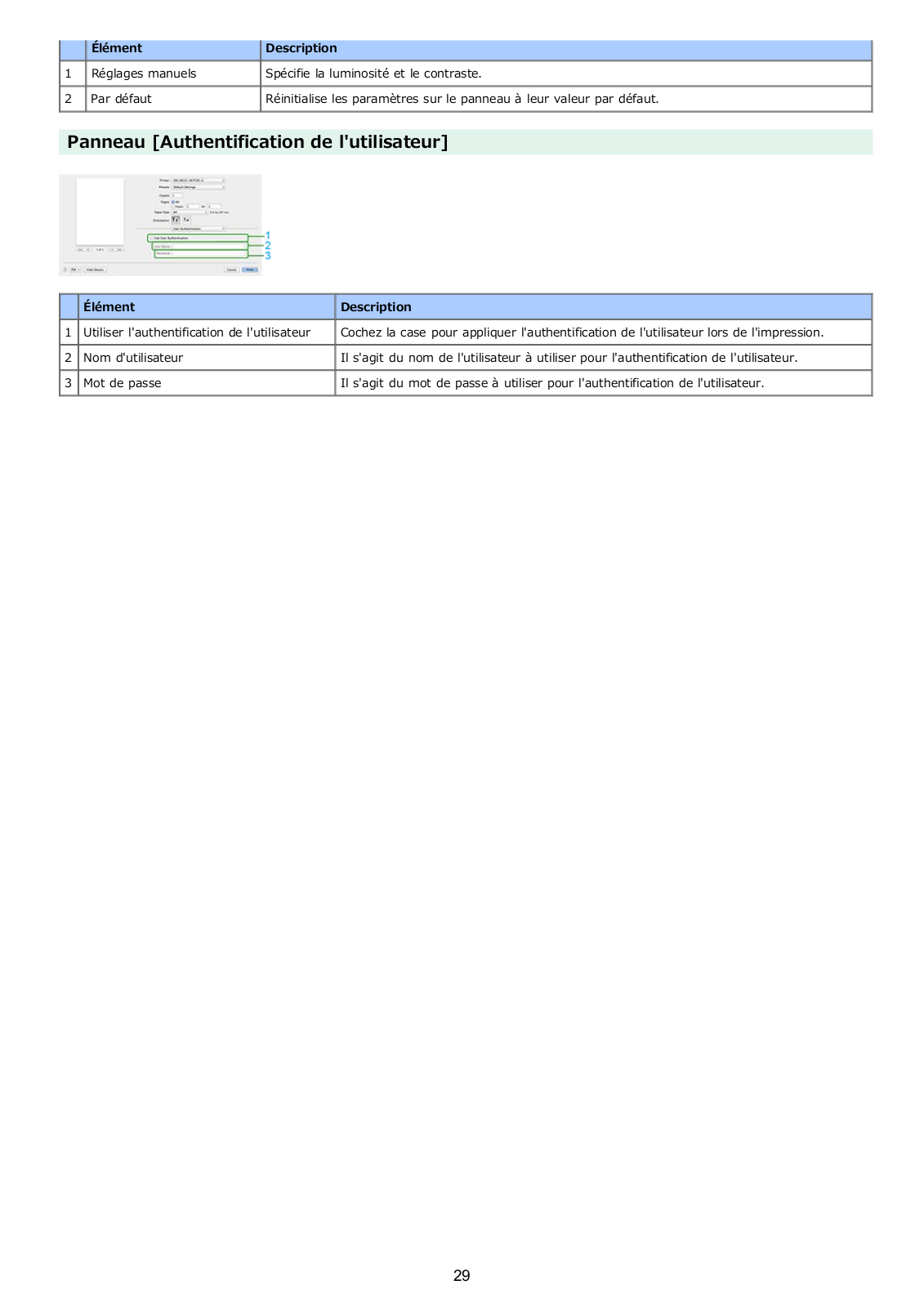
Loading…
+ 615 hidden pages
You need points to download manuals.
1 point = 1 manual.
You can buy points or you can get point for every manual you upload.
Buy points
Upload your manuals
Oki B432dn Air Print User’s Manual
Oki B432dn Printer Specification
The Oki B432dn Printer is a monochrome laser printer designed for small to medium-sized businesses seeking efficient and reliable printing solutions. It features a robust print speed of up to 42 pages per minute, ensuring high productivity and quick turnaround times for office environments. The printer supports a print resolution of up to 1200 x 1200 dpi, delivering sharp and clear text and graphics. With a monthly duty cycle of 80,000 pages, it is built to handle high-volume printing tasks with ease.
Equipped with a powerful 667 MHz processor and 512 MB of standard memory, the Oki B432dn ensures fast processing of complex documents. The printer offers flexible connectivity options, including USB 2.0, Gigabit Ethernet, and wireless networking capabilities, allowing seamless integration into existing office networks. It supports a wide range of media types and sizes, from A6 to legal, and accommodates a standard input capacity of 250 sheets, expandable to 880 sheets with optional trays.
The Oki B432dn includes automatic duplex printing, reducing paper consumption and operational costs by enabling double-sided printing. It is compatible with major operating systems such as Windows, macOS, and Linux, ensuring versatility across different computing environments. The printer is Energy Star certified, reflecting its energy-efficient design, which helps minimize environmental impact. Its compact footprint and user-friendly design, featuring a clear LCD display and straightforward controls, make it an ideal choice for offices with limited space. Overall, the Oki B432dn combines speed, reliability, and cost-effectiveness, making it a practical solution for demanding office printing needs.
Oki B432dn Printer F.A.Q.
To install the Oki B432dn printer driver on Windows, first download the latest driver from the Oki website. Run the downloaded file and follow the on-screen instructions to complete the installation. Make sure the printer is connected to your computer via USB or network during the process.
If the Oki B432dn printer is not printing, check if it is turned on and connected properly to your computer or network. Ensure there is paper in the tray and sufficient toner. Verify that the printer is set as the default printer and check for any error messages or blinking lights on the printer. Restart the printer and computer if necessary.
To perform a factory reset on the Oki B432dn, press and hold the ‘Menu’ button, navigate to ‘Admin Setup’ using the arrow keys, and select ‘Factory Reset’. Confirm the reset by choosing ‘Yes’. The printer will restart with default settings.
Regular maintenance for the Oki B432dn includes cleaning the printer exterior and interior with a lint-free cloth, checking and replacing the toner cartridge as needed, and ensuring the paper path is clear of obstructions. Perform a self-cleaning cycle periodically and update the printer firmware when updates are available.
The Oki B432dn does not have built-in wireless capabilities. To connect it wirelessly, use a wireless print server or connect the printer to a network router via an Ethernet cable and access it wirelessly through the network.
If printed pages have streaks or smudges, check the toner cartridge for leaks or damage and replace it if necessary. Clean the printer’s rollers and the fuser unit with a dry, lint-free cloth. Ensure the paper type setting matches the paper loaded in the printer.
To update the firmware on the Oki B432dn, download the latest firmware from the Oki support website. Connect the printer to your computer via USB or network, and run the firmware update utility. Follow the on-screen instructions to complete the update process.
Yes, the Oki B432dn supports automatic duplex printing. To print double-sided, select the duplex option in your print settings before sending the document to the printer.
To clear a paper jam in the Oki B432dn, turn off the printer and gently remove the jammed paper from the paper tray and output tray. Open the top cover and carefully remove any paper stuck in the fuser area. Close all covers and turn the printer back on.
If the printer displays a toner low message, prepare a new toner cartridge for replacement. You can try gently shaking the existing cartridge to redistribute the toner and extend its life temporarily. Replace the cartridge when print quality starts to degrade.
Report abuse
Libble takes abuse of its services very seriously. We’re committed to dealing with such abuse according to the laws in your country of residence. When you submit a report, we’ll investigate it and take the appropriate action. We’ll get back to you only if we require additional details or have more information to share.
Product:
Get your user manual by e-mail
Enter your email address to receive the manual of Oki B432dn in the language / languages: Dutch as an attachment in your email.
The manual is 11,09 mb in size.
You will receive the manual in your email within minutes. If you have not received an email, then probably have entered the wrong email address or your mailbox is too full. In addition, it may be that your ISP may have a maximum size for emails to receive.
The manual is sent by email. Check your email
If you have not received an email with the manual within fifteen minutes, it may be that you have a entered a wrong email address or that your ISP has set a maximum size to receive email that is smaller than the size of the manual.
Хорошее руководство по эксплуатации
Законодательство обязывает продавца передать покупателю, вместе с товаром, руководство по эксплуатации Oki B432dn. Отсутствие инструкции либо неправильная информация, переданная потребителю, составляют основание для рекламации в связи с несоответствием устройства с договором. В законодательстве допускается предоставлении руководства в другой, чем бумажная форме, что, в последнее время, часто используется, предоставляя графическую или электронную форму инструкции Oki B432dn или обучающее видео для пользователей. Условием остается четкая и понятная форма.
Что такое руководство?
Слово происходит от латинского «instructio», тоесть привести в порядок. Следовательно в инструкции Oki B432dn можно найти описание этапов поведения. Цель инструкции заключается в облегчении запуска, использования оборудования либо выполнения определенной деятельности. Инструкция является набором информации о предмете/услуге, подсказкой.
К сожалению немного пользователей находит время для чтения инструкций Oki B432dn, и хорошая инструкция позволяет не только узнать ряд дополнительных функций приобретенного устройства, но и позволяет избежать возникновения большинства поломок.
Из чего должно состоять идеальное руководство по эксплуатации?
Прежде всего в инструкции Oki B432dn должна находится:
— информация относительно технических данных устройства Oki B432dn
— название производителя и год производства оборудования Oki B432dn
— правила обслуживания, настройки и ухода за оборудованием Oki B432dn
— знаки безопасности и сертификаты, подтверждающие соответствие стандартам
Почему мы не читаем инструкций?
Как правило из-за нехватки времени и уверенности в отдельных функциональностях приобретенных устройств. К сожалению само подсоединение и запуск Oki B432dn это слишком мало. Инструкция заключает ряд отдельных указаний, касающихся функциональности, принципов безопасности, способов ухода (даже то, какие средства стоит использовать), возможных поломок Oki B432dn и способов решения проблем, возникающих во время использования. И наконец то, в инструкции можно найти адресные данные сайта Oki, в случае отсутствия эффективности предлагаемых решений. Сейчас очень большой популярностью пользуются инструкции в форме интересных анимаций или видео материалов, которое лучше, чем брошюра воспринимаются пользователем. Такой вид инструкции позволяет пользователю просмотреть весь фильм, не пропуская спецификацию и сложные технические описания Oki B432dn, как это часто бывает в случае бумажной версии.
Почему стоит читать инструкции?
Прежде всего здесь мы найдем ответы касательно конструкции, возможностей устройства Oki B432dn, использования отдельных аксессуаров и ряд информации, позволяющей вполне использовать все функции и упрощения.
После удачной покупки оборудования/устройства стоит посвятить несколько минут для ознакомления с каждой частью инструкции Oki B432dn. Сейчас их старательно готовят или переводят, чтобы они были не только понятными для пользователя, но и чтобы выполняли свою основную информационно-поддерживающую функцию.