
Table of Contents
- ORDRO EP7 Portable FPV Vlog Camcorder
- Specifications
- Introduction
- PRODUCT STANDARD PARTS
- CAMERA INTRODUCTION
- INDICATOR LIGHT DESCRIPTION
- INSTALLATION AND DISASSEMBLY STEPS
- CHARGING
- HOW TO INSTALL MICRO SD CARD
- HOW TO OPERATE THE CAMERA
- REMOTE CONTROL (OPTIONAL)
- HOW TO CONNECT WITH A COMPUTER
- APP DOWNLOADING
- APP SETTING
- SPECIFICATIONS
- TROUBLESHOOTING
- Frequently Asked Questions
- Video
- Read User Manual Online (PDF format)
- Download This Manual (PDF format)

ORDRO EP7 Portable FPV Vlog Camcorder

Specifications
- BRAND: ORDRO
- CONNECTIVITY TECHNOLOGY: USB
- FLASH MEMORY TYPE: Micro SD
- SPECIAL FEATURE: Portable, Lightweight
- SCREEN SIZE: 3 Inches
- CAMCORDER TYPE: Video Camera
- ITEM WEIGHT: 2.47 ounces
- PACKAGE DIMENSIONS: 6.46 x 6.06 x 2.2 inches
- VOLTAGE: 4.35V
- BATTERY: 1000mAh
Introduction
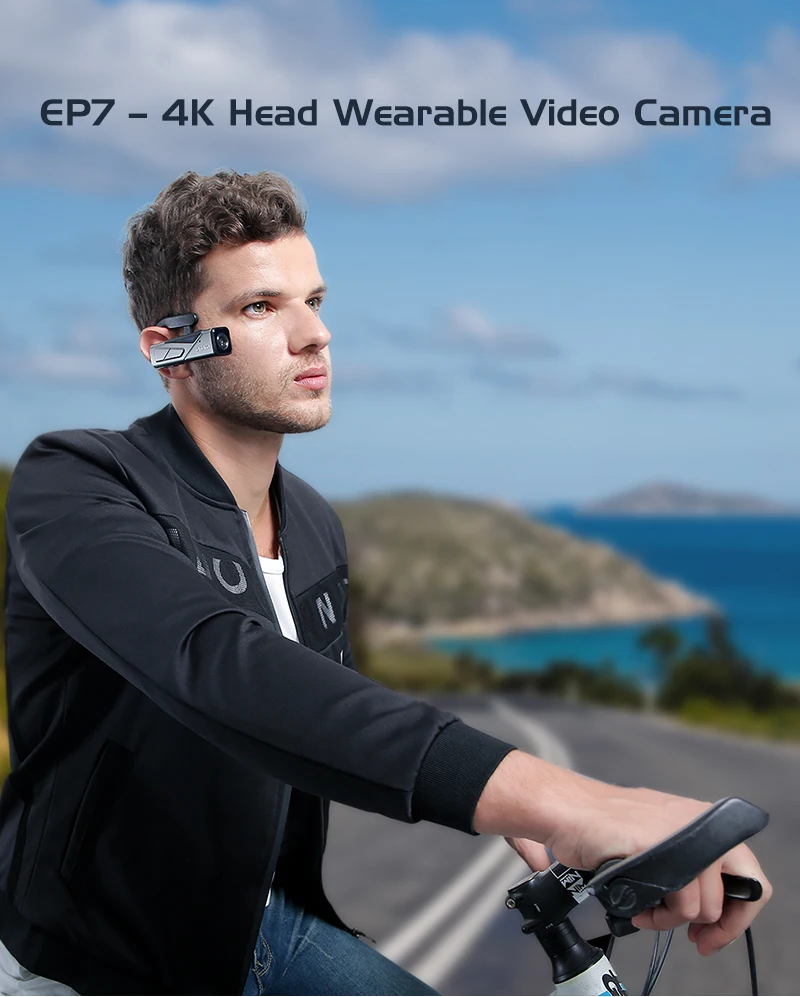
As you observe it, accurately capture what you see. Let your hands be free
with this headwear design. You may record first-person perspective video for
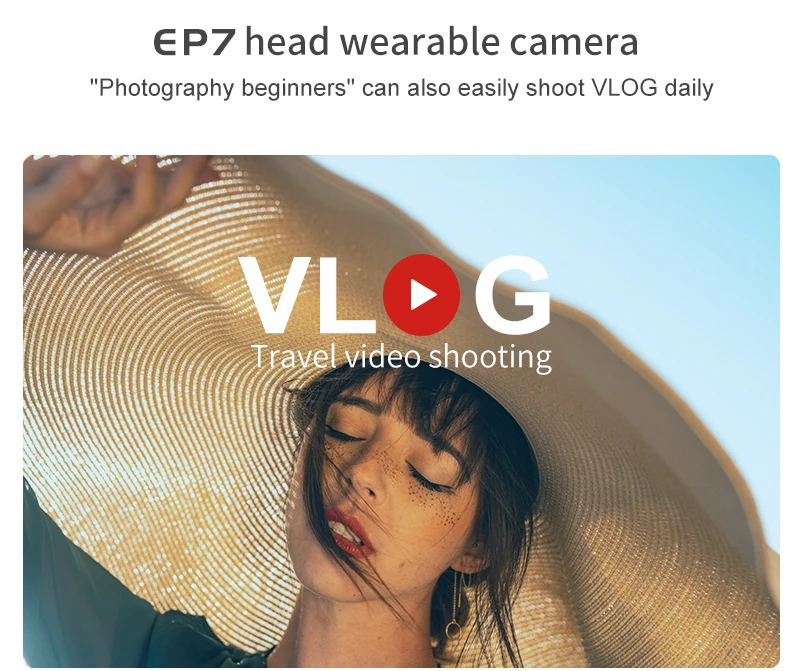
your daily vlog using this 4k wearable video camera. suitable for chefs,
designers, doctors, sculptors, and painters. Lightweight and small camera
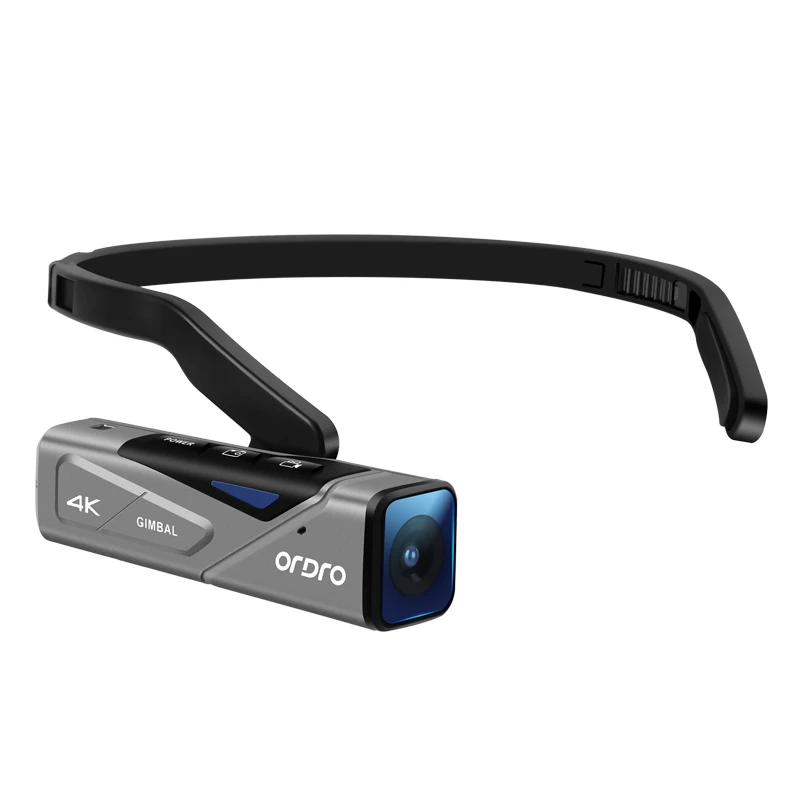
weighing only 78g. 13.0 MP Sony high-sensitivity CMOS sensor built-in. EP7
supports 4K UHD videos and 20MP pictures. FHD: 19201080 (60 fps / 30 fps),
HD: 1280720, and 4K UHD: 3840*2160 (30 fps) (60fps). To start watching right
away, just use a USB cable to connect the camcorder to a 4K TV. Support HD
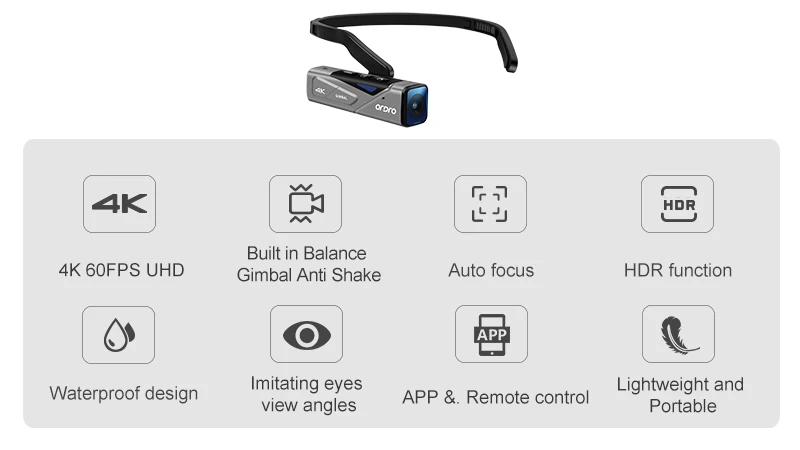
output and an HDMI/USB cable are included in the package. A 2-axis gimbal
produces crystal-clear, ultra-smooth film and offers greater camera stability.
If you’re photographing close-up items, it will automatically focus, as low as
10dm can also clearly take the picture.
Use the “OD Cam” APP on a smart phone to connect the camera; the Wi-Fi name is
EP7-xxxxxx and the password is 12345678. Configure camera settings and view
live movies and images. a remote control and a wrist strap are included for
operating the camera (Up to 5m). When linked to a computer with a micro USB
cable, the camera can be used as a webcam for live streaming or video calls.
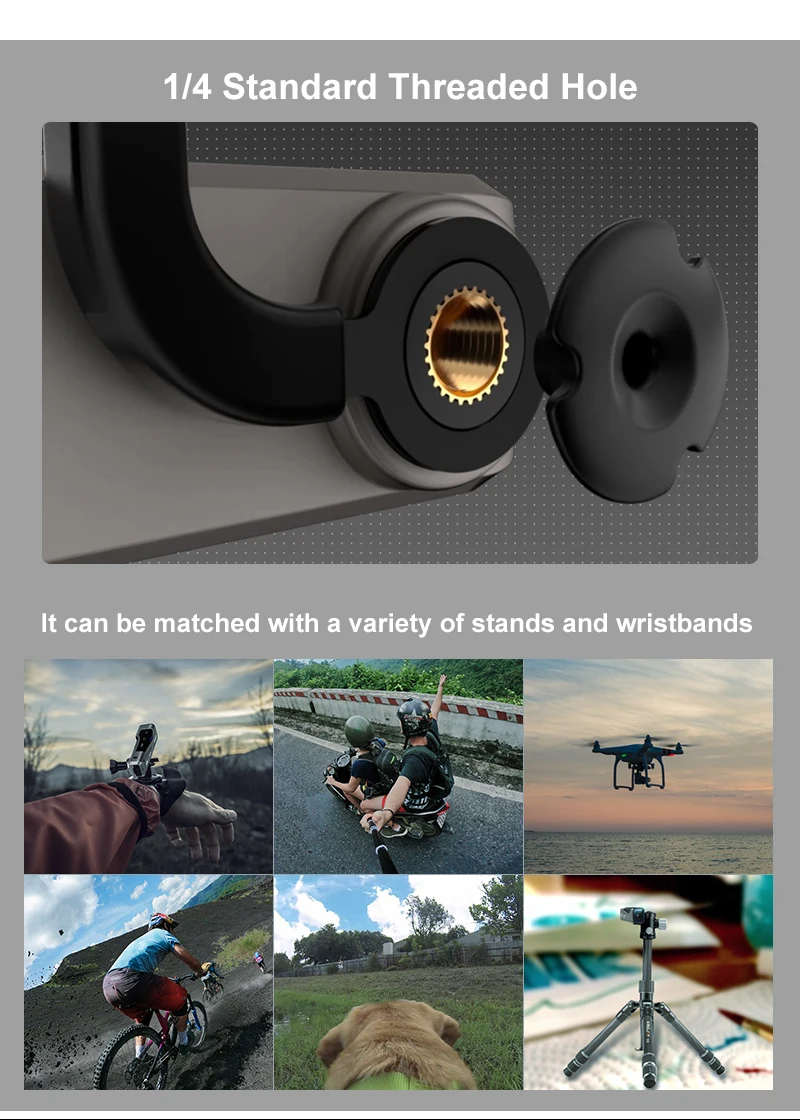
The 1/4″ standard thread hole on the EP7 Vlog camcorder. The tripod plate used
by the majority of tripods has a 1/4″ mounting screw. It can be used with a
helmet bracket or a tripod. With a built-in 4.35V 1000mAh lithium battery and
the ability to capture video while it charges, this camcorder can be used for
longer periods of time.
PRODUCT STANDARD PARTS

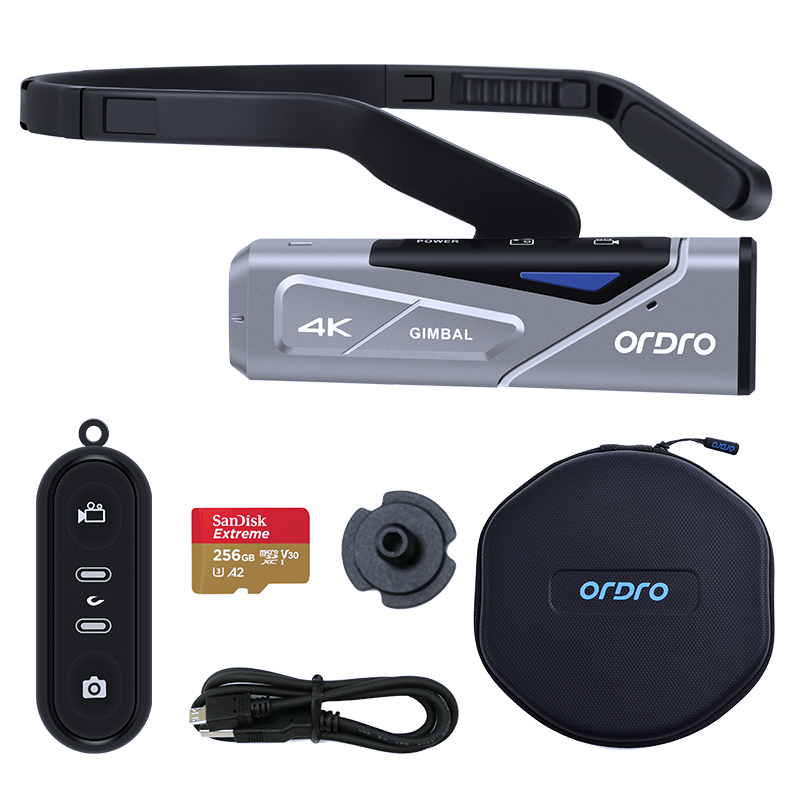
- OTHER ACCESSORIES: Pouch, User Manual ,Warranty card
- WRENCH: tighten and loosen the screw to the hoop.
- HOOK: prevent charging cable disconnection.
CAMERA INTRODUCTION

| No. | Name | No. | Name | No. | Name |
|---|---|---|---|---|---|
| ① | **** |
Lens
| ⑥| ****
Recording MIC
| ****
⑪
| Micro SD Card Slot
②| HD Port| ⑦| Power Button| ⑫| Reset Button
③| Red Status Light| ⑧| ****
Wi-Fi Button
| ****
⑬
| ****
USB Port
④| Green Status Light| ⑨| ****
Photo Button
| ****
⑭
| ****
Speaker
⑤| Blue Status Light| ⑩| Recording Button| |
INDICATOR LIGHT DESCRIPTION
Indicator Light
Status
| ****
“RED”
Charging Light
| ****
“Green” Shooting Light
| ****
“Blue” Wi-Fi Light
—|—|—|—
On| Charging| Standby| Connected
Off
| Fully Charged| ****
Power Off
| ****
Wi-Fi Off
Flash Once
| ****
/
| ****
Photo
| ****
/
Flash at a frequency of 1 second| ****
/
| ****
Video
| ****
Wi-Fi On
INSTALLATION AND DISASSEMBLY STEPS
- INSTALLATION OF THE HEADBAND

- Align and insert the left and right part to the slot .
- Move the middle part left and right to adjust the headband size.
- DISASSEMBLY OF THE HEADBAND Press the middle part (See picture) to remove the left and right part.
- CAMERA INSTALLATION STEPS
- Fix the hoop at the screw hole of the
- Lock the hoop and the camera with the wrench and nut.
- Install the soft rubber sleeve onto the screw.


WHAT YOU DO BEFORE USE
Be prepared before using the camera to get a better experience.
CHARGING
Fully charge the camera for first time using .
- Take out the Micro USB Cable.
- Connect the camera to 5V/1A-2A charger or a Computer, and the other end to the Micro USB Port on the bottom of the camera.
- The camera will turn on automatically when Charging both the red and green indicator light will be lit. the red indicator light will turn off after the battery is fully charged.
NOTICE:
- It needs about 3 hours for full charge.
- When the battery is low, the speaker will emit an alarm sound of “beep, beep, beep. Please charge it in time”.
HOW TO INSTALL MICRO SD CARD
- Switch off the power before inserting or removing the card.
- Open TF card slot.
- Insert TF card to the card slot in the right direction. (Recommended Micro SD Card: U3 & Capacity up to 256GB)
- To remove the card, press it lightly and it will pop out.
NOTICE: Under the situation of the memory card’s format is not compatible
with the camera, the camera will sound “Please hold on the Photo button to
format the memory card”, please press the photo button for 3 seconds after the
prompt tone, the camera will format the Micro SD card automatically. After the
formatting is finished, the camera will sound “Format complete”.
HOW TO OPERATE THE CAMERA
- POWER ON: Press the Power button for 3 seconds The green indicator light will be lit.
- POWER OFF: Press the Power button for 3 seconds. The green indicator light will be off.
VIDEO
- Standby Mode.
- Press the “Video button” ,The green indicator light flashes intermittently, the speaker emits a beep once and the voice reminder sounds “Start recording”, Start recording.
- Press the “Video button” again, The green indicator light stops flashing. The speaker emits a beeps twice, and the voice reminder “Stop recording”. Stop recording.
NOTICE: When the video reaches a certain length, the video files will be
automatically segmented. When 4K and 2.7K resolutions are used, the video
files will be automatically segmented in 5 minutes, and when FHD, HD and VGA
resolutions are used, the video files will be automatically segmented in 20
minutes.
PHOTO
- Standby mode
- Press the “Photo button”, The green indicator light flashes once. The speaker emits a “beeps” and the voice reminder “Taking a picture”.
CAPTURE
- Recording mode.
- Press the photo button, the camera beeps.
REMOTE CONTROL (OPTIONAL)
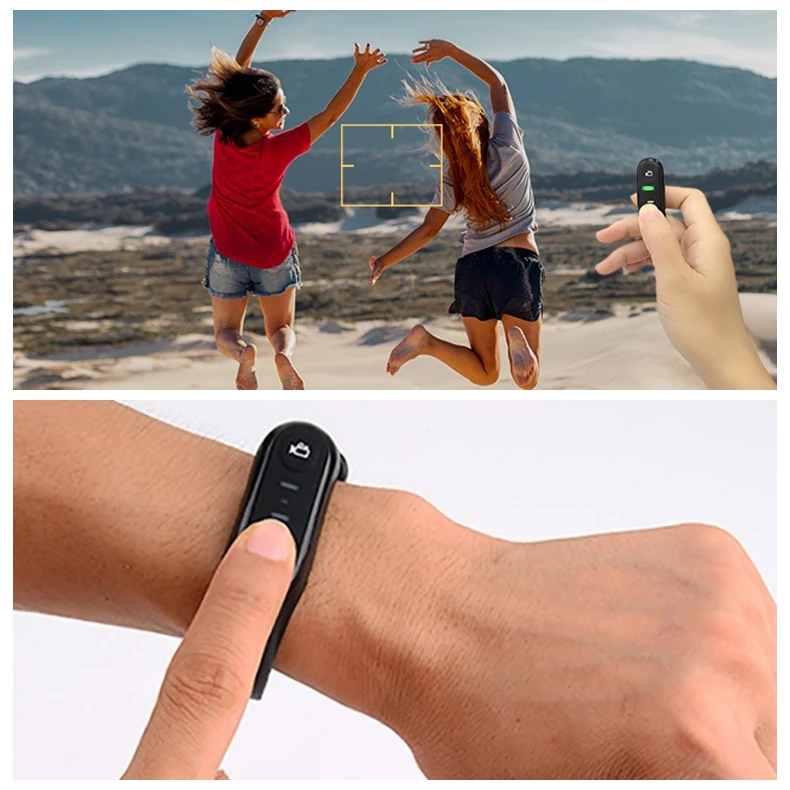
- This feature works with the wearable remote control.

- When power on, press the Video button to start recording, the Function indicator light flashes once press again to stop recording.
- When power on, press the Photo button to take photo.
| Model | W1 |
|---|---|
| Battery capacity | 70 mAh |
| Button | *2 Video、Photo |
| Indicator | *2 Function indicator (green)、 Charging indicator(red) |
| Working distance | About 8 meters for taking |
photo/About 5 meters for taking video
NOTICE: When the function indicator does not flash after pressing the
button, the remote controller is low in power. Please connect the 5V/1A
charger with the Micro USB cable to charge it. The duration is about 0.5-1
hour
HOW TO CONNECT WITH A COMPUTER
The camera can be used as a removable disk and webcam by using this function
REMOVABLE DISK MODE
- Connect the camera to the computer by using USB cable when the camera is turned on.
- After connecting, the speaker will emit voice reminder “Please select the USB function, press the video button to enter the removable disk mode or press the photo button to enter the PC CAM mode”.
- Press the “Video button and the speaker will emit the sound “Enter the removable disk mode”. You can see “Removable disk is displayed” on your computer.
PC CAM MODE
- Connect the camera to the computer by using Micro USB cable when the camera is turned on.
- After connecting, the speaker will emit voice reminder “Please select the USB function, press the video button to enter the removable disk mode or press the photo button to enter the PC CAM mode”.
- Press the “Photo button and the speaker will emit the sound “Enter the PC Cam mode”. You can find the image device on your computer.
NOTICE: When use the camcorder as a PC Camera, it is not able to record
video or taking photo.
APP USING
You can control the camera remotely by using APP. Features include full camera
control, live preview, playback and camera setting
APP DOWNLOADING
For Android user: Search “OD Cam” in Google Play or scan the following QR code
to download.
FOR IOS USER: Search “OD Cam” in APP Store or scan the following QR code
to download.
APP CONNECTING
- Turn on the camera. Press the power button to turn on the Wi-Fi. The speaker will emit a sound “Wi-Fi On”. The Blue indicator light on and flashes intermittently.
- Enter the setting – Wi-Fi, find the Wi-Fi start with EP7 (EP7_xxxx),Touch and input the password 12345678.
- Enter the APP , Touch “Connect device” to enter the user interface.

NOTICE: When the power of the camera is not enough to connect to the app
for use, the camera will reminds:
“Low battery, Wi-Fi will switch off”

APP VIDEO MODE
Touch the video icon on the App user interface to enter the Video mode.
Touch the menu icon , “REC” will be displayed at the top left of the interface
and flashes on the live preview. The speaker will sound “Start recording” and
the Green indicator light will flash (In frequencies of 1 second.) , Start
recording.
3.Touch the menu icon again, .The speaker will beep and the green indicator
light will stop flashing , Stop recording.
APP PHOTO MODE
- Touch the camera icon on the App user interface to enter the Photo mode.
- Touch the menu icon in live preview mode.
- The app will sound “click” ,the speaker will sound “take a picture”, and the green indicator light flashes once quickly .
APP SETTING
This setting function allows you to customize the parameters such as the
Resolution, Voice of the camera, Recording, and date. Press the settings icon
on the App user interface to enter the movie Setting mode.
| Name | Description |
|---|---|
| Wi-Fi Name | Can be modified |
| Wi-Fi Password | Can be modified |
| Video Resolution | Select different resolution |
| Voice Recording | On/Off Voice recording |
| Date Display | On/Off Date Display |
| Photo resolution | Select different resolution |
| Exposure value | Adjust the parameters to get desired |
results
Loop recording| Use to overwrite recording.
Memory Space
| View the remaining space of the memory card
Format the memory card|
Remote to format memory card
Factory Setting| Restore factory defaults
APP Version| Current APP Version
FW Version| Current camera version
MY DEVICE
You can playback recorded videos and photos download them to your phone
through APP.
- PLAY FILES ONLINE
- In the main interface of “My Device”, select “Video” or “Photo” to enter the thumbnail preview interface.
- Select any thumbnail to play the file (Photo or video).
- ONLINE DOWNLOAD
- In the main interface of “My Device”, select “Video” or “Photo” to enter the thumbnail preview interface.
- Select one or more of files, tap the Download button to download to your phone.
- You can view the downloaded video or photo in “My Download “page.
- DELETE FILES ONLINE
- In the main interface of “My Device”, select “Video” or “Photo” to enter the thumbnail preview interface.
- Select one or more of files, tap the Delete button to delete the photo or video.
MY FILES
This function allows you to view the video & photo you downloaded, and you can
clip, add sticker, word or filter to your photos.
- VIDEO CLIP
- In the main interface of “My Download”, select “Video” to enter the thumbnail preview interface.
- Tap the video that you want to edit, and tap “Edit” to enter the video clip screen.
- Move the sliders on both sides of the video timeline to change the start and stop times, tap Done, then tap Save as New Clip. You can share it to your social media platform.

NOTICE:
- At least 8 seconds of video is required when cutting.
- You can preview after editing.
- PHOTO EDITING
- Enter “My Files”, swipe left.
- Select the photo you need Touch “Edit”
- Add filter, sticker, words and press “Save”.
- You can Save or Share the photo.
NOTICE: For Android: You must disconnect the camera Wi-Fi first and share
after connecting network.
SPECIFICATIONS
| Video | 4K/60fps |
|---|---|
| Photo | 20.0MP |
| Format | Video:MP4/H.264 Photo:JPEG |
Video Resolution
| 4K:3840*2160(60fps)
3840*2160(30fps)
2.7K:27041524(30fps) FHD:19201080(60fps)
1920*1080(30Fps)
HD: 1280720(120fps) 1280720(60fps)
Default:4K:3840*2160(30fps)
Photo Resolution
| 20M(52003900) /14M(43203240)
10M(36482736)/8M(32642448)
5M(25921944)/ 3M(20481536)
2M(19201080)/1M(1280960)
Default:14M(4320*3240)
Sensor| 13.0M SONY High Sensitivity CMOS
Shortest Shooting
Distance
| ****
30CM
Angle| 90°
Wi-Fi| 2.4G
Remote Control| Built-in
Microphone| Built-in
USB| Micro USB 2.0
Battery| 1000mAh Lithium battery
System
Compatible
| Windows XP/7/8/10 or Mac
OSX10.5 above
Size| 972726mm
Weight| Around 80g
TROUBLESHOOTING
| Trouble | Possible reason | Solution |
|---|
Fail to connect Wi-Fi
| Micro SD card is not formatted or damaged| 1. Replace the Micro SD card.
2. Format Micro SD
card.
APP problem
| 1.Turn on APP again. 2.Download most
update version.
Wi-Fi cannot be turn off
| ****
Micro SD card is not formatted or damaged
| 1. Replace Micro SD card.
2. Format Micro SD
card.
Camera cannot be turned on| ****
Low battery power
| ****
Charge the camera.
No voice reminder when start
recording
|
Micro SD card is damaged
|
Replace Micro SD card.
Camera cannot be turned off
|
Micro SD card is damaged
| 1. Open Micro SD card slot and press
『RESET』.
2. Replace Micro SD
card.
Format Micro SD card
|
Through APP
| Open APP , find the setting mode, choose format button.
APP cannot open
|
The version of cellphone is too low
| This camera support the system is : Android:4.0 or above. IOS: IOS8.0 or
above.
|
Mobile phone Matching problem
| Please contact the customer service , provide model and version of your
phone, we will update the APP version regularly.
Video No sound or too low sound|
Recording function is not enabled
| Open the APP and turn on the camera sound in the Settings.
Night shooting is not clear
|
Too far away from the video object
| The effective distance of this camera is 5 meters. It is recommended to
record in this area.
|
The light is too dark
| 1. Please use other auxiliary lighting sources at the same time.
2. Reset the exposure value of the camera
through the APP.
Frequently Asked Questions
How long of a wait for merchandise delivery?
Good to use.
If I wear this in a boat at 80mph, will it be all wind noise?
There will be some inevitable wind noise. If the wind noise is too loud, you
can edit or remove the sound with editing software.
Has anyone had issue with the screw to connect the head piece?
I didn’t have any problems putting it together.
Will these work in 0° temperatures? Like skiing and mountain climbing?
Yes, it could work in 0° temperatures. We suggest not to shake it violently
when using it.
can you connect with Facebook to go live?
This camcorder could be use as PC camera(webcam). But not for live.
can you live stream from it ?
This camcorder could be used as webcam(PC camera).
*At the top of the page it says “camcorder 4k 60fps”, but in the description
is says “4k uhd videos. 4k uhd: 38402160 (30fps)” which is it?**
This camera has both resolution of 4k 60fps, 4k 30fps, 2k 30fps, 1080p 30fps,
1080p 60fps and 720 120fps. You could choose the resolution you need.
Microphone input port?
The camera is built-in microphone.
If it’s waterproof, how deep can I take it diving with scuba?
No, this camera cannot be use to diving. The level of waterproof IP65, it is
used to life waterproof.
Is there a motorcycle helmet Mount available
This camcorder has 1/4 threaded interface. So, please make sure your
motorcycle helmet Mount is 1/4 threaded interface.
Can you replace the battery
It is built-in battery. So the battery cannot replace. But the battery quality
is quite good and lasts long time.
I think I need to explain my dashcam question further. I wouldn’t be
wearing the camera; I would attach it to the car for short drives.
That would be no problem that attach the camera to the car for short drives.
It is a great idea and you could choose this camcorder with no hesitation.
Please remember to make it full charge, also this camera could be charged by
your own power bank while using.
Can you get a headset for the left side
The EP6 attaches to the left side though it is one model earlier than this
one. I own a EP6 and going to upgrade to the EP7.
Has anyone tried this for paintball yet?
Yes, but try to not use it in a shaking environment.
Is it water resistant or waterproof
Yes, it is waterproof. And the level of waterproof is ipx65.
Video
Read User Manual Online (PDF format)
Read User Manual Online (PDF format) >>
Download This Manual (PDF format)
Download this manual >>
Продолжая использовать joom.ru, вы подтверждаете, что согласны с Правилами использования и Политикой конфиденциальности, в том числе, с порядком использования cookie-файлов.
Джум Гик
Домашняя страница Джум
Войти
Мои заказы
Корзина
Главная
/
Каталог
/
/
Электроника
/
Видео и аудио
/
Фото-видеокамеры и оптика
/
Аксессуары
/
Зарядные устройства и аккумуляторы
/
Аккумуляторы для камер
Цена 14 980 ₽ руб.При заказе 3+ любых товаров
Текущая цена
Цена 18 411 ₽ руб.
Обычная цена
от 3 745 ₽ x 4 в Сплит
5% баллами Плюса
Бесплатная доставка 14‑22 рабочих дня
Цвет
Серый
Бесплатная доставка 14‑22 рабочих дня
Условия возврата
Надежные платежи
Поддержка говорит по-русски
Описание
Andoer
4,6/6 000+
Рейтинг модели, основанный на 13 отзывах: (5 звезд)
Комментарии временно отключены.
Обновлено: 11.06.2024
Полезное по теме
Больше в нашем блоге…
Характеристики
Описание и характеристики могут быть неточными, перед покупкой уточняйте их у продавца.
| Производитель | ORDRO |
| Тип | персональный видеорегистратор |
| Качество съемки | UHD 4K |
| Время работы от аккумулятора | 2.5 — 2.9 ч |
Основные характеристики
| Тип | персональный видеорегистратор |
| Качество съемки | UHD 4K |
Объектив и матрица
Дополнительно
Описание модели
ORDRO EP7 POV — это персональный видеорегистратор, который обладает высоким качеством съемки в формате UHD 4K. Эта модель позволяет записывать видео с высоким разрешением, что гарантирует отличное качество изображения и детализацию.
Камера оснащена аккумулятором, который обеспечивает время работы от 2.5 до 2.9 часов. Это позволяет снимать длительные видео или проводить съемку в течение длительного времени без необходимости постоянной замены батареи.
В качестве основных характеристик, следует отметить тип матрицы — CMOS, которая обеспечивает высокую чувствительность к свету и отличную цветопередачу. Это позволяет достичь более ярких и живых цветов на видеозаписях.
Кроме того, ORDRO EP7 POV имеет класс защиты IP65, что гарантирует его защиту от пыли и воды. Это позволяет использовать камеру в различных условиях, включая съемку на открытом воздухе или во время путешествий.
В целом, ORDRO EP7 POV — это мощный и функциональный персональный видеорегистратор, который обеспечивает высокое качество съемки, длительное время работы и защиту от внешних воздействий. Он идеально подходит для любителей видеосъемки, которые ценят качество и надежность.
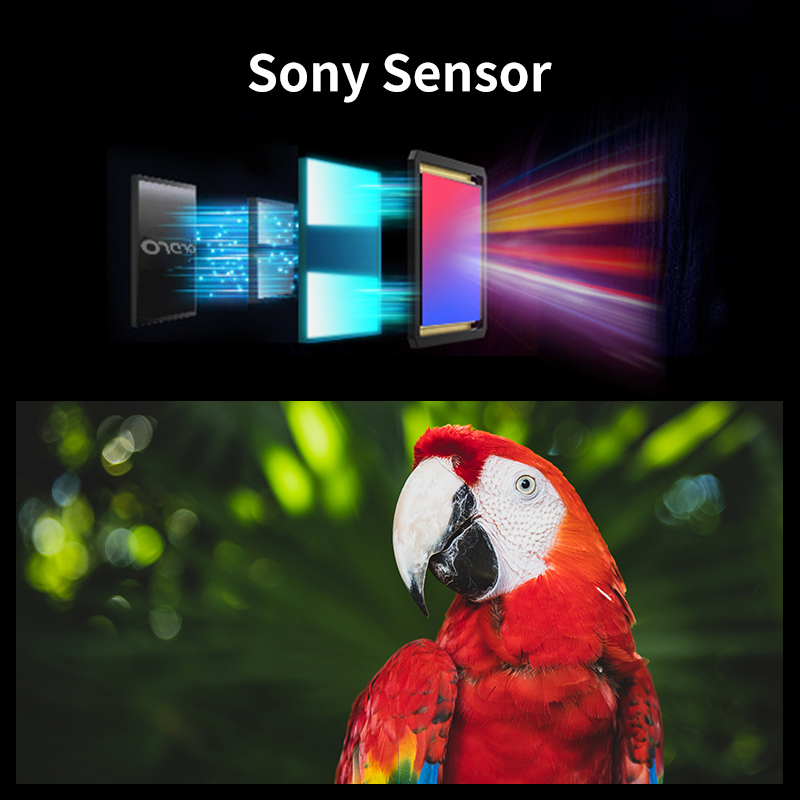
With sony cmos sesor
A 1/3-inch SONY CMOS sensor with 13 million pixels, high sensitivity and low noise. A clear picture of the attention to detail and full HD picture quality, allowing you to shoot at night or in the rain, no problems. 120° wide-angle field of view is extremely wide.
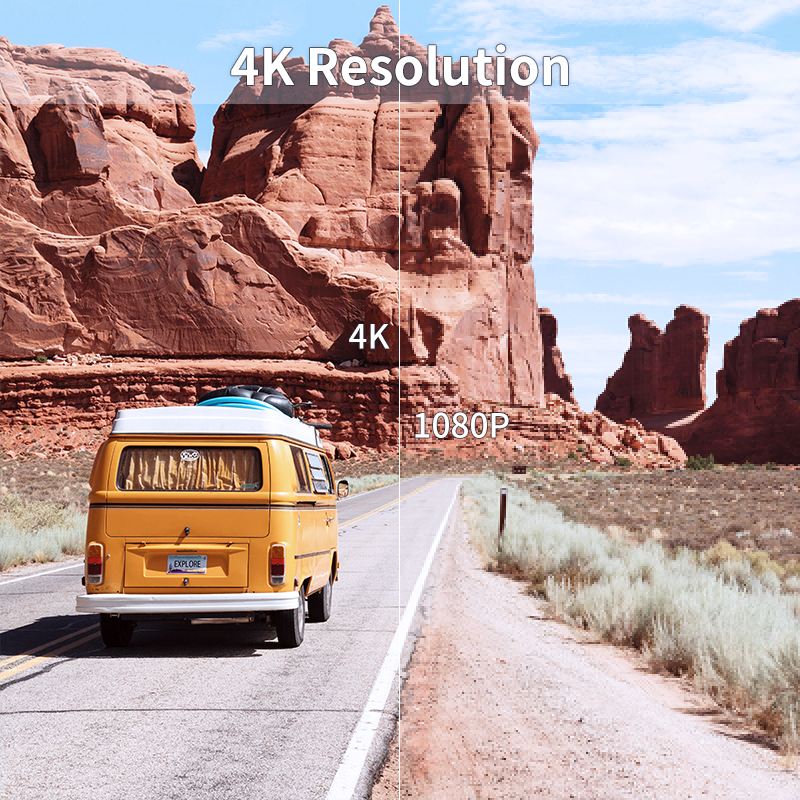
4K Resolution
This is a 4K Resolution Camcorder and video cameras. This is a 4k video camera’s high-quality 4k video output, maximum support of 60fps. The pixel-rich detail and beauty maximize presented visually.
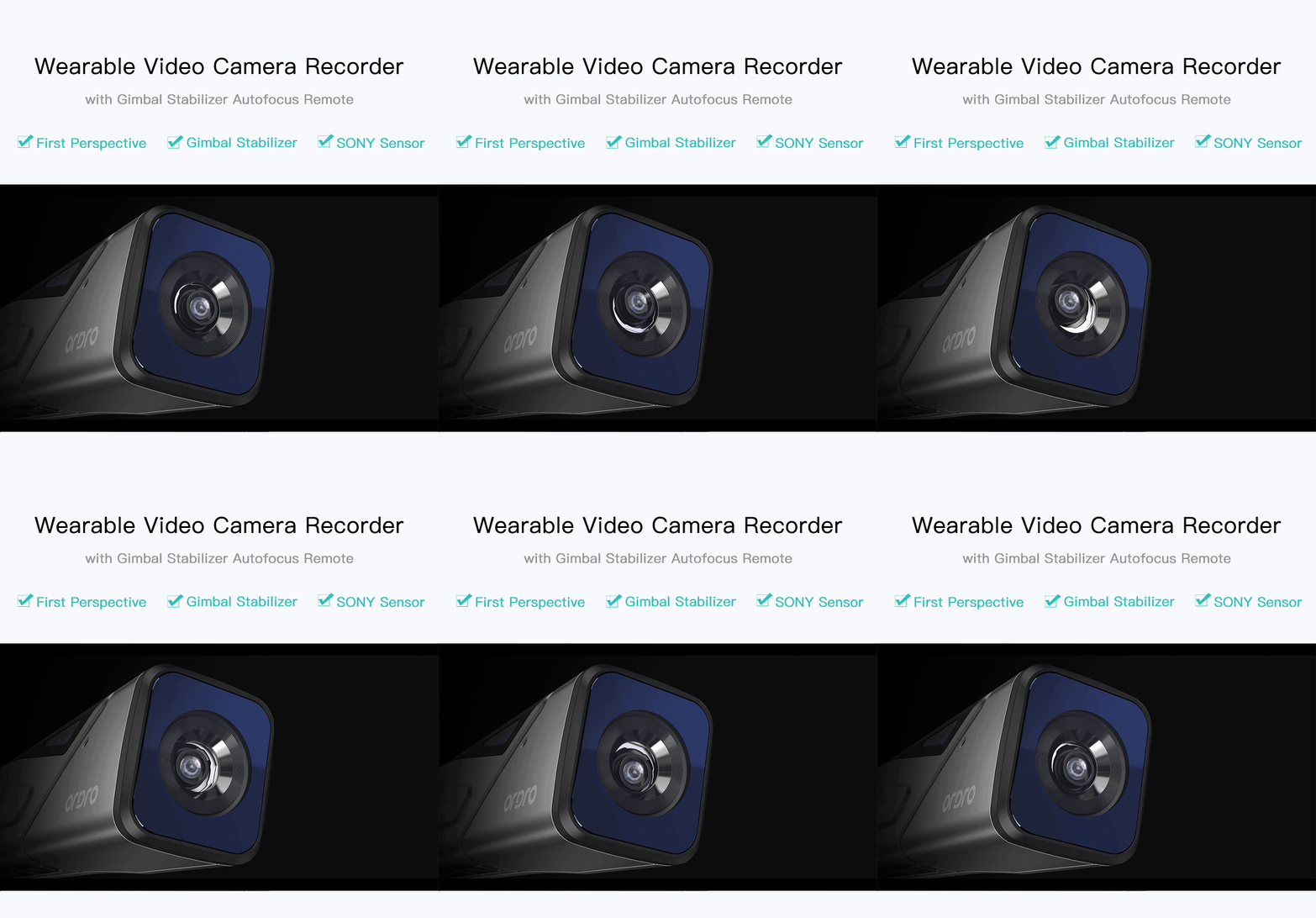
Built in Gimbal
Capture stunning, steady 4K footage on-the-go with the ORDRO EP7 Wearable Action Cam! Its biaxial GIMBAL stabilization design will keep your shots smooth and steady, even when you’re biking or walking.
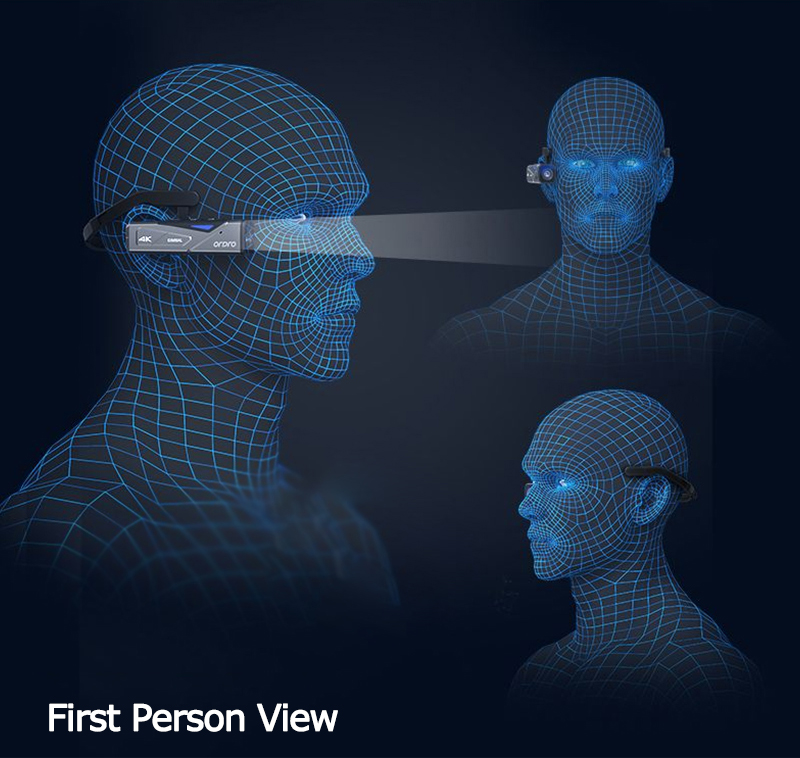
First Person View
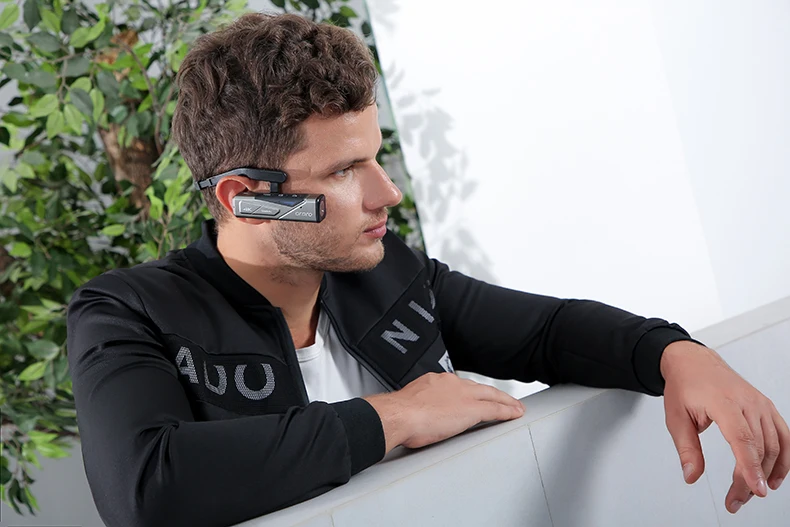
Its head-mounted design provides a first-person view with a 4K resolution – freeing your hands to do whatever you please!
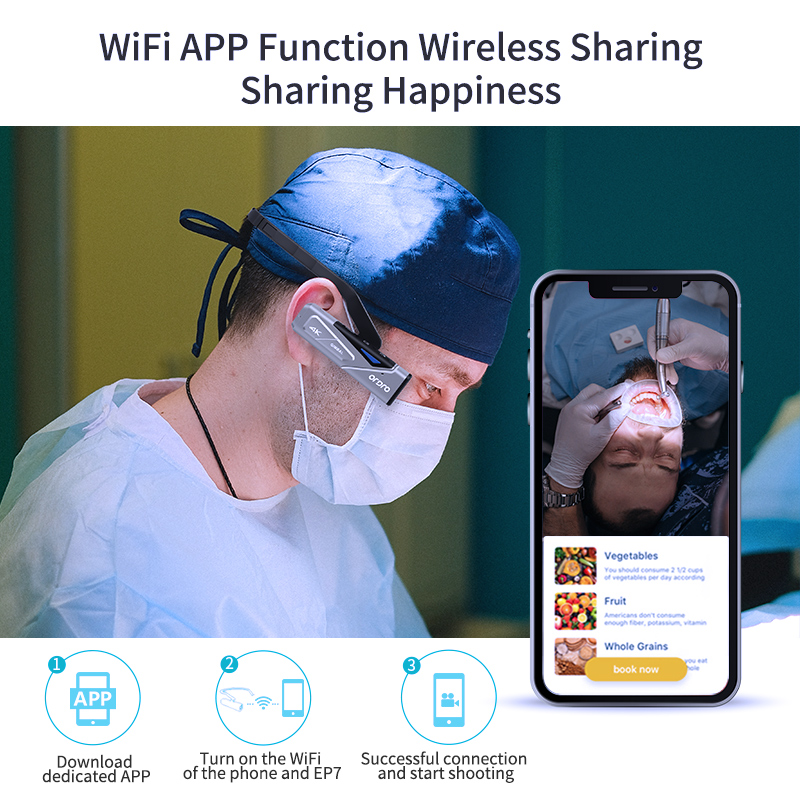
Everything Edited In The App
We developed an application that allows you to transfer images, video download, sync screenshots, photos and videos, edit them.
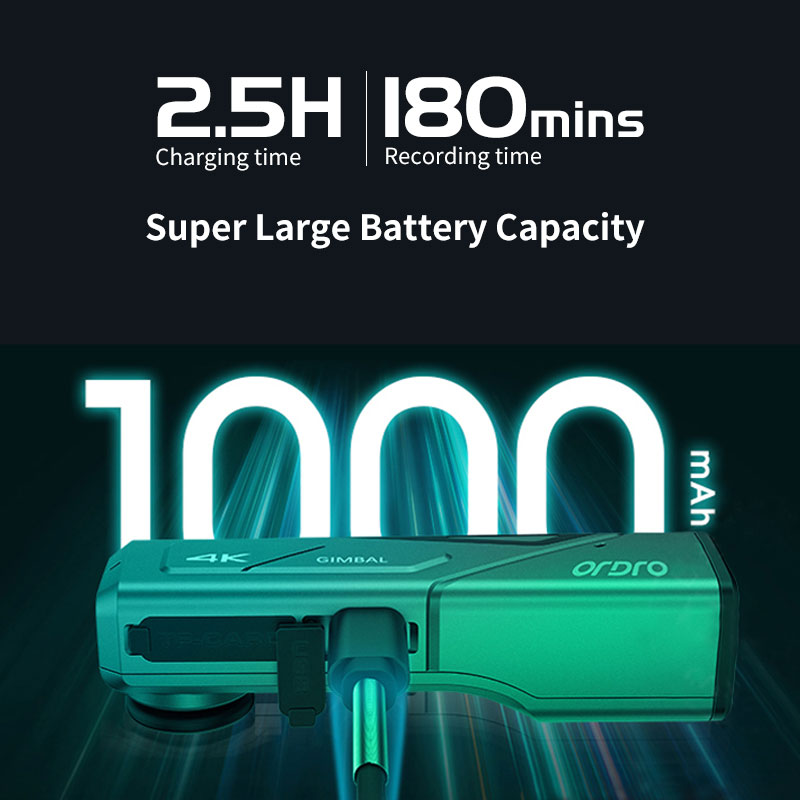
Powerful Battery Life
Compact body built 1000mAh Li-polymer battery, can take a long time. Charged 2.5 hours, 4K / 2.7K can take up to 100 minutes, 1080P can take up to 170 minutes. You can also shoot while charging, so even if further shooting, you can also use it with confidence.
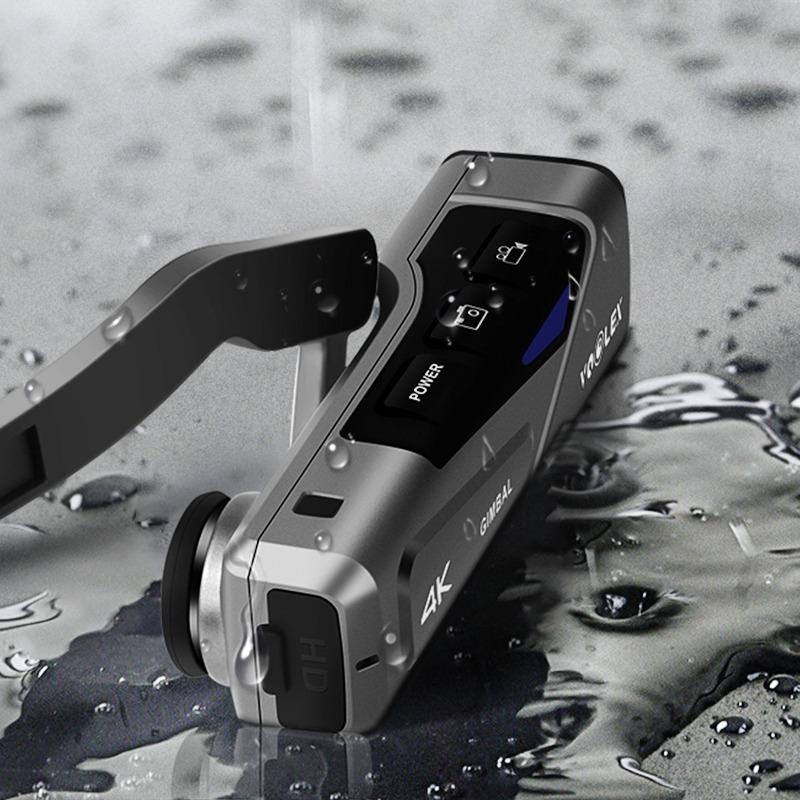
IP65 Waterproof
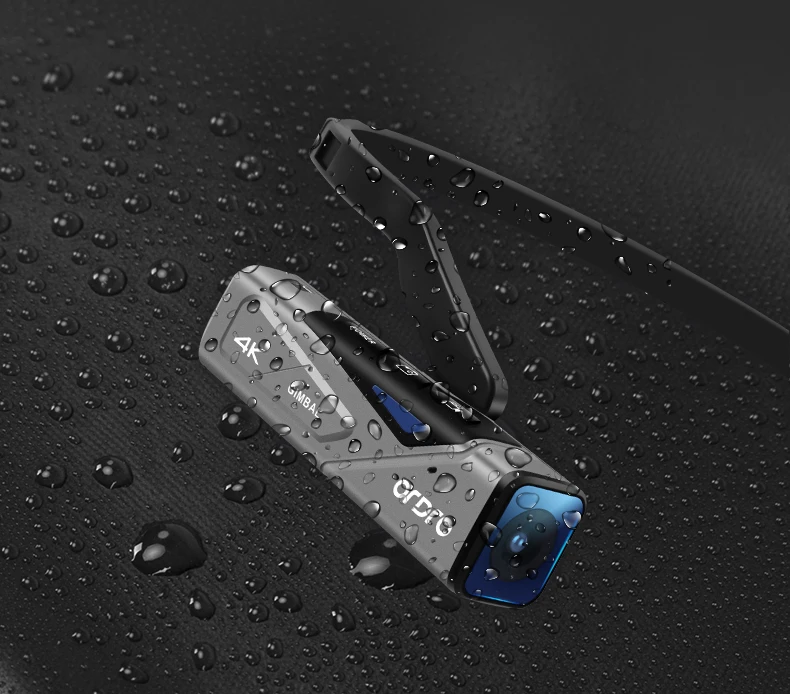
The Ordro 4K Camcorder is water-resistant. Satisfied with your need for life waterproof but please don’t dip in water to use,4K Video Camcorder has a nice look for protection.
18 669 руб.
Цвет:

Описание
Освободите руки и наслаждайтесь жизнью
С EP7 вам больше не придется беспокоиться о том, что вы не сможете наслаждаться красотой перед вами из-за фотографирования.
4K @ 60 кадров в секунду, замечательный и реалистичный
4K @ 60FPS видео четкое и плавное, восстанавливает каждый момент действия.100 Мбит/с помогает записывать более насыщенные детали.Объектив высокого разрешения.Отличная стереозапись.Чистый звук и деликатные изображения.

Имитируя углы обзора глаз, записывая прекрасные моменты в вашей жизни.
Вы хотите записывать момент общения с ребенком или с вашим питомцем.Вы блогер еды или блогер путешествий.Вы являетесь мастер………

Встроенный мини-Gimbal
Эффективно Избегайте дрожания вверх и вниз для удовлетворения повседневных потребностей в фотосъемке.
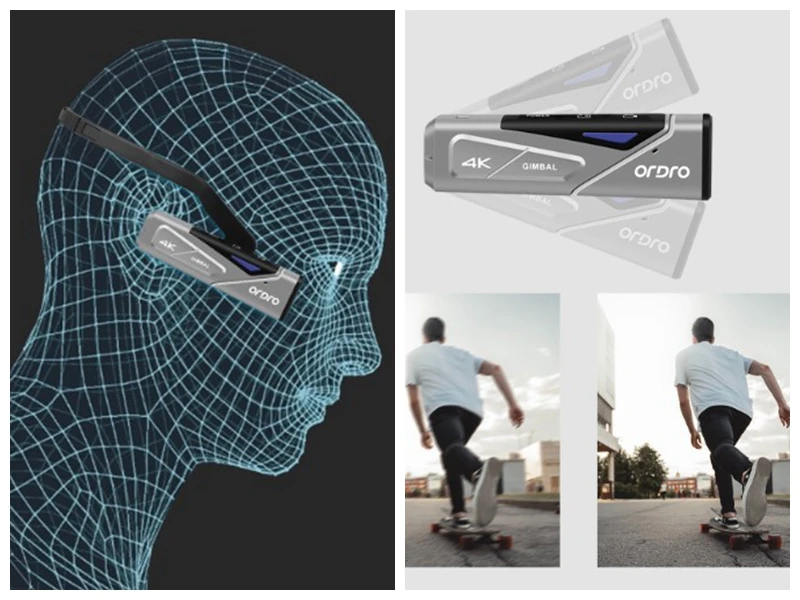
Автофокус
И Макросъемка, и съемка на дальние расстояния могут иметь хорошее качество изображения.


IP65 пыли Устойчив к атмосферным воздействиям и Waterproosf
Обратите внимание: EP7 нельзя носить во время плавания и купания, если изделие случайно попадет в воду, выньте его вовремя.
4K HDR видео показывает Богатые детали
Восстанавливает темные и яркие детали.Светильник и темный переход более естественны.Независимо от того, у вас сильный светильник или задний светильник, вы можете записывать полноцветные Многослойные изображения 4K с помощью функции HDR.

Поддержка зарядки во время записи
Встроенный литиевый аккумулятор 1000 мАч.Запись с разрешением 4 k: 120 минут;Запись с разрешением 1080 P: 180 минут.

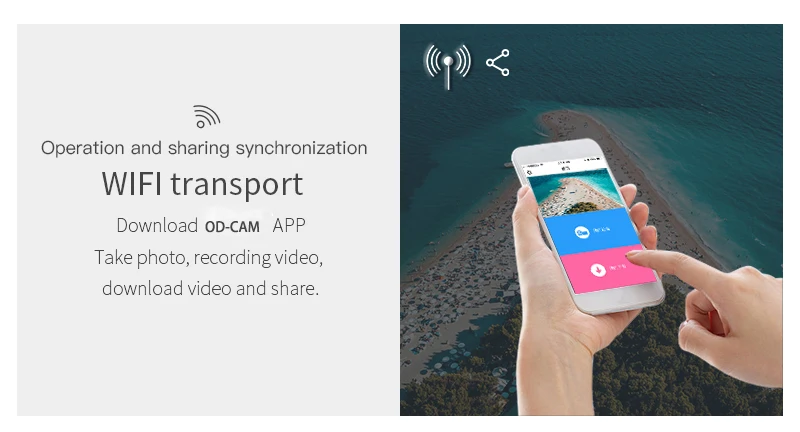
Управление умным приложением (OD CAM)
Скачать видео и фото, поделиться на YouTube/Facebook/Instagram…Приложение OD CAM совместимо с Apple/IOS/Android.
Пульт дистанционного управления Управление
Обратите внимание: Удаленная поддержка не включена в посылка satndard, дополнительный план поддержки доступен.
Стандартное резьбовое отверстие 1/4
EP7 могут быть сопоставлены с различными подставок и браслетов.
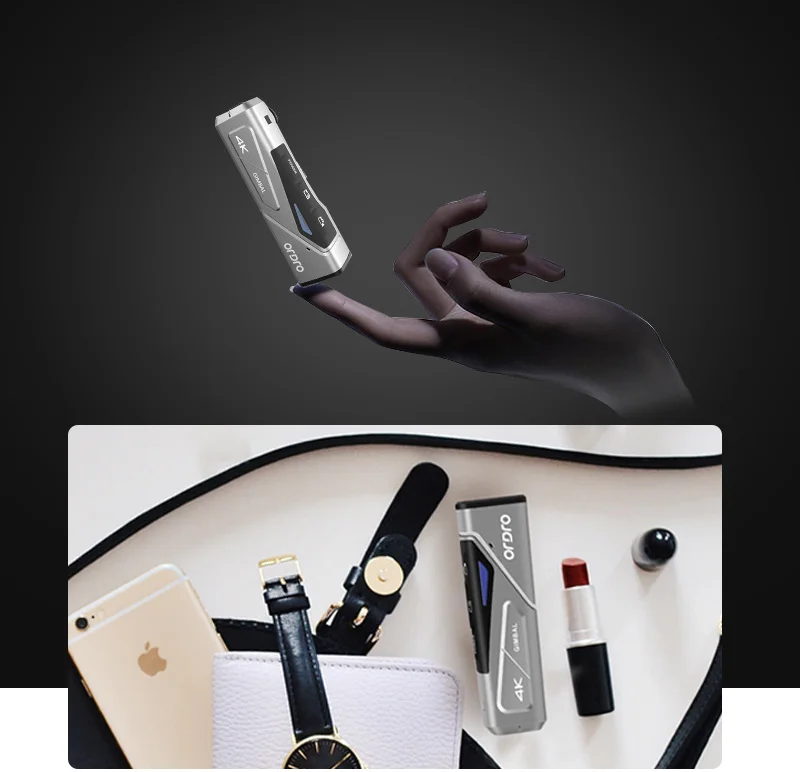
Ультра-компактный корпус
Корпус камеры только 55 г, удобно носить без давления.


Технические характеристики изделия
Сенсор: 1/3 дюймовый cmos-сенсорДиафрагма: F/NO: 2,2 f = 4,88 ммУгол обзора: 90 градусовДиапазон фокусировки: 10 см или болееПоток видео 4 K: 100 Мбит/сФормат видео: MP4/H.264Разрешающая способность видео:4k (3840*2160 @ 60 кадров в секунду); 2,7 k (2704*1524 @ 30 кадров в секунду); FHD (1920*1080 @ 60 кадров в секунду); 1920*1080 @ 30 кадров в секунду; HD (1280*720 @ 120fps); VGA (640*480 @ 120fps)Формат фото: JPEGРазрешение фото: 20 м (5200*3900), 18 м (4640*3840), 12 м (4032*3024), 10 м (3648*2736), 8 м по умолчанию (3264*2448), 5 м (2592*1944), 3 м (2048*1536), 2MHD (1920*1080), 1,3 м (1280*960), VGA (640*480)Микрофон: Встроенный 2Динамик: Встроенный 1Индикатор светильник: зеленый (питание), красный (зарядка), синий (Wi-Fi в разложенном виде)Кнопка: сенсорная кнопкаWi-Fi: встроенная флеш-памятьUSB: высокоскоростной 2,0Хранение: micro SD карта (tf-карта) (не включает), поддержка Макс 256 ГББатарея: встроенная литиевая батарея 3,8 в, 1000 мАчДоступ к питанию: DC5V 1A, micro 5PIN USBРазмер: 94 мм * 23 мм * 27 ммВес: 78 гРабочая температура: 0-40 градусов CelciusПыленепроницаемость и Водонепроницаемость: IP65
Две упаковки на выбор
Пожалуйста, обратите внимание:Мы отправим белую бумажную коробку по умолчанию, если вам нужна черная коробка для хранения, пожалуйста, обратите внимание в вашем заказе.

Характеристики
- Бренд
- Ordro
- Поддержка высокого разрешения
- 4 K
- Назначение
- Для домашнего использования
- Стабилизация изображения
- Стабилизация двойного изображения
- Дополнительная функция
- Поддержка WIFI
- Тип
- PORTABLE
- Вес, кг
- 100 г и ниже
- Тип светочувствительного элемента
- КМОП-матрица
- Фильмы Форматов Файлов
- MP4/ H.264
- Пиксели
- 2-3 млн
- NightShot Function
- Нет
- Оптический зум
- Постоянный фокус
- Номер модели
- EP7
- Тип носителя
- Жесткий диск/флеш-память
- Тип хранилища
- Микро SD
- Размер сенсора (дюймы)
- 1/3 дюйма
- Аудио Форматы Файлов
- Stereo
- Сенсорный экран
- Нет
- Item type
- Digital video camera
- Storage
- U3 TF card, max 256GB
- Video resolution
- 4k@60fps camcorder