
Anleitung
Manual
LAMINATOR
Home & Office
A4 Basic
Laminierfolien
Laminating Pouches
Stärke für Format Stück Foliengröße in mm
Thickness for format pieces size in mm
2 x 80 MIC, GLOSSY
80 Mic
80 Mic
80 Mic
80 Mic
80 Mic
80 Mic
80 Mic
80 Mic
80 Mic
80 Mic
80 Mic
* Set: 25 x A4/ 25 x A5/ 25 x 10×15/ 25 x Vistenkarte/V-card
A3
A3
A4
A4
A5
A5
10×15
10×15
Visitenkarte/V-card
Visitenkarte/V-card
Set*
2 x 125 MIC, GLOSSY
125 Mic
125 Mic
125 Mic
125 Mic
125 Mic
125 Mic
125 Mic
125 Mic
125 Mic
125 Mic
125 Mic
* Set: 25 x A4/ 25 x A5/ 25 x 10×15/ 25 x Vistenkarte/V-card
A3
A3
A4
A4
A5
A5
10×15
10×15
Visitenkarte/V-card
Visitenkarte/V-card
Set*
25
100
25
100
25
100
25
100
25
100
100*
25
100
25
100
25
100
25
100
25
100
100*
305 x 425 mm
305 x 425 mm
217 x 303 mm
217 x 303 mm
155 x 216 mm
155 x 216 mm
110 x 160 mm
110 x 160 mm
60 x 95 mm
60 x 95 mm
305 x 425 mm
305 x 425 mm
217 x 303 mm
217 x 303 mm
155 x 216 mm
155 x 216 mm
110 x 160 mm
110 x 160 mm
60 x 95 mm
60 x 95 mm
www.geha.de
Wählen Sie Ihre Sprache.
Select your language.
D
4
GB
I
E
F
NL
UAE
RUS
S
GR
TR
RO
7
10
13
16
19
22
25
28
31
34
37
PL
CN
40
43
3

EINLEITUNG
Wir gratulieren Ihnen zum Kauf dieses Laminiergeräts, mit dem Sie Ihre Lieblingsfotos,
Rezepte, Briefe und Dokumente sowie dünne Objekte bis Größe A4 wasser- und luftdicht
versiegeln können. Bitte beachten Sie die Hinweise in dieser Bedienungsanleitung und
bewahren Sie diese zum späteren Nachschlagen auf.
WICHTIGE SICHERHEITSHINWEISE
1. Lesen Sie die Bedienungsanleitung und alle Hinweise aufmerksam.
2. Achten Sie darauf, heiße Flächen nicht zu berühren.
3. Tauchen Sie Netzkabel, Netzstecker usw. niemals in Wasser oder andere
Flüssigkeiten. Es besteht sonst Stromschlaggefahr.
4. Geben Sie besonders Acht, wenn das Gerät von Kindern oder in der Nähe von
Kindern genutzt wird.
5. Stecken Sie das Gerät aus, wenn es nicht benötigt wird und bevor Sie es
reinigen. Lassen Sie es abkühlen, bevor Sie Teile einsetzen oder herausnehmen
oder das Gerät reinigen.
6. Nutzen Sie das Gerät nicht, wenn Netzkabel oder Netzstecker Schäden
aufweisen, das Gerät Funktionsstörungen zeigt oder in gleich welcher Weise
beschädigt worden ist. Bringen Sie es zur Reparatur zum nächstgelegenen
zugelassenen Kundendienst.
7. Bei Verwendung von Zubehör, das nicht vom Hersteller empfohlen bzw.
angeboten wird, kann Verletzungsgefahr bestehen.
8. Verwenden Sie das Gerät nicht im Freien.
9. Verwenden Sie das Gerät ausschließlich für den bestimmungsgemäßen Zweck.
10. Schalten Sie das Gerät aus, wenn es längere Zeit nicht benötigt wird.
11. Das Gerät sollte an einer möglichst nahen Steckdose angeschlossen werden,
die leicht zugänglich sein muss.
12. Laminieren Sie keine Blätter, die Metall oder leitende Materialien enthalten.
13. Um der Gefahr eines Verhedderns im oder Stolperns über das Kabel vorzubeugen,
ist das Gerätekabel relativ kurz. Beachten Sie bei der Verwendung eines
Verlängerungskabels bitte folgende Hinweise:
a. Die für das Verlängerungskabel angegebenen elektrischen Nenndaten
müssen mindestens den elektrischen Nenndaten des Geräts entsprechen.
b. Das Verlängerungskabel darf nicht vom Tisch oder Schrank hängen,
wo Kinder daran ziehen oder andere darüber stolpern könnten.
4

UMGANG MIT DEM GERÄT
• Wir raten davon ab, selbstentwickelnde Fotos zu laminieren.
• Fotos müssen vor dem Laminieren trocken sein.
• Laminieren Sie keine dicken oder schweren Dokumente, da diese
im Laminiergerät stecken bleiben können. Sollte etwas im Gerät stecken
geblieben sein, wenden Sie sich zur Reparatur bitte an eine zugelassene
Kundendienststelle vor Ort.
• Das Laminiergerät verklebt die Laminierfolie dauerhaft mit dem beschichteten
Artikel. Die Laminierfolie kann später nicht wieder entfernt werden.
• Wir raten davon ab, wertvolle Sammlerobjekte oder Artikel, die Sie später
ggf. wieder aus der Folie lösen möchten, zu laminieren. Münzen und dickere
Gegenstände dürfen mit diesem Gerät nicht laminiert werden.
Abb. 1
1 Ausgabe
2 ABS Deblockier-Taste
3 Einschub
4 Schiebeschalter
5 Betriebsanzeige für das Heiß-/Kaltlaminieren
6 OFF – Ausschalten
7 COLD – Kaltlaminieren
8 HOT – Heißlaminieren
1. Wenn Sie mit dem Laminiergerät Heißlaminieren möchten, drücken Sie den
Schiebeschalter nach rechts. Das rote Lämpchen leuchtet auf.
2. Sobald das blaue Lämpchen leuchtet, ist das Gerät bereit für das Heißlaminieren (Abb. 1). Das Gerät benötigt etwa 3-5 Minuten, bis es aufgewärmt ist.
3. Geben Sie den zu laminierenden Gegenstand in die Laminierhülle und richten
Sie ihn mittig darin aus. Achten Sie darauf, dass sich das Dokument oder Bild
möglichst nahe an der Schweißkante befindet.
• Die Verwendung einer Transporthülle (Carrier) ist bei diesem Laminiergerät
nicht erforderlich.
• Das Laminiergerät kann Laminierhüllen einer Stärke von 80-100 μm
verarbeiten und funktioniert mit den meisten Heiß-Laminierhüllen.
4. Wenn Sie mit dem kalten Laminiergerät Kalt-Laminierhüllen verarbeiten
möchten, drücken Sie den Schiebeschalter nach links.
Das rote Lämpchen leuchtet auf und das Gerät ist bereit für das Kaltlaminieren.
5

5. Wenn Sie mit dem heißen Laminiergerät Kalt-Laminierhüllen verarbeiten möchten,
drücken Sie den Schiebeschalter von rechts nach links und warten Sie etwa 3 Stunden,
bis das rote Lämpchen erlischt und das blaue Lämpchen aufleuchtet.
6. Führen Sie die Schweißkante der Laminierhülle gerade in die MITTE des
Einschubs am Laminiergerät.
7. Entnehmen Sie den laminierten Gegenstand nach Ende des Laminiervorgangs
auf der Geräterückseite.
8. Bestimmte Papiersorten werden nicht gleichmäßig laminiert und erscheinen etwas trüb
oder nebelig. In diesem Fall können Sie das Laminierergebnis verbessern, indem Sie das
laminierte Dokument ein zweites Mal durch das Laminiergerät führen.
9. Ist Laminiergut im Gerät stecken geblieben, drücken Sie bitte die ABS-Taste auf der
Geräterückseite, um das Laminiergerät zu stoppen. Ziehen Sie dann die Laminierhülle
vorsichtig und langsam mit einer Hand heraus.
REINIGUNG UND PFLEGE
Reparaturen, die über die normale Reinigung und Wartung hinausgehen, dürfen nur von einer
zugelassenen Kundendienststelle ausgeführt werden. Tauchen Sie das Gerät niemals in Wasser.
Öffnen Sie den Geräteboden niemals selbst. Es besteht sonst Brand- und Stromschlaggefahr.
Im Gerät befinden sich keine Teile, die vom Anwender selbst gewartet werden können.
Reparaturen sind immer einer zugelassenen Kundendienststelle zu überlassen.
• Halten Sie Ihre Hände und das Netzkabel im Betrieb des Geräts von heißen Geräteteilen fern.
• Reinigen Sie das Gerät niemals mit Scheuerpulver, Schabern oder Kratzern.
• Verwenden Sie zum Reinigen des Geräts nur ein weiches Tuch.
TECHNISCHE DATEN
Spannung 220-240 V, 50/60 Hz
Strom 1,1 A
Leistungsaufnahme max. 265 W
Folienstärke 80-100 Mikrometer
Max. Dokumentgröße A4
Aufwärmdauer ca. 3-5 Minuten
Laminiergeschwindigkeit ca. 230 mm/min.
Max. Dokumentstärke 0,6 mm
ENTSORGUNG
Das Symbol mit der durchgestrichenen Mülltonne weist darauf hin,
dass elektrische Geräte nicht im normalen Hausmüll entsorgt werden dürfen.
Bitte bringen Sie dieses Gerät zur umweltfreundlichen Entsorgung zu einem
zugelassenen Wertstoffhof.
GARANTIE
Die Garantiezeit für Ihr Gerät beträgt 24 Monate. Bewahren Sie unbedingt den Kaufbeleg und die
Originalverpackung auf. Bei einem Problem mit Ihrem Gerät wenden Sie sich bitte an Ihren Händler.
6

INTRODUCTION
Congratulations on your purchase of the laminator. Now you can protect your favourite photos, recipe cards, letters and legal size documents as well as other types of thin objects up
to A4 size in a waterproof, airtight seal. Follow the instructions for proper use and keep this
book for future reference.
IMPORTANT SAFETY NOTES
1. Read all instructions.
2. Do not touch hot surfaces.
3. To protect from risk of electrical hazards, do not immerse cord, plugs, etc.
of the appliance in water or other liquid.
4. Closely supervise if necessary when any appliance is used by, or close to, children.
5. Unplug from the outlet when not in use and before cleaning.
Allow to cool before putting on or taking off parts, and before cleaning the appliance.
6. Do not operate any appliance with a damaged cord or plug or after the appliance
malfunctions, or has been damaged in any manner. Return the appliance to the
nearest authorised service facility.
7. The use of accessory attachments not recommended or sold by the appliance
manufacturer may cause injuries.
8. Do not use outdoors.
9. Do not use appliance for other than intended use.
10. Turn the laminator off when not in use for prolonged periods of time.
11. The socket-outlet should be installed near the equipment and should easily
be accessible.
12. Do not laminate sheets containing metal or conductive materials.
13. A short power cord is provided with this appliance to reduce hazards resulting from
becoming entangled in, or tripping over, a longer cord. Extension cords may be used
if care is exercised in their use. If an extension cord is used, the following must apply:
a. The marked electrical rating should at least be as high as the electrical
rating of the appliance.
b. The extension cord should not drop over the counter top or table top where it
can be pulled on by children or tripped over accidentally.
7

HOW TO USE THE APPLIANCE
• We do not recommend laminating any type of self-developing photo.
• Any photo to be laminated must be dry before processing.
• Do not laminate any documents that appear thick or heavy, as they will get stuck in
the laminator. If this occurs, please contact your local service centre for servicing.
• This product bonds the laminate sleeve to the items processed. It is a permanent
seal and cannot be removed.
• We do not recommend laminating any collector’s items of value or any item you
may wish to remove at a later date. Do not attempt to laminate coins or thicker items.
Fig. 1
1 Pouch exit
2 ABS Anti Blockage button
3 Pouch entrance
4 Sliding switch
5 Operating indicator for hot/cold lamination
6 OFF – turn off
7 COLD – cold lamination
8 HOT – hot lamination
1. If you wish to use the device for hot laminating, push the sliding switch to the right.
The red indicator light is on.
2. When the blue light comes on, the machine is ready for hot pouches lamination (fig. 1).
The warm-up time takes approx. 3-5 minutes.
3. Place the item to be laminated into the laminating sleeve, centring it within the sleeve.
Please make sure your document or picture is positioned as close to the sealed
edge as possible.
• The laminator does not require the use of a carrier in order to operate.
• The laminator can laminate pouches from 80 microns to 100 microns.
It works with most types of heat-sealing laminating pouches.
4. If you want to use cold pouches when the laminator is in cold condition, please push
the sliding switch to the left position, the Red light comes on at the same time,
and it is ready to laminate with cold pouches.
8

5. If you want to use cold pouches when the laminator is in hot condition, please push the
sliding switch from the right position to the left position, and wait for approx. 3 hours
until the LEDs turn from blue to red.
6. Insert the sealed edge of the laminating sleeve straight into the CENTRE of the
laminator opening.
7. Remove the sleeve from the rear of the machine after is has stopped moving.
8. Some types of paper do not laminate evenly, or appear somewhat cloudy. In such cases,
the lamination can be fed through the machine a second time and the lamination process
may be repeated.
9. If there is a jam, please press the ABS button located at the back of the machine.
The laminator will stop then. Please pull out the laminating pouches with one hand slowly.
CARE AND CLEANING
Only authorised service teams should perform any servicing other than cleaning and user
maintenance. Do not immerse in water.
To reduce the risk of fire or electrical shock, do not remove the base. No user serviceable parts
are inside. Repair should be done by authorised service personnel only.
• Keep your hands and the cord away from hot parts of the appliance during operation.
• Never clean with scrubbing powders or hard implements.
• Wipe clean with a soft cloth.
TECHNICAL DATA
Voltage 230 V-240 V, 50/60 Hz
Current 1.1 A
Power max. 265 W
Film thickness 80-100 microns (8 1/4” x 11 3/4”)
Max. document size A4
Warm-up time approx. 3-5 mins
Laminating speed approx. 230 mm/min
Max. document thickness 0.6 mm
DISPOSAL
The crossed out wheelie bin symbol on this product is to remind you that
electrical products should not be disposed of with household waste.
Please dispose of in a responsible manner at an approved waste or recycling facility.
WARRANTY
The warranty period for your appliance is 24 months.
It is essential that you retain your proof of purchase and the original packaging.
Should any problem arise with your appliance, please contact your dealer.
9

INTRODUZIONE
Congratulazioni per l’acquisto della presente plastificatrice, con cui potrete sigillare a
prova di acqua e aria le vostre foto preferite, lettere, documenti come pure oggetti sottili
di dimensioni fino al formato A4. Vi preghiamo di osservare le indicazioni contenute nel
presente libretto d’istruzioni e di conservare quest’ultimo per una futura consultazione.
IMPORTANTI AVVERTENZE DI SICUREZZA
1. Leggere con attenzione le istruzioni per l’uso e tutte le avvertenze.
2. Fare attenzione a non toccare le superfici incandescenti.
3. Non immergere mai cavi di alimentazione, spine ecc. in acqua o altri liquidi.
Vi è altrimenti il pericolo di scosse elettriche.
4. Prestare particolare attenzione quando l’apparecchio è azionato da bambini o
usato nelle loro vicinanze.
5. Staccare l’alimentazione dell’apparecchio quando questo non è in uso e prima di pulirlo.
Lasciarlo raffreddare prima di inserire o estrarre componenti o di procedere
con la pulizia.
6. Non usare l’apparecchio nel caso in cui il cavo di alimentazione o la spina presentino
danni, l’apparecchio evidenzi malfunzionamenti o sia stato in qualche modo
danneggiato. Per le riparazioni recarsi presso il centro di assistenza autorizzato
più vicino.
7. L’uso di accessori non consigliati e/o realizzati dal produttore può comportare
il pericolo di ferimento.
8. Non utilizzare l’apparecchio all’aperto.
9. Impiegare l’apparecchio esclusivamente per l’uso previsto.
10. Spegnere l’apparecchio quando non viene utilizzato per periodi prolungati.
11. L’apparecchio deve essere collegato a una presa elettrica facilmente accessibile
e più vicina possibile.
12. Non plastificare fogli che contengano metallo o materiali conduttori.
13. Per prevenire il rischio di impigliarsi o inciampare sul cavo, quest’ultimo è
relativamente corto. In caso si usi un cavo di prolunga, osservare le seguenti indicazioni:
a. Le specifiche elettriche del cavo di prolunga devono quanto meno corrispondere
a quelle dell’apparecchio.
b. Il cavo di prolunga non deve pendere dal tavolo o dall’armadio per evitare
che i bambini possano tirarlo o altri inciamparvi.
10

USO DELL‘APPARECCHIO
• Si sconsiglia di plastificare foto a sviluppo istantaneo.
• Le foto da plastificare devono essere asciutte.
• Non plastificare documenti spessi o pesanti, poiché questi potrebbero incastrarsi
nella plastificatrice. Qualora qualcosa rimanga incastrato, rivolgersi a un centro
di assistenza autorizzato per le riparazioni.
• La plastificatrice incolla in modo permanente una lamina di plastica all’oggetto
rivestito. Tale lamina non potrà essere rimossa in seguito.
• Sconsigliamo di plastificare preziosi oggetti da collezione o articoli da cui si desideri
poter eventualmente rimuovere in un secondo momento la lamina di plastica.
Il presente apparecchio non permette di plastificare monete e oggetti di spessore maggiore.
Fig. 1
1 Fessura di uscita
2 Tasto sblocco ABS
3 Fessura di inserimento
4 Interruttore a scorrimento
5 Indicatore di stato per la plastificazione a caldo e a freddo
6 OFF – Spegnimento
7 COLD – Plastificazione a freddo
8 HOT – Plastificazione a caldo
1. Se si desidera plastificare a caldo, spingere l’interruttore a scorrimento verso destra.
Si accende il LED rosso.
2. Non appena si accende il LED blu, l’apparecchio è pronto per la plastificazione a
caldo (fig. 1). Il riscaldamento dell’apparecchio richiede circa 3-5 minuti.
3. Inserire l’oggetto da plastificare nell’apposita busta e allinearlo al centro di questa.
Fare attenzione a che il documento o l’immagine si trovi il più vicino possibile al bordo.
• La presente plastificatrice non richiede l’uso di carrier.
• La plastificatrice può essere impiegata con la maggior parte delle buste
per plastificazione a caldo di spessore compreso fra 80 e 100 micron.
4. Se si desidera utilizzare buste per la plastificazione a freddo e la plastificatrice è fredda,
spingere semplicemente l’interruttore a scorrimento verso sinistra. Il LED rosso
si accende e l’apparecchio è pronto per la plastificazione a freddo.
5. Nel caso si desideri utilizzare buste per la plastificazione a freddo con l’apparecchio
ancora caldo, spostare l’interruttore a scorrimento da destra a sinistra e attendere
circa tre ore, fino a quando il LED rosso si spegne e si accende il LED blu.
11

6. Introdurre il bordo della busta esattamente al CENTRO della fessura di inserimento
della plastificatrice.
7. Estrarre l’oggetto plastificato dal retro dell‘apparecchio al termine del processo di
plastificazione.
8. Alcuni tipi di carta non vengono plastificati uniformemente e assumono quindi un aspetto
opaco od offuscato. In questo caso è possibile migliorare il risultato introducendo
una seconda volta l’oggetto già plastificato nella plastificatrice.
9. Se l’oggetto da plastificare si inceppa nell’apparecchio, premere il tasto ABS sul retro
dello stesso per fermare la plastificatrice. Estrarre quindi lentamente e con cautela la
busta tirandola con una mano.
PULIZIA E MANUTENZIONE
Le riparazioni che esulano dalla normale pulizia e manutenzione possono essere eseguite
esclusivamente da un centro di assistenza autorizzatoNon immergere mai l’apparecchio in
acqua. Non aprire mai da soli la parte inferiore dell’apparecchio. Sussiste il pericolo di incendi
e scosse elettriche. All’interno dell’apparecchio non vi sono componenti che possano essere
sottoposte a manutenzione da parte dell’utente. Affidare sempre le riparazioni a un centro di
assistenza autorizzato.
• Non avvicinare le mani e il cavo di alimentazione alle parti calde della plastificatrice
mentre questa è in funzione.
• Non pulire mai l’apparecchio con polvere abrasiva, lame o raschietti.
• Per la pulizia dell’apparecchio usare esclusivamente un panno morbido.
DATI TECNICI
Tensione 220-240 V, 50/60 Hz
Corrente 1,1 A
Potenza assorbita max. 265 W
Spessore film 80-100 μm
Formato max. documenti A4
Tempo di riscaldamento 3-5 minuti circa
Velocità di plastificazione 230 mm/min. circa
Spessore max. documenti 0,6 mm
SMALTIMENTO
Il simbolo raffigurante un bidone dell’immondizia sbarrato indica che gli
apparecchi elettrici non possono essere smaltiti con i normali rifiuti domestici.
Ai fini di uno smaltimento ecologico vi preghiamo di portare il presente
apparecchio in una discarica autorizzata.
GARANZIA
La durata della garanzia per il vostro apparecchio è pari a 24 mesi.
È assolutamente necessario conservare lo scontrino d’acquisto e la confezione originale.
In caso di problemi con il vostro apparecchio rivolgetevi al vostro rivenditore.
12

INTRODUCCIÓN
¡Felicitaciones por su adquisición de este dispositivo laminador con el cual puede laminar
sus fotos favoritas, cartas y documentos, así como objetos delgados en un tamaño hasta A4,
en forma impermeable al aire y agua! Sírvase observar las indicaciones en estas instrucciones de servicio y consérvelas para su posterior consulta.
IMPORTANTES INDICACIONES DE SEGURIDAD
1. Lea atentamente las instrucciones de servicio y todas las indicaciones.
2. Asegúrese de no tocar las superficies calientes.
3. Nunca sumerja el cable de red, el enchufe de red etc., en agua u otros líquidos.
En caso contrario surge el riesgo de un golpe eléctrico.
4. Se ha de proceder con especial cuidado en caso de manipular el dispositivo
cerca de niños.
5. Desenchufe el dispositivo en caso de no requerirlo o si desea limpiarlo.
Déjelo enfriar antes de insertar o extraer piezas o bien antes de limpiarlo.
6. El dispositivo no debe utilizarse cuando el cable de red o el enchufe de red tenga
algún tipo de fallo, cuando el dispositivo tenga fallos funcionales o bien cuando se
encuentre con algún otro tipo de daño. En este caso debe ser entregado al servicio
al cliente autorizado.
7. En caso de utilizar accesorios no recomendados o bien ofrecidos por
el fabricante puede surgir el riesgo de lesiones.
8. El dispositivo no debe utilizarse a la intemperie.
9. El dispositivo debe utilizarse exclusivamente para el uso previsto.
10. Desactive el dispositivo en caso de no usarlo durante un tiempo prolongado.
11. El dispositivo debe conectarse con una tomacorriente relativamente cercana
que debe ser fácilmente accesible.
12. No se deben laminar hojas que contienen metal o materiales conductivos.
13. Para prevenir el riesgo de enredarse o tropezarse con el cable, el cable de
dispositivo ha sido concebido relativamente corto. En caso de usar un cable
de extensión, deben observarse las siguientes indicaciones:
a. Los datos nominales eléctricos indicados para el cable de extensión deben
cumplir como mínimo con los datos nominales eléctricos del dispositivo.
b. El cable de extensión no debe colgarse de la mesa o de un mueble cuando
surge el riesgo que niños puedan tirarlo o bien tropezarse con él.
13

MANEJO DEL DISPOSITIVO
• No recomendamos laminar fotos reveladas en casa.
• Las fotos deben estar secas antes de comenzar con el laminado.
• No se deben laminar documentos gruesos o pesados ya que estos podrían
quedarse atrapados en el dispositivo. En caso que algo quede atrapado en el
dispositivo, sírvase dirigirse a un servicio al cliente autorizado para la reparación.
• El dispositivo laminador pega la lámina en forma duradera sobre el artículo
recubierto. No es posible retirar posteriormente la lámina.
• No recomendamos laminar objetos de colección de alto valor o artículos de los
cuales desea retirar nuevamente la lámina en un momento posterior. Con este
dispositivo no está permitido el laminado de monedas u objetos más gruesos.
Fig. 1
1 Salida
2 Tecla de desbloqueo ABS
3 Inserción
4 Conmutador corredizo
5 Indicación del modo de servicio para laminado en caliente/en frío
6 OFF – Desactivar
7 COLD – Laminado en frío
8 HOT – Laminado en caliente
1. Si desea realizar un laminado en caliente con el dispositivo laminador, debe
desplazarse el conmutador corredizo hacia la derecha. Se enciende la lamparita roja.
2. El dispositivo está disponible para el laminado en caliente cuando brilla la lamparita
azul (Fig. 1). El dispositivo demora alrededor de 3-5 minutos hasta terminar el proceso
de calentamiento.
3. Inserte el objeto a laminar en la envoltura de laminado y ajústelo en forma centrada.
Se ha de observar que el documento o la imagen se encuentre lo más cercano posible
al borde de soldadura.
• En este dispositivo laminador no se requiere el uso de una envoltura
de transporte (Carrier).
• El dispositivo laminador puede procesar envolturas de laminado con un grosor
de 80-100 μm y funciona con la mayoría de las envolturas de laminado en caliente.
4. En caso que desea procesar envolturas de laminado en frío con el dispositivo laminador
frío, debe desplazarse el conmutador corredizo hacia la izquierda. Luego se enciende la
lamparita roja y el dispositivo está disponible para el laminado en frío.
14

5. Si desea procesar envolturas de laminado en frío con el dispositivo laminador caliente,
debe desplazarse el conmutador corredizo desde la derecha hacia la izquierda, luego debe
esperar aprox. 3 horas hasta que se apague la lamparita roja y se enciende la lamparita azul.
6. El borde de soldadura de la envoltura de laminado debe introducirse en forma recta en
la inserción del dispositivo laminador.
7. El objeto laminado debe retirarse después del proceso de laminado del lado posterior
del dispositivo.
8. Algunos tipos de papel no se laminan en forma homogénea y presentan un aspecto
levemente opaco o nebuloso. En este caso puede mejorarse el resultado de laminado
introduciendo el documento laminado por segunda vez en el dispositivo laminador.
9. En caso que un objeto a laminar se haya quedado atascado en el interior del dispositivo,
debe pulsarse la tecla ABS ubicada en la parte posterior del dispositivo, para interrumpir el
dispositivo laminador. A continuación debe extraerse la envoltura de laminado lentamente
con una mano.
LIMPIEZA Y CUIDADO
Las reparaciones que sobrepasan el nivel de limpieza y mantenimiento ordinarios, deben ser
ejecutadas exclusivamente por un servicio al cliente autorizado.
¡El dispositivo no debe sumergirse nunca en agua! Queda estrictamente prohibido abrir la parte
inferior del dispositivo. En caso contrario surge el riesgo de incendio y golpes eléctricos. En el
interior del dispositivo no se encuentran componentes que pueden ser mantenidos por el mismo
usuario. Las reparaciones deben ser encargadas siempre a un servicio al cliente autorizado.
• Mantenga sus manos y el cable de red siempre a distancia de los componentes
calientes del dispositivo cuando éste está encendido.
• El dispositivo no debe limpiarse nunca con polvos para fregar o rascadores.
• Para la limpieza del dispositivo debe usarse netamente un paño blando.
ESPECIFICACIONES TÉCNICAS
Tensión 220-240 V, 50/60 Hz
Corriente 1,1 A
Consumo de potencia máx. 265 W
Grosor de lámina 80-100 micrómetros
Tamaño máx. de documento A4
Tiempo de calentamiento aprox. 3-5 minutos
Velocidad de laminado aprox. 230 mm/min.
Grosor máx. de documento 0,6 mm
ELIMINACIÓN
El símbolo con el cubo de basura tachado indica que los dispositivos eléctricos no
pueden ser eliminados conjuntamente con la basura doméstica ordinaria.
Sírvaseentregar este dispositivo a una agencia autorizada de eliminación de
residuosespeciales, para asegurar su eliminación amigable con el medio ambiente.
GARANTÍA
El período de garantía para su dispositivo es de 24 meses.
Resulta imprescindible conservar el comprobante de compra y el envase original.
En caso de un problema con su dispositivo sírvase dirigirse directamente a su distribuidor.
15
Loading…
-
Page 1
Anl eitung Manual LAMINA T OR Home & Offic e A4 Basic Manual__A4Basic:Layout 1 08.09.10 17:59 Seite 1[…]
-
Page 2
www .geha.de Laminierf olien Laminating Pouches Stärke für F ormat Stück F oliengröße in mm Thickness for f ormat pieces size in mm 80 Mic 80 Mic 80 Mic 80 Mic 80 Mic 80 Mic 80 Mic 80 Mic 80 Mic 80 Mic 80 Mic 125 Mic 125 Mic 125 Mic 125 Mic 125 Mic 125 Mic 125 Mic 125 Mic 125 Mic 125 Mic 125 Mic A3 A3 A4 A4 A5 A5 10×15 10×15 Visitenkarte/V-car[…]
-
Page 3
3 D GB I E F NL UAE RUS S GR TR RO PL CN 4 7 10 13 16 19 22 25 28 31 34 37 40 43 Wähl en Sie Ihr e Spr ache. Sel ect your language. Manual__A4Basic:Layout 1 08.09.10 17:59 Seite 3[…]
-
Page 4
4 EINLEITUNG Wir gratulier en Ihnen zum Kauf dieses Laminier geräts, mit dem Sie Ihre Lieblingsf otos, Rezepte, Brief e und Dokumente sowie dünne Objekte bis Größe A4 wasser- und luftdicht versiegeln können. Bitt e beachten Sie die Hinweise in dieser Bedienungsanleitung und bewahr en Sie diese zum später en Nachschlagen auf . WICHTIGE SICHERH[…]
-
Page 5
5 UMGANG MIT DEM GERÄT • Wir raten dav on ab, selbstentwick elnde Fot os zu laminieren. • F otos müssen v or dem Laminieren tr ocken sein. • Laminier en Sie keine dick en oder schweren Dokument e, da diese im Laminier gerät steck en bleiben können. Sollte etwas im Gerät s tecken geblieben sein, wenden Sie sich zur Reparatur bitte an eine[…]
-
Page 6
6 5. W enn Sie mit dem heißen Laminier gerät Kalt-Laminierhüllen verarbeit en möchten, drücken Sie den Schiebeschalt er von r echts nach links und warten Sie etwa 3 Stunden, bis das r ote Lämpchen erlischt und das blaue Lämpchen aufleucht et. 6. Führ en Sie die Schweißkante der Laminierhülle ger ade in die MITTE des Einschubs am Laminier […]
-
Page 7
7 INTRODUCTION Congratulations on your pur chase of the laminator . Now you can pr otect your fav ourite pho- tos, r ecipe car ds, lett ers and legal size documents as well as other types of thin objects up to A4 size in a waterpr oof, airtight seal. Foll ow the instructions for pr oper use and keep this book for futur e ref erenc e. IMPORT ANT SAF[…]
-
Page 8
8 HOW T O USE THE APPLIANCE • W e do not re commend laminating any type of self-devel oping photo. • Any photo to be laminat ed must be dry befor e pr ocessing. • Do not laminate any documents that appear thick or heavy, as they will get s tuck in the laminator . If this oc curs, please c ontact your loc al service centr e for servicing. • […]
-
Page 9
9 5. If you want to use c old pouches when the laminator is in hot condition, pl ease push the sliding switch fr om the right position to the l eft position, and wait for appr ox. 3 hours until the LEDs turn fr om blue to r ed. 6. Insert the sealed edge of the laminating sl eeve s traight into the CENTRE of the laminator opening. 7. Remove the sl e[…]
-
Page 10
10 INTRODUZIONE Congratulazioni per l’acquist o della presente plas tificatrice, c on cui potrete sigillar e a pr ova di acqua e aria l e vostr e foto pr eferite, l etter e, documenti come pur e oggetti sottili di dimensioni fino al format o A4. Vi preghiamo di os servar e le indicazioni c ontenute nel pr esente libr etto d’istruzioni e di cons[…]
-
Page 11
11 USO DELL‘APP ARECCHIO • Si sconsiglia di plastific ar e foto a sviluppo is tantaneo. • Le fot o da plastificar e devono es sere asciutt e. • Non plastificar e documenti spessi o pesanti, poiché questi potr ebber o incastrarsi nella plastificatric e. Qualora qual cosa rimanga inc astrato, rivolger si a un centr o di assis tenza autorizza[…]
-
Page 12
12 6. Intr odurre il bor do della busta esattamente al CENTRO della f essura di inseriment o della plastificatric e. 7. Estrarr e l’oggetto plastificato dal r etro dell‘appar ecchio al termine del pr oces so di plastificazione. 8. Alcuni tipi di c arta non vengono plastific ati uniformemente e as sumono quindi un aspetto opaco od offusc ato. In[…]
-
Page 13
13 INTRODUCCIÓN ¡F elicitaciones por su adquisición de este dispositiv o laminador con el cual puede laminar sus fot os favoritas, c artas y documentos, así como objet os delgados en un tamaño hasta A4, en forma impermeabl e al air e y agua! Sírvase observar las indicaciones en es tas instruccio- nes de servicio y consérvelas par a su poster[…]
-
Page 14
14 MANEJO DEL DISPOSITIVO • No r ecomendamos laminar fot os re veladas en casa. • Las fot os deben estar secas ant es de comenzar con el laminado. • No se deben laminar documentos gruesos o pesados ya que es tos podrían quedarse atrapados en el dispositiv o. En caso que algo quede atrapado en el dispositivo, sírvase dirigir se a un servicio[…]
-
Page 15
15 5. Si desea pr ocesar envolturas de laminado en frío c on el dispositivo laminador calient e, debe desplazarse el conmut ador corr edizo desde la derecha hacia la izquier da, luego debe esperar apr ox. 3 hor as hasta que se apague la lamparita r oja y se enciende la lamparita azul. 6. El bor de de soldadura de la envoltura de laminado debe intr[…]
-
Page 16
16 INTRODUCTION Félicitations pour l’achat de ce laminateur avec lequel v ous allez pouvoir plas tifier vos photos préférées, vos l ettr es et vos documents ainsi que des objets fins jusqu’à la taill e A4 afin de les r endre ét anches à l’eau et à l’air . Veuill ez r especter les ins tructions de ce mode d’emploi et c onserver […]
-
Page 17
17 UTILISA TION DE L’APP AREIL • Nous vous déc onseillons de plastifier des photos que v ous avez développées v ous-même. • Avant l e pr ocessus de plas tification, les phot os doivent êtr e sèches. • Ne plastifiez pas de documents épais ou lour d, car ils pourraient r ester c oincés dans le laminat eur . Si un objet se coince dans […]
-
Page 18
18 5. Si vous souhaitez utiliser des pochett es à plastifier à fr oid avec le laminateur chaud, poussez l e commutat eur à coulisse de la dr oite vers la gauche et attendez pendant envir on 3 heur es jusqu’à ce que l e voyant r ouge s’éteigne et que l e voyant bl eu s’allume. 6. Insér ez l’arête de soudur e de la pochette à plastifi[…]
-
Page 19
19 INLEIDING Wij felicit eren u met de aank oop van dit lamineerapparaat, waarmee u uw f avoriete fot o’s, brieven en document en evenals dunne objecten t ot formaat A4 water- en luchtdicht kunt verzegel en. Gelieve de in deze gebruiksaanwijzing vermelde aanwijzingen in acht te nemen en deze te bewar en om ze later nogmaals te raadpl egen. BELANG[…]
-
Page 20
20 OMGANG MET HET APP ARAA T • Wij raden af, zelf ontwikkel ende foto’s te laminer en. • F oto’s moeten vóór het laminer en dr oog zijn. • Lamineer geen dikke of zwar e documenten omdat deze in het lamineerapparaat kunnen blijven st eken. Gelieve u t ot een erkende klantenservic edienst ter plaatse te richten indien er iets in het appar[…]
-
Page 21
21 het r ode lampje dooft en het blauwe lampje aanflitst. 6. Br eng de laskant van de lamineerhoes pr ecies in het MIDDEN van de inschuifeenheid aan het lamineerapparaat. 7 V erwijder het gelamineerde object na het einde v an de lamineerproc edure aan de achterzijde van het appar aat. 8. Bepaalde papiersoorten wor den niet gelijkmatig gelamineerd e[…]
-
Page 22
22 Manual__A4Basic:Layout 1 08.09.10 17:59 Seite 22[…]
-
Page 23
23 1 2 3 4 5 6 7 8 Manual__A4Basic:Layout 1 08.09.10 17:59 Seite 23[…]
-
Page 24
24 Manual__A4Basic:Layout 1 08.09.10 17:59 Seite 24[…]
-
Page 25
25 ВВЕДЕНИЕ Поздравляем Вас с покупкой этого ламинатора , с помощью которого Вы смо- жете запечатывать свои любимые фотографии , письма и документы , а также тонкие объекты до величины A4 в водон[…]
-
Page 26
26 ОБРАЩЕНИЕ С УСТРОЙСТВОМ • Не рекомендуется ламинировать самопроявляющиеся фотографии. • Фотографии перед ламинированием должны быть сухими. • Не ламинируйте толстые или тяжелые докумен[…]
-
Page 27
27 5. При необходимости обработать оболочки для холодного ламинирования горячим ламинатором, передвиньте движковый выключатель справа налево и подождите примерно 3 часа, пока не погаснет кра?[…]
-
Page 28
28 INLEDNING Vi gratul erar dig till köpet av denna lamineringsapparat, med vilk en du kan försegla dina fav oritfotografier, r ecept, br ev och dokument och även andra tunna objekt v atten- och lufttätt upp till storl ek A4. Observera anvisningarna i denna bruksanvisning och spar a den för senar e ref er ens. VIKTIGA SÄKERHETSANVISNINGAR 1. […]
-
Page 29
29 HANTERING A V APP ARA TEN • Vi avråder från laminering av själ vframtagande f otografier . • F otografier skall var a torra innan de lamineras. • Laminera inga tjocka ell er tunga dokument, eftersom des sa kan fastna i laminerings- apparaten. Om något f astnat i apparaten vänder du dig till en godkänd kundtjäns t på din ort för r […]
-
Page 30
30 5. Om du vill bearbeta kall-lamineringshöljen med lamineringsapparat en när den är het, tryck er du skjutbrytar en från höger och till vänster och väntar cirka 3 timmar tills den röda lampan slocknat och den blåa lampan tänds. 6. För in lamineringshöljets svetskant r akt i MITTEN av lamineringsapparatens inmatning. 7. T ag ut det lam[…]
-
Page 31
31 ΕΙΣΑΓΩΓΗ Σασ συγχαίρουµε για την αγορά τησ µηχανήσ λαστικοοίησησ, µε τη βοήθεια τησ οοίασ µορείτε να σφραγίζετε υδατοστεγώσ και αεροστεγώσ τισ αγαηµένεσ σασ φωτογραφίεσ, φακέλουσ ?[…]
-
Page 32
32 Χειρισµός συσκευής • Δεν ροτείνουµε την λαστικοοίηση φωτογραφιών ου εµφανίσατε µόνοι σασ. • Οι φωτογραφίεσ ρέει να είναι στεγνέσ ριν αό την λαστικοοίηση. • Αοφύγετε την ?[…]
-
Page 33
33 5. Εάν ειθυµείτε εεξεργασία µε τη µηχανή λαστικοοίησησ εν θερµώ θηκών λαστικοοίησησ εν ψυχρώ, ρυθµίστε το συρόµενο διακότη αό δεξιά ροσ τα αριστερά και εριµένετε ερίου 3 ώ[…]
-
Page 34
34 GİRİŞ Sevdiğiniz resimleri, mektupları, belgeleri ve ayrıca A4 boyutuna kadar olan ince ob- jeleri, su ve hava geçirmeyecek üzere, kaplayabileceğiniz bu laminasyon makinesini almış olduğunuz için sizi tebrik ediyoruz. Lütfen bu kullanım kılavuzundaki bilgilere dikkat ediniz ve ileride gerek duyduğunuz zaman, bu kılavuzun içerd[…]
-
Page 35
35 • Kalın ya da ağır belgelerin laminasyon makinesine takılı kalma olasılığı buldunduğundan, bu tür belgeleri kaplamayınız. Laminasyon makinesinde herhangi bir şey takılı kalması durumunda lütfen yakınınızdaki yetkili bayilere başvurunuz. • Laminasyon makinesi, laminasyon folyosunu kaplanılacak olan maddeye sonradan çı[…]
-
Page 36
36 7. Ka planan belgeyi laminasyon işlevinin sonunda, makinenin arka bölümünden alınız. 8. Belli kağıt tipleri eşit düzeyde kaplanmamış olduğundan ve buğulu ya da bulanık görünebilir. Bu durumda kaplanmış belgeyi makinede ikinci kez kaplarsanız daha iyi bir laminasyon sonucu elde edersiniz. 9. Kaplanılacak belge makinenin için[…]
-
Page 37
37 INTRODUCERE Vă felicităm pentru achiziionarea acestui laminator cu ajutorul căruia putei sigila ermetic i etan atât fotografii, scrisori i documente, cât i obiecte subiri până la mărimea A4. Vă rugăm citii prezentele instruciuni de utilizare i păstrai-l pentru consultare ulterioară. MĂSURI DE SIGURAN[…]
-
Page 38
38 UTILIZAREA APARATULUI • Vă recomandăm să nu laminai fotografii pe hârtie autorevelatoare. • Înainte de laminare fotografiile trebuie să fie uscate. • Nu laminai documente groase sau grele, existând pericolul ca acestea să ramână blocate în laminator. În cazul în care un obiect a rămas blocat în aparat, adresai-vă u[…]
-
Page 39
39 5. Dacă dorii să utilizai laminatorul cald pentru prelucrarea foliilor pentru laminarea la rece, apăsai butonul de la dreapta spre stânga i ateptai aproximativ 3 ore până când lampa roie se stinge, iar cea albastră se aprinde. 6. Introducei marginea de sudură a foliei pentru laminare exact în MIJLOCUL alimentato[…]
-
Page 40
40 WSTĘP Gratulujemy zakupu laminatora, który umoliwia wodoszczelne i powietrzoszczelne impre- gnowanie ulubionych zdjęć, listów i dokumentów oraz cienkich przedmiotów o formatach A4 i mniejszych. Przestrzegaj wskazówek podanych w niniejszej instrukcji obsługi i zacho- waj instrukcję jako późniejsze źródło informacji. WAŻNE ZASAD[…]
-
Page 41
41 UŻYWANIE URZĄDZENIA • Odradzamy laminowanie zdjęć samowywołujących. • Przed zalaminowaniem zdjęcie musi być suche. • Nie laminuj grubych ani ciękich dokumentów, które mogą się zablokować w laminatorze. Jeeli w urządzeniu coś się zablokowało, przeka je do naprawy do autoryzowanego miejscowego serwisu. • Laminato[…]
-
Page 42
42 5. Jeeli chcesz uywać koszulek do laminowania na zimno, a laminator jest gorący, przestaw przesuwany przełącznik z prawej na lewą stroną i zaczekaj około 3 godzin, a zgaśnie czerwona i zacznie świecić niebieska lampka. 6. Wsuń zgrzewaną krawędź koszulki dokładnie NA ŚRODEK podkładki laminatora. 7. Po zalaminowaniu wyjmi[…]
-
Page 43
43 Manual__A4Basic:Layout 1 08.09.10 17:59 Seite 43[…]
-
Page 44
44 Manual__A4Basic:Layout 1 08.09.10 17:59 Seite 44[…]
-
Page 45
45 Manual__A4Basic:Layout 1 08.09.10 17:59 Seite 45[…]
-
Page 46
46 Manual__A4Basic:Layout 1 08.09.10 17:59 Seite 46[…]
-
Page 47
47 Manual__A4Basic:Layout 1 08.09.10 17:59 Seite 47[…]
-
Page 48
48 www .geha.de 09/2010 86096008/86095988 Irrtümer vorbehalten Geha GmbH Alte Heer esstraße 25 — 27 D-59929 Brilon Germany Manual__A4Basic:Layout 1 08.09.10 17:59 Seite 48[…]
Page doesn’t exist.
Instruction/ maintenance manual of the product A4 Basic Geha
- File size: N/A
- Number of pages: 48
Summary of contents each page of manual
Read the Geha A4 Basic manual — avoid problems
An important point after buying a device Geha A4 Basic (or even before the purchase) is to read its user manual. We should do this for several simple reasons:
- to know how to properly use the device
- to know how to perform maintenance/ periodic checks of correct operation of the product Geha A4 Basic
- to know what to do in case of failure Geha A4 Basic
If you have not bought Geha A4 Basic yet, this is a good time to familiarize yourself with the basic data on the product. First of all view first pages of the manual, you can find above. You should find there the most important technical data Geha A4 Basic — thus you can check whether the hardware meets your expectations. When delving into next pages of the user manual, Geha A4 Basic you will learn all the available features of the product, as well as information on its operation. The information that you get Geha A4 Basic will certainly help you make a decision on the purchase.
If you already are a holder of Geha A4 Basic, but have not read the manual yet, you should do it for the reasons described above. You will learn then if you properly used the available features, and whether you have not made any mistakes, which can shorten the lifetime Geha A4 Basic.
However, one of the most important roles played by the user manual is to help in solving problems with Geha A4 Basic. Almost always you will find there Troubleshooting, which are the most frequently occurring failures and malfunctions of the device Geha A4 Basic along with tips on how to solve them. Even if you fail to solve the problem, the manual will show you a further procedure – contact to the customer service center or the nearest service center
Русский
- Bedienungsanleitung Geha A4 Basic
- Geha A4 Basic User Manual
- Manual Usuario Geha A4 Basic
- Mode d’emploi Geha A4 Basic
- Istruzioni Geha A4 Basic
- инструкция Geha A4 Basic
- Geha A4 Basicの取扱説明書
- Handleiding Geha A4 Basic
- Manual de uso Geha A4 Basic
Вам нужна инструкция? Мы поможем Вам ее найти и сэкономить Ваше время.
- 48 stron
- 0 mb
Изделие Geha A4 Basic, а также другие, которыми Вы пользуетесь ежедневно, наверняка вы получили в комплекте с инструкцией обслуживания. Из опыта наших пользователей мы знаем, что большинство из Вас не уделили этому особого внимания. Большая часть инструкций, сразу же после покупки попадает в корзину для мусора вместе с коробкой — это ошибка. Ознакомьтесь с информацией, касающейся инструкции Geha A4 Basic, которая поможет Вам в будущем сэкономить нервы и избежать головной боли.
Важная подсказка — не забывайте хотя бы раз прочитать инструкцию Geha A4 Basic
Если вы не хотите каждый раз читать информационные брошюры, касающиеся, тех или Geha A4 Basic иных изделий, достаточно, прочитать их раз — сразу же после покупки устройства. Вы получите основное знания, касающиеся поддержания изделия Geha A4 Basic в хорошем эксплуатационном состоянии, так, чтобы без проблем достигнуть его планируемого цикла работы. Затем инструкцию можно отложить на полку и вернуться к ней только в случае, если вы не уверены, правильно ли проводится техобслуживание изделия. Правильный уход является необходимым элементом Вашего удовольствия Geha A4 Basic.
Раз в году пересмотрите шкафчик, в котором держите инструкции для всех устройств, — выбросите те, которыми вы уже не пользуетесься. Это поможет Вам сохранять порядок в своей домашней базе инструкций обслуживания.
Summary of Contents for Geha A4 Basic
Что находится в инструкции Geha A4 Basic? Почему стоит ее прочитать?
- Гарантия и подробности, касающиеся техобслуживания изделия
Хорошей идеей будет прикрепить чек к странице инструкции. Если что-то плохое случится во время использования Geha A4 Basic, у вас будет комплект документов, необходимый для гарантийного ремонта. В этой части инструкции вы найдете информацию об авторизованных сервисных центрахGeha A4 Basic а также, как самостоятельно правильно ухаживать за оборудованием — так, чтобы не потерять гарантийных прав. - Указания по монтажу и Setup
Не терять нервов и времени на самостоятельную попытку установки и первого запуска изделия. Воспользуйтесь рекомендациями производителя Geha A4 Basic чтобы правильно запустить изделие, без лишнего риска повреждения оборудования. - Информация, касающаяся дополнительных запчастей (входящих в комплект а также являющихся опцией)
Пересматривая эту часть документа вы сможете проверить, доставлен ли ваш Geha A4 Basic с полним комплектом аксессуаров. Вы также сможете узнать, какие дополнительные запчасти или аксессуары для Geha A4 Basic Вы сможете найти и докупить к своему устройству. - Troubleshooting
Самые частые проблемы, касающиеся Geha A4 Basic и методы их решения. Это очень полезная часть руководства по обслуживанию — она позволит Вам сэкономить много времени на поиск решений. 90% проблем с Geha A4 Basic повторяется у многих пользователей. - Требования, касающиеся питания и энергетический класс
Информация, касающаяся количества потребляемой энергии, а также рекомендации, касающиеся установки и питания Geha A4 Basic. Прочитайте, чтобы оптимально пользоваться Geha A4 Basic и не использовать большего количества ресурсов, нежели это необходимо для правильной работы изделия. - Специальные функции Geha A4 Basic
Здесь вы можешь узнать, как персонализировать изделие Geha A4 Basic. Вы узнаете, какие дополнительные функции могут помочь Вам удобно использовать продукт Geha A4 Basic а также, какие функции Вашего устройства оптимальны для выполнения конкретной деятельности.
Как видите в инструкции вы найдете информацию, которая реально поможет Вам в использовании Вашего изделия. Стоит с ней ознакомиться, чтобы избежать разочарований, возникающих из более короткого, нежели предусматривалось, периода исправности изделия Geha A4 Basic. Если все же вы не хотите копить инструкции в своем доме, наш сайт поможет Вам в этом — вы должны найти у нас руководство по обслуживанию большинства из своих устройств, а также Geha A4 Basic.
Комментарии (0)
Для того, чтобы заказать данный товар в системе ЕАИСТ, используйте указанный номер оферты. Если номер оферты отсутствует, вы всегда сможете отправить заявку на создание номера оферты в системе ЕАИСТ. Подробнее о работе в системе ЕАИСТ, а также об оформлении заявки на создание оферты, вы сможете узнать здесь ».
Заказ по многоканальному телефону в Москве:
Быстрый заказ
Немецкая компания Geha представляет производимый ею ламинатор серии Basic для формата A4. Компактные габариты устройства позволят пользоваться им и в небольшом офисе, и в домашних условиях. Предназначен он для создания защиты Вашим документам и фото от действия внешней среды и старения.
Нагревательный блок ламинатора Geha A4 Basic состоит из двух валов с внешним подогревом. Они прогревают ламинатор в течение пяти минут. Температура регулируется в пределах двух возможных режимов, выбираемых в зависимости от толщины плёнки. На корпусе предусмотрен индикатор, который световым сигналом предупредит о том, что устройство готово к работе.
Ширина входного отверстия составляет 220 миллиметров, что соответствует размеру бумаги А4. Пленка, которая используется для ламинирования, может иметь толщину до 100 микрон. Один лист на данном устройстве обрабатывается в течение одной минуты. Потребляемая мощность ламинатора 265 Ватт.
Немецкие производители предусмотрели защитную систему «ABS» для того, чтобы при смятии бумаги можно было легко извлечь документ из устройства. Это можно сделать даже при отключенном электричестве. Корпус ламинатора выполнен из прочного пластика, поэтому он весит менее килограмма.
Особенности модели A4 Basic:
- Бюджетный аппарат для персональной работы с фото и документами формата А4;
- Стильный внешний вид, возможность использования холодного режима;
- Система извлечения застрявшего документа даже при отсутствии электричества вместо реверса.
| Формат | A4 |
| Количество валов | 2 шт |
| Система нагрева | внешний нагрев |
| Регулятор температуры | нет |
| Регулятор скорости | нет |
| Реверс | нет |
| Максимальная температура | 130 °C |
| Время нагрева | 3-5 мин |
| Толщина плёнки | 80-100 мкм |
| Толщина ламинирования | 0.6 мм |
| Скорость ламинирования | 250 мм/мин |
| Мощность, Вт. | 265 Вт |
| Габариты, мм. (Д x Ш x В) | 358 x 110 x 66 |
| Вес, кг. | 0,95 |
Похожие товары: GMP MR-9 22 750 руб FGK 450 11 430 руб GMP EasyPhoto 230TC 13 650 руб GMP Photonex@ 175Digital 55 575 руб Расходные материалы/аксессуары:
Мы поставляем на российский рынок стильные пакетные ламинаторы Geha способные выдавать не только хороший результат, но и являющиеся ярким элементом офиса.
Мы осуществляем поставки организациям и частным лицами, на каждую сделку предоставляя полный пакет документов, самостоятельно доставим выбранное Вами оборудование для офиса в пределах Москвы, а также по регионам России с помощью транспортных компаний, обеспечим необходимое обслуживание нашей техники по гарантии.
ООО «Современный Офис», 2012 ©
117535, г. Москва, ул. Дорожная, д. 60 Б
ОГРН 1067761419824,
Телефон: (495) 646-20-06
Geha A4 Basic инструкция

Посмотреть инструкция для Geha A4 Basic бесплатно. Руководство относится к категории ламинаторы, 2 человек(а) дали ему среднюю оценку 9.5. Руководство доступно на следующих языках: русский, английский. У вас есть вопрос о Geha A4 Basic или вам нужна помощь? Задайте свой вопрос здесь
Нужна помощь?
У вас есть вопрос о Geha а ответа нет в руководстве? Задайте свой вопрос здесь Дай исчерпывающее описание проблемы и четко задайте свой вопрос. Чем детальнее описание проблемы или вопроса, тем легче будет другим пользователям Geha предоставить вам исчерпывающий ответ.
Ламинатор YIXING FGK220
26321 catalog/postpechatnoe-oborudovanie/laminatory/folga-dlya-folgirovaniya/folga-tonerochuvstvitelnaya-crown-roll-leaf-203mm-x-30m-12-dyuyma-malinovyy-metallik.html Crown Roll Leaf Постпечатное оборудование/Ламинаторы/Фольга для фольгирования аксессуар
1603 o
26336 catalog/postpechatnoe-oborudovanie/laminatory/folga-dlya-folgirovaniya/folga-tonerochuvstvitelnaya-crown-roll-leaf-305mm-x-122m-1-dyuym-serebro-glyancevoe.html Crown Roll Leaf Постпечатное оборудование/Ламинаторы/Фольга для фольгирования аксессуар
8974 o
26350 catalog/postpechatnoe-oborudovanie/laminatory/folga-dlya-folgirovaniya/folga-tonerochuvstvitelnaya-tps-astroll-213mm-x-305m-1-dyuym-serebryanaya.html TPS (Astroll) Постпечатное оборудование/Ламинаторы/Фольга для фольгирования аксессуар
3338 o
20837 catalog/postpechatnoe-oborudovanie/laminatory/plenka-dlya-laminirovaniya/paketnaya-plenka-dlya-laminirovaniya/plenka-dlya-laminirovaniya-303×426-a3-250-mkm-100-sht-matovaya.html Постпечатное оборудование/Ламинаторы/Пленка для ламинирования/Пакетная пленка для ламинирования аксессуар
9658 o
20761 catalog/postpechatnoe-oborudovanie/laminatory/plenka-dlya-laminirovaniya/paketnaya-plenka-dlya-laminirovaniya/plenka-dlya-laminirovaniya-65h95-150-mkm-100-sht.html Постпечатное оборудование/Ламинаторы/Пленка для ламинирования/Пакетная пленка для ламинирования аксессуар
152 o
- Описание
- Отзывы (1)
Пакетный ламинатор YIXING FGK220
Общая информация
Простой, лаконичный прибор для запаивания документов формата до А4. Мощный, высокоскоростной прибор широко применяется в профессиональных типографиях. Металлический корпус надежно защищает механизм от повреждений. Оборудован 4-ми валами, два из которых нагреваются до 180 градусов. Температура может регулироваться от 0 до максимального значения. Производительность аппарата составляет 650 мм в минуту. Возможность использовать пленку максимальной толщины до 250 мкм. Габариты ламинатора 400х200х110 мм. Вес порядка 7,5 кг. Удобный, простой в обращении прибор обеспечит непрерывный поток работы.
| Характеристика | |
|---|---|
| Тип | Пакетные |
| Формат бумаги (max) | A4 |
| Толщина пленки, мкм (max) | до 250 мкм |
| Температура, C (max) | 180 |
| Температура, С (min) | cold |
| Количество валов | 4 |
| Скорость ламинирования, мм/мин | 650 |
| Мощность, Вт | 500 |
| Тип корпуса | металлический |
| Габариты, мм | 400х200х110 |
| Вес, кг | 7,5 |
Пакетный ламинатор Geha A4 Basic
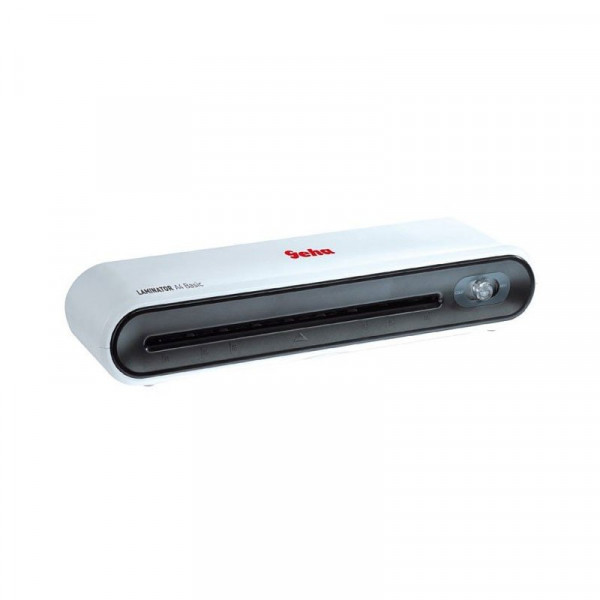
Ламинатор Geha A4 Basic качественно ламинирует документы и фотографии максимальным размером А4. Высокая скорость ламинирования — 25 см/мин и возможность реверса обеспечивают высокую производительность работы.
Система нагрева представляет собой два нагреваемых вала, о готовности к работе имеется визуальное уведомление в виде светового сигнала. Ламинатор Geha A4 Basic работает с плёнками толщиной 80-100 мкм.
Ламинатор прост и надёжен в работе. Гарантийный срок эксплуатации — 2 года.
Производитель процессора A4 Количество ядер процессора 5 мин Количество потоков процессора 2 Базовая частота процессора (ГГц) 80-100 мкм Максимальная частота процессора (ГГц) нагреваемые валы Интегрированный графический чип Да TDP (Вт) Да
1. ДОСТАВКА по Москве и Московской области:
Доставка заказов стоимостью 50 000 рублей и более в пределах МКАД — бесплатно.
Доставка заказов стоимостью от 3 000 до 50 000 рублей в пределах МКАД — 390 рублей.
Доставка заказов стоимостью до 3 000 в пределах МКАД — 1000 рублей.
Доставка заказов по Москве и Московской области за пределы МКАД — от 500 руб ( в зависимости от удаленности от МКАД; оговаривается с менеджером)
* Доставка осуществляется до подъезда при наличии подъездных путей.
2. Срочная ДОСТАВКА по Москве:
Возможна по согласованию с менеджером срочная доставка (день-в-день) стоимость:
Заказы весом до 2 кг. в пределах МКАД – 740 руб., превышение веса оплачивается из расчета +40 руб. за кг.
Заказы весом до 2 кг. по Москве и Московской области за пределы МКАД — от 900 руб ( в зависимости от удаленности от МКАД; оговаривается с менеджером)
Более точный расчет по доставке за пределы МКАД осуществляет менеджер компании.
* Доставка осуществляется до подъезда при наличии подъездных путей.
3. ДОСТАВКА в Санкт-Петербург (в пределах КАД) и Ростов-на-Дону (в пределах города):
Доставка заказов весом до 2 кг. – 500 руб., превышение веса оплачивается из расчета +60 руб. за кг. На заказы весом более 10 кг. стоимость рассчитывается менеджером компании.
4. ДОСТАВКА в регионы по России:
Доставка в остальные регионы России осуществляется с помощью транспортных компаний (по тарифам таких компании), доставка до офиса выбранной транспортной компании в Москве осуществляется бесплатно (по предварительному согласованию с менеджером).
Доставка товаров стоимостью 50 000 рублей и выше по всей России до Вашего города осуществляется БЕСПЛАТНО (по предварительному согласованию с менеджером).
Мы работаем со следующими транспортными компаниями:
«Деловые Линии» — тел. 8-800-100-8000, lines@rbcmail.ru www.dellin.ru
«Первая Экспедиционная Компания» (ПЭК) — тел. +7 (495)660-1111, pecom@pecom.ru www.pecom.ru
«Автотрейдинг» — тел. 8-800-100-5000, www.autotrading.ru
«ЖелДорЭкспедиция» — тел. 8 800 1005-505, www.jde.ru
или любыми другими удобными для Вас Транспортнами Компаниями.
5. САМОВЫВОЗ:
Самовывоз осуществляется, по согласованию с менеджерами, со склада в Москве по адресу: г. Москва, ст. метро Красносельская, улица Леснорядская, д.10, стр.1.
6. ОПЛАТА:
— наличными платежом курьеру или в пункте самовывоза;
— банковской картой в пункте самовывоза;
— по безналичному расчету;
Все расчеты производятся в рублях
РЕКВИЗИТЫ:
Полное наименование организации: Общество с Ограниченной Ответственностью «Цифровой Рай»
Краткое наименование организации: ООО » Цифровой Рай «
Юридический адрес: 111672, г. Москва, ул. Новокосинская, д.20, корп. 2, помещ. 1.
Телефон: +7 (495) 646-1-585
ИНН / КПП: 7723534705/772001001
Р/С 40702810100330000731
К/С 30101810145250000411
БИК 044525411
Наименование банка: Филиал «Центральный» Банка ВТБ (ПАО)
Генеральный директор: Бородин Вячеслав Владимирович
ОКПО 76581365
ОГРН 1057746487116
ОКАТО 45263579000, Новокосино
ОКТМО 45310000, муниципальный округ Новокосино