
Клавиатура Motospeed CK104
мне очень понравилась, но на подставке она прилично ограничивала поле для мышки.
Выбрал модель 87s, она без цифрового блока.
Получится обзор-сравнение.
Купоны:
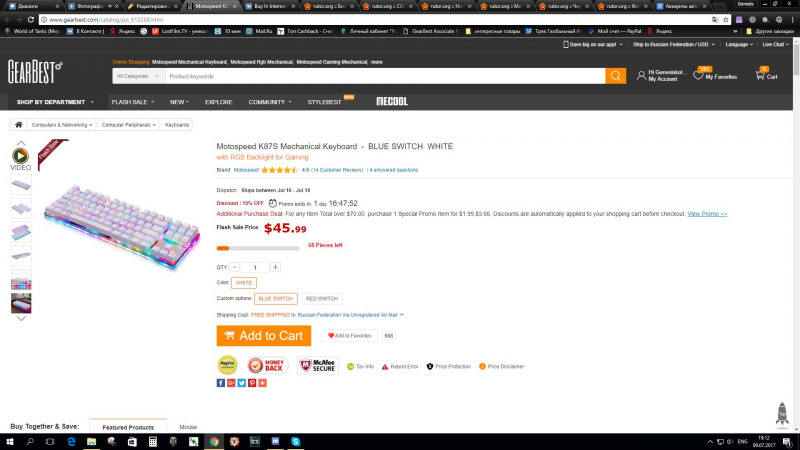
для синих переключателей GBK87S цена 43,99$
Для желающих приобрести с красными: MSK87S цена 45,99$
Часть первая: обзор товара.
Почтовое отправление
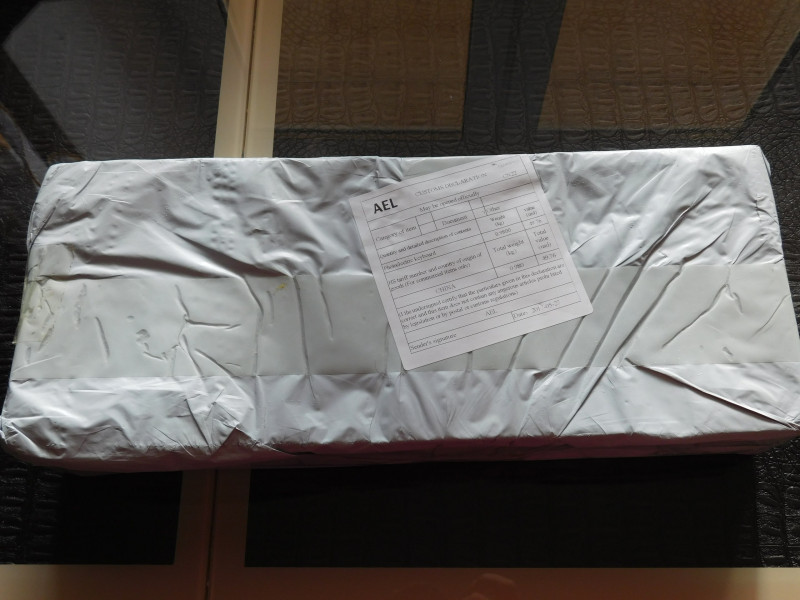
Коробка с клавиатурой
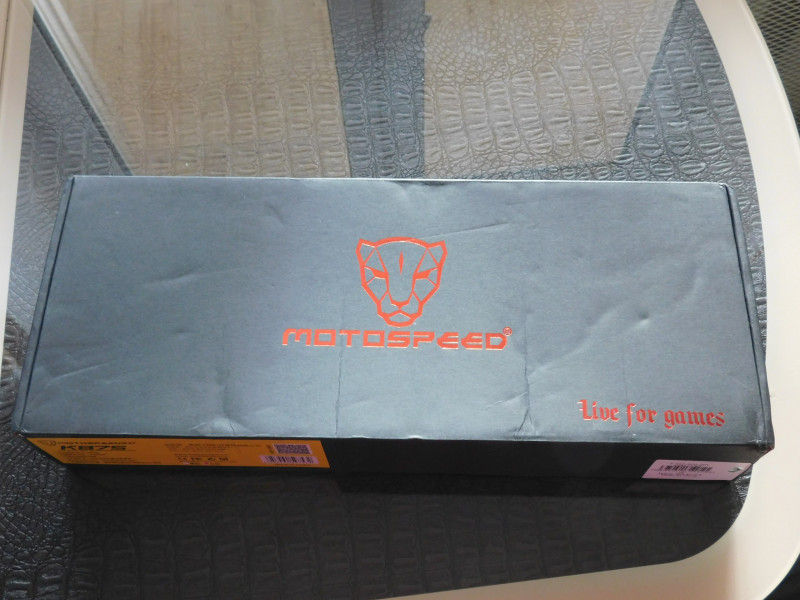
Глянценый текст
Внутри находится клавиатура в транспортировочном материале, заключенная в тиски защитного материала.
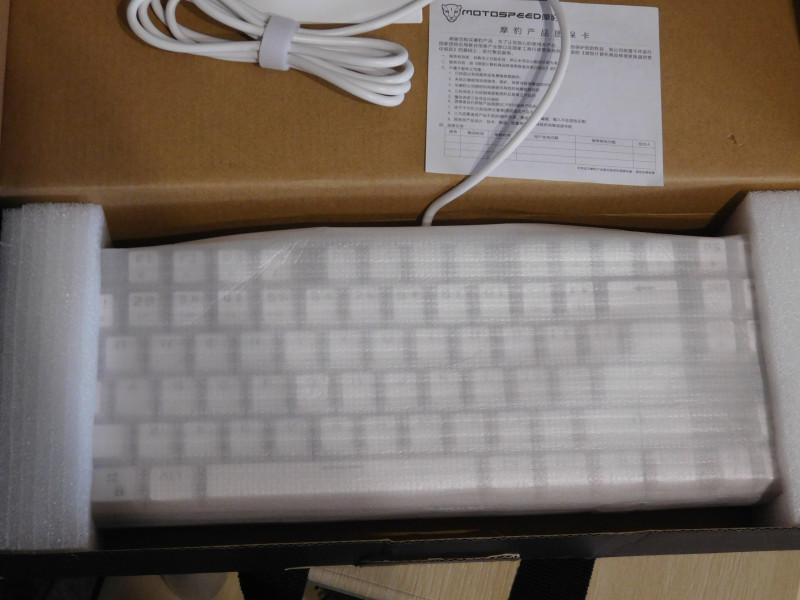
USB кабель силиконовый, белый, с белой застежкой велкро.В комплекте гарантийник и инструкция
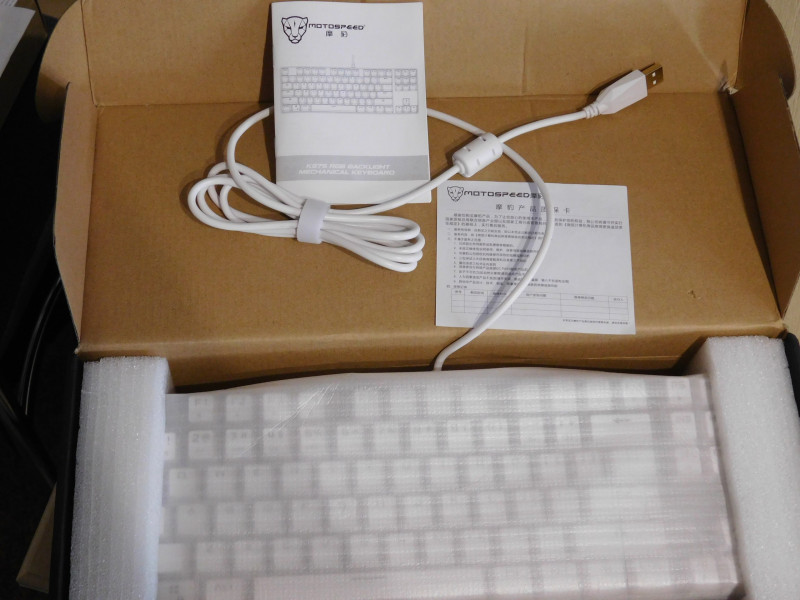
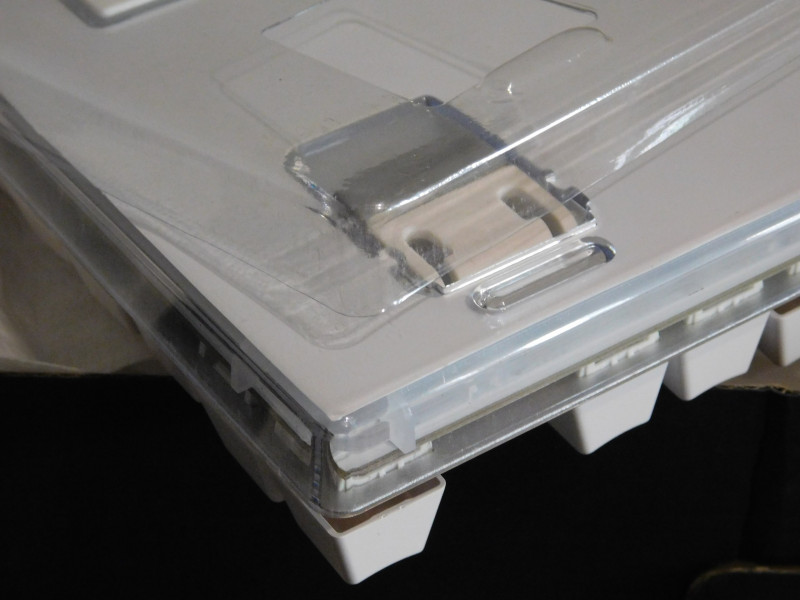
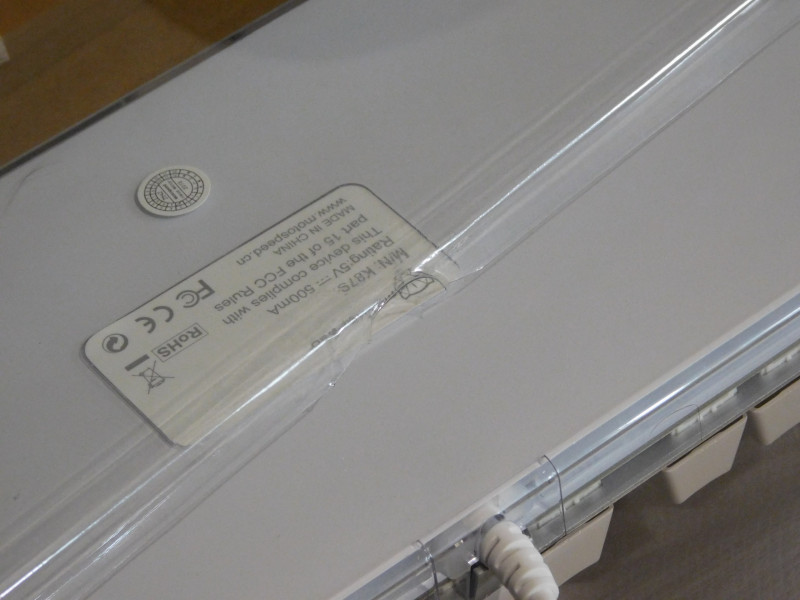
База клавиатуры прикрыта пластиковым чехлом во время транспортировки
Примерка на подставку
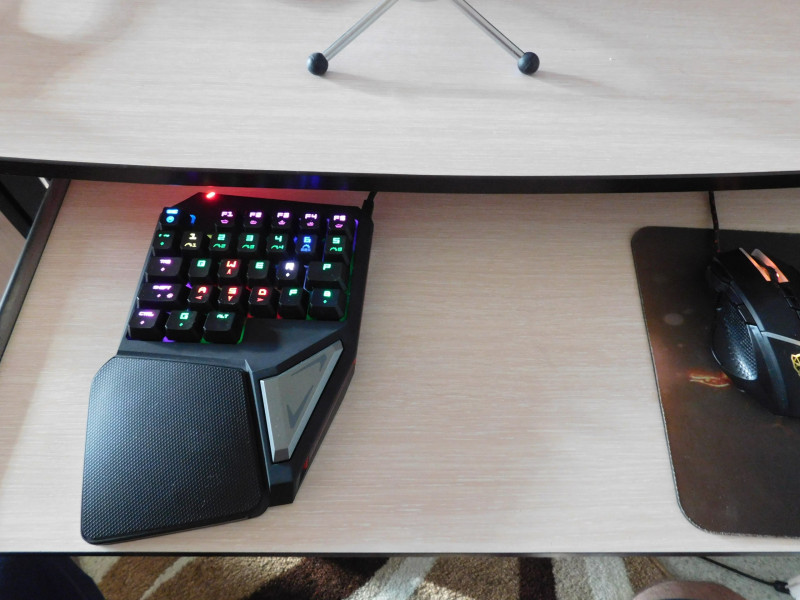
Ой, не то =)
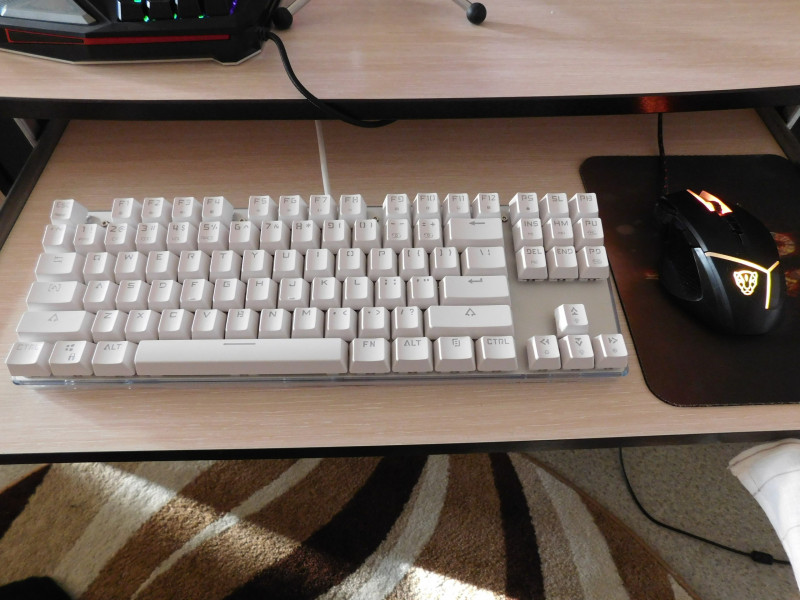
Другое дело, но! наших то букв нет…
Удивительно, но это не стало проблемой для меня и этот обзор я набирал на новенькой клавиатуре.
У меня активно идет ремонт и пыль в достаточном объёме добирается до моей комнаты. Стал протирать коробку перед обзором и…
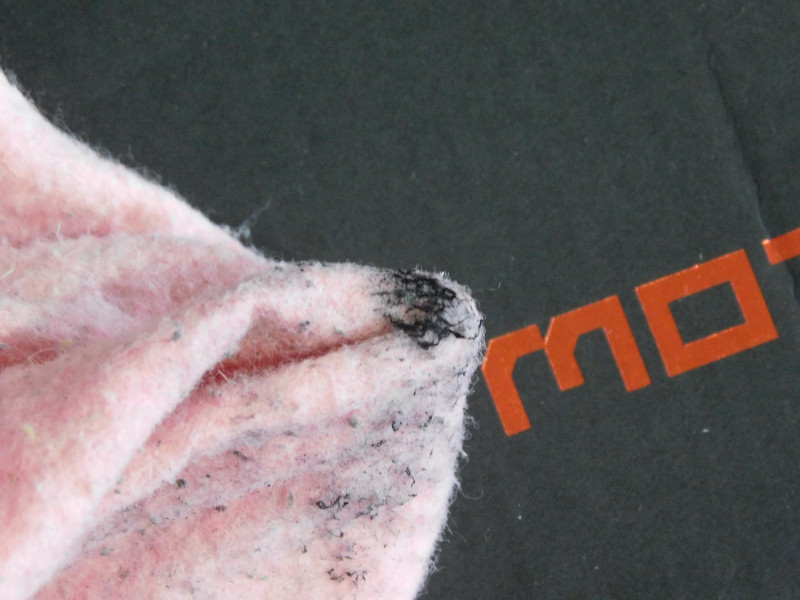
Экономия на коробке сильная, но не товаре.
Теперь о клавиатуре.
Верхняя часть клавиатуры из матового металла светло серого цвета.
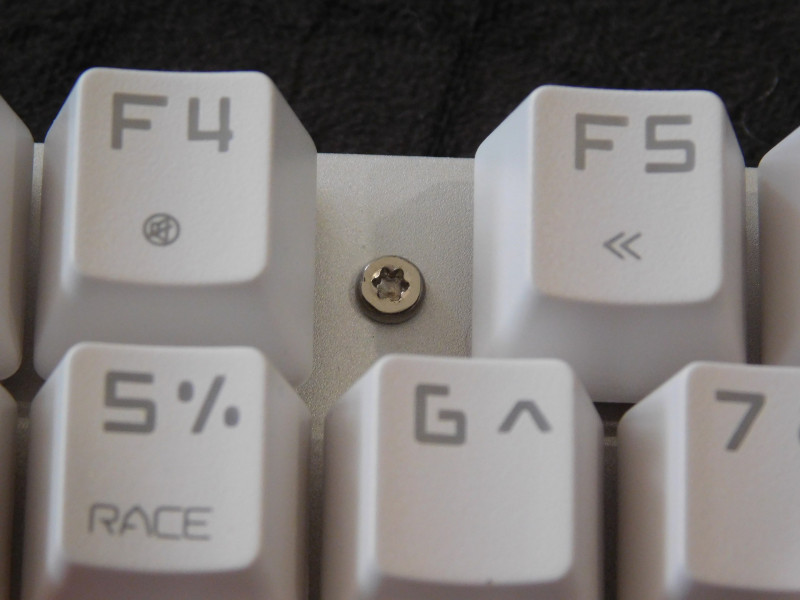
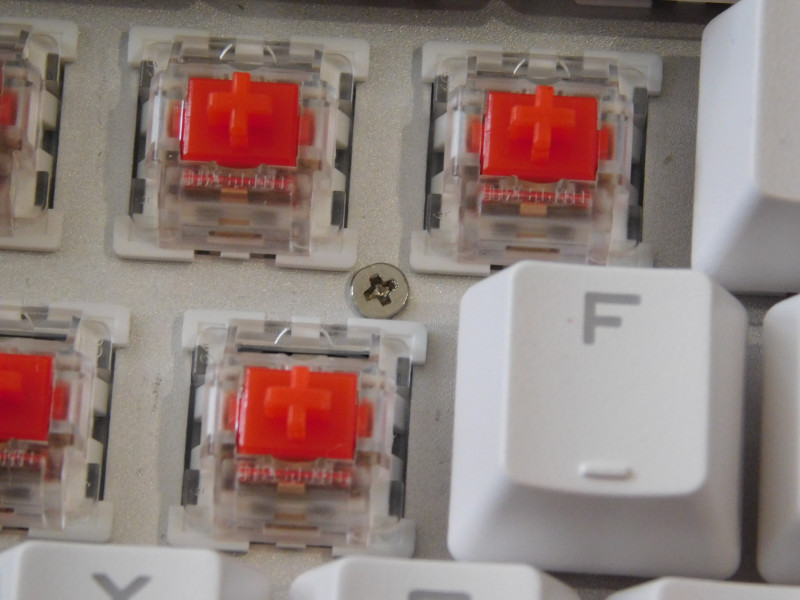
Между клавишами ряда F видны винты, типа звездочка
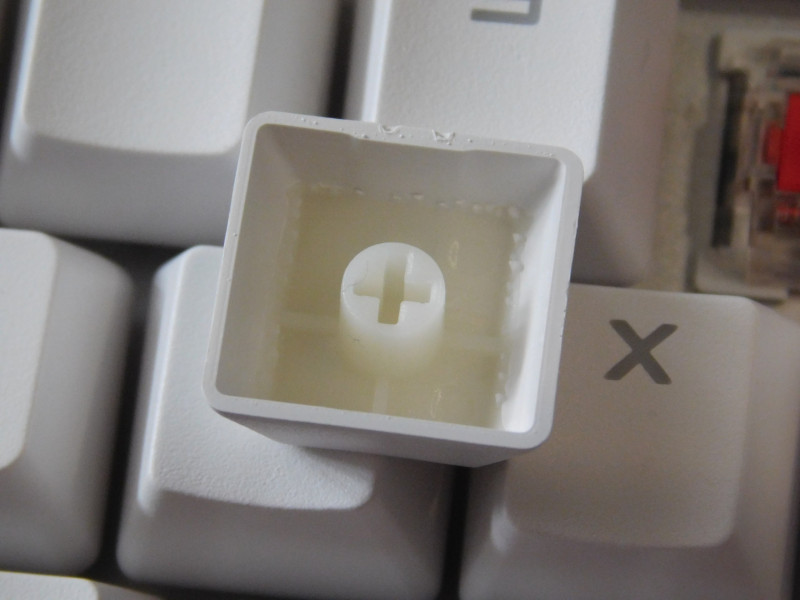
Клавиши белые и изготовлены из двух частей.
Свичи на выбор: красные или синие.
Остановился на красных.
Корпус клавиатуры находился в чехле и выполнен из пластика, прозрачного по периметру.
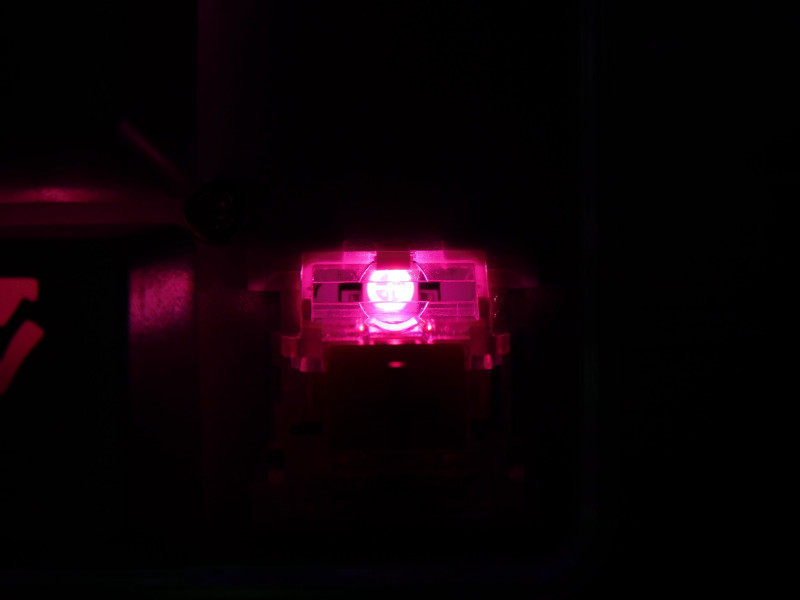
Где за матовым кожухом находится второй блок программируемых диодов. Да, да второй.
RGB светодиод
Ножки дают удобный наклон клавиатуры
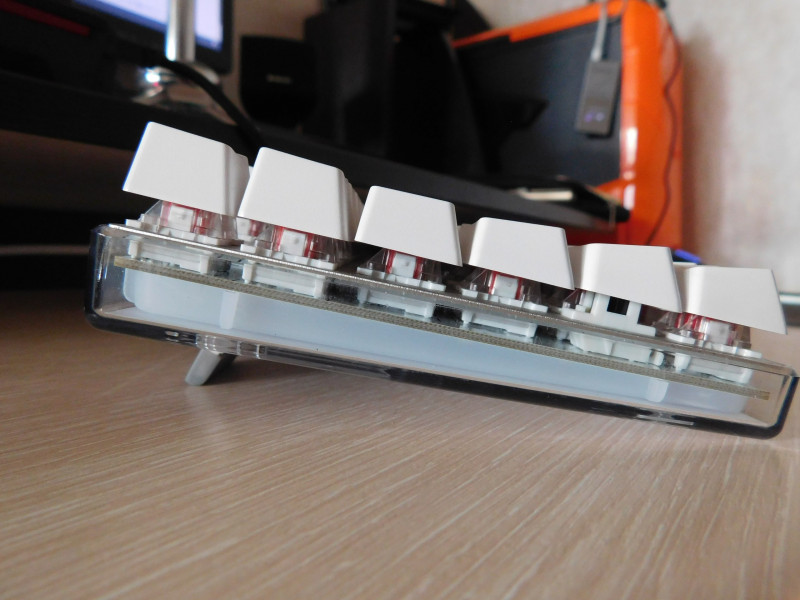
Тактильно клавиши приятны, цвет белый.
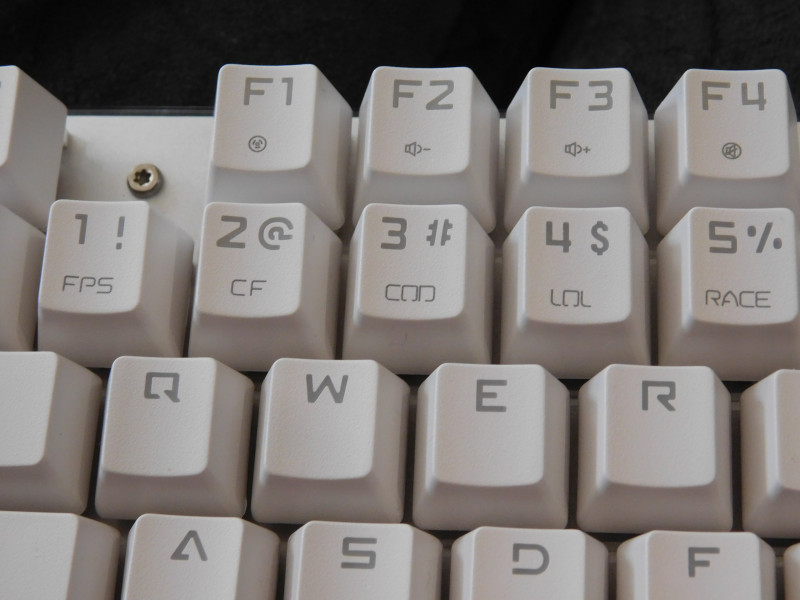
Все удлиненные клавиши изготовлены по такому типу
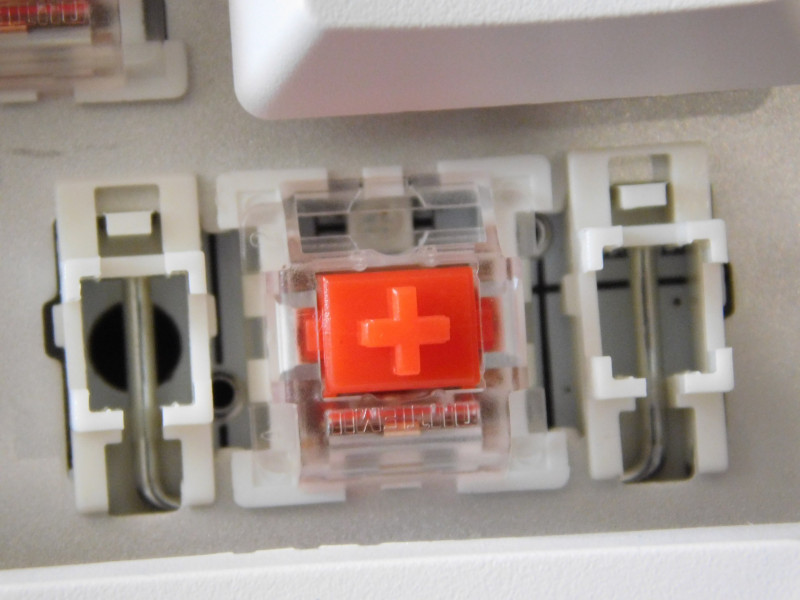
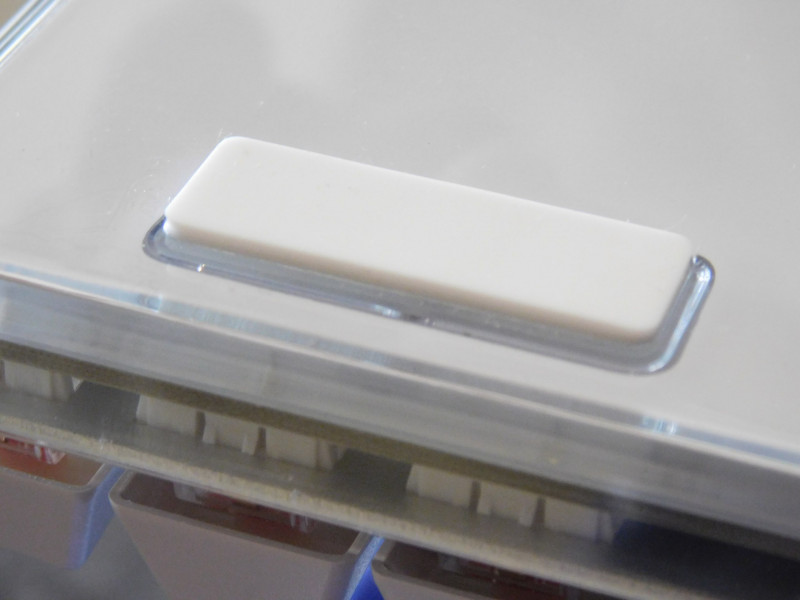
Резиновые ножки присутствуют
Дополнительная информация
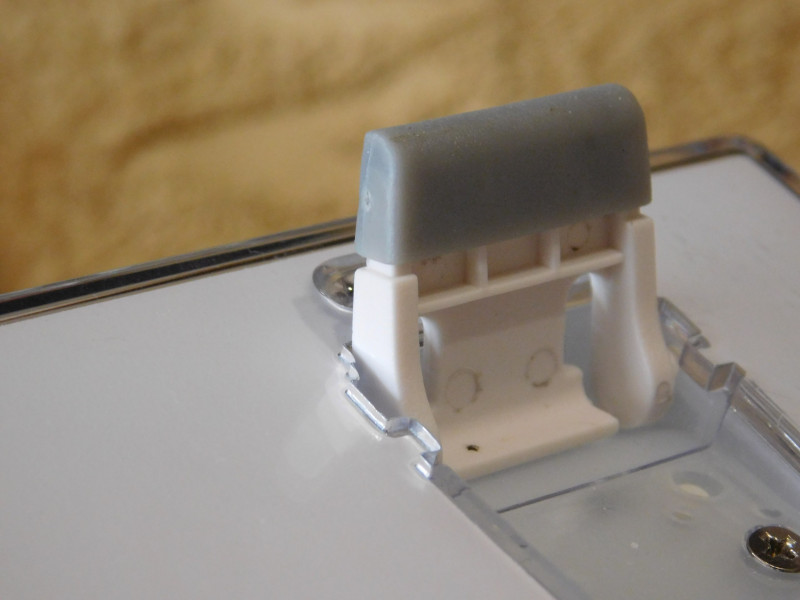
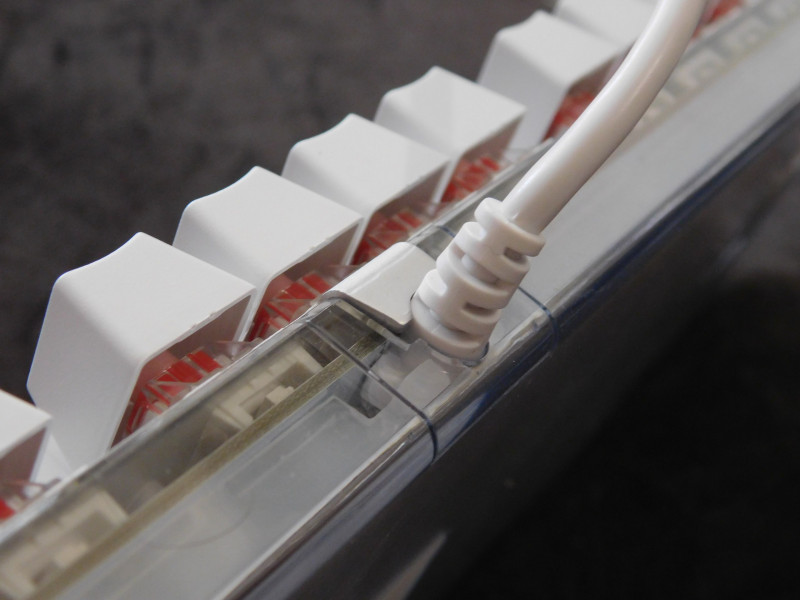
USB кабель надежно фиксирован
Плата выглядит не плохо, соплей нет, все аккуратно.
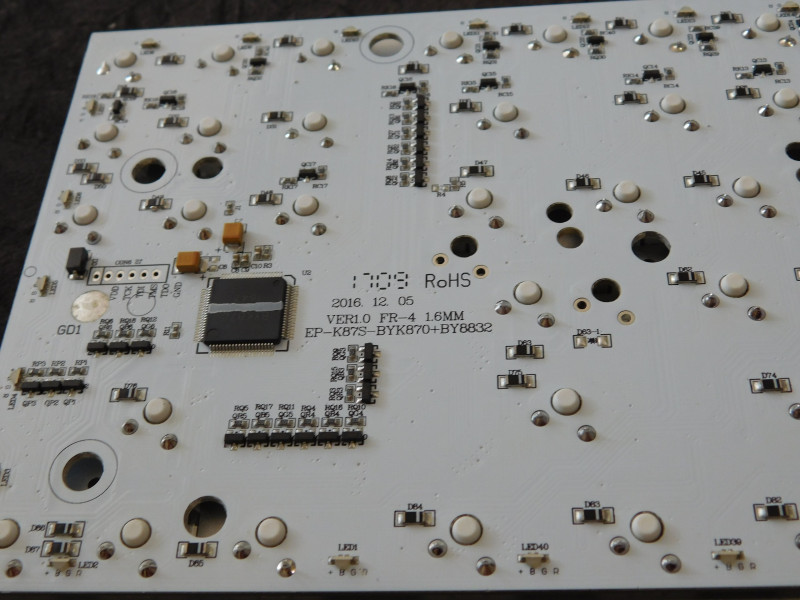
Место под распайку юсб порта. Странно, что от него отказались( в модели без литеры S он был и можно было отстегнуть клаву).

По работе основного блока подсветки можете посмотреть в обзоре Motospeed CK104 Никаких изменений.
Дополнительный блок имеет 9 режимов + можно её совсем отключить. Цвета можно менять, аналогично основному блоку.
Скорость анимации можно изменять.
Fn+ «-» или «+»
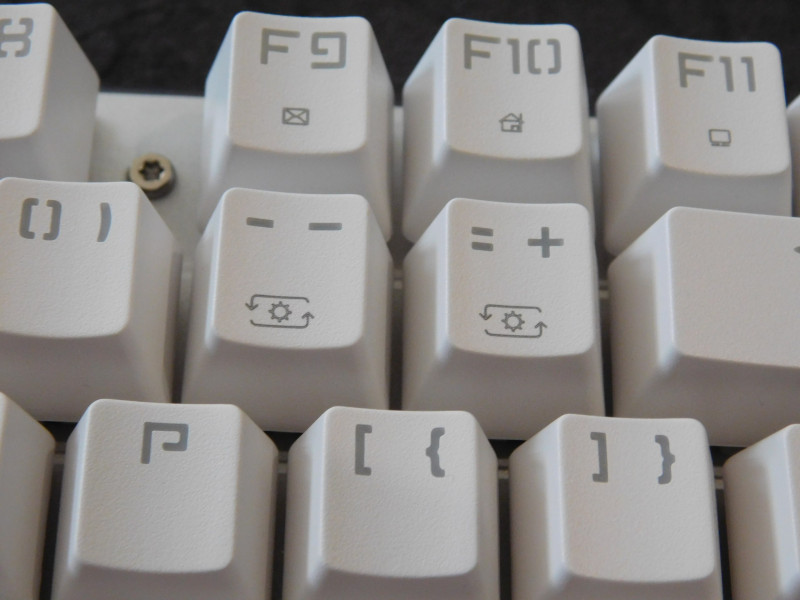
Яркость изменяется синхронно с основным блоком.
Хотел бы дополнить: можно создать свой вариант подсветки.
Сначала выбираем пресет, который хотим изменить ( Fn + 1-5)
Потом зажимаем Fn + HM и клавиатура вырубает подсветку, можно приступать к кастомизации.
Диоды могут показать 7 цветов. Кажное нажатие на кнопку делает шаг цвета на одно значение.
( выкл, красный, желтый, зеленый, бирюза, синий, розовый, белый)
Не слишком быстро, но просто. По окончанию настройки цветов снова зажимаем Fn + HM для сохранения кастома.
Я для теста сделал вот такой вариант
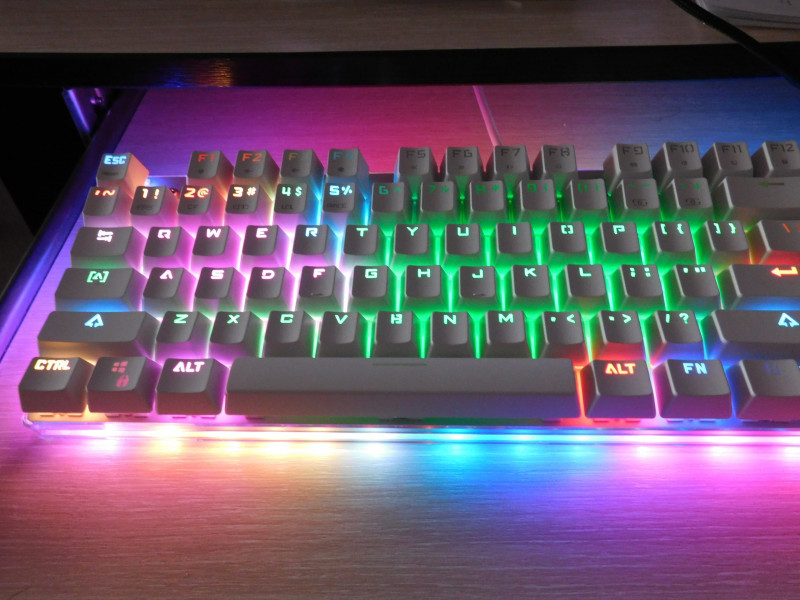
Если хотите сделать полный сброс, то нужно нажать Fn + Esc. Клавиатура вернется к заводским настройкам.
У меня в работе вот такой статичный вариант
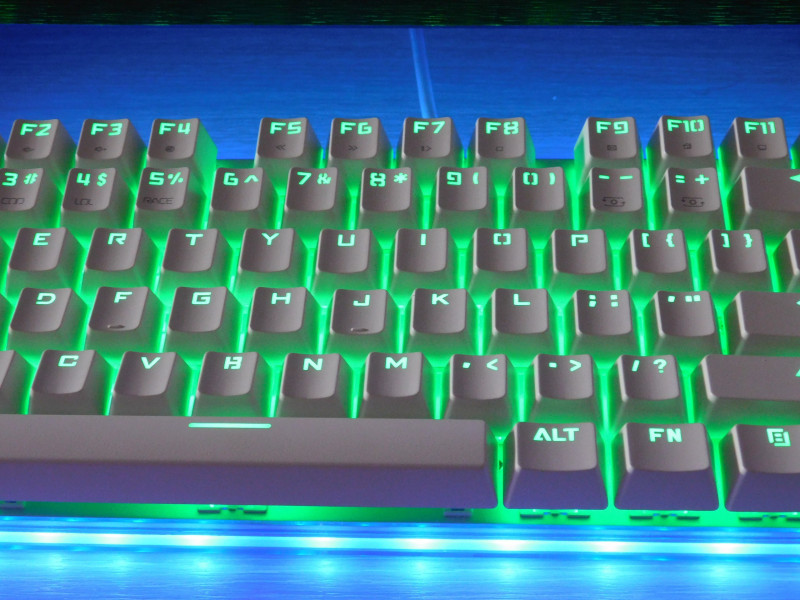
Часть вторая: сравнение с Motospeed CK104
По размерам мне больше подходит сабж.
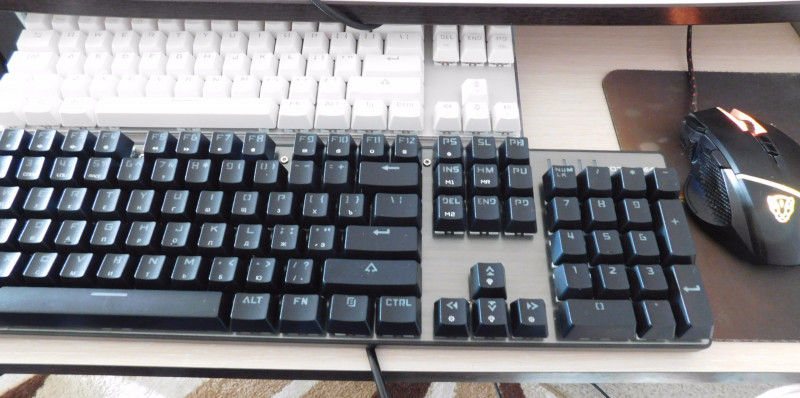
Подсветка ярче у обозреваемой модели + колпачки лучше пропускают свет.
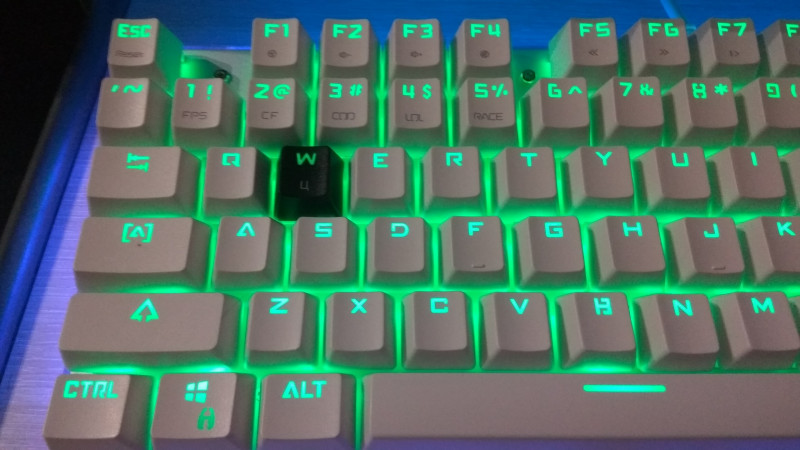
Самое главное: как же я оценил различие красных и синих переключателей?
Для теста данный обзор набирался на обозреваемой клавиатуре.
Лучше мембранной, это точно. Значительно тише, чем на синих переключателях. Если поставить резиночки, то получается значительно тише. Но! появился определенный процент опечаток, что меня достаточно печалит. Нет того приятного тактильного отклика. Думаю, поменяю колпачки местами и отправлю сабж к Папе.
( ск104 имеет колпачки с русскими буквами)
Мечта: нормальные Rus символы на клавиатурах motospeed.
Возможно, получится опробовать коричневые и черные свичи, но это не скоро.
Механическая клавиатура рулит.
Могу смело порекомендовать к покупке механическую клавиатуру. Какие переключатели выбрать?
Если вы часто и в больших объёмах набирате текст, то синие; вариант с красными более тихий и универсальный.
Спасибо за просмотр.
Купоны:
для синих переключателей GBK87S цена 43,99$
Для желающих приобрести с красными: MSK87S цена 45,99$
The Motospeed K87S mechanical keyboard offers RGB lighting as well as an 87 key layout. These switches are Outemu Reds. Read on!
Official Specs and Features
Here’s a link to the Motospeed K87S mechanical keyboard product page.
Versions
There are basically two versions of this exact board. A whiteboard with white keycaps, and the option of blue or red Outemu switches. (What I have here is red, just like my CK104). Motospeed has many other similar keyboards, though, like the K87, which has a similar layout but a different case and an actual MiniUSB connection port.
MSRP
Motospeed official doesn’t cite an MSRP, but the going price on GearBest currently is around $57 and has been as low as 50ish.
Short Review
I like this board just as much as I liked the CK104, and the 87 key is great. If you find yourself not needing the number pad, then I think this would be a great board to start with. You may find that this is the only board you need, and never “shop up” after it!
Long Review
What’s Included

- Motospeed K87S mechanical keyboard
- Manual
- Warranty card
Note: No keycap puller is included!
Package and Manual
As with the Motospeed CK104, the K87S ships in a protective corrugated black box. It’s nicely embossed with the Motospeed logo, in red. It’s a fairly typical keyboard box. Inside, the keyboard is suspended by foam on the ends. The bottom has a plastic cover, and the whole keyboard is in a plastic bag. The cord has its own.
All in all, it’s a well-protected package, great for shipment. It should arrive safely, with no damage.
The manual is a small booklet, with many different languages. Each language occupies 4 pages of the manual. I think everything you’ll need to know is included in the manual, and while it’s clear what the manual means, it’s not always immediately easy to understand the words actually being used. But the manual is good enough.
Size
This is a Ten Key Less(TKL) board. There’s no number pad, but there is a function row, full-sized spacebar, and … basically everything else a full-sized keyboard has. A small caveat about size is that the Fn row is not spaced away from the number row, so while the K87S has the usual host of keys for a TKL, the overall footprint is smaller. Also, the keyboard is on an aluminum plate, in a plastic case with no surrounding support. So the footprint is especially small.

Build Quality and Disassembly
Without disassembling the board, the quality feels fantastic. Most of the “build quality” thoughts will come in during the individual parts discussion below, but suffice to say that this board feels very sturdy, and I’m pleased with the build quality overall. There are a number of Torx screws along the top of the case (FN row dividers, basically). These aren’t decorative – if one wishes to access the PCB, these must be removed. Not only that but there are a series of Phillips screws that must be removed to separate the plate from the PCB.

Plate and Case
The case is clear plastic and has RGB LEDs around the edges. As the case is clear (not opaque, but very clear), the LEDs aren’t diffused evenly – they’re more of a spot. I don’t think this is bad, but if it’s not your thing, then just some light modification of the case can make it opaque enough to diffuse the LEDs pretty evenly. I would imagine a light brushing with acetone (or whatever kind of fingernail polish remover you can get your hands on) would opaque-this-right-up. The spottedness of these LEDs doesn’t bother me at all though.
The color strip in the case can be turned completely off, too.
Layout and Keycaps
This is a TKL layout, with the only slight variation being that the FN row sits right at the top of the number row without the normal spacing. That’s a difference of maybe 4mm, and while that’s bothered me on other boards (ie it bothered me on the CK104), I haven’t found it to be noticeable here.


These keycaps are similar to the CK104 by Motospeed, but I don’t think these keycaps are quite as…. bad…. These are fine – they’re good, in any case. I have other caps that have a different feel, but it’s hard to say if they’re better. The feel may be more due to the switches than the actual keycap, so I won’t fault the caps too much. But I will fault the font. I absolutely hate the font. I’ve let my kids play around with this board a lot, and I’d love to be able to just let them type. But they’ve had to ask me what some keys are, or help finding some keys (they’re fledgling typists). That’s frustrating, dumb, and needless. If the letters looked like the right letters, I probably wouldn’t even dislike the keycaps at all (ie I’d overlook the feel).
They are double-shot injection molded, though the white part (the inlay?) is more opaque than white. This allows the LEDs on the board to show through very well. These caps could be replaced with another keycap set easily.

Life ain’t nothing but Switches and money
Outemu Reds grace this red PCB. My mainboard has Cherry Speeds. My secondary board has Gateron Browns. So these Outemu Reds were an interesting difference. Unlike the [same exact] switches on the CK104, I didn’t find these to be very scratchy at all. They aren’t quite as smooth as my Gaterons, but they aren’t bad. The switches work fantastically though, and I have no problem with them actually registering keystrokes. Maybe some lube makes that perfect? I honestly don’t know if it would. I think it’d be a good test.
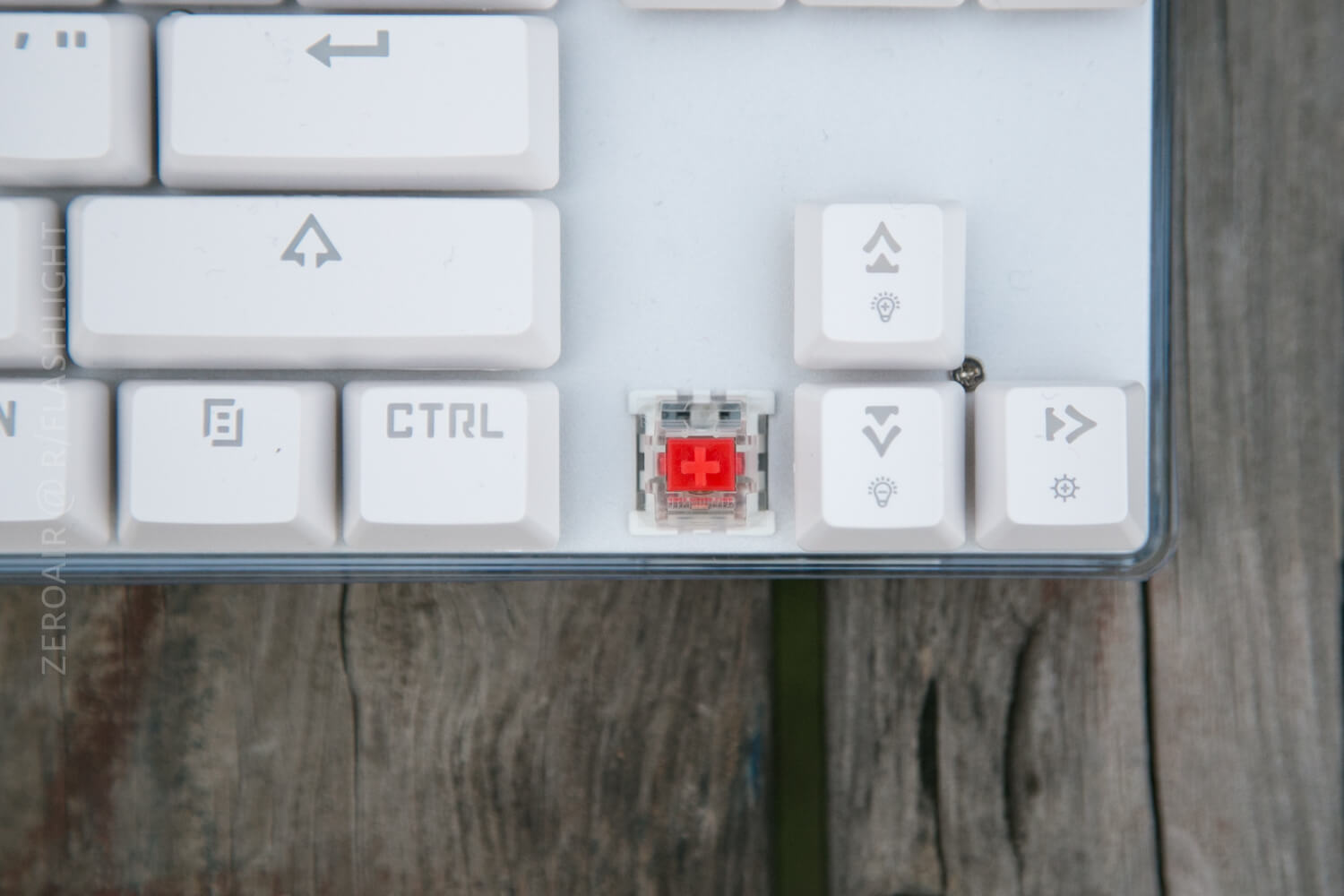
All of that said, the Outemu switches aren’t that bad. They’re crisp, have a nice weight to them (waaaay more than these feather-light Cherry Speeds, of course). Here is the keyboard science on those switches, and here’s what they say:
The Outemu Red switch is a relatively smooth linear switch, much firmer and with more total actuation force required than the Cherry MX Red switch. This makes the Outemu Red almost a lighter, less steep version of the Cherry MX Black switch. [source]
They add that these switches have a 47g activation force, and 4mm of travel. The switches have Cherry style stabilizers, which tend to stay in the cap (but come out easily).
Connectivity
A single USB cable connects this keyboard to your device. There’s no Bluetooth or anything else. The USB cable is hard-wired, and just regular plastic coated. The contacts on the USB plug are quite nice – probably gold-plated. While I might wish this was a USB/micro-USB cable, at this budget price it’s hard to really complain.

User Interface and Operation
Input for the keyboard is…. through…. the… switches… I mean, is that obvious? Fairly obvious. My Anne Pro though has an app. My K70, though, has Corsair software sits in the background eating 67MB of ram all the time. But any changes you want to make on the K87S will be done using keystrokes. There aren’t even any lighting switches to raise/lower the brightness (directly) – all that’s done through the function key.
I won’t go through all the settings. The manual does ok with that, and anyway, part of the fun is playing around with how things work. And the manual is easy to understand, though some of their terminologies aren’t really what English speakers would call things. For example, I’m not really sure what “bum steady model” is, but I can click through and see. Or “colorful horse race.” It is hard to know which mode you’re on, especially since the wording in the manual is just a little unrelated sometimes, to how the mode actually looks. It’d be nice if the click-through was actually done with FN and a specific key. That’d be more accurate since I’d always know what color/mode I’d be getting.
One may always use FN+ ESC to get the board back to the starting configuration. I am not sure if this is just for the coloration settings (ie, bouncing the board back to a certain [starting] state), or if that action erases the EEPROM also. I’m fairly sure FN+ESC doesn’t erase the EEPROM. The manual is a touch fuzzy on this, but I take the wording to mean that any custom items you put in the memory (which is possible!!), will stay in memory. Here’s the actual wording:
FN+ESC: Restore the default (display boot animation “Three color rotation”, restoring the default light setting of game superior.
Note that “Game superior” is a specific set of colorways for the key LEDs.
RGB
As I said, I won’t go through all the RGB settings, but I will put something specifically for posterity. All color changes must be made using the FN key, which is two spots to the right of the space bar. Hold the FN key and then any number of other keys, to do any number of other things to the coloring. Here’s a general rundown:
FN+1-5: Game specific modes
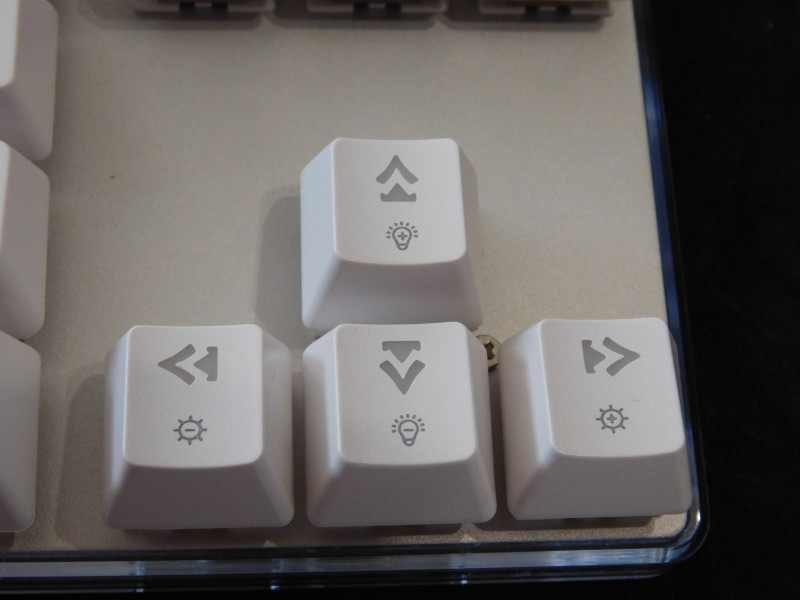
FN+[left/right arrow]: Speed of action, if RGB mode has action
FN+[up/down arrow]: Brightness of RGB (Note: I don’t believe the case and key brightness can be set independently (except insomuch as they can be turned on or off independently)
FN+PS [print screen]: Key switch LED on/off
FN+DEL: Change color of the key switch LED
FN+PU [page up]: Change case lighting style
FN+PD [page down]: Change case lighting color
FN+[+/-]a: Change case speed up/down
For what it’s worth, note that there’s some consistency in the color switching tied to the FN key. To switch modes for the keys or the case, it’s the upper option in the INS/DEL/PU/PD area. To switch colors for the keys or the case, it’s the lower option. That’s a nice bit of consistency.
I won’t say that’s all the features of the RGB aspect of this board, but that should at the very least get you started. Most of the rest, I’d estimate that you could futz with and grasp easily.
I will say that I have the same gripe about the RGB on this Motospeed as I had on the CK104. Again I’ll call it “PWM” for lack of knowing the proper term. Each LD in each key on this board and in the case has the three primary colors as part of its LED. Those three colors are used to make any of the colors that this board has as options. The CPU mixes the colors as shown in this chart:
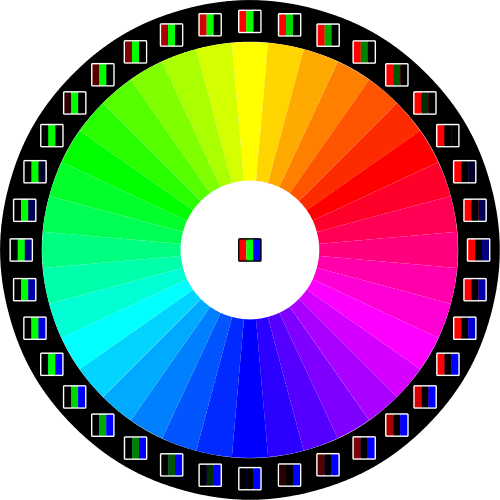
(roughly, anyway). The CPU will cycle the colors very quickly so that what we see is the color we’ve chosen. So when I say the board has “bad PWM” (which means “pulse width modulation”), what I mean is that the CPU cycles these primary colors too slowly, and I end up seeing the primary colors as well as the intended color mix. That’s why with this board, as with the CK104, I tend to keep all the colors set to red, simply. Why is that? Well, red is one of the primary colors that make up the LED anyway, and so no mixing is necessary! Therefore there’s no PWM for me to notice anyway.
Here’s a small gallery of some of the RGB coloring displays on this board.
Random Comparisons and Competitive Options….
There are a ton of 87 key keyboards out there. I won’t even try to list them all, so I’m not going to list any of them. Compared to all the others, this board with fine RGB and good Outemu switches is a good choice.
Conclusion
What I like
- Mechanical nature of the keyboard (ie, it’s a mechanical keyboard)
- RGB
- Size is nice – I like that it’s short and the case has very little bezel
- It’s a joy to type on, ergonomically
- I like the aluminum plate, and the PCB seems to be of high quality.
What I don’t like
- Really the RGB color mixing bothers me. Not so much though, because I typically just keep the board on red, which is a primary color anyway (ie, it doesn’t require any mixing).
- It’s hard to spot the FN key when the board is off and it’s dark… that’s minor. But it’d be nice to have a backlight option so I could always see that key
Notes
- Thanks to GearBest for sending this keyboard for review!
- This content originally appeared at zeroair.org. Please visit there for the best experience!
- For flashlight-related patches, stickers, and gear, head over to PhotonPhreaks.com!
- Use my amazon.com referral link if you’re willing to help support making more reviews like this one!
- Please support me on Patreon! I deeply appreciate your support!
Liked it? Take a second to support zeroair on Patreon!

-
Главная
-
Механические игровые клавиатуры
- Клавиатура Motospeed K87S Blue Switch (Белый)
- Описание
- Отзывы
- Обсуждения
Модель K87S очень популярна благодаря своему красивейшему дизайну с RGB подсветкой и отличному качеству сборки.
В данной клавиатуре установлены переключатели OUTEMU, с ресурсом 50 млн. нажатий и временем отклика 0.1 мс. Передняя панель алюминиевая, корпус изготовлен из пластика. Производитель заявляет о поддержке технологии предотвращения фантомных нажатий (анти-гостинг) на всех клавишах устройства.
Яркая и динамическая подсветка имеет 9 световых эффектов, которые меняются комбинацией клавиш FN + INS. Аналогично с предыдущими моделями, быстрый доступ к мультимедиа реализован через функциональные клавиши Fn и F1-F12.
Особенности:
- Клавиатура проста в установке, не нужно устанавливать драйверы. Просто вставляем кабель в USB
- Продуманный эргономичный дизайн, благодаря которому не испытываешь дискомфорт при длительной работе
- Дополнительные функциональные клавиши
- 9 видов RGB подсветки
- Высокопроизводительный флэш-микроконтроллер, 12 Мбит/с
- Синие свичи больше всего подходят для тех, кто часто и много печатает, из-за их тактильного удара и слышимого щелчка. Высокая сила нажатия: 58,9 ± 14,7 г
- Буквы русского языка нанесены лазером, они не стираются и не выцветают
Технические характеристики:
- Русская и английская раскладка
- Тип клавиатуры: механическая
- Количество клавиш: 87
- Цвет: белый
- Материал клавиатуры: АБС-пластик, алюминий
- Тип переключателя: синий
- Фирма переключателей: OUTEMU
- Способ подключения: проводной
- Тип подключения: USB2.0
- Ресурс клавиш: 50 миллионов
- Скорость отклика: 0,1 мс
- Покрытие клавиш: антискольжение
- Длина кабеля: 1,8 м
- Вес клавиатуры: 780 гр
- Размеры (Д x Ш x В): 35x12x3,5см
- Поддержка: Windows, MacOS, Linux
Производитель
Mototech Technology Group Ltd
24 АМ-баллов
За свои покупки вы получаете АМ-баллы, которыми сможете оплатить следующие покупки.
1 АМ-балл = 1 рубль. подробнее
15 АМ-баллов
За свои покупки вы получаете АМ-баллы, которыми сможете оплатить следующие покупки.
1 АМ-балл = 1 рубль. подробнее
20 АМ-баллов
За свои покупки вы получаете АМ-баллы, которыми сможете оплатить следующие покупки.
1 АМ-балл = 1 рубль. подробнее
20 АМ-баллов
За свои покупки вы получаете АМ-баллы, которыми сможете оплатить следующие покупки.
1 АМ-балл = 1 рубль. подробнее
14 АМ-баллов
За свои покупки вы получаете АМ-баллы, которыми сможете оплатить следующие покупки.
1 АМ-балл = 1 рубль. подробнее
Ресивер Vu+ Zero 4K
Такой совет никогда не покупайте VU+Китайского производство-это дерьмо в квадрате
Ресивер Vu+ Uno 4K SE
Вообще линейка VU+ самые лучшие ресиверы, ну и еще Dreambox,ну а остальные это просто не серьёзно,
Ресивер Vu+ Zero 4K
Советую всем эти ресиверы,нужны конечно знания об энигме 2-линкс,можно на форумах почитать,имидж BLACK HOLE самый продвинутый-красавы-советую всем ресиверы VU+, только корейского производителя МАРУСУС, китайские не берите -полное фуфло- с уважением ковсем владимир
Ресивер HD BOX S2
Виктор Котляров хочу сказать вам купите охлождающую подставку для ноутбука на эту подставку ставите ваш тюнер и гредцо не будет, а так сгорит тюнер.
Ресивер HD BOX S500 CI PRO
Тюнером HD BOX пользуюсь уже 1 месяц как его заказал тюнер работает нормально последнию прошивку установили всё настроили шаринг тянит без проблем ютуб, эдем тв, кинолайн HDrozetka тоже всё работает MI-2T или как его называют мультистрим тянит не пробывал карты и модуль cam а так тюнер пойдет.


СОГЛАСИЕ НА ОБРАБОТКУ ПЕРСОНАЛЬНЫХ ДАННЫХ
Настоящим подтверждаю, что я ознакомлен и согласен с условиями Политики в отношении обработки персональных данных.
Настоящим я даю разрешение ООО «Антенный маркет» (далее «Антенный маркет») в целях информирования о товарах и услугах «Антенный маркет»,
заключения и исполнения договора купли-продажи обрабатывать — собирать, записывать, систематизировать, накапливать, хранить,
уточнять (обновлять, изменять), извлекать, использовать, передавать (в том числе поручать обработку другим лицам), обезличивать, блокировать,
удалять, уничтожать — мои персональные данные: фамилию, имя, пол, дату рождения, номера домашнего и мобильного телефонов,
адрес электронной почты, а также данные об интересах на основании анализа моих поисковых запросов и посещений Интернет-сайтов.
-
вверх
ВАША КОРЗИНА
Мы рады пригласить Вас в Клуб АМ-бонус!
На данный товар доступна клубная скидка.
Чтобы купить этот товар с клубной скидкой, Вам необходимо зарегистрироваться в нашем клубе АМ-бонус. Это займет меньше минуты!
Вступив в клуб АМ-бонус, Вы сможете покупать товары по клубным ценам!
Регистрация
Подробнее о «Клуб АМ-бонус»
Регистрация
Введите свои данные для входа
Компания Motospeed давно выпускает клавиатуры и имеет огромный опыт производства качественных, надежных и функциональных механических клавиатур. Модель K87S очень популярна благодаря своему красивейшему дизайну с RGB подсветкой и отличному качеству сборки.
Особенности:
— Клавиатуры проста в установке, не нужно устанавливать драйверов. Просто вставляем кабель в USB.
— Продуманный эргономичный дизайн, благодаря которому не испытываешь дискомфорт при длительной работе.
— Дополнительные функциональные клавиши.
— 9 видов RGB подсветки.
— Высокопроизводительный флэш-микроконтроллер, 12 Мбит/с
— Красные свичи созданы в качестве игровых свичей с легким кликаньем, позволяющим действовать максимально быстро.
Технические характеристики:
— Тип клавиатуры: механическая
— Количество клавиш: 87
— Цвет: белый
— Материал клавиатуры: АБС-пластик, алюминий
— Тип переключателя: красный
— Фирма переключателей: OUTEMU
— Способ подключения: проводной
— Тип подключения: USB2.0 ()
— Ресурс клавиш: 50 миллионов
— Скорость реакции: 0,1 мс
— Покрытие клавиш: антискольжение
— Длина кабеля: 1,8 м
— Вес клавиатуры: 780 гр
— Размеры (Д x Ш x В): 35x12x3,5см
— Поддержка: Windows, MacOS, Linux
В комплекте:
— Клавиатура
— Кабель
— Руководство пользователя
Продолжая использовать joom.ru, вы подтверждаете, что согласны с Правилами использования и Политикой конфиденциальности, в том числе, с порядком использования cookie-файлов.
Джум Гик
Домашняя страница Джум
Войти
Мои заказы
Корзина
Главная
/
Каталог
/
/
Электроника
/
ПК, комплектующие и гейминг
/
Компьютерная периферия
/
Клавиатуры и мыши
/
Клавиатуры
Отзывы 6
4,7
С текстом
1
5 звезд
4
4 звезды
2
Здесь пока нет отзывов пользователей.
Сбросить фильтры
Цена 4 869 ₽ руб.При заказе 3+ любых товаров
Текущая цена
От Цена 5 798 ₽ руб.
Обычная цена
от 1 218 ₽ x 4 в Сплит
5% баллами Плюса
Бесплатная доставка 12-23 июня
Цвет и размер
- Red Switch
- Blue Switch
Бесплатная доставка 14‑21 рабочий день
Условия возврата
Надежные платежи
Поддержка говорит по-русски
Описание
3d printing machine
4,4/2 000+