

True wireless in-ear NC headphones
Live free from distractions.
Take on the world, with style. JBL LIVE FREE NC+ TWS headphones deliver JBL Signature
Sound with supreme comfort. Stay in the groove all day long without noise or any distractions
thanks to Active Noise Cancelling, while TalkThru and Ambient Aware keep you in touch with
your friends and surroundings. Up to 21 hours of battery life and in-case wireless charging gives
you seamless, convenient ease of use, and Dual Connect + Sync means you can start listening
immediately, with either earphone or both. With your choice of Voice Assistant, perfect calls, and
intuitive controls right at your fingertips, you’ll never need to stop the music. Water and sweat
proof, the JBL LIVE FREE NC+ TWS won’t let you down no matter your activity or the weather
conditions. So you can live free.
Features
JBL Signature Sound
Active Noise Cancelling with Smart
Ambient
Either bud or both, immediately
connected
Up to 21 hours of combined playback
All-access touch control
Sweat & Water Proof
Comfort-Secure Fit
My JBL Headphones
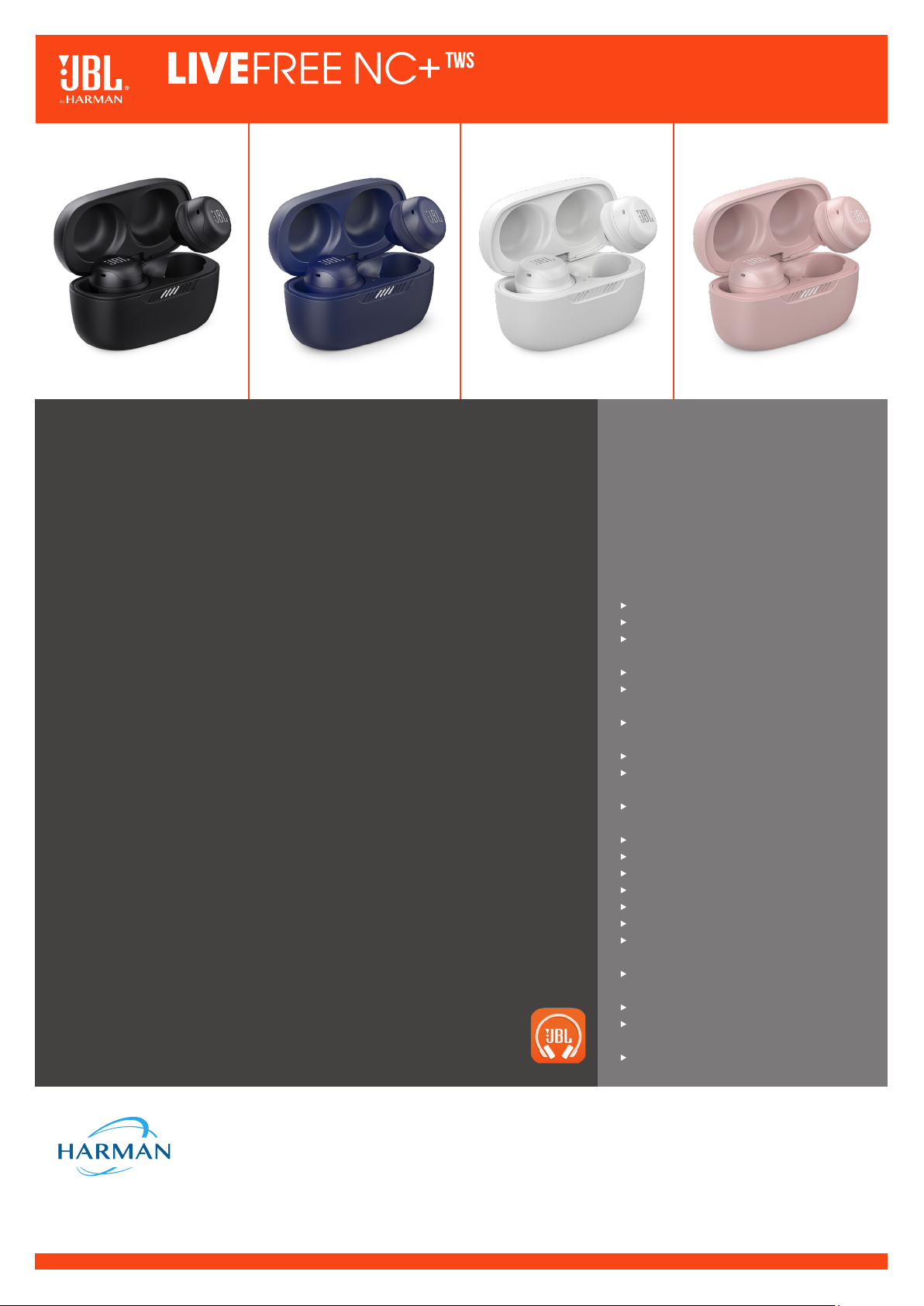
True wireless in-ear NC headphones
Features and Benefits
JBL Signature Sound
Make the everyday extraordinary. 6.8mm dynamic drivers power great JBL Signature Sound.
These headphones might be small, but they deliver some serious power.
Active Noise Cancelling with Smart Ambient
No noise and zero distractions with Active Noise Cancelling, so you can get on with
enjoying the groove. If you do need to chat, TalkThru and Ambient Aware allow for natural
conversations and total awareness of your surroundings, without taking your earbuds out.
Either bud or both, immediately connected
Dual Connect + Sync automatically pairs to your device as soon as you flip open the case,
no matter which earbud you grab first. And you can extend battery life by switching out each
earbud to charge individually. Thanks to Fast Pair enabled by Google, the JBL LIVE FREE NC+
TWS are connected to your Android device the second you flip the case open. With Fast Pair
by Google you can also pair multiple devices just by tapping on the devices’ screen.
Up to 21 hours of combined playback
No-one wants to be without their music. JBL LIVE FREE NC + TWS allows you to charge on
the go with Speed Charge and Qi-compatible wireless charging. There’s up to 7 hours of
music playback and up to 14 hours in the case. Keep on playing for longer.
All-access touch control
Full control of your audio is just a fingertip away. You’ve got all the power in your earbuds.
Manage phone calls with the tip of your finger and enjoy the perfect calls ensured by the
integrated dual-mic solution on each bud. Dedicated touch control also lets you seamlessly
talk to Google or activate Amazon Alexa.
Sweat & Water Proof
Don’t sweat the small stuff, JBL LIVE FREE NC + TWS are water and sweat proof, with IPX7
certification. They’ll keep you company come rain or shine.
Comfort-Secure Fit
With three ear-tip sizes and two gel-sleeve sizes, you can easily customize your earbuds to
get a perfect fit that’ll stay in place during even your hardest workout.
My JBL Headphones
Get even more control and personalization of your listening experience with this
free app.
What’s in the box:
JBL LIVE FREE NC+ TWS
1 x 3 sizes of ear tips
1 x 2 sizes of gel-sleeves
1 x Type-C USB charging cable
1 x Charging case
1 x Warranty / Warning (W / !)
1 x QSG / Safety Sheet (S / i)
Technical Specifications
Driver size: 6.8mm/0.27″ Dynamic Driver
Power supply: 5V 1A
Earpiece: 7g per pc (14g combined) /
0.015 lbs per pc (0.03 lbs combined)
Charging case: 40g / 0.088 lbs
Headset battery type: Lithium-ion polymer
(3.7V, 50mAh)
Charging case battery type: Lithium-ion
polymer (3.7V, 300mAh)
Charging time: 2 hrs from empty
Music playtime with BT on and ANC off:
up to 7 hrs
Music playtime with BT on and ANC on:
up to 6 hrs
Frequency Response: 20Hz – 20kHz
Impedance: 16 ohm
Sensitivity: 96dB SPL@1kHz
Maximum SPL: 94dB
Microphone sensitivity: -26dBV/Pa@1kHz
Bluetooth version: 5.1
Bluetooth profile version: A2DP V1.3,
AVRCP V1.6, HFP V1.7
Bluetooth transmitter frequency range:
2400 – 2483.5MHz
Bluetooth transmitter power: <10dBm (EIRP)
Bluetooth transmitter modulation: GFSK,
π/4 DQPSK, 8DPSK
Maximum Operation temperature: 45°C
HARMAN International Industries, Incorporated
8500 Balboa Boulevard, Northridge, CA 91329 USA
www.jbl.com
© 2020 HARMAN International Industries, Incorporated. All rights reserved. JBL is a trademark of HARMAN
International Industries, Incorporated, registered in the United States and/or other countries. The Bluetooth® word
mark and logos are registered trademarks owned by Bluetooth SIG, Inc. and any use of such marks by HARMAN
International Industries, Incorporated is under license. Other trademarks and trade names are those of their
respective owners. Features, specifications and appearance are subject to change without notice.
View the manual for the JBL Live Free NC+ TWS here, for free. This user manual comes under the category headphones and has been rated by 2 people with an average of a 8.3. This manual is available in the following languages: English. Do you have a question about the JBL Live Free NC+ TWS?
Ask your question here
JBL Live Free NC+ TWS specifications
Below you will find the product specifications and the manual specifications of the JBL Live Free NC+ TWS.
The JBL Live Free NC+ TWS is a wireless binaural headset designed for calls and music. With Bluetooth connectivity and USB compatibility, these headphones offer a seamless listening experience. The 6.8mm dynamic drivers deliver powerful JBL Signature Sound, providing quality audio in a compact package.
One standout feature of the JBL Live Free NC+ TWS is its Active Noise Cancelling technology, which blocks out external noise for an immersive listening experience. Additionally, the Smart Ambient feature allows for easy conversation and awareness of surroundings without taking the earbuds out.
The headphones offer Dual Connect + Sync technology, automatically pairing to your device when the case is opened. This feature allows for individual earbud charging to extend battery life. With Fast Pair enabled by Google, the JBL Live Free NC+ TWS quickly connects to Android devices, making for a convenient user experience.
Overall, the JBL Live Free NC+ TWS is a versatile and advanced headset that combines high-quality audio with innovative features for a seamless listening experience.
Headphone frequency
20 — 20000 Hz
Battery type
Built-in battery
General
| Brand | JBL |
| Model | Live Free NC+ TWS | JBLLIVEFRNCPTWSR |
| Product | headphone |
| EAN | 2900933217989, 4968929078912, 6925281979545, 6925281979552, 6925281979569 |
| Language | English |
| Filetype | User manual (PDF) |
Performance
| Product colour | Pink |
| Product type | Headset |
| Wearing style | In-ear |
| Headset type | Binaural |
| Recommended usage | Calls/Music |
| Volume control | Touch |
| Control unit type | In-line control unit |
| Control type | Touch |
| International Protection (IP) code | IPX7 |
Ports & interfaces
| 3.5 mm connector | — |
| Connectivity technology | Wireless |
| Bluetooth | Yes |
| USB connectivity | Yes |
| USB connector | USB Type-C |
| Bluetooth profiles | A2DP, AVRCP, HFP |
| Bluetooth version | 5.1 |
Headphones
| Headphone frequency | 20 — 20000 Hz |
| Ear coupling | Intraaural |
| Headphone sensitivity | 96 dB |
| Impedance | 16 Ω |
| Driver unit | 6.8 mm |
| Intraaural headphones type | Earbuds |
Microphone
| Microphone type | Built-in |
| Microphone sensitivity | -26 dB |
Battery
| Battery type | Built-in battery |
| Battery operated | Yes |
| Battery technology | Lithium-Ion (Li-Ion) |
| Continuous audio playback time | 7 h |
| Battery capacity | 300 mAh |
| Input voltage (earpieces) | 3.7 V |
| Input voltage (charging case) | 3.7 V |
| Right earpiece battery capacity | 50 mAh |
| Left earpiece battery capacity | 50 mAh |
| Input current (charging case) | 5 A |
| Battery recharge time (charging case) | 2 h |
| Battery recharge time | 2 h |
| Battery voltage | 3.7 V |
Weight & dimensions
| Weight | 14.6 g |
| Charging case weight | 54.7 g |
| Left earpiece weight | 6.8 g |
| Right earpiece weight | 6.8 g |
Packaging content
| Charging case type | Wired |
| Charging case connector type | USB Type-C |
| Warranty card | Yes |
| Accessories included in set | 3 sizes silicone eartips |
| Quantity | 1 |
| Charging case | Yes |
Packaging data
| Package type | Hanging box |
| Package width | 102 mm |
| Package depth | 165 mm |
| Package height | 45 mm |
| Package weight | 650 g |
show more
Frequently asked questions
Can’t find the answer to your question in the manual? You may find the answer to your question in the FAQs about the JBL Live Free NC+ TWS below.
What is the weight of the JBL Live Free NC+ TWS?
The JBL Live Free NC+ TWS has a weight of 14.6 g.
What is bluetooth?
Bluetooth is a way of exchanging data wirelessly between electronic devices via radio waves. The distance between the two devices that exchange data can in most cases be no more than ten metres.
When is my volume too loud?
A volume above 80 decibels can be harmful to hearing. When the volume exceeds 120 decibels, direct damage can even occur. The chance of hearing damage depends on the listening frequency and duration.
What is noise cancelling?
Noise cancelling ensures that ambient noise is reduced.
How long does it take to charge the battery of the JBL Live Free NC+ TWS?
It takes 2 h to charge the battery of the JBL Live Free NC+ TWS.
Can I make hands-free calls with my headphone?
The newer headphones generally have a small microphone built in which allows for calling.
Is the manual of the JBL Live Free NC+ TWS available in English?
Yes, the manual of the JBL Live Free NC+ TWS is available in English .
Is your question not listed? Ask your question here
Table of Contents
- WHAT’S IN THE BOX
- APP
- My JBL Headphones
- **HOW TO WEAR
- FIRST TIME USE
- POWER ON &CONNECT
- DUAL CONNECT + SYNC
- POWER OFF
- Manual Controls
- **BUTTON COMMAND
- Charging
- LED BEHAVIORS
- WATERPROOF IPX7
- TECH SPEC
- References
- Read User Manual Online (PDF format)
- Download This Manual (PDF format)


quick start guide

WHAT’S IN THE BOX

|

—|—
APP
My JBL Headphones
GET EVEN MORE CONTROL AND PERSONALIZATION OF YOUR LISTENING EXPERIENCE WITH
THIS FREE APP.
**HOW TO WEAR
**
Mix and match for a perfect fit and audio performance

FIRST TIME USE

POWER ON &CONNECT

DUAL CONNECT + SYNC

|
—|—
POWER OFF

Manual Controls
| Connect to a Bluetooth device | RECONNECT LEFT & RIGHT | RESET |
|---|
|

|

**BUTTON COMMAND
**

Auto Play/Pause

DO MORE WITH THE APP

Charging

LED BEHAVIORS

WATERPROOF IPX7

TECH SPEC
| Model: | LIVE FREE NC+ TWS |
|---|---|
| Driver Size: | 6.8 mm/0.27” Dynamic Driver |
| Power supply: | 5 V 1 A |
| Earpiece: | 7 g per pc (14 g combined) / 0.015 lbs per pc (0.03 lbs combined) |
| Charging case: | 40 g / 0.088 lbs |
| Headset battery type: | Lithium-ion polymer (3.7 V, 50 mAh) |
| Charging case battery type: | Lithium-ion polymer (3.7 V, 300 mAh) |
| Charging time: | 2 hrs from empty |
| Music playtime with BT on and ANC off : | up to 7 hrs |
| Music playtime with BT on and ANC on : | up to 6 hrs |
| Frequency Response: | 20 Hz – 20 kHz |
| Impedance: | 16 ohm |
| Sensitivity: | 96 dB SPL@1 kHz |
| Maximum SPL: | 94 dB |
| Microphone sensitivity: | -26 dBV/Pa@1 kHz |
| Bluetooth version: | 5.1 |
| Bluetooth profile version: | A2DP V1.3, AVRCP V1.6, HFP V1.7 |
| Bluetooth transmitter frequency range: | 2400 – 2483.5 MHz |
| Bluetooth transmitter power: | <10 dBm (EIRP) |
| Bluetooth transmitter modulation: | GFSK, π/4 DQPSK, 8DPSK |
| Maximum Operation temperature: | 45 °C |
TO PROLONG BATTERY LIFESPAN, FULLY CHARGE AT LEAST ONCE EVERY 3 MONTHS.
BATTERY LIFE VARIES BY USE AND SETTING.
IC RF Exposure Information and Statement
The SAR limit of Canada (C) is 1.6 W/kg averaged over one gram of tissue.
Device types:
(IC: 6132A-LIVEFREENTP) has also been tested against this SAR limit According
to this standard, the highest SAR value reported during product certification
for head use is 0.33W/Kg.
The device was tested for typical bodily operations where the product was kept
0 mm from the head. To maintain compliance with IC RF exposure requirements,
use accessories that maintain a separation distance of 0mm between the user’s
head and the back of the headset. The use of belt clips, holsters, and similar
accessories shall not contain metal parts in its assembly. Use of accessories
that do not meet these requirements may not comply with IC RF exposure
requirements and should be avoided.
Head operation
The device was subjected to a typical head manipulation test. In order to
comply with RF exposure requirements, a minimum separation distance of 0 cm
must be maintained between the user’s ear and the product (including the
antenna). Head exposure that do not meet these requirements may not meet RF
exposure requirements and should be avoided. Use only the supplied or approved
antenna.
Google, Android, and Google Play are trademarks of Google LLC.
The Bluetooth® word mark and logos are registered trademarks owned by
Bluetooth SIG, Inc. and any use of such marks by HARMAN International
Industries, Incorporated is under license. Other trademarks and trade names
are those of their respective owners.
Amazon, Alexa, Amazon Music, and all related logos are trademarks of Amazon,
Inc. or its affiliates.
Alexa is not available in all languages and countries, Alexa features and
functionality may vary by location.
See www.amazon.com/alexa-availability for details.
FCC ID: APILIVEFREENTP
018-200269
WPC Receiver Band: 110K-205KHz
HP_JBL_Live Free NC+ TWS_QSG_CR_V20
References
- : All Departments
- Anatel — Agência Nacional de Telecomunicações
Read User Manual Online (PDF format)
Read User Manual Online (PDF format) >>
Download This Manual (PDF format)
Download this manual >>
The JBL Live Free NC+ comes with the amazing IPX7 waterproof certification, ANC, Bluetooth 5.1, a battery life of about 7 hours, a working range of about 10 meters, a specialized app, and more. Learn how to use them with this new JBL Live Free NC+ Manual.
If you are interested in purchasing these earbuds, you can easily do it using the JBL official website. Also, if you want to give the original manual a look, you can do it here.
What’s Inside
JBL Live Free NC+ Specs Sheet
| Model | JBL Live Free NC+ |
| Weight | Earbuds: About 7 grams each Charging case: About 40 grams |
| Waterproof/IP ratings | IPX7 |
| Bluetooth version | V5.1 |
| Range/Distance | 10 meters |
| Driver | 6.8mm |
| Audio Decoding | SBC, AAC |
| Connectivity Port/Charging Cable | Type-C |
| Speaker frequency response | 20Hz – 20kHz |
| Battery Life | Earbuds: About 7 hours (ANC off)/About 6 hours (ANC off) |
| Charging Time | Earbuds: About 2 hours Charging case: About 2.5 hours |
| App Support | Yes, JBL Headphones |
| Controls/Features | Play or pause music, play the next and previous song, turn the volume up and down, answer and end a call, mute or unmute the microphone, voice assistant, Ambient Aware mode, TalkThru, ANC |
| Accessories | Charging case, USB cable, ear tips, quick start guide/safety sheet, warranty/warning, gel sleeves |
| Price | Around 150 USD |
JBL Live Free NC+ Accessories
The earbuds come with the following accessories:
- Charging case.
- USB cable.
- Ear tips.
- Quick start guide/safety sheet.
- Warranty/warning.
- Gel sleeves.

JBL Live Free NC+ Manual & Instructions
How To Pair The Earbuds?
To iOS and Android phones
Step 1: Open the lid of the charging case. After that, a blue light will start flashing, and the earbuds will turn on automatically.
When a blue and white light starts flashing on the earbuds, that means that they will be ready to pair with any device.
EXTRA STEP: If the earbuds don’t enter pairing mode automatically, all you have to do Is to press the multifunction touch button on any of the earbuds one time, and then press and hold for about 5 seconds. After that, they should be ready to pair.
Step 2: Turn on Bluetooth on the desired device.
Step 3: Go to the device’s Bluetooth settings.
Step 4: Select “JBL LIVE FREE NC+ TWS”. If a password is needed, type “0000”.
After that, a blue light will start flashing, and the pairing will be done.
To PC (Windows)
Step 1: Turn on Bluetooth on the desired device.
Step 2: Go to the settings.
Step 3: Go to “Bluetooth and other devices”.
Step 4: Click on “Add device”.
Step 5: Open the lid of the charging case. After that, a blue light will start flashing, and the earbuds will turn on automatically.
When a blue and white light starts flashing on the earbuds, that means that they will be ready to pair with any device.
EXTRA STEP: If the earbuds don’t enter pairing mode automatically, all you have to do Is to press the multifunction touch button on any of the earbuds one time, and then press and hold for about 5 seconds. After that, they should be ready to pair.
Step 6: Select “JBL LIVE FREE NC+ TWS”. If a password is needed, type “0000”.
After that, a blue light will start flashing, and the pairing will be done.

How To Wear These Earbuds?
Step 1: Take both earbuds out of the charging case.
Step 2: Identify the left and right earbuds.
Step 3: Choose the ear tips that best suit your ears.
Step 4: Insert the headphones into the inner canal of the ears.
Step 5: Rotate for the best possible comfort and best fit, and make sure that the microphone is pointing to the mouth.
How To Turn On And Off?
Turn on: Open the lid of the charging case. After that, a blue light will start flashing, and the earbuds will turn on automatically.
Turn off: Place the earbuds into the charging case and close its lid. After that, the earbuds will turn off automatically.

How to Control? / How to Operate? – Instructions
NOTE: The multifunction touch button is placed on the top part of the body of the earbuds. Where the JBL logo is located.
- Play or pause music: Press the multifunction touch button on the right earbud one time.
- Play the next song: Press the multifunction touch button on the right earbud two times.
- Play the previous song: Press the multifunction touch button on the right earbud three times.
- Answer an incoming call: Press the multifunction touch button on any of the earbuds two times.
- End a current call: Press the multifunction touch button on any of the earbuds two times.
- Mute or unmute the microphone: Press and hold the multifunction touch button on any of the earbuds for a couple of seconds.
- Activate the voice assistant: Press and hold the multifunction touch button on any of the earbuds for a couple of seconds.
- Activate or deactivate the Ambient Aware feature: Press the multifunction touch button on the left earbud one time.
- Activate or deactivate the Talkthru feature: Press the multifunction touch button on the left earbud two times.
How To Activate The ANC Mode?
To activate or deactivate the ANC mode in these earbuds, all you have to do is to press the multifunction touch button on the left earbud one time.
How To Activate The Mono Mode?
To activate or deactivate the mono mode in these earbuds, all you have to do is to pair the earbuds to the device and take out one of the earbuds from the charging case. It will start working by itself.

How To Charge The Earbuds?
Earbuds
To charge the earbuds, all you have to do is to place them into the charging case and close the lid. The earbuds will start charging automatically.
Charging case
To charge the charging case, all you have to do is to connect the case to a USB charger or charging port with the included USB-A to C cable. It will start charging automatically. Also, the case can be charged using a wireless charger.

How To Reset These Earbuds?
Step 1: Delete all “JBL LIVE FREE NC+ TWS” pairing information from the connected device.
Step 2: Place the earbuds into the charging case and close the lid.
Step 3: Press the multifunction button on the back of the charging case for about 5 seconds. After that, the resetting will be done.

What Do The Lights Mean?
Earbuds
- A white light flashing: The earbuds turn on.
- A blue and white light flashing: The earbuds are ready to pair with any device.
- A blue light flashing: The earbuds are paired.
- A white light flashing slowly: The earbuds have a low battery.
Charging case
- A blue and white light flashing: The earbuds are ready to pair with any device.
- A blue light flashing: The earbuds are paired.
- A red light on: There was a problem.
- One light flashing: The case has more than 25% of battery.
- One light on and one light flashing: The case has more than 50% of battery.
- One light on and two lights flashing: The case has more than 75% of battery.
- All lights turn off: The case is fully charged.
- One light flashing with the earbuds inside: The earbuds have more than 25% of battery.
- One light on and one light flashing with the earbuds inside: The earbuds have more than 50% of battery.
- One light on and two lights flashing with the earbuds inside: The earbuds have more than 75% of battery.
- All lights turn off with the earbuds inside: The earbuds are fully charged.

A Guide To JBL Live Free NC+ APP
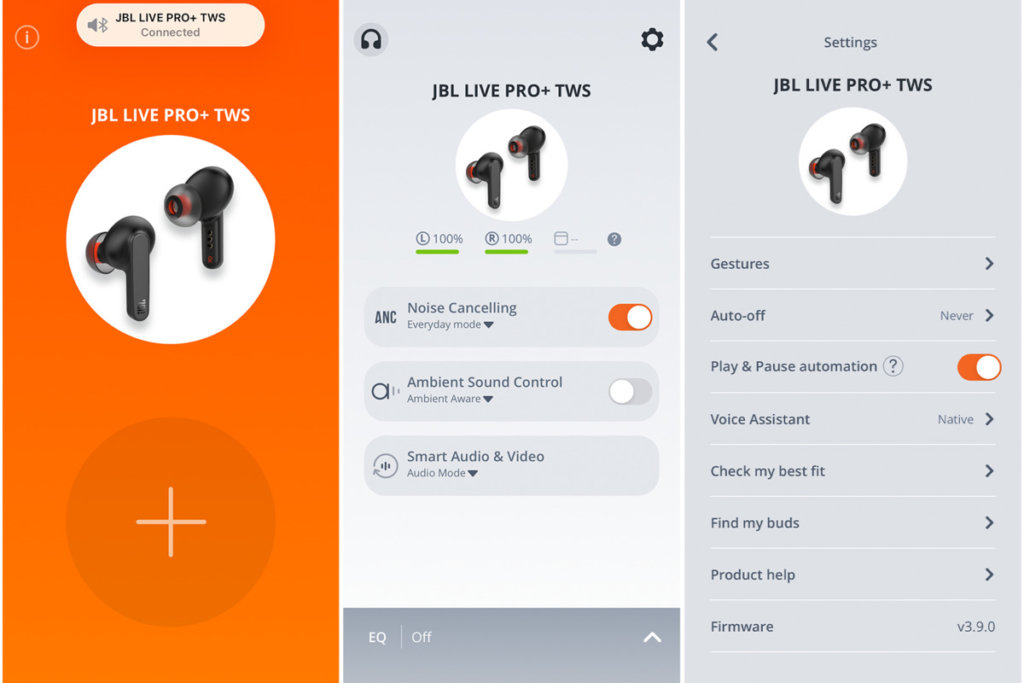
The JBL Live Free NC+ can be used with an application, called JBL HEADPHONES. This application is available in the Apple Store and in the Play Store for iOS and Android devices. When opening the application, the first thing we have to do is connect our earbuds, and after that, three specific pages:
- First page: This is the first page of this application, and you will be able to see the connected device.
- Second page: On the second page, we will not only find the connected device, but also the battery percentages of both earbuds. Also, you will find options like enable or disable the ANC, enable or disable the Ambient Sound Control, and the Smart Audio and Video feature.
- Third page: On the third and last page, you will be able to configure the controls of the earbuds, enable or disable the auto turn-off of the earbuds, the Find My Earbud feature, and information about the earbuds, and the firmware version.
Some Common Problems & Troubleshooting
Left/Right/One side of the earbuds has stopped working
If this happens, it may be because it is low on battery or it did not connect correctly with the device. To fix this, you can do the following:
1. Try charging the earbud that is not working or both, placing them in the charging case.
2. Try factory resetting the earbuds.
3. Check if the earbuds are operating within a normal working range
If that doesn’t work, the earbud is probably faulty, and I can go for a refund or replacement of it.
Left/Right/One side of the earbuds has a low volume
If this happens, it may be because the earbuds are dirty or the volume is set low. To fix this, you can do the following:
1. Try cleaning the earbud using a cotton swab or carefully clean the mesh with a pin.
2. Try factory resetting the earbuds.
The microphone is not working
If this happens, it can be because the microphone is muted, or the earbuds are badly positioned. To fix this, you can do the following:
If the microphone is muted, check the device microphone volume. If that doesn’t work, that means that there might be a defect in the earbuds, so try replacing them or getting a refund.
The earbuds are not connecting to Windows/laptop/PC
If the earbuds are not connecting, it can be because the Bluetooth on the computer has a pairing problem. To fix this, you can do the following:
1. Try disabling Bluetooth from nearby devices >>> then activate the pairing mode of the earbuds, pair and connect earbuds from Settings >>> Bluetooth & other devices >>> Add a new device >>>> Select Bluetooth.
2. Try uninstalling and reinstalling the Bluetooth driver, or updating the Bluetooth driver. All can be done in Manage >>> Device Manager, reset earbuds (if available), and then repeat the step.
3. Try resetting the earbuds.

FAQs
Are the JBL Live Free NC+ waterproof?
Yes, the JBL Live Free NC+ are waterproof (IPX6 and up). They have a rating of IPX7, meaning that they not only are against water but are also protected against the effects of immersion.
Do the JBL Live Free NC+ have a microphone?
Yes, the earbuds come with integrated microphones.
Do the JBL Live Free NC+ have a low latency/gaming mode?
No, these earbuds don’t have a low latency/gaming mode.
Can the JBL Live Free NC+ connect to PC and Laptop?
Yes, these earbuds can connect to PCs, laptops, and even tablets.
Are the JBL Live Free NC+ noise-canceling?
Yes, these earbuds can connect to PCs, laptops, and even tablets.
How to know when the JBL Live Free NC+ are fully charged?
When the earbuds are charging, some lights turn on the charging case. When fully charged, all lights turn off.
We hope you now know how to operate the earbuds from the above JBL Live Free NC+ Manual. Want to know anything about the earphones? Do not hesitate to ask in the comments section.