

noscript>
-
Описание
-
Videos
- Содержание скрывать
- 1 ЧТО В КОРОБКЕ
- 2 КАК НОСИТЬ
- 3 ПРИКРЕПЛИТЕ ушные вкладыши и УСИЛИТЕЛИ ПРИ ПЕРВОМ ИСПОЛЬЗОВАНИИ
- 4 ВКЛЮЧЕНИЕ И СОПРЯЖЕНИЕ
- 5 КНОПКА КОМАНДА
- Популярные вопросы
- Руководство по эксплуатации
ЧТО В КОРОБКЕ
КАК НОСИТЬ
ВЫБЕРИТЕ РАЗМЕР
ПРИКРЕПИТЕ ушные вкладыши и УСИЛИТЕЛИ
ПЕРВОЕ ИСПОЛЬЗОВАНИЕ
ВКЛЮЧЕНИЕ И СОПРЯЖЕНИЕ
ВЫКЛЮЧИТЬ
РУКОВОДСТВО
КНОПКА КОМАНДА
ЗАРЯДКА
ПОВЕДЕНИЕ СВЕТОДИОДОВ
ТЕХНИЧЕСКИЕ ХАРАКТЕРИСТИКИ
| Характеристика | Значение |
|---|---|
| Размер драйвера | 5.6 мм, динамический |
| Частотный диапазон | 20 Гц – 20 кГц |
| Чувствительность | 95 дБ SPL при 1 кГц / 1 мВт |
| Максимальный уровень звукового давления | 93 дБ |
| Чувствительность микрофона | -24 дБВ при 1 кГц / Па |
| Сопротивление | 16 Ом |
| Выходная мощность Bluetooth | < 13 дБм |
| Модуляция Bluetooth | GFSK, π/4 DQPSK, 8DPSK |
| Диапазон частот Bluetooth | 2.402 – 2.480 ГГц |
| Профили Bluetooth | A2DP 1.3, AVRCP 1.5, HFP 1.6 |
| Версия Bluetooth | 5.0 |
| Аккумулятор (гарнитура) | Литий-ионный, 55 мАч, 3.7 В |
| Аккумулятор (зарядный кейс) | Литий-ионный, 450 мАч, 3.7 В |
| Время зарядки | < 2 часов |
| Время работы (музыка, BT) | До 6 часов |
| Масса (с зарядным кейсом) | 67.3 г |
Google является зарегистрированным товарным знаком компании Google LLC.
Идентификатор FCC: APILIVE300TWS
Словесный знак Bluetooth® и его логотипы являются зарегистрированными товарными знаками, принадлежащими Bluetooth SIG, Inc. Любое их использование компанией HARMAN International Industries осуществляется по лицензии. Другие товарные знаки и торговые наименования принадлежат их законным владельцам.
Популярные вопросы
-
1. Как включить и подключить наушники JBL Live 300TWS?
Для включения наушников JBL Live 300TWS необходимо извлечь их из зарядного кейса. Наушники автоматически включаются при извлечении. Чтобы подключить наушники через Bluetooth, убедитесь, что на вашем устройстве включен Bluetooth. Затем найдите наушники JBL Live 300TWS в списке доступных устройств и выберите их для сопряжения. Если наушники не подключаются, убедитесь, что они находятся в режиме сопряжения (для этого удержите сенсорную панель на одном из наушников несколько секунд, чтобы инициировать сопряжение).
-
2. Как правильно зарядить наушники?
Чтобы зарядить наушники, поместите их обратно в зарядный кейс, убедившись, что они правильно установлены в контактах. Индикатор на кейсе будет показывать текущий уровень заряда. Время полного заряда наушников обычно составляет около 2 часов. Для зарядки кейса используйте прилагаемый USB-кабель и подключите его к источнику питания. Полный заряд кейса может занять до 3 часов.
-
3. Что делать, если наушники не заряжаются или не включаются?
Если наушники не заряжаются, сначала проверьте, правильно ли они установлены в зарядный кейс и есть ли заряд в самом кейсе. Если индикатор не горит, возможно, потребуется зарядить кейс. Если наушники все еще не включаются, попробуйте выполнить сброс, поместив их в кейс и одновременно нажав на сенсорные панели наушников в течение 10 секунд. Если проблема сохраняется, возможно, потребуется обратиться в сервисный центр.
-
4. Как изменить размеры амбушюр для лучшей посадки наушников?
Для достижения наилучшего звучания и комфортной посадки в комплекте с наушниками JBL Live 300TWS предусмотрено несколько размеров амбушюр. Подберите подходящий размер амбушюр, который обеспечит плотную посадку в ушах, предотвращая выпадение и улучшая шумоизоляцию. Чтобы заменить амбушюры, аккуратно снимите старые и установите новые, начиная с малого размера и постепенно переходя к большему, чтобы выбрать наиболее комфортный вариант.
-
5. Почему наушники теряют соединение с устройством?
Если наушники JBL Live 300TWS теряют соединение с устройством, это может быть связано с рядом причин. Во-первых, убедитесь, что наушники находятся в пределах действия Bluetooth (обычно до 10 метров). Также проверьте, не мешают ли другие устройства или помехи. Попробуйте выключить и снова включить Bluetooth на вашем устройстве и на наушниках. Если проблемы продолжаются, выполните сброс настроек наушников, поместив их в зарядный кейс и нажав на сенсорные панели наушников в течение 10 секунд.
Videos: JBL Live 300TWS

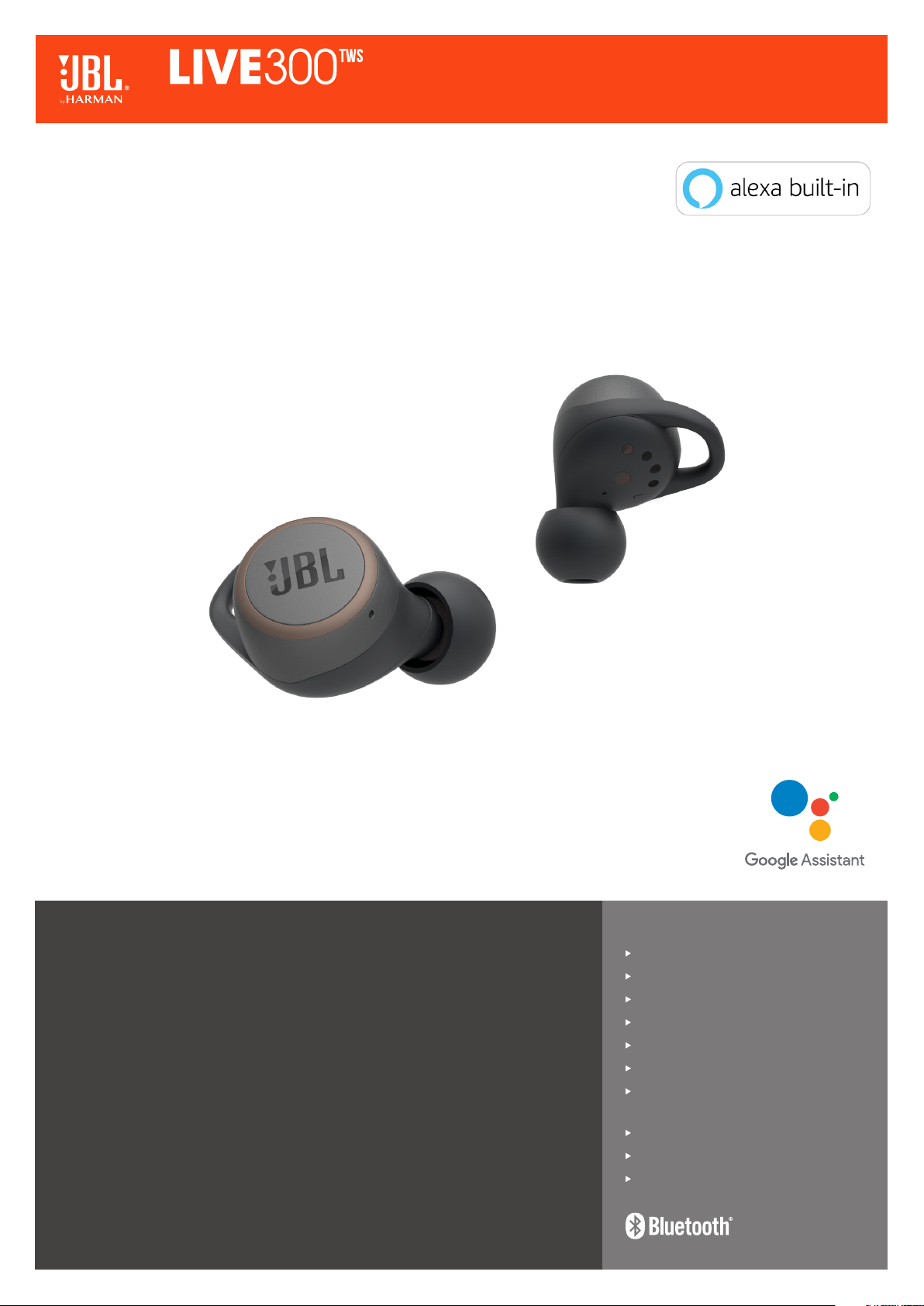
True wireless in-ear headphones with Smart Ambient
Always connected to your music, and your world.
Own your space. Stay connected to your music and your world with JBL LIVE 300TWS
in-ear headphones. True wireless and free from wires for ultimate freedom, with incredible
JBL Signature Sound. Tune in or out with noise control, stay alert to your surroundings with
Ambient Aware or use TalkThru to chat with friends, all without removing your headphones.
Voice Assistant, hands-free stereo calling, volume and noise control are all accessible via
the touch controls for extra convenience. Speed charge gives you a boost fast, so you will
never be without your music. Choose from a range of colors to find your perfect pair. Small
in size, not power.
Features
JBL Signature Sound
Ambient Aware and TalkThru technology
Be free with True Wireless
Hands-free stereo calls
Instant access to Voice Assistants
Personalize your listening experience
20 hours of combined playback:
Never stop playing
Good looking (also when off)
Comfort-secure fit
Sweat and water resistant
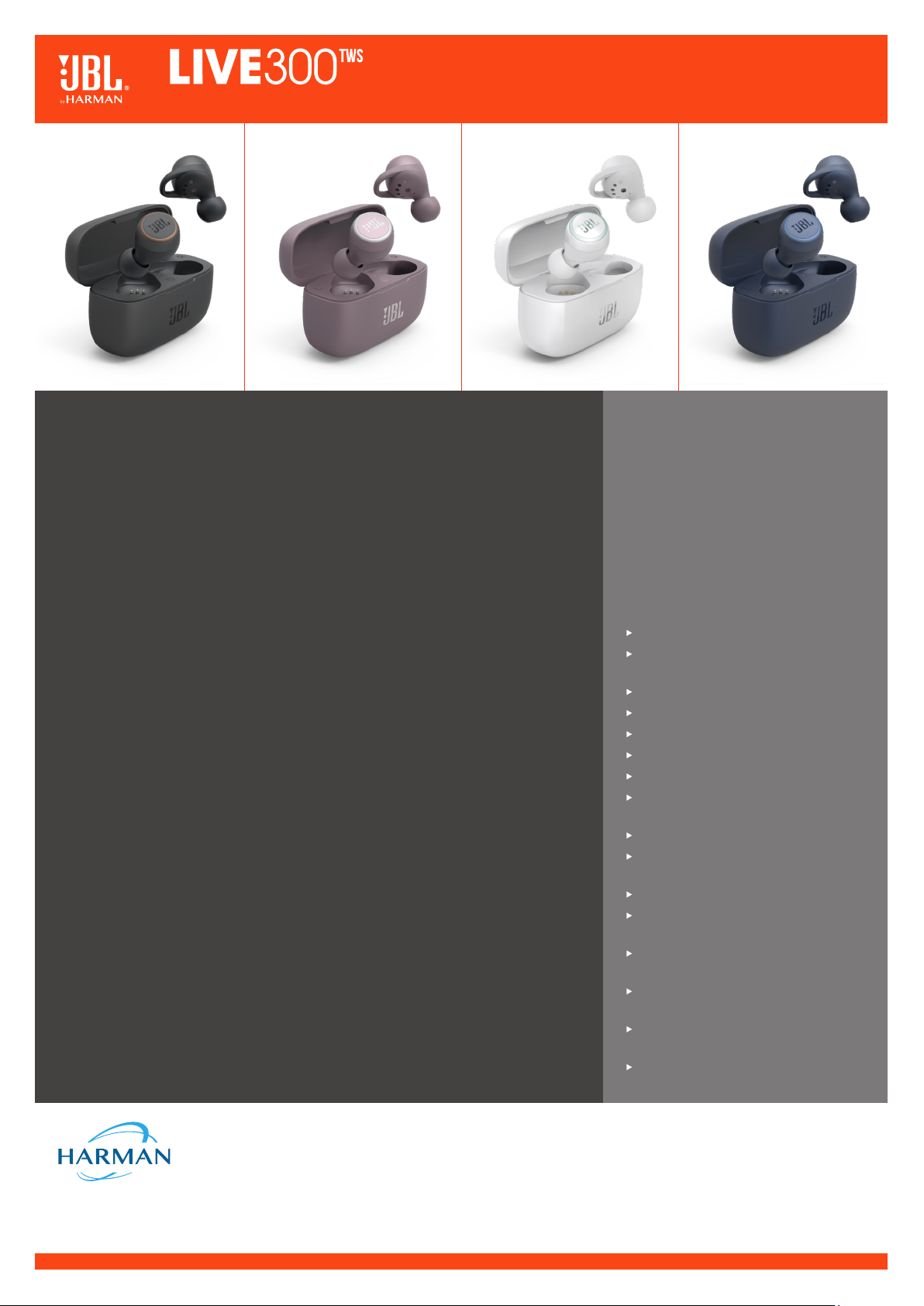
True wireless in-ear headphones with Smart Ambient
Features and Benefits
JBL Signature Sound
Small in size, but packing serious power, JBL LIVE 300TWS headphones deliver the audio you
expect from JBL.
Ambient Aware and TalkThru technology
Control the world around you. Instantly move from absolute music immersion to focus on your
surroundings with Ambient Aware. Chat with your friends without removing your headphones
with TalkThru. Just swipe on the earbuds to activate them.
Be free with True Wireless
JBL LIVE 300TWS headphones are totally wireless, with nothing to hold you back or tie you down.
Hands-free stereo calls
Wherever you are in the world, and whatever you are doing, take your music along for the ride
and stay connected with perfect, stereo clear calls with no background noise. Discover total
listening freedom with hands-free functionality and no distractions with all-access touch control.
Instant access to Voice Assistants
Voice Assistant gives you the convenience of the Google Assistant and Amazon Alexa in your
ears, making it even easier to get what you want. Choose yours with the My JBL headphones
app and you are all set. Just swipe on the earbuds to activate them.
Personalize your listening experience
Your headphones should adjust to you, not the other way around. JBL LIVE 300TWS headphones
feature Personi-Fi. In just few steps, Personi-Fi allows you to tailor your sound profile based on
your gender, age, preferences to give you the best possible listening experience. Find Personi-Fi
in the latest version of the My JBL Headphones App, free to download.
20 hours of combined playback: Never stop playing
Never be without your music. JBL LIVE 300TWS headphones give you 6 hours of playback on
a single charge. Pop them into the charging case for an additional 14 hours of listening. Get a
one-hour boost in just 10 minutes.
Good looking (also when off)
Pick the pair that suits you. JBL LIVE 300TWS headphones are super stylish, and come in a
range of colors.
Comfort-secure fit
Listen all day in complete comfort. JBL LIVE 300TWS headphones have four available sizes of
wing fin stabilizers.
Sweat and water resistant
Never let bad weather or a tough workout hold you back. JBL LIVE 300TWS headphones are
sweat-proof and water-resistant with an IPX5 certification.
What’s in the box:
JBL LIVE 300TWS earpieces
S, M, L sized ear tips
SS, S, M, L sized wingfin enhancers
USB-C charging cable
Charging case
1 x Warranty / Warning (W / !)
1 x QSG / Safety Sheet (S / i)
Technical specifications:
Driver Size: 5.8mm
Dynamic Driver Frequency Response:
20Hz – 20kHz
Sensitivity: 95dB SPL@1kHz/1mW
Maximum SPL: 110dB
Microphone sensitivity: -24dBV@1kHz/Pa
Impedance: 16 ohm
Bluetooth transmitted power: 11dBm
Bluetooth transmitted modulation:
GFSK, π/4 DQPSK, 8DPSK
Bluetooth frequency: 2.402GHz – 2.480GHz
Bluetooth profile version: A2DP 1.3,
AVRCP 1.5, HFP 1.6
Bluetooth version: 5.0
Headset Battery type: Lithium-ion Battery
(60mA / 3.7V DC)
Charging case Battery type: Lithium-ion
Battery (450mAh / 3.7V DC)
Charging time (headset & charging case):
<2 hrs from empty
Music playtime with BT on: 6h on earpiece,
14h on charging case
Weight: 65.7g
HARMAN International Industries, Incorporated
8500 Balboa Boulevard, Northridge, CA 91329 USA
www.jbl.com
© 2019 HARMAN International Industries, Incorporated. All rights reserved. JBL is a trademark of HARMAN
International Industries, Incorporated, registered in the United States and/or other countries. The Bluetooth® word
mark and logos are registered trademarks owned by Bluetooth® SIG, Inc. and any use of such marks by HARMAN
International Industries, Incorporated is under license. Other trademarks and trade names are those of their
respective owners. Features, specifications and appearance are subject to change without notice.
a. To set up your Google Assistant
1. Connect your headphones to your mobile device
2. Set up your Google Assistant using your mobile device:
On your Android device, press and hold the home button to open the Google Assistant and follow the on-screen instructions.
On your iOS devices, open or download the Google Assistant app and follow the app instructions.
Note: The Google Assistant is available on eligible Android 5.0 devices or later.
For iOS devices, the Google Assistant app needs to be downloaded. Works on Lollipop, Marshmallow and Nougat Android Phones with Google Play Services,
>1.5GB of memory and 720p or higher screen resolution.
The Google Assistant
Note:
1. Google, Android and Google Play are trademarks of Google LLC.
2. The Google Assistant isn’t available in certain languages and countries.
3. If you want to turn on or off the Google Assistant, please download our JBL APP. You can select under Settings > Voice assistant > Google Assistant.
b. To use your Google Assistant
Talk to your Google Assistant
Press and hold the Action button to begin. Requires pairing with eligible
phone and internet connection. For examples of questions and things you
can do, visit: https://g.co/assistant/explore
Double tap action button
Tap the action button
After receiving a message notification, touch and hold the Action button
to respond. When you’re done, release the button
Get your notifications
Stop your Google Assistant
Reply to a message (where available)
Function
What to do
L
1. Connect your headphones to your mobile device.
2. Download JBL APP and follow the app
instructions, select Settings > Voice assistant >
Amazon Alexa
4. In the Amazon Alexa App, navigate to the
Device Page.
3. On your mobile device, open or
download the Amazon Alexa app and
follow the app instructions.
Amazon Alexa
5. Click the Plus (+) button on the top right of the screen and select ‘Add Device’.
6. Select Headphones from the list and then choose your Live Series Headphones in the Available Devices section. Follow the rest of the instructions in the
Alexa App to complete set up.
7. Alexa is now enabled on your device. Touch the action button and try one of the below utterances:
Note:
1. For more information and things to try with Alexa, visit: www.amazon.com/alexadevices and select ‘Use Alexa’.
2. If you want to turn on or off the Amazon Alexa, please download our JBL APP. You can select under Settings > Voice assistant > Amazon Alexa.
3. Alexa is not available in all languages and countries. Alexa features and functionality may vary by location.
Talk to Alexa
«Alexa, What’s the weather?»
“Alexa, Play Niall Horan.”
Note: Amazon Music is set as the default music service, To change the
default music service, use the Alexa app
«Alexa, Play NPR on IheratRadio.»
«Alexa, What new skills do you have?»
While Alexa is talking, press and release the Action button then say «Stop»
Play audio
Play audio from a specific music service
Discover more skills
Stop Alexa
Things to try
Example of what to say
L
DE
Dein Google Assistant
a. Einrichten des Google Assistant
1. Verbinde deinen Kopfhörer mit deinem mobilen Gerät
2. Richte Google Assistant über dein mobiles Gerät ein:
Android-Gerät: Halte die Home-Taste gedrückt, um Google Assistant zu öffnen, und befolge die Anweisungen
auf dem Bildschirm.
iOS-Gerät: ÖFFNE ODER LADE DIE APP “GOOGLE ASSISTANT” HERUNTER und befolge die App-Anweisungen.
Hinweis: Google Assistant ist auf geeigneten Android 5.0-Geräten* oder neuer verfügbar.
Für iOS-Geräte muss Google Assistant heruntergeladen werden.
Funktioniert auf Android-Telefonen unter Lollipop, Marshmallow und Nougat mit Google Play Services, über
1,5GB Speicher und einer Bildschirmauflösung von mindestens 720p.
b. So verwendest du Google Assistant
Funktion So funktioniert’sGoogle Assistant per Sprachbefehl ausführenDrücke zum Start die Action-Taste und halte sie gedrückt. Beispiele dafür, was du fragen und tun kannst, findest du unter: https://g.co/assistant/exploreBenachrichtigungen erhalten Berühre zweimal die Taste „Action“. Google Assistant stoppen Berühre die Taste „Action“.Auf eine Nachricht antworten (falls verfügbar)Wenn du eine Nachricht erhalten hast, halte die Action-Taste zum Antworten gedrückt. Nach Abschluss kannst du diese wieder loslassen.
Hinweis:
1. Google, Android und Google Play sind Marken von Google LLC.
2. Google Assistant ist in einigen Ländern und Sprachen nicht verfügbar.
3. Um Google Assistant ein- oder auszuschalten, laden Sie bitte die JBL App herunter. Die Einstellung kann
unter folgendem Pfad angepasst werden: Einstellungen > Sprachassistent > GoogleAssistant.
ES
El Asistente de Google
a. Para configurar el Asistente de Google
1. Conecta tus auriculares a tu dispositivo móvil
2. Configura el Asistente de Google mediante tu dispositivo móvil:
En dispositivos Android mantén pulsado el botón de inicio para abrir el Asistente de Google y sigue las
instrucciones en pantalla.
En dispositivos iOS, abre o descarga la aplicación del Asistente de Google y sigue las instrucciones
de la misma.
Nota: El Asistente de Google está disponible en dispositivos Android 5.0 Lollipop* o superior. Para
dispositivos iOS, necesitas descargar la aplicación el Asistente de Google.
Compatible con teléfonos Android con Lollipop, Marshmallow y Nougat con Google Play Services, con más de
1,5 GB de memoria y una resolución de pantalla de 720p o superior.
B. PARA USAR EL ASISTENTE DE GOOGLE
Función Qué hacerHabla con tu Asistente de GoogleMantén pulsado el botón de acción para comenzar. Para ver ejemplos de preguntas y funciones, visita:https://g.co/assistant/exploreObtener notificaciones Toca el botón de acción dos vecesParar el Asistente de Google Toca el botón de acciónResponder a un mensaje (en los casos disponibles)Tras recibir la notificación de un mensaje, mantén presionado el botón de acción para responder. Cuando hayas acabado, suelta el botón.
Nota:
1. Google, Android y Google Play son marcas registradas de Google LLC.
2. El Asistente de Google no está disponible en algunos idiomas y países.
3. Para activar o desactivar el asistente de Google, descarga nuestra aplicación JBLAPP. Puedes
seleccionarlo en Ajustes > Asistente de voz > Asistente de Google.
IT
L’Assistente Google
a. Per impostare il tuo Assistente Google
1. Collega le cuffie al tuo dispositivo mobile
2. Configura l’Assistente Googledal tuo dispositivo mobile:
Su un dispositivo Android, tieni premuto il pulsante Home per aprire l’Assistente Googlee segui le
istruzioni sullo schermo.
Su un dispositivo iOS, apri o scarica l’app dell’Assistente Googlee segui le istruzioni.
Nota: l’Assistente Googleè disponibile per dispositivi compatibili Android 5.0* o successivi.
Per i dispositivi iOS, è necessario scaricare l’app dell’Assistente Google.
Funziona su telefoni Android Lollipop, Marshmallow e Nougat con servizi Google Play, con memoria >1,5GB e
con una risoluzione dello schermo 720p o superiore.
b. Per usare l’Assistente Google
Funzione Cosa fareParla al tuo Assistente GooglePer iniziare tieni premuto il pulsante Azione. Per consultare le domande frequenti e conoscere le azioni possibili, visita il sito: https://g.co/assistant/exploreRicevi notifiche Tocca due volte il pulsante Azione. Interrompi l’Assistente GoogleTocca il pulsante Azione.Rispondi a un messaggio (se disponibile)Dopo aver ricevuto la notifica di un messaggio, per rispondere tocca e tieni premuto il pulsante Azione. Dopo aver risposto, rilascia il pulsante.
Nota:
1. Google, Android e Google Play sono marchi di Google LLC.
2. L’Assistente Google non è disponibile in alcune lingue e paesi.
3. Se desideri attivare o disattivare l’Assistente Google, scarica la nostra APP JBL. Puoi effettuare la
selezione in Impostazioni > Assistente vocale > Assistente Google.
FR
L’Assistant Google
a. Configuration de votre Assistant Google
1. Connectez vos écouteurs à votre appareil mobile
2. Configurez votre Assistant Google en utilisant votre appareil mobile: Sur votre appareil Android,
appuyez sur la touche Accueil et maintenez-la enfoncée pour ouvrir l’Assistant Google puis suivez les
instructions qui s’affichent à l’écran.
Sur vos appareils iOS, ouvrez ou téléchargez l’application Assistant Google puis suivez les instructions
de l’application.
Remarque: L’Assistant Google est disponible sur les appareils Android5.0* ou ultérieurs. Pour les appareils
iOS, il est nécessaire de télécharger l’application Assistant Google.
Fonctionne sur les téléphones Android versions Lollipop, Marshmallow et Nougat avec les services Google
Play, dotés de plus d’1,5Go de mémoire et d’écrans d’une résolution de 720pixels ou supérieure.
b. Utilisation de l’Assistant Google
Fonction Quoi faireParler à votre Assistant GooglePour commencer, appuyez sur la touche Action et maintenez-la enfoncée. Pour des exemples de questions et de choses que vous pouvez faire, rendez-vous sur: https://assistant.google.fr/platforms/phones/#headphonesRecevoir vos notifications Touchez deux fois la touche Action.Arrêter votre Assistant GoogleTouchez la touche Action. Répondre à un message (selon disponibilité de la fonction)Après avoir reçu une notification vous indiquant que vous avez un message, touchez la touche Action et maintenez-la enfoncée pour pouvoir répondre. Lorsque vous avez terminé, relâchez la touche.
Remarque:
1. Google, Android et Google Play sont des marques de Google LLC.
2. L’Assistant Google n’est pas disponible dans toutes les langues et dans tous les pays.
3. Si vous voulez activer ou désactiver l’Assistant Google, veuillez télécharger notre application JBL. Vous
pouvez sélectionner l’option dans Réglages> Assistant vocal> Assistant Google.
NL
De Google Assistent
a. De Google Assistent instellen
1. Verbind je hoofdtelefoon met je mobiele apparaat
2. Stel je Google Assistant in met je mobiele apparaat:
Druk op je Android-apparaat op de Home-toets en houd deze ingedrukt om de Google Assistant te openen
en volg de instructies op het scherm.
Open of download de app van de Google Assistant op je iOS-apparaten en volg de instructies voor de app.
Opmerking: de Google Assistant is beschikbaar op in aanmerking komende apparaten met Android 5.0*
of hoger.
Voor iOS-apparaten moet de app van de Google Assistant worden gedownload.
Werkt op Lollipop, Marshmallow en Nougat Android-telefoons met Google Play Services, meer dan 1,5 GB
geheugen en een schermresolutie van 720p of hoger.
B. JE GOOGLE ASSISTENT GEBRUIKEN
Functie Wat kun je doen?Praten met je Google AssistantDruk op de Actie-knop en houd deze ingedrukt om te beginnen. Voor voorbeelden van vragen en dingen die je kunt doen ga je naar: https://g.co/assistant/exploreJe meldingen ophalen Raak de Actie-knop dubbel aan. Je Google Assistant stoppen Raak de Actie-knop aan.Een bericht beantwoorden (indien beschikbaar)Nadat je een melding van een bericht hebt ontvangen, raak je de Actie-knop aan en houd je deze ingedrukt om te antwoorden. Laat de knop los als je gereed bent.
Opmerking:
1. Google, Android en Google Play zijn handelsmerken van Google LLC.
2. De Google Assistent is niet beschikbaar in bepaalde talen en landen.
3. Als je de Google Assistent wilt in- of uitschakelen, download je onze JBL-app. Selecteer Settings > Voice
assistant > Google Assistant.
NO
Google Assistant
a. For å konfigurere Google-assistenten
1. Kople hodetelefonene dine til mobilenheten din
2. Sett opp Google Assistant ved hjelp av mobilenheten: På Android-enheten, trykk og hold hjemknappen
nede for å åpne Google Assistant og følg instruksjonene på skjermen. På en IOS-enhet, åpne eller laste
ned Google Assistant-appen. og følg instruksjonene for appen.
Merk: Google Assistant er tilgjengelig på Android 5.0-enheter og senere.
For IOS-enheter, trenger du å laste ned Google Assistant-appen. Funger på Lollipop, Marshmallow og Nougat
Android-telefoner med Google Play-tjenester, >1.5GB minne og 720p eller høyere skjermoppløsning.
b. Slik bruker du din Google Assistant
Funksjoner Hva du må gjørePrat med din Google AssistantTrykk og hold Action-knappen nede for å begynne. Krever paring med tilpassede telefoner og internett-tilslutning.For eksempler på spørsmål og ting du kan gjøre, besøk: https://g.co/assistant/exploreMotta meldingene dine Dobbeltrykk Action-knappen.Stopp din Google Assistant Berør Action-knappen. Svar på meldinger (hvor tilgjengelig)Etter å ha mottatt en melding, trykk og hold action-knappen for å svare. Slipp knappen når du er ferdig.
Merk:
1. Google, Android og Google Play er varemerker som eies av Google LLC.
2. Google Assistant er ikke tilgjengelig for enkelte språk og i enkelte land.
3. Hvis du vil aktivere eller deaktivere Google Assistent, kan du laste ned vår JBL APP. Du kan velge under
Innstillinger > Taleassistent > Google Assistent.
RU
Google Ассистент
a. Настройка Google Assistant
1. Подключите наушники к мобильному устройству
2. Настройте Google Ассистента с помощью мобильного устройства:
Android: нажмите и удерживайте кнопку главного экрана, чтобы открыть Google Ассистента, и
следуйте инструкциям на экране. iOS: откройте или скачайте приложение “Google Ассистент” и
следуйте инструкциям в приложении.
Примечание : Google Ассистент доступен на поддерживаемых устройствах с Android 5.0 и более
поздних версий. На устройствах iOS необходимо установить приложение “Google Ассистент”. Google
Ассистент работает на телефонах с Android Lollipop, Marshmallow и Nougat с сервисами Google Play,
более 1,5 ГБ памяти и разрешением экрана 720p и больше.
b. Использование Google Ассистента
Функция ДействияРазговор с Google Ассистентом Нажмите и удерживайте кнопку Action, чтобы начать. Необходимо подключение к поддерживаемому телефону и интернет-соединение. Примеры вопросов и действий можно найти на сайте https://assistant.google.com/platforms/head phones Прослушивание уведомленийДважды нажмите кнопку Action.Остановка Google АссистентаНажмите кнопку Action.Ответ на сообщение (если поддерживается) После получения уведомления о сообщении нажмите и удерживайте кнопку Action, чтобы ответить. Отпустите кнопку, когда закончите.
Примечания:
1. Google, Android и Google Play являются товарными знаками компании Google LLC.
2. Google Ассистент доступен не на всех языках и не во всех странах.
3. Чтобы включить или отключить Google Ассистента, установите приложение JBL. Выберите Settings
(Настройки) > Voice Assistant (Голосовой помощник) > Google Assistant (Google Ассистент).
PL
Asystent Google
a. W celu skonfigurowania Asystenta Google
1. Podłącz słuchawki do urządzenia mobilnego
2. Włącz Asystenta Google używając urządzenia mobilnego: Na urządzeniu z systemem Android naciśnij
i przytrzymaj przycisk ekranu głównego, aby otworzyć Asystenta Google i postępuj zgodnie z
instrukcjami pojawiającymi się na ekranie. Na urządzeniu z systemem IOS, otwórz lub pobierz aplikację
Asystenta Google i postępuj z instrukcjami aplikacji.
Uwaga: Asystent Google jest dostępny na urządzeniach z systemem Android 5.0* lub nowszym.
W przypadku urządzeń z systemem IOS należy pobrać aplikację Asystenta Google. Działa na urządzeniach
z systemami Android Lollipop, Marshmallow i Nougat z usługami Sklepu Google Play, wymagania: >1,5GB
pamięci operacyjnej oraz rozdzielczość ekranu 720p lub wyższa.
b. W celu użycia Asystenta Google
Funkcja Co robićPorozmawiaj z Asystentem GoogleNaciśnij i przytrzymaj przycisk Akcji, aby rozpocząć. Wymaga sparowania z odpowiednim telefonem i połączenia z Internetem.Aby znaleźć przykłady pytań i wskazówki, odwiedź: https://g.co/assistant/exploreOdsłuchaj powiadomienia Dotknij dwukrotnie przycisku Akcji.Zatrzymaj Asystenta Google Dotknij przycisku Akcji.Odpowiedz na wiadomość (jeśli dostępne)Po otrzymaniu powiadomienia dotknij i przytrzymaj przycisk Akcji, aby odpowiedzieć. Po zakończeniu zwolnij ten przycisk.
Uwaga:
1. Google, Android i Google Play są znakami towarowymi Google LLC.
2. Asystent Google nie jest dostępny w niektórych językach i krajach.
3. Jeśli chcesz włączyć lub wyłączyć Asystenta Google, pobierz naszą aplikację JBL. Możesz wybrać go w
Ustawienia > Asystent głosowy > Asystent Google.
Table of Contents
- User Manual
- JBL Live300 TWS
- WHAT’S IN THE BOX
- HOW TO WEAR
- FIRST TIME USE
- POWER ON & PAIRING
- POWER OFF
- Manual
- BUTTON COMMAND
- CHARGING
- LED BEHAVIORS
- TECH SPECIFICATION
- Bluetooth
- Read More About This Manual & Download PDF:
- Questions about your Manual? Post in the comments!
- Read User Manual Online (PDF format)
- Download This Manual (PDF format)
User Manual
JBL Live300 TWS
WHAT’S IN THE BOX
HOW TO WEAR
SELECT YOUR SIZE
Mix and match for a perfect fit and audio performance
ATTACH EAR TIPS AND
ENHANCERS
FIRST TIME USE
POWER ON & PAIRING
POWER OFF
Manual
Connect to a Bluetooth device
PAIRING LEFT AND RIGHT EARPIECES
REBOOT
BUTTON COMMAND
*Enable advanced swipe controls by connecting your JBL LIVE300TWS to JBL My Headphones APP.
CHARGING
LED BEHAVIORS
TECH SPECIFICATION
www.anatel.gov.br
Bluetooth
The Bluetooth® word mark and logos are registered trademarks owned by the
Bluetooth SIG, Inc. and any use of such marks by HARMAN International
Industries, Incorporated is under license. Other trademarks and trade names
are those of their respective owners.
FCC ID: APILIVE300TWS
Read More About This Manual & Download PDF:
JBL Live300 TWS User Manual – Optimized PDF
JBL Live300 TWS User Manual – Original PDF
Read User Manual Online (PDF format)
Read User Manual Online (PDF format) >>
Download This Manual (PDF format)
Download this manual >>

TECH
SPEC
WHAT’S
IN THE
BOX
quick
start
guide
LIVE300
TWS
how
to
wear
First
time
use
power
on &
Pairing
Manual
power off
Charging
led
behaviors
automatic pairing INSIDE THE CASE
Choose «
JBL LIVE300TWS« to connect
ON
Settings Bluetooth
Bluetooth
DEVI CES
JBL LIVE300TWS
Now Discoverabl e
Connected
×1
×2
×3
Siri
®
/ Bixby
BUTTON COMMAND
SELECT YOUR SIZE ATTACH ear tips and
ENHANCERS
Mix and match for a perfect
fit and audio performance
Step 1
Step 3
Step 2
S M L
S M L
xS s m l
xS s m l
Connect to a Bluetooth device
× 2 + 5S
× 2
R
L
R
TalkThru /Ambient Aware*
*
*
*Enable advanced swipe controls by connecting your JBL LIVE300TWS to JBL My Headphones APP.
×1 + 2S
Charging
fully charged
with no
earpiece inside
with
earpiece inside
5S
Reboot
R
BT pairing
BT not connected
Earpieces Reboot
BT pairing
BT connected
Low Battery
BT not connected
power on
pairing Left and Right earpieces
×2
Charging
fully charged