
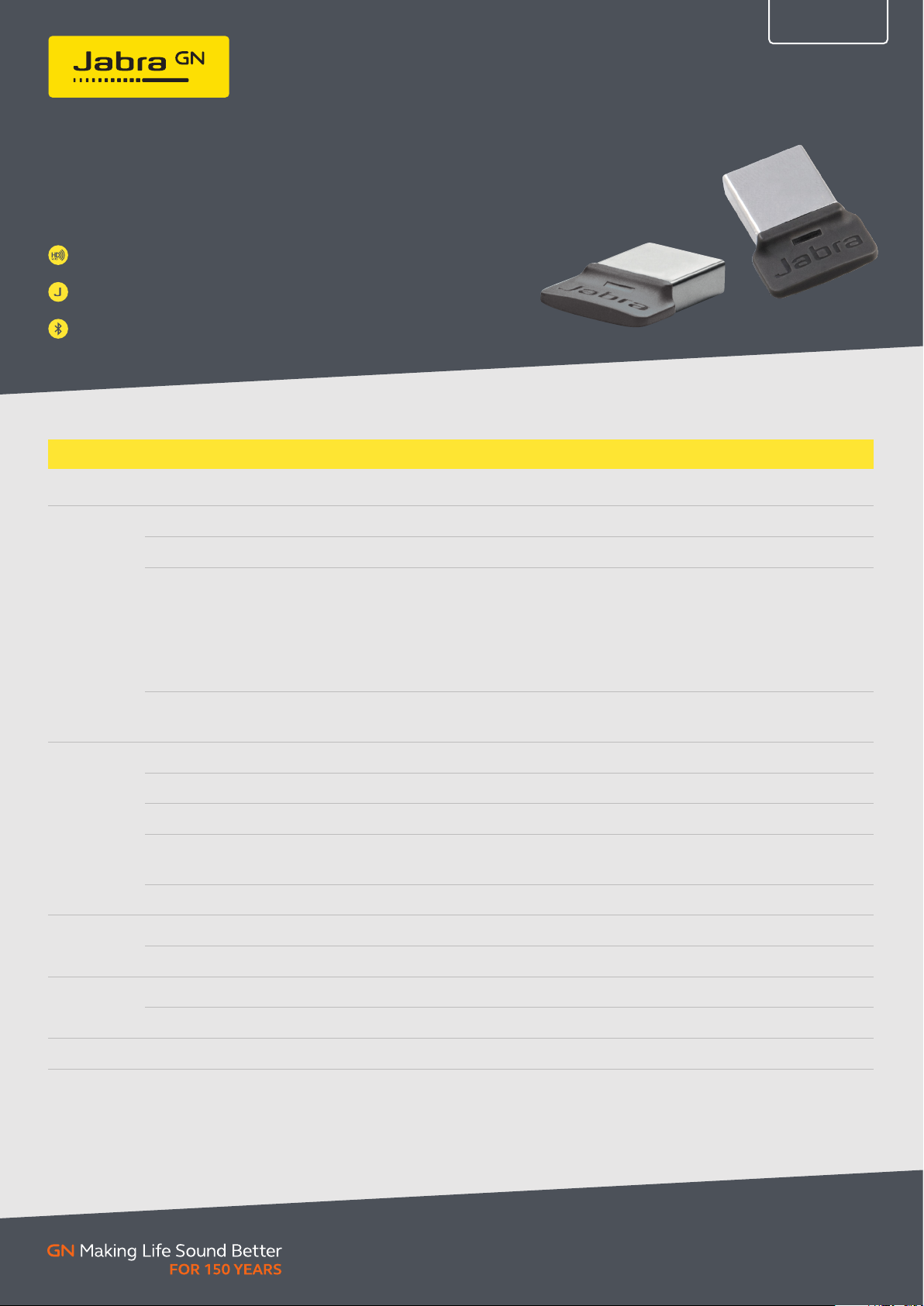
JABRA LINK 370 BLUETOOTH ADAPTER
Engineered to enhance Bluetooth® connectivity
from your Jabra device to your computer
Sound quality features such as HD voice, HiFi Audio
and A2DP for crystal-clear sound for calls
Superior wireless range up to 100 ft/30 m for optimal mobility
Easy to manage and update with Jabra Direct – over the air
firmware updates can easily be pushed to all users
TECHNICAL SPECIFICATIONS JABRA LINK 370
TECH SHEET
General info Dimensions W =15.8 mm x L = 21.2 mm x H = 4.7 mm (0.62 in x 0.83 in x 0.18 in)
Connectivity
Wireless
technologies
Ease of use
Computer based configuration All settings can be stored and loaded from a computer for backup and mass deployment
Computer connection USB 2.0 USB 2.0
Softphone support (call control) • Call control functionality for different platforms, enabling control of calls directly from
your headset’s buttons. For the latest Jabra Direct call control information, please
visit www.jabra.com/direct
• Plug and play call control functionality (without the need for Jabra Direct), e.g. with
Microsoft Teams.
• Functionality for non-supported softphones is as audio device only (no call control).
For the latest softphone call control information, please check the online
compatibility guide on www.jabra.com/compatibilityguide
Deskphone (USB) support (call control) Call control and general functionality via USB with leading desk phone brands, e.g.
several Cisco models/variants. For the latest desk phone call control information, please
check the online compatibility guide on www.jabra.com/compatibilityguide
Bluetooth® audio bandwidth Narrowband, HD Voice, A2DP
Simultaneous Bluetooth® connections 1 (8 Jabra devices remembered in the pairing list)
Bluetooth® version BT 4.2
Bluetooth® range Class 1
• Up to 30 m/100 ft when paired with a Bluetooth® wireless technology class 1 device
• Up to 10 m/33 ft when paired with a class 2 device
Bluetooth® profiles HFP 1.6, DIP 1.3, A2DP 1.2, Bluetooth® Low Energy (BTLE)
Adapter buttons No buttons
Visual indicators Multicolor LEDs indicate pairing, connection and on-call status plus other details
Software
support &
compatibility
Extended Info Operating environment -10˚C to + 60˚C
OS compatibility (as audio device) Compatible with Windows 7 or later and macOS 10.15.X or later
Firmware update Download available from Jabra Direct and Jabra Website
Jabra_Link_370_TechSpec_2021_AS
© 2020 GN Audio A /S. All rights res erved.
The Blueto oth® word mark a nd logos are regis tered trademar ks owned by the
Bluetooth S IG, Inc. and any use o f such marks by GN Audi o A/S is under lice nse.
® Jabra is a re gistered tradem ark of GN Audio A/S .
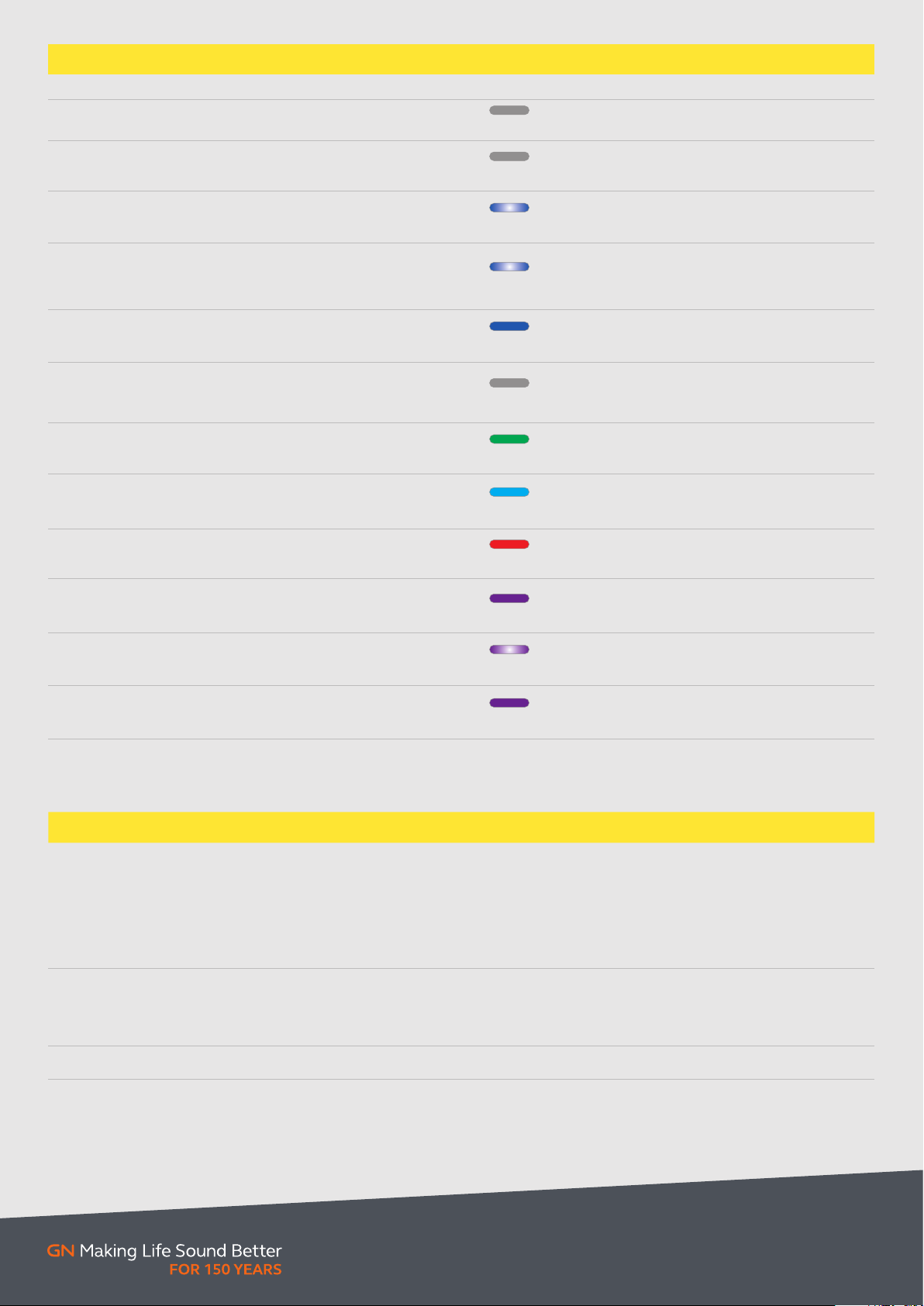
EASE OF USE LED BEHAVIOUR LINK 370
Modes
Mode explanation LED Indication Comments
Off Bluetooth adapter is not powered
Boot
Reconnect
attempt
USB power is applied and system is starting up.
USB enumeration.
Bluetooth radio is searching for the last
connected Bluetooth device
Available last connected Jabra Bluetooth device.
Automatic
*
pairing
Bluetooth adapter is still connectable so that
if the already paired device in the pairing list
becomes available, connection is possible.
Idle
Connected to a Bluetooth device.
No audio link active.
Bluetooth adapter is not connected and is
Standby
no longer trying to pair. However adapter is
connectable for already paired Bluetooth device.
Voice link
Music
(A2DP) link
Link is established for voice call
Link is established for music streaming
Mic Mute Microphone is muted
Off
Off
Flash Blue
Blinking Blue LED
Blue
Off
Green
Cya n
Red
Duration = 30sec.
Blinking sequence 1sec on;1sec off
Pairing mode is limited to a duration of 30 sec.
Blinking sequence 0.5 second on and 0.5 second off
Firmware
update
Tea ms
notification
Connected to
**
Tea ms
* Not avail able out of box ** Micr osoft Teams-cer tified vari ants only
Jabra Link 370 is in firmware update mode
Notification from Teams on computer
**
Connected to Teams application on computer
Purple
Blinking purple
Purple
Start and end of a firmware update,
LED shows light for approximately 5 seconds
Blinking sequence
0,5sec on; 0,5sec off
Microsoft Teams purple
SKU COMPATIBLE PRODUCTS DESCRIPTION EAN CODE
Jabra Evolve 65
Jabra Evolve 65e
Jabra Evolve 65t
1420 8- 07
Jabra Evolve 75
Jabra Evolve 75e
Jabra Stealth
Jabra Speak 510
Jabra Speak 710
Jabra Evolve 65
Jabra Evolve 65e
14208-08
Jabra Evolve 65t
Jabra Evolve 75
Jabra Evolve 75e
14208-23 Jabra Speak 750
Bluetooth® adapter for softphone
Optimized for Unified Communications
Bluetooth® adapter for softphone
Certified for Microsoft Teams
Bluetooth® adapter for softphone
Certified for Microsoft Teams
5706991019599
5706991019506
5706991022322
Jabra_Link_370_TechSpec_2021_AS
© 2020 GN Audio A /S. All rights res erved.
The Blueto oth® word mark a nd logos are regis tered trademar ks owned by the
Bluetooth S IG, Inc. and any use o f such marks by GN Audi o A/S is under lice nse.
® Jabra is a re gistered tradem ark of GN Audio A/S .
Jabra 14208-08
Jabra Link 370 MS USB Bluetooth® адаптер Версия Bluetooth BT4.2 Class 1, радиус действия до 30м, низкое энергопотребление (BTLE), для высококачественных аудиоконференций и музыки для Evolve 65 MS, Evolve 75 MS, Speak 510+ MS, Speak 710, 810 MS и Stealth MS аксессуар Подключение компьютер
Купить по низким ценам Jabra 14208-08
Описание Jabra 14208-08
Jabra Link 370 MS USB Bluetooth adapter [14208-08] — USB-адаптер, улучшающий Bluetooth®-подключение гарнитуры или спикерфона Jabra к ноутбуку
НОВЫЙ УРОВЕНЬ БЕСПРОВОДНОЙ СВЯЗИ С ИСПОЛЬЗОВАНИЕМ MS
Jabra Link 370 — USB-адаптер, улучшающий Bluetooth®-подключение гарнитуры или спикерфона Jabra к ноутбуку. Малозаметный адаптер «Plug and Play» обеспечивает высокое качество звука и расширенный диапазон действия до 30 метров/100 футов. При подключении Link 370 к гарнитуре или спикерфону Jabra технология HD Voice позволяет слышать звук высокой четкости, кристально чистое и реалистичное звучание речи. Кроме того, потоковая передача аудио HiFi с использованием A2DP позволяет слушать музыку в высочайшем качестве.
Используя совместимую гарнитуру или спикерфон*, воспользуйтесь следующими преимуществами:
- Технологии, обеспечивающие высокое качество звучания речи и музыки: D voice, HiFi Audio и A2DP
- Обширный диапазон связи до 30 м/100 фунтов, означающий еще большую мобильность
- Простота управления и обновления с помощью Jabra direct — обновления программного обеспечения можно легко «транслировать» всем пользователям
*Полностью совместимые продукты:
- Jabra Evolve 65
- Jabra Evolve 75
- Jabra Speak 510
- Jabra Speak 710
Технические характеристики Jabra 14208-08
-
Ширина упаковки
10 см -
Высота упаковки
10 см -
Глубина упаковки
10 см
-
Объемный вес
1 кг -
Единица измерения
шт. -
Кратность поставки
1
-
Ширина упаковки
10 см -
Высота упаковки
10 см -
Глубина упаковки
10 см -
Объемный вес
1 кг -
Единица измерения
шт. -
Кратность поставки
1
Table of Contents
- Jabra Link 370 MS Teams Bluetooth Adapter
- Specifications
- Product Usage Instructions
- FAQ
- How many Bluetooth devices can I pair with my Jabra device
- Read User Manual Online (PDF format)
- Download This Manual (PDF format)
Jabra Link 370 MS Teams Bluetooth Adapter
Specifications
- Product: Jabra Link 370 MS Teams – Bluetooth Adapter
- Compatibility: Works with Jabra MS Teams-certified devices
- Bluetooth Version: Bluetooth 4.2
- Pairing: Supports simultaneous pairing with multiple devices (Multiuse)
Product Usage Instructions
1. Initial Pairing:
- Ensure that your Jabra device and the Jabra Link 370 MS Teams Bluetooth Adapter are both charged.
- Plug the Jabra Link 370 MS Teams Bluetooth Adapter into the USB port of your computer or other compatible device.
- Turn on your Jabra device and put it in pairing mode. Refer to your Jabra device’s user manual for instructions on how to do this.
- On your computer or device, go to the Bluetooth settings and search for available devices.
- Select the Jabra Link 370 MS Teams Bluetooth Adapter from the list of available devices.
- Follow the on-screen instructions to complete the pairing process.
2. Pairing with Additional Devices:
If you want to pair your Jabra device with additional devices, follow the
steps below:
- Ensure that your Jabra device is not already connected to any device.
- Put your Jabra device in pairing mode.
- On the new device you want to pair with, go to the Bluetooth settings and search for available devices.
- Select the Jabra Link 370 MS Teams Bluetooth Adapter from the list of available devices.
- Follow the on-screen instructions to complete the pairing process.
3. Multiuse Pairing:
If your Jabra device supports simultaneous pairing with multiple devices
(Multiuse), you can easily switch between connected devices. Follow the steps
below:
- Ensure that your Jabra device is connected to at least one device.
- To switch to another paired device, disconnect the current device by turning off its Bluetooth or selecting a different audio output source.
- Connect to the desired device by turning on its Bluetooth or selecting the Jabra Link 370 MS Teams Bluetooth Adapter as the audio output source.
FAQ
Q: How many Bluetooth devices can I pair with my Jabra device?
A: In general, you can pair your Jabra device with multiple Bluetooth devices.
If your Jabra device supports Multiuse, you can pair it with multiple devices
simultaneously.
Jabra Link 370 MS Teams – Bluetooth Adapter
How many Bluetooth devices can I pair with my Jabra device
In general, pairing with additional devices is performed the same way as the
initial pairing you carried out for your product. For Jabra devices that
support simultaneous pairing with multiple devices, also known as Multiuse,
the pairing scheme works in the following way:
- 8 – number of paired devices that your Jabra device will remember. If you attempt to pair a 9th device, it will replace the device that was first paired of the existing paired devices.
- 2 – number of paired devices that your headset can connect to simultaneously. For example, you can connect your headset to a Jabra Link Bluetooth adapter and a mobile device, or to two mobile devices at the same time. Note, you can only connect your Jabra headset to one Jabra Link Bluetooth adapter at a time.
- 1 – number of paired devices that can play audio at the same time.
https://www.jabra.com.au/supportpages/jabra-link-370/14208-23/faq/915fa082
-b4cc-43db-934b-09d441a4d1fd
Read User Manual Online (PDF format)
Read User Manual Online (PDF format) >>
Download This Manual (PDF format)
Download this manual >>
Jabra Link 370 [14208-07] USB Bluetooth® адаптер Версия Bluetooth BT4.2 Class 1, радиус действия до 30м, низкое энергопотребление (BTLE), для высококачественных аудиоконференций и музыки для Evolve 65, Evolve 75, Speak 510+, Speak 710, 810 и Stealth UC
Мы всегда стремимся предложить Вам минимальную цену на нашу продукцию, поэтому она согласуется индивидуально с каждым покупателем в зависимости от объемов закупаемой продукции. После получения заявки менеджер, при необходимости, свяжется с Вами для уточнения деталей заказа.
Оставьте заявку в один клик, и наш специалист свяжется с Вами в кратчайшие сроки:
- Окажет профессиональную консультацию.
- Сообщит цену на продукцию.
- Сообщит информацию об актуальных акциях и скидках.
- Подскажет ближайшее к Вам отделение с наличием нужной продукции.
- Согласует с Вами возможное время доставки.
Связаться с отделом продаж: Тел.: +7 (495) 127-05-75
E-mail: sale@jabra.com.ru
Артикул: J4740-6678
Гарантия
- Обмен/возврат товара 14 дней
- Гарантия 1 год
Доставка
- По Москве и области адресная доставка в течении 1-2 дней
- Курьерской службой во все регионы России
Способы оплаты
- Безналичный расчет
- Наличными при получении
- Оплату на карту/счет
Под заказ
6728 руб.
Цена:
Скидка 5850 руб.
- Описание товара
- Технические характеристики
- Инструкция
Переходник Jabra Link 370 Adapter UC (модель 14208-07) позволяет подключить Bluetooth-устройства производства компании Jabra к ПК.
Plug and Play
Подключается Jabra Link 370 Adapter UC к ПК через порт USB Type-A без лишней траты времени на поиск необходимых драйверов или специфического ПО. Процесс полностью автоматизирован, а это означает, что пользователь может начать сопряжение новых устройств и пользоваться ими сразу же.
Кристально чистое звучание
Инновационные инженерные решения обеспечивают кристально чистое звучание во время телефонных разговоров при использовании сопряженных с Bluetooth-переходником Jabra Link 370 Adapter UC спикерфонов и беспроводных гарнитур. В адаптере также реализована поддержка передачи звука по стандарту HiFi и профиля A2DP, обеспечивающих объемное звучание воспроизводимого мультимедийного контента.
Большой радиус действия
Адаптер Jabra Link 370 Adapter UC оснащен беспроводным модулем нового поколения, который обеспечивает бесперебойную связь в радиусе 30 метров от компьютера при условии, что гарнитура поддерживает аналогичный радиус действия.
Поддерживаемые устройства
Переходник полностью совместим со следующими беспроводными гарнитурами и спикерфонами Jabra:
- Evolve 65
- Evolve 75
- Speak 510
- Speak 710
Купив Jabra Link 370 Adapter UC, пользователь получает компактный переходник, который способен обеспечить высококачественную связь по Bluetooth, сохраняя все звуковые характеристики подключенного к нему устройства, а также все встроенные функции удаленного управления.
Основные характеристики
- подключение к ПК: USB 2.0;
- Plug and Play;
- поддерживаемые ОС: Windows, Mac OS;
- поддержка UC-платформ;
- версия Bluetooth: 4.0;
- максимальный радиус действия: 30 метров;
- память: до 8 подключенных устройств;
- обновление ПО; через Jabra Direct;
- световая индикация подключения;
Звуковые характеристики
- поддержка HD звучания;
- профиль A2DP;
- поддержка стандарта HiFi;
Поддерживаемые устройства
- Jabra Evolve 65;
- Jabra Evolve 75;
- Jabra Speak 510;
- Jabra Speak 710;
Комплектация
- Bluetooth-переходник Jabra Link 370 Adapter UC;
- 12 месяцев гарантии