
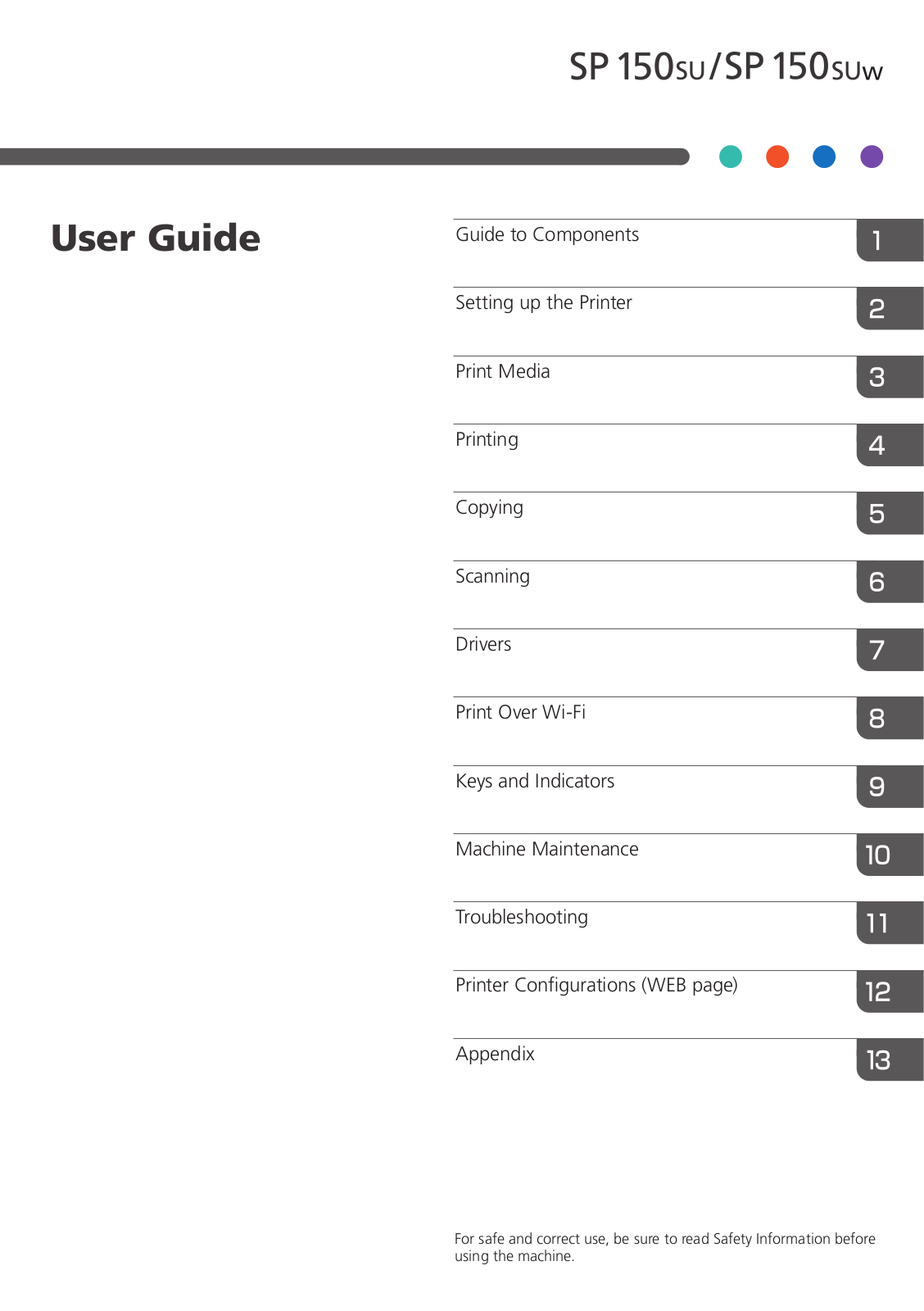
Данное руководство содержит подробные инструкции и сведения о функционировании и использовании принтера Ricoh SP 150 / SP 150w / SP 150SU / SP 150 SUw. Перед использованием устройства внимательно ознакомьтесь с данным руководством для получения информации о его возможностях и мерах безопасности.
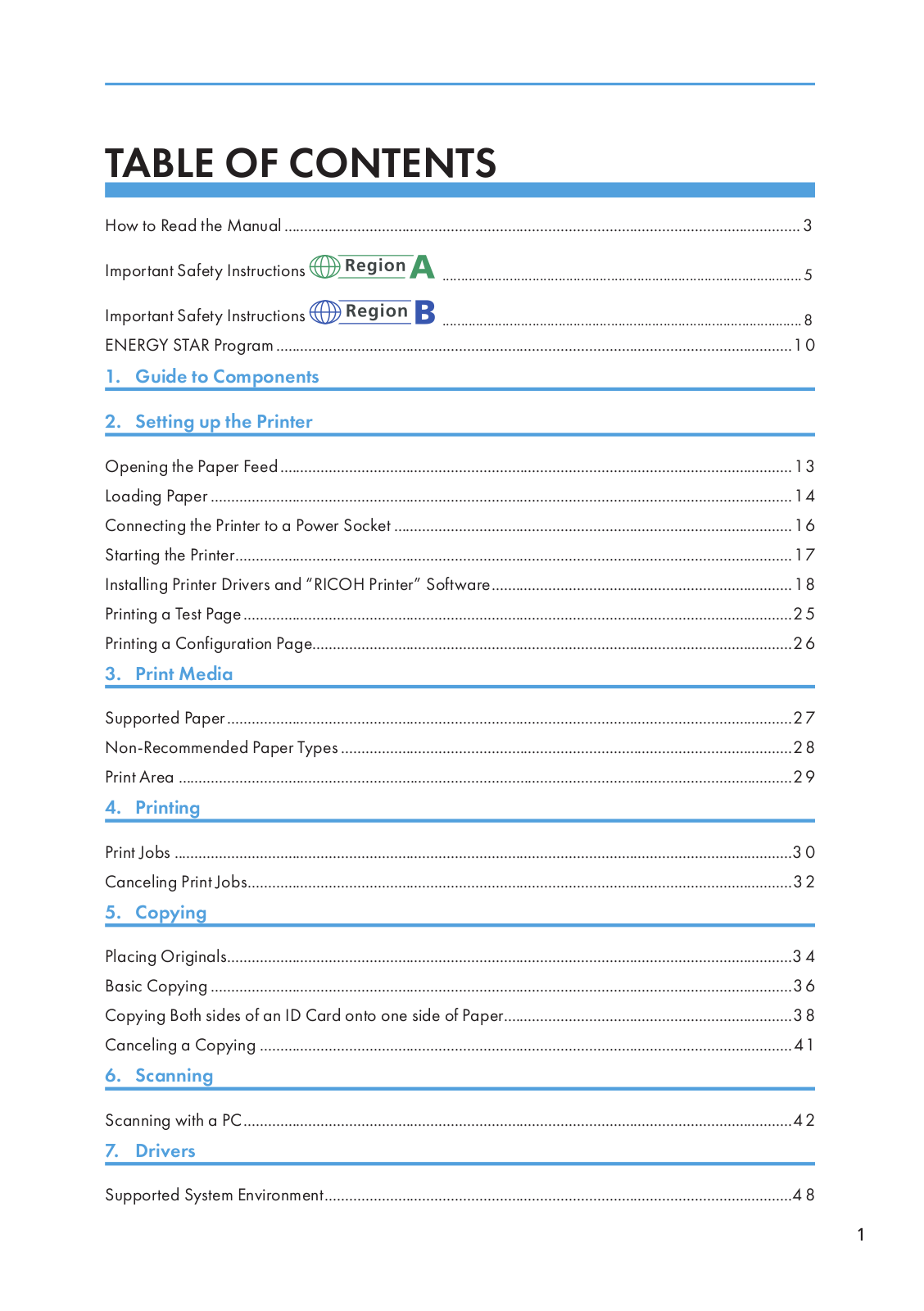
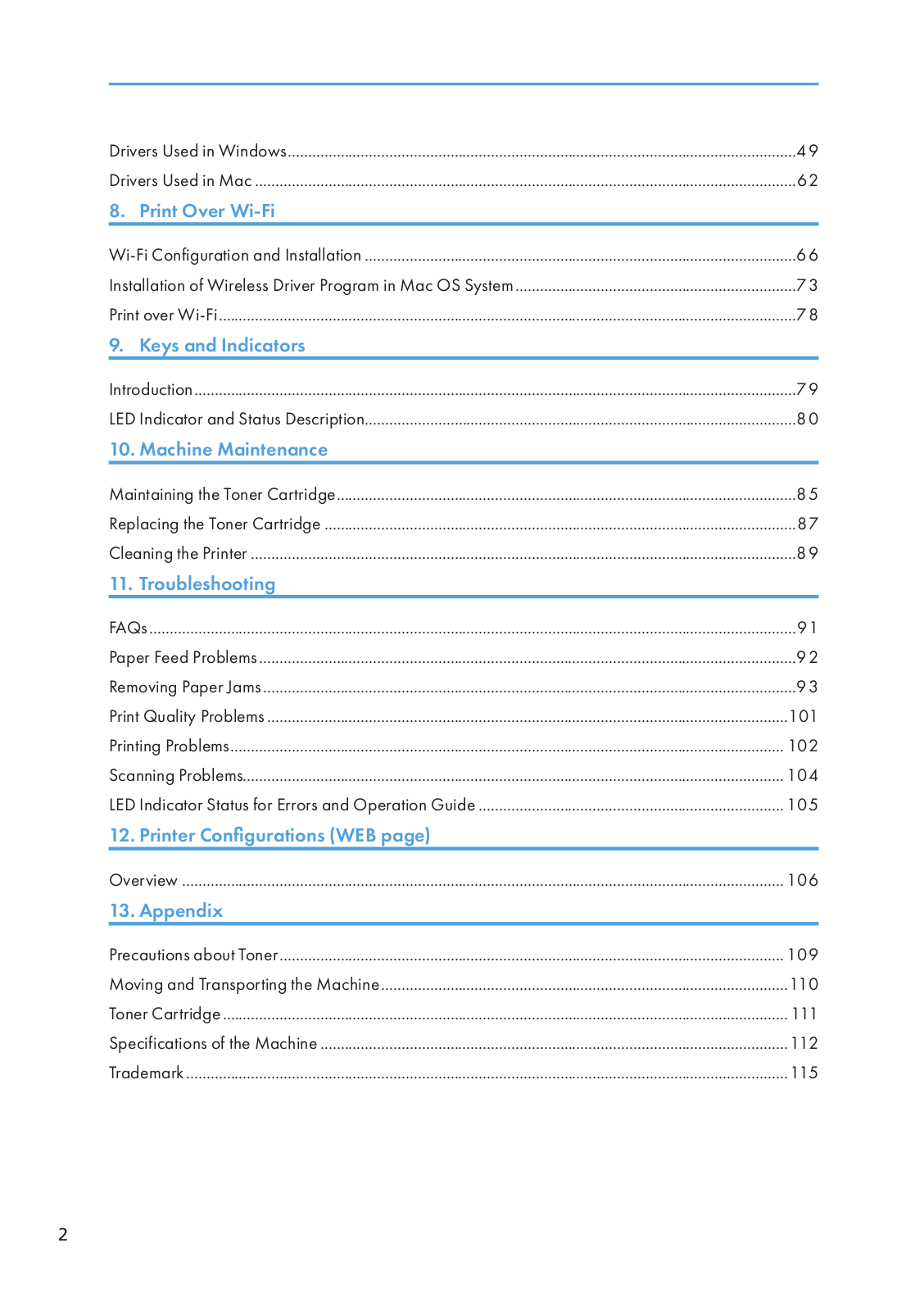
Содержание руководства:
1. Описание компонентов;
2. Настройка принтера;
3. Материалы для печати;
4. Идет печать;
5. Драйверы;
6. Печать по Wi-Fi;
7. Кнопки и индикаторы;
8. Обслуживание устройства;
9. Устранение неисправностей;
10. Конфигурации принтера (ВЕБ-страница);
11. Приложение.
Скачать руководство
Все материалы на сайте представлены исключительно для ознакомления. Все торговые марки и права на публикуемые материалы принадлежат их владельцам.
All materials on the site are presented solely for information. All trademarks and copyrights in the published materials belong to their respective owners.
Ricoh
Loading…
S
- SG 2100N
- SG 3100SNw2
- SG 3110DN7
- SG 3110DNW
- SG 3110SFNw2
- sg3500
- SG 7100DN2
- SGC 15064
- SGC 1506 GS
- SGC 1808
- SG K3100DN2
- SG Series2
- SH3070
- SH-P1 M020
- SH-P1 M021
- silver7
- Singlex
- SINGLEX TLS
- siubli-trans XPRES GXe7700N
- SLP26
- SLP26n
- Smart Operation Panel
- SMFC210M
- SMFC210M SecureFax
- SP 1002
- SP 1000S4
- SP 1000SF3
- SP 100 e5
- SP 100SF3
- SP 100SF e4
- SP 100SU3
- SP 100SU e3
- SP 1109
- SP 1100S4
- SP 1100SF3
- SP 110Q
- SP 110SF2
- SP 110SU3
- SP 110suq
- SP 11110
- SP 111SF3
- SP 111 SU4
- SP 1129
- SP 112SF2
- SP 112su3
- SP 12002
- SP 1200S2
- SP 1200SF6
- SP 1210N7
- SP 1504
- SP 150SU3
- SP 150SUW2
- SP 150w4
- SP 2008
- SP 200n6
- SP 200nw2
- SP 200s7
- SP 200SF3
- SP 201N8
- SP 201Nw6
- SP 201S2
- SP 201SF3
- SP 202S2
- SP 202SF3
- SP 202SN3
- SP 203S2
- SP 203SF4
- SP 203SFN4
- SP 203SFNw2
- SP 204SF10
- SP 204SFN11
- SP 204SFNw8
- SP 204SN12
- SP 21010
- SP 210S
- SP 210 SF7
- SP 210SU7
- SP 21112
- SP 211SF4
- SP 211SU5
- SP 2126
- SP 212NW7
- SP 212 SFNw7
- SP 212SFw5
- SP 212 SNw6
- SP 212SUw5
- SP 212W6
- SP 2136
- sp 213FNw
- SP 213NW7
- SP 213SFNW4
- SP 213SFw4
- SP 213SNw4
- SP 213SUW4
- SP 213w6
- SP 220NW3
- SP 220 SFNW2
- SP 220SNW3
- SP 221
- SP 221NW2
Loading…
Loading…
Nothing found
SP 150SU
User Guide
120 pgs6.03 Mb0
User Manual
50 pgs9.96 Mb2
User Manual
120 pgs6.25 Mb0
Table of contents
Loading…
…
Ricoh User Guide
Download
Specifications and Main Features
Frequently Asked Questions
User Manual


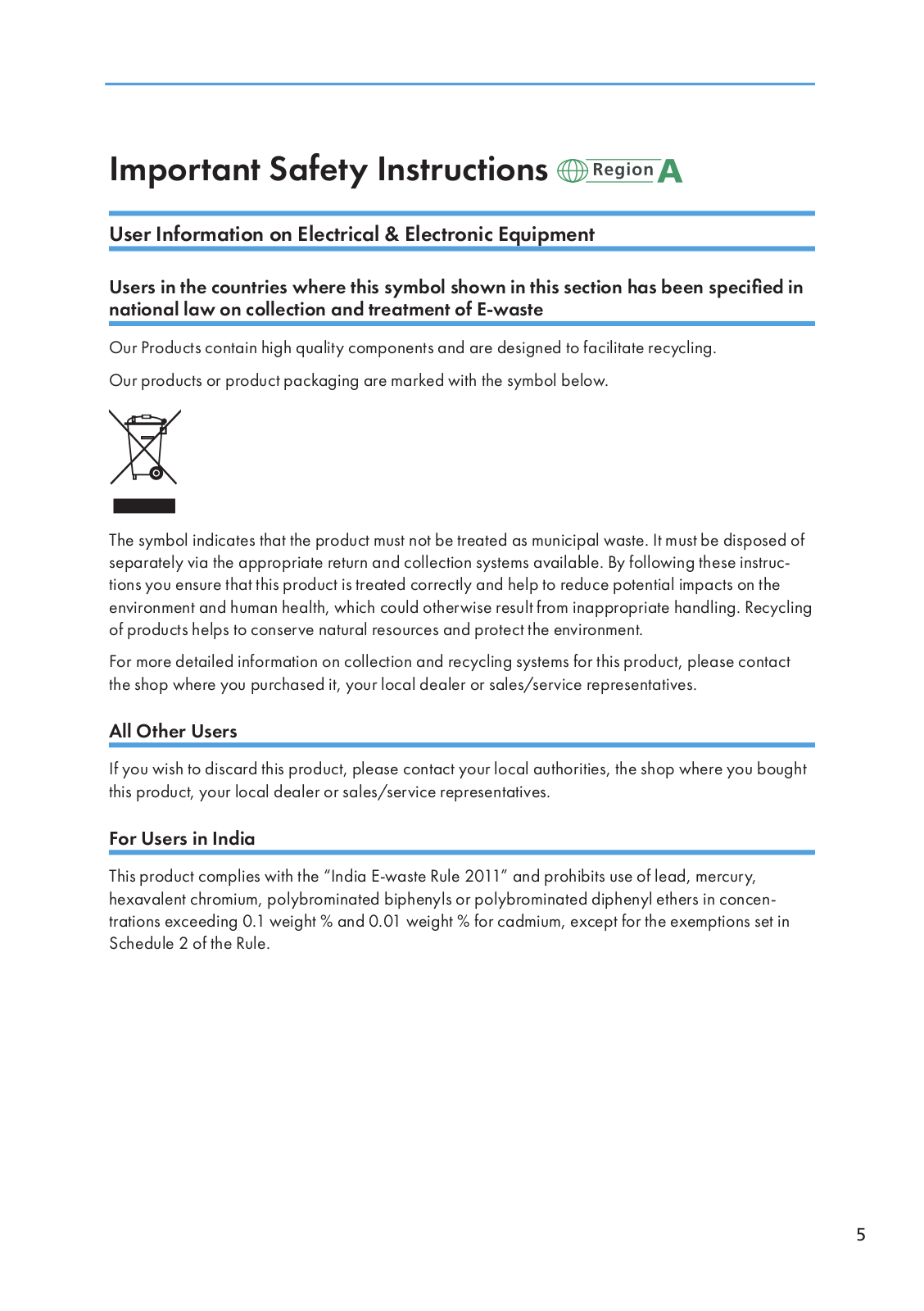

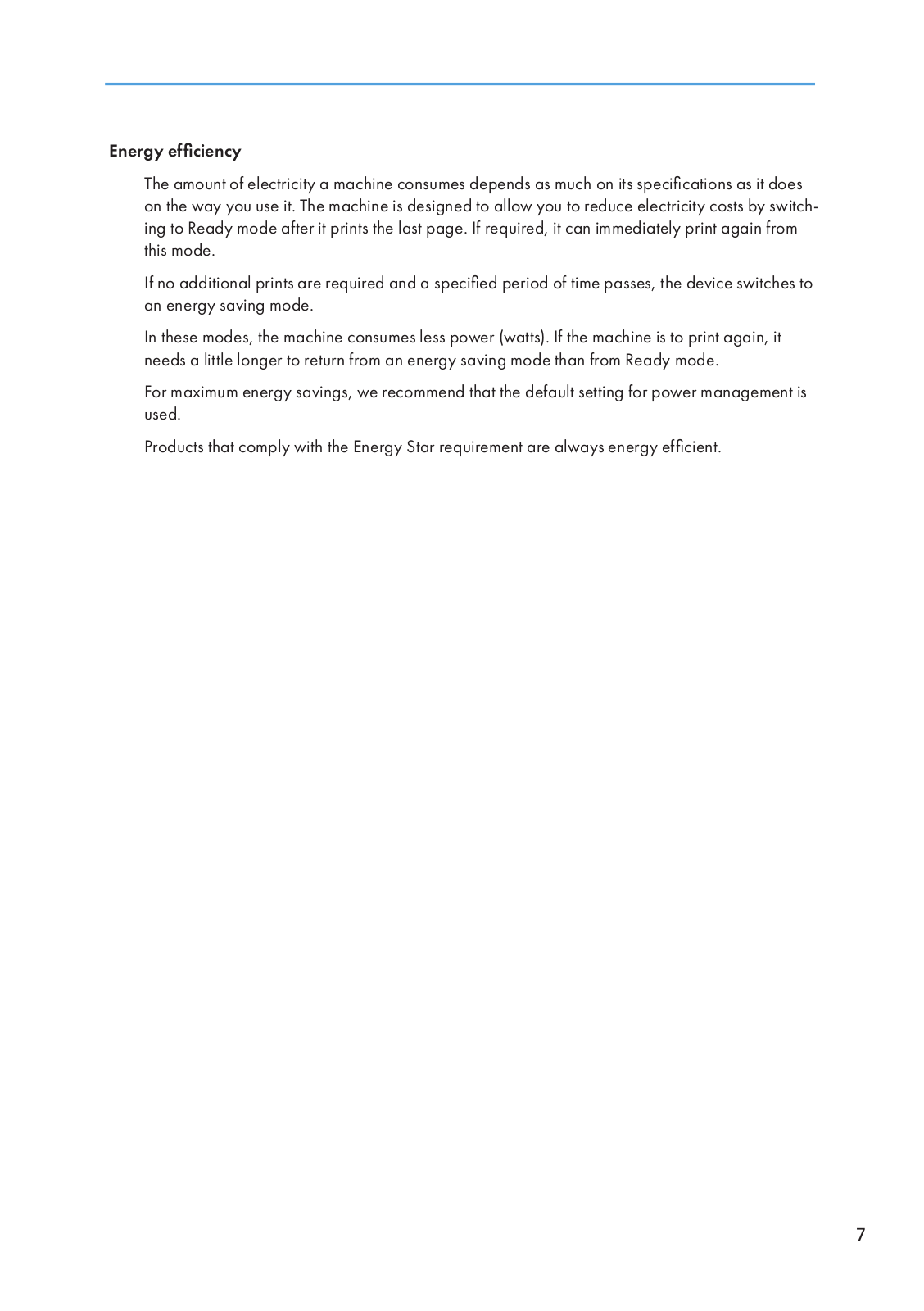
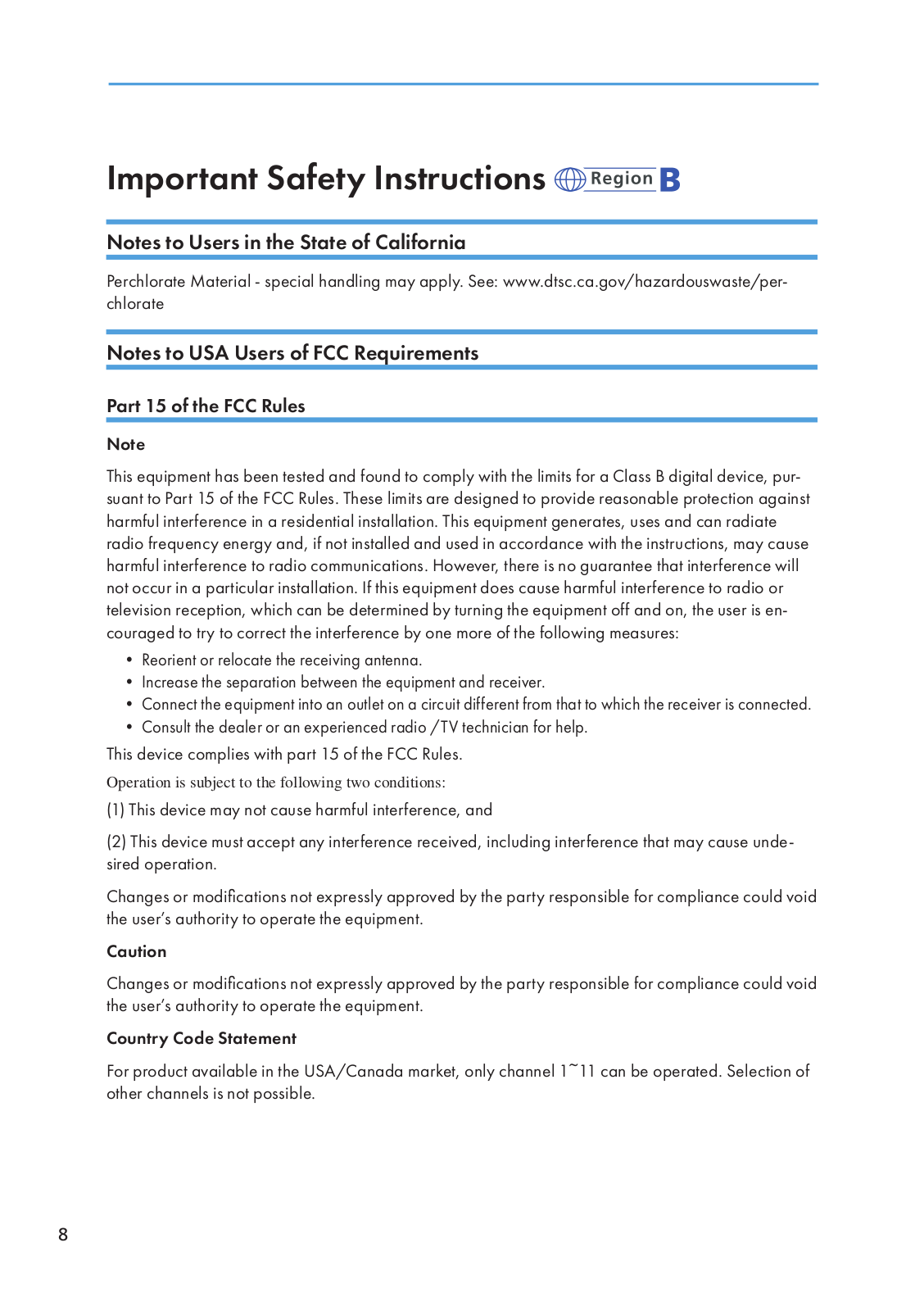
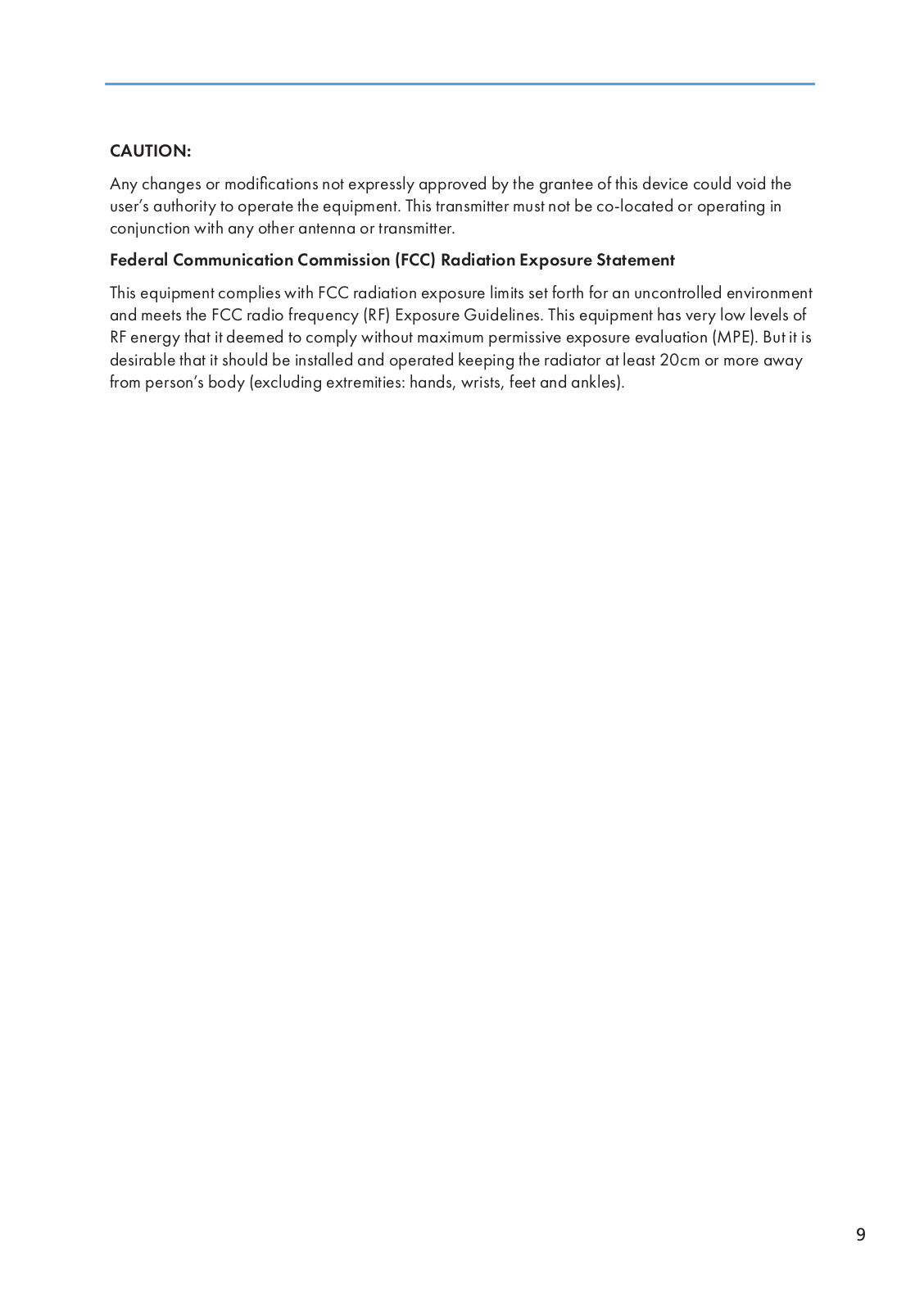
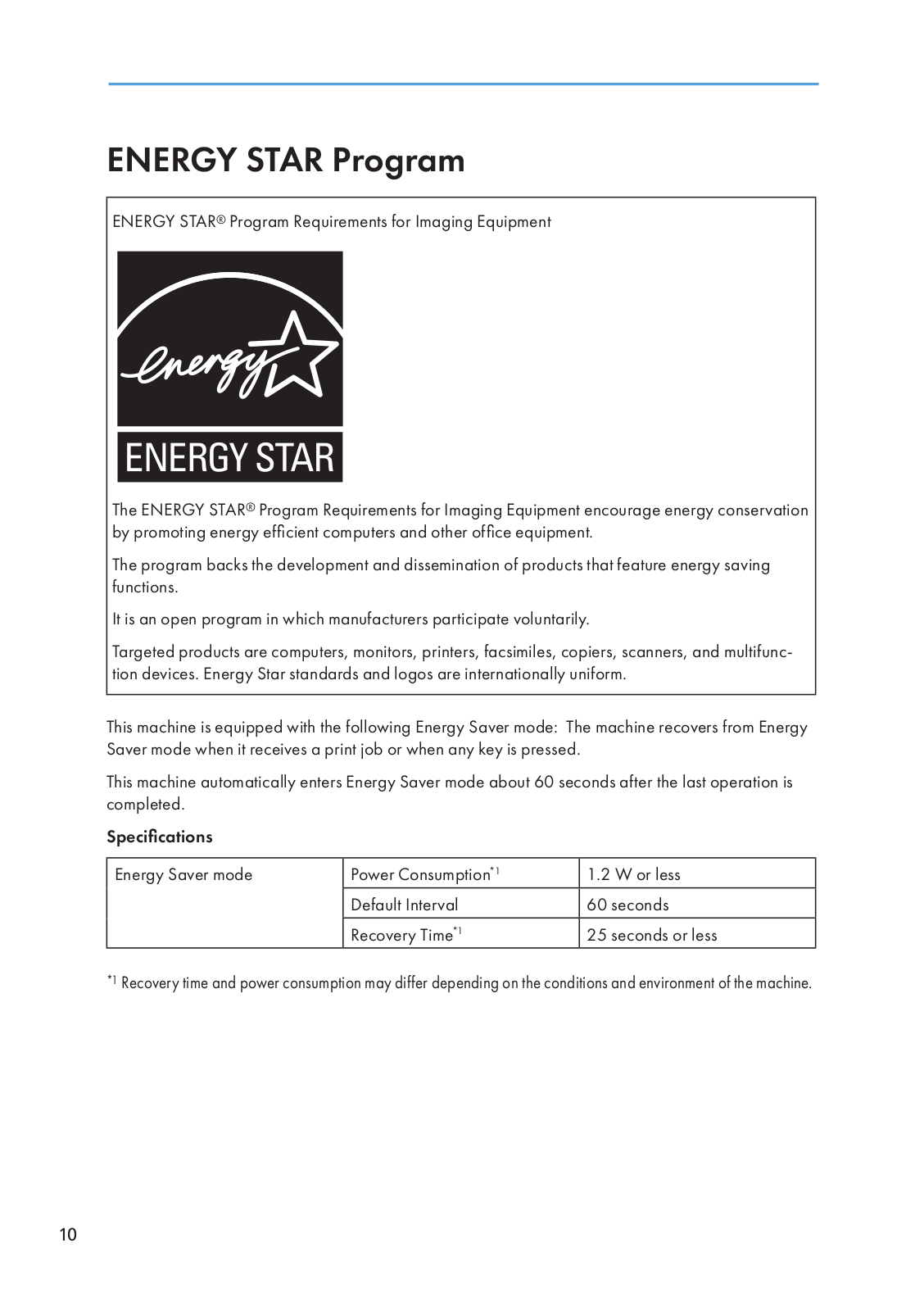
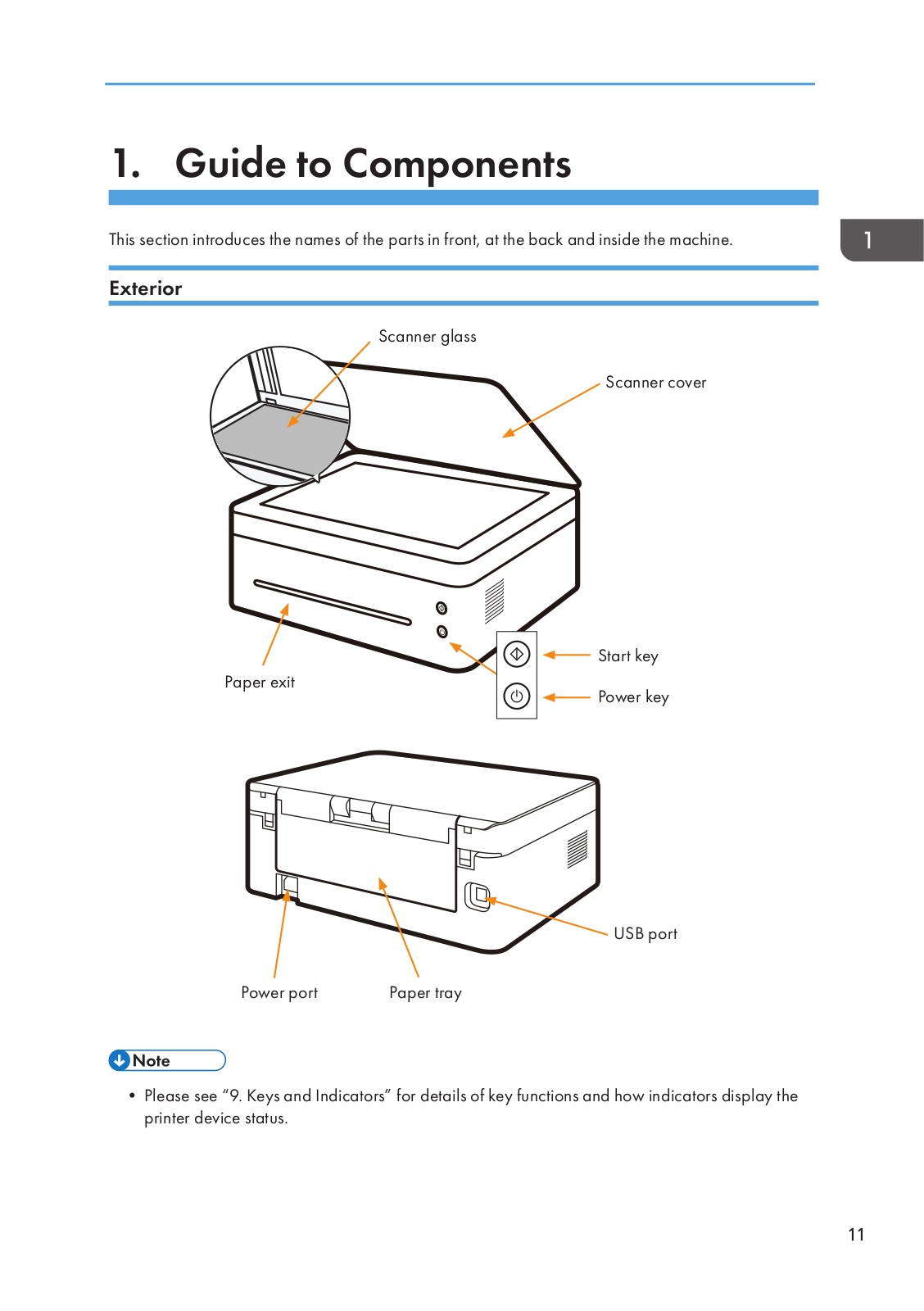
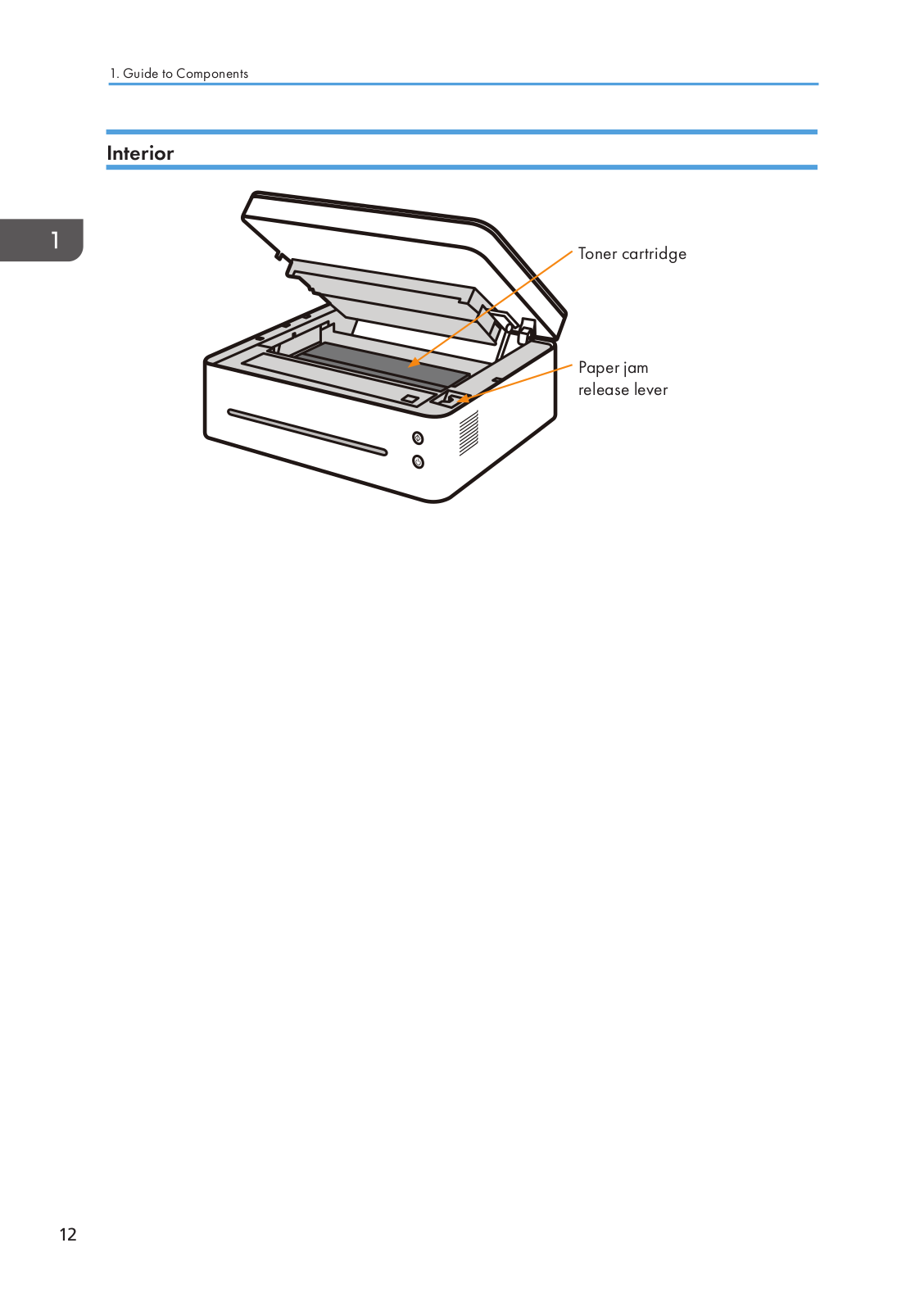
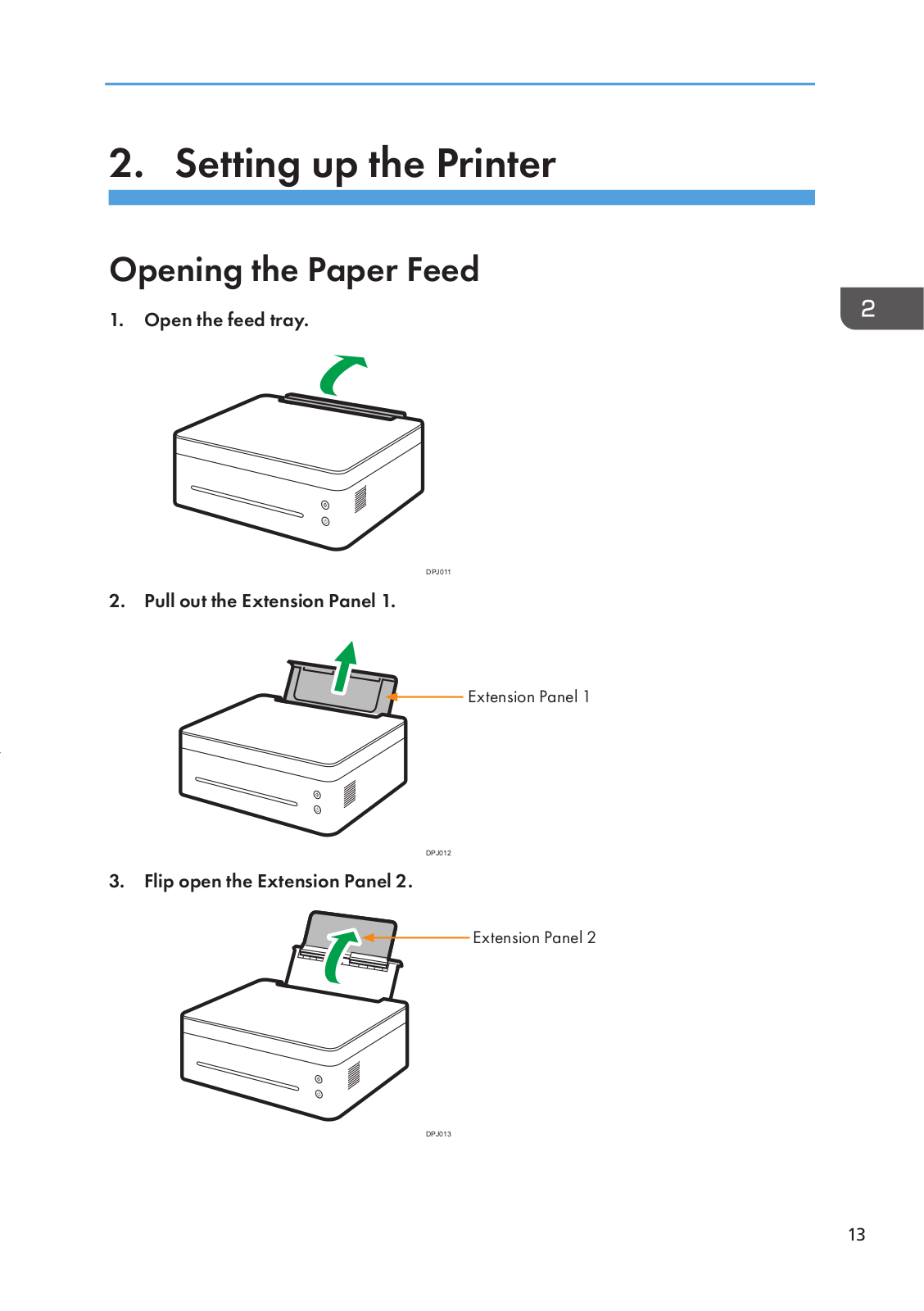
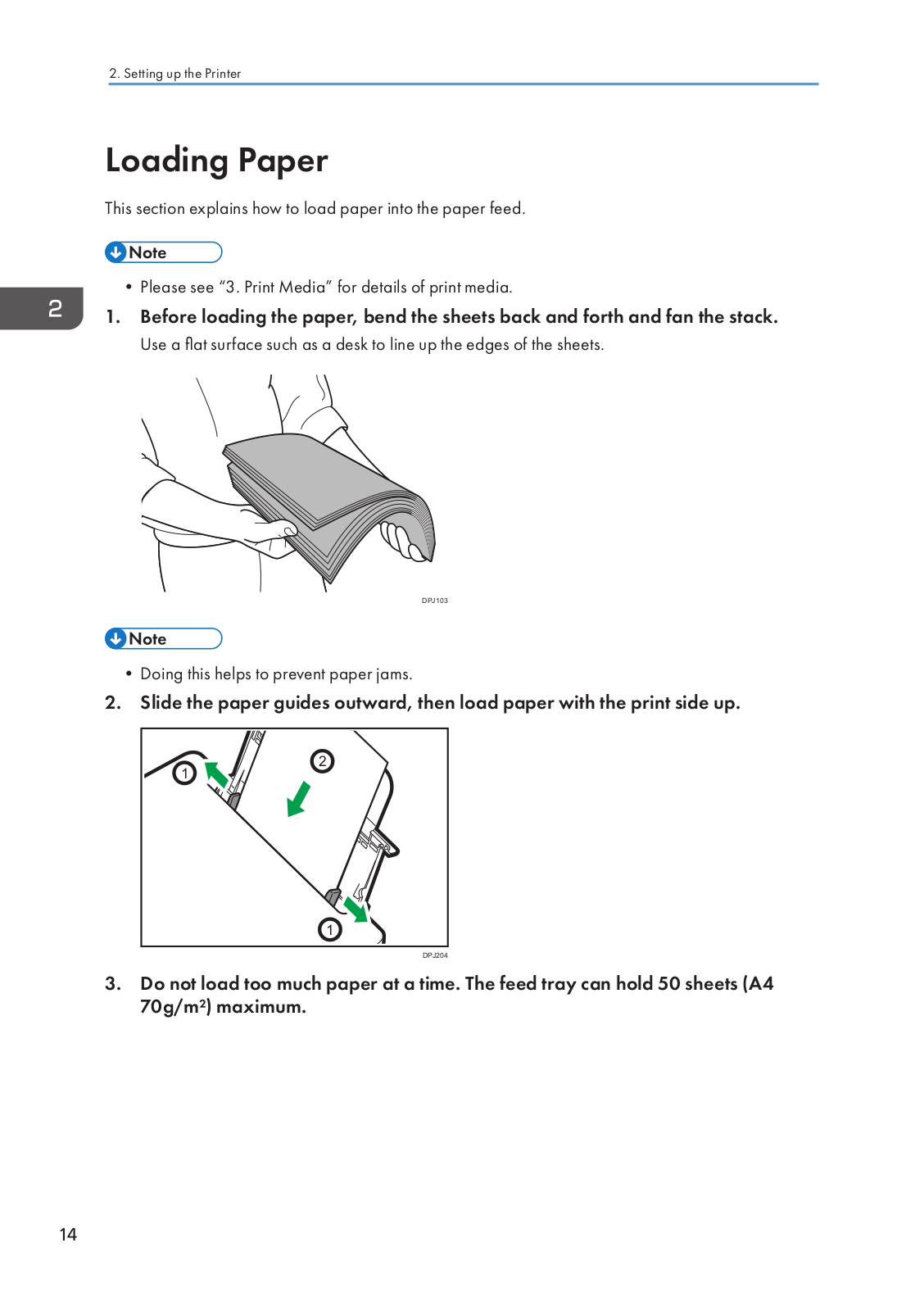
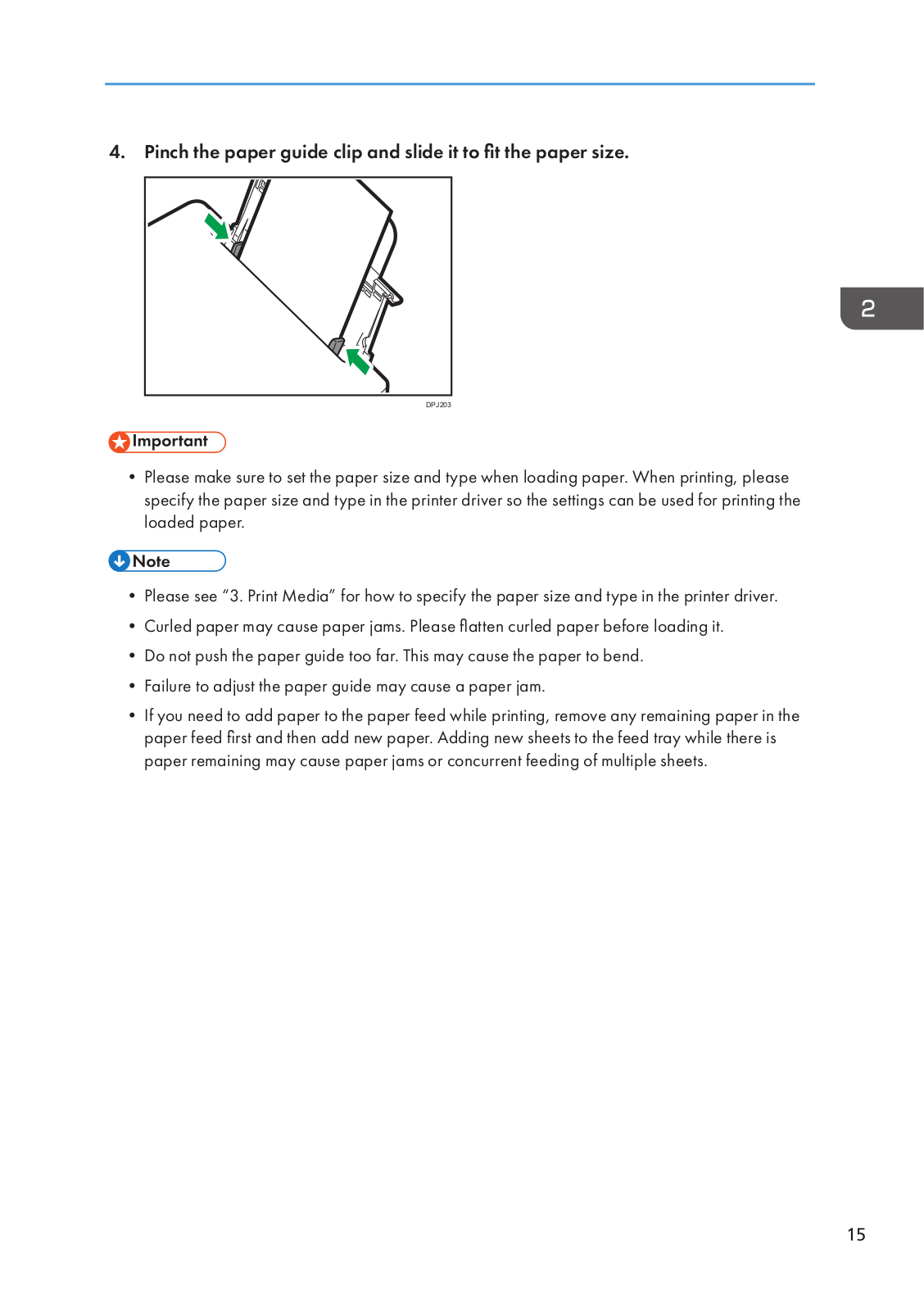
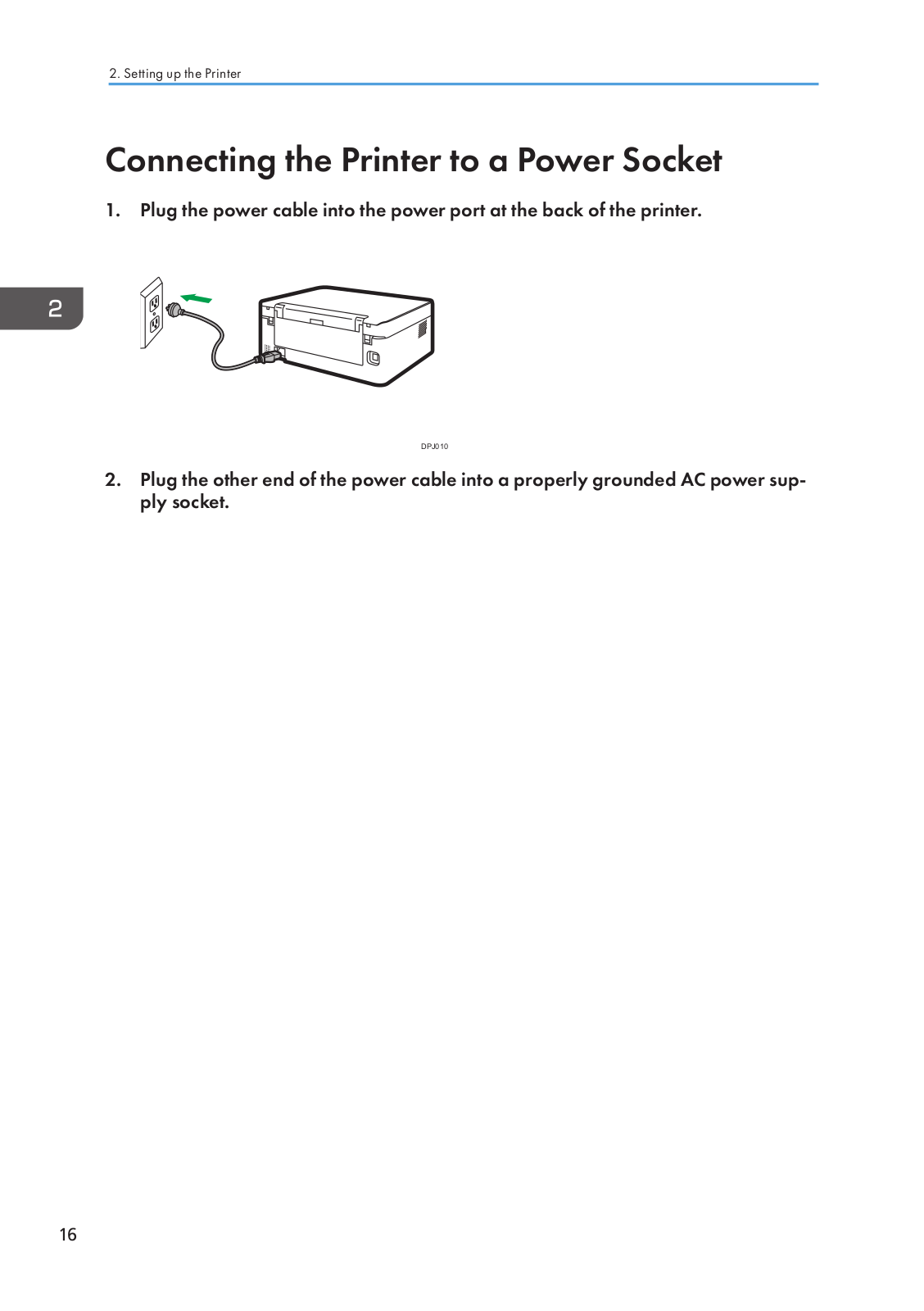
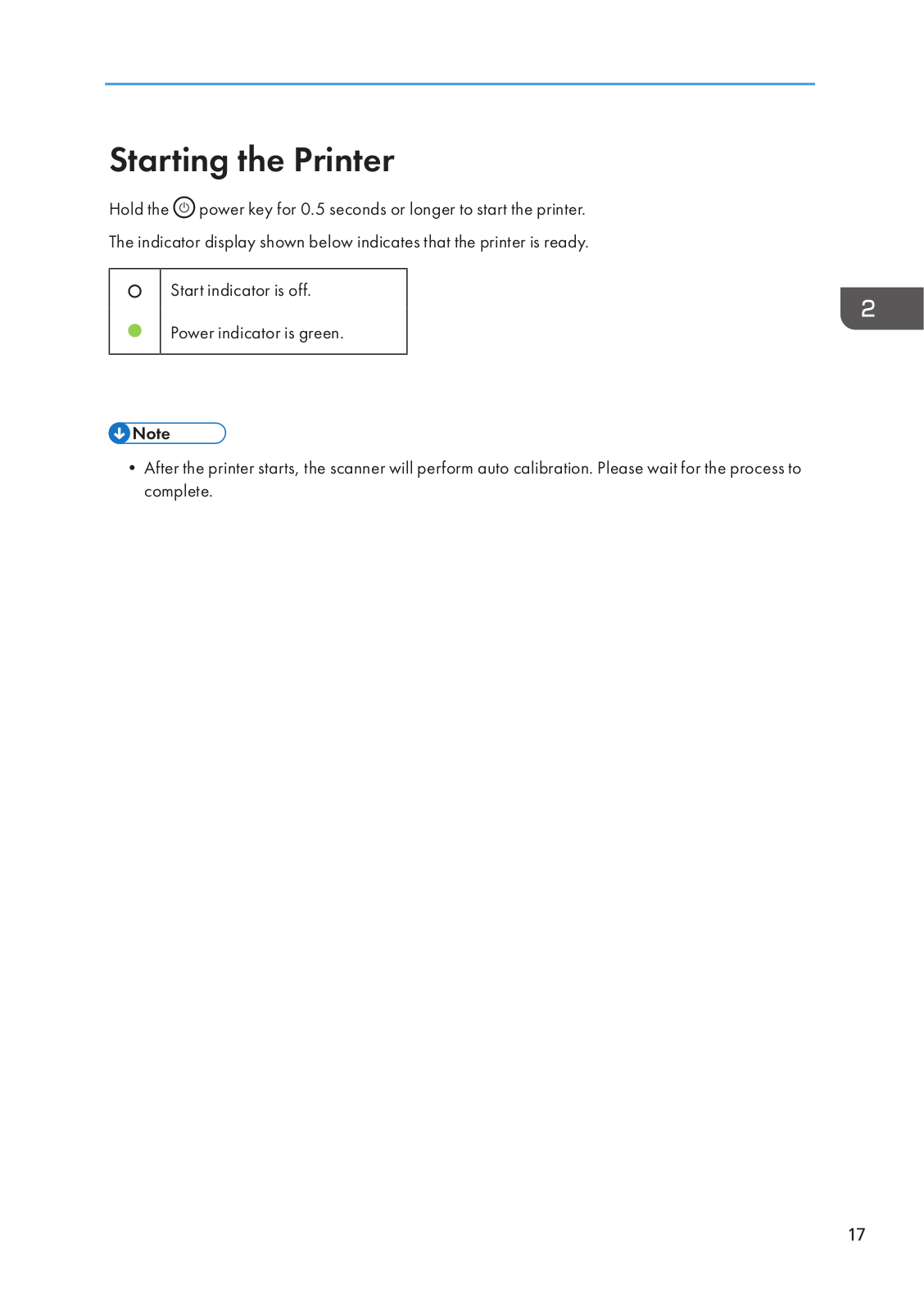
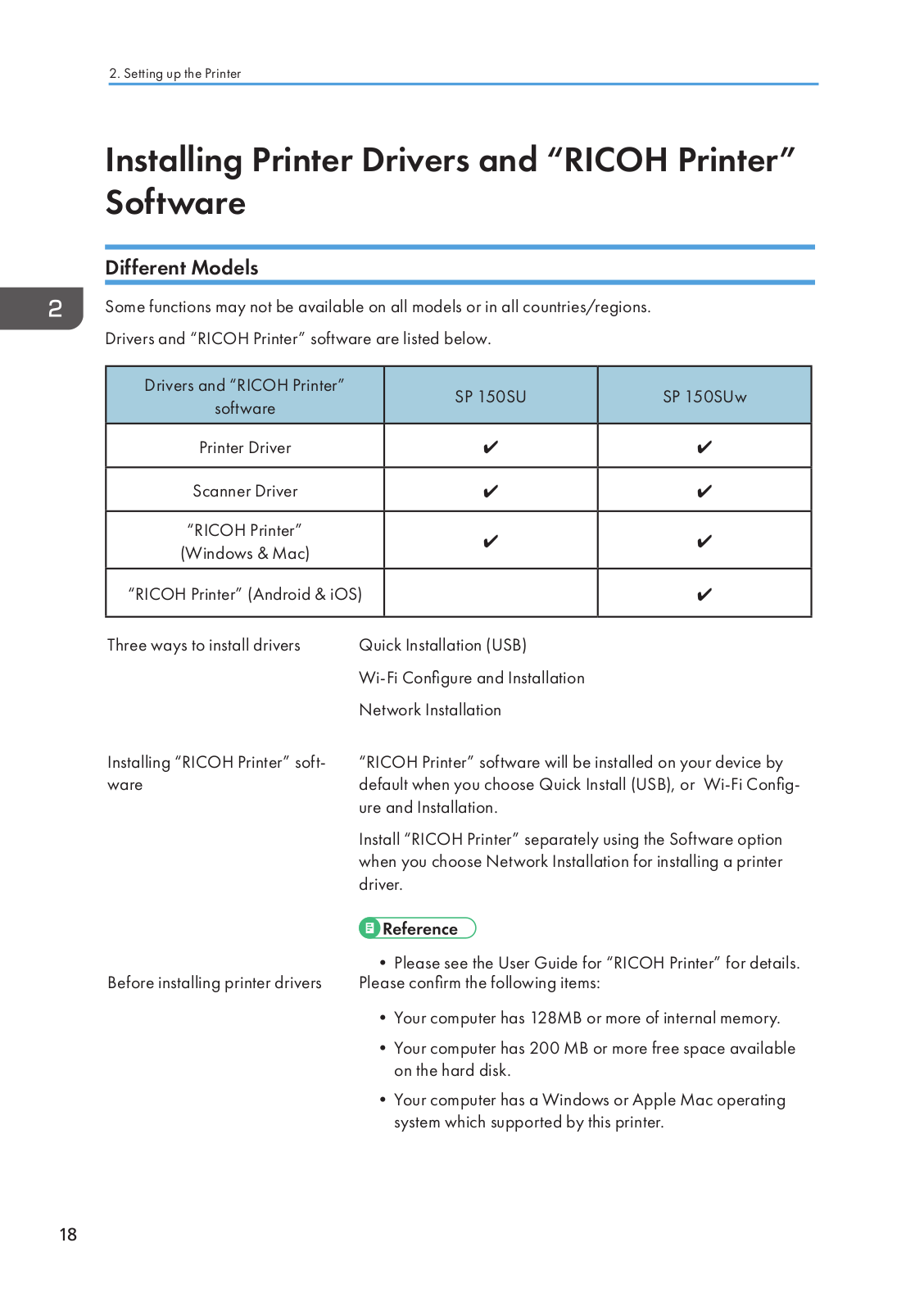
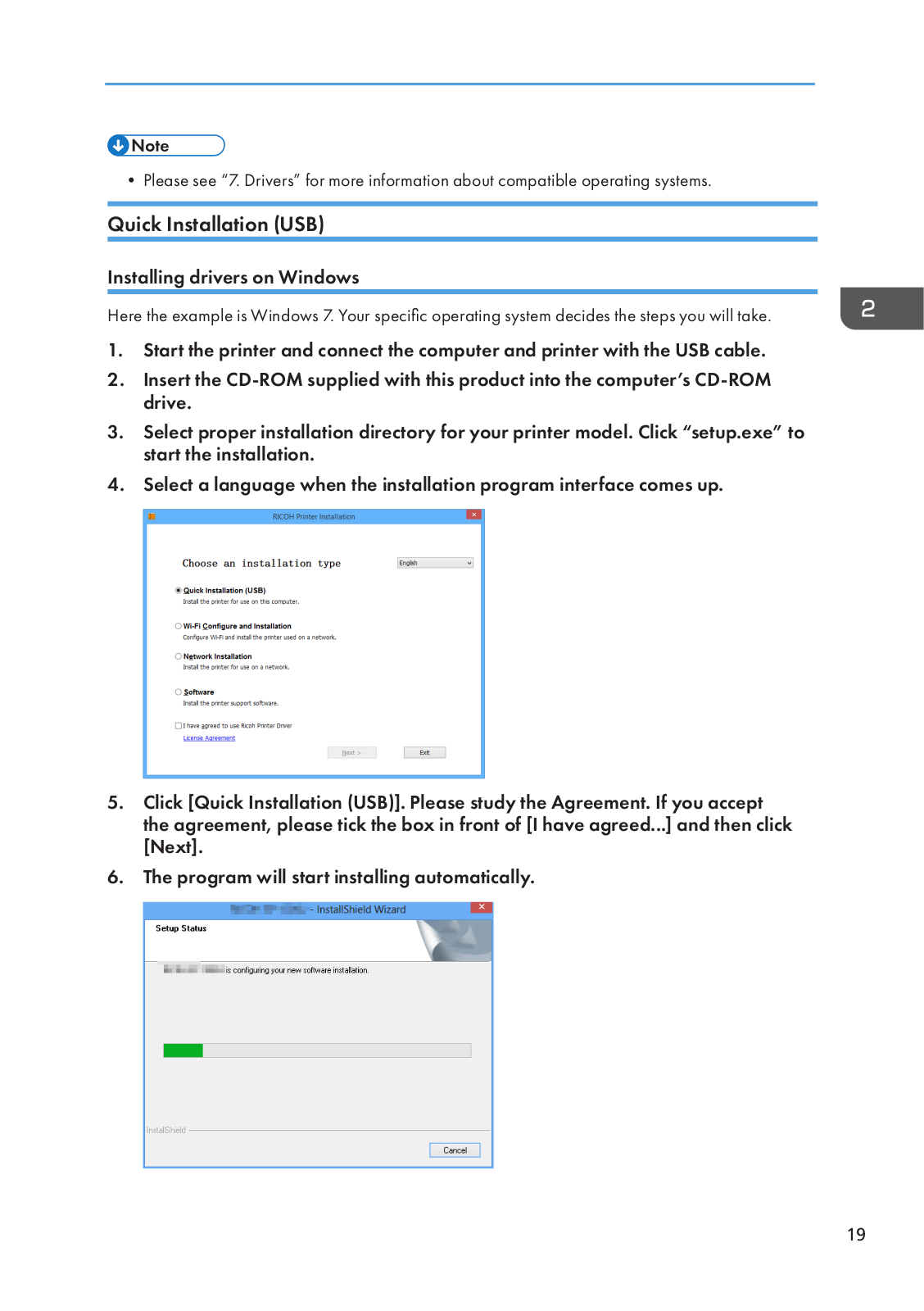
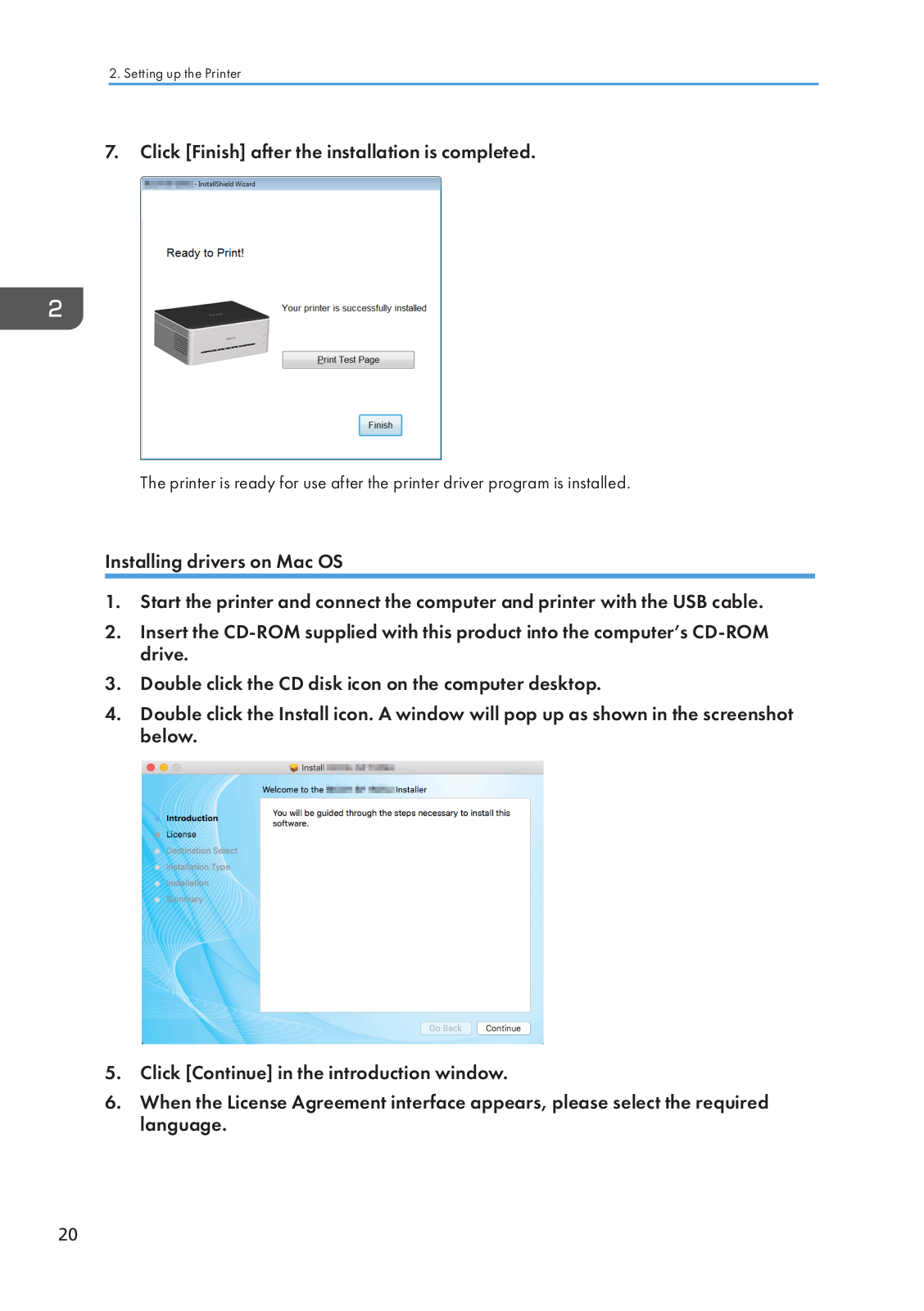
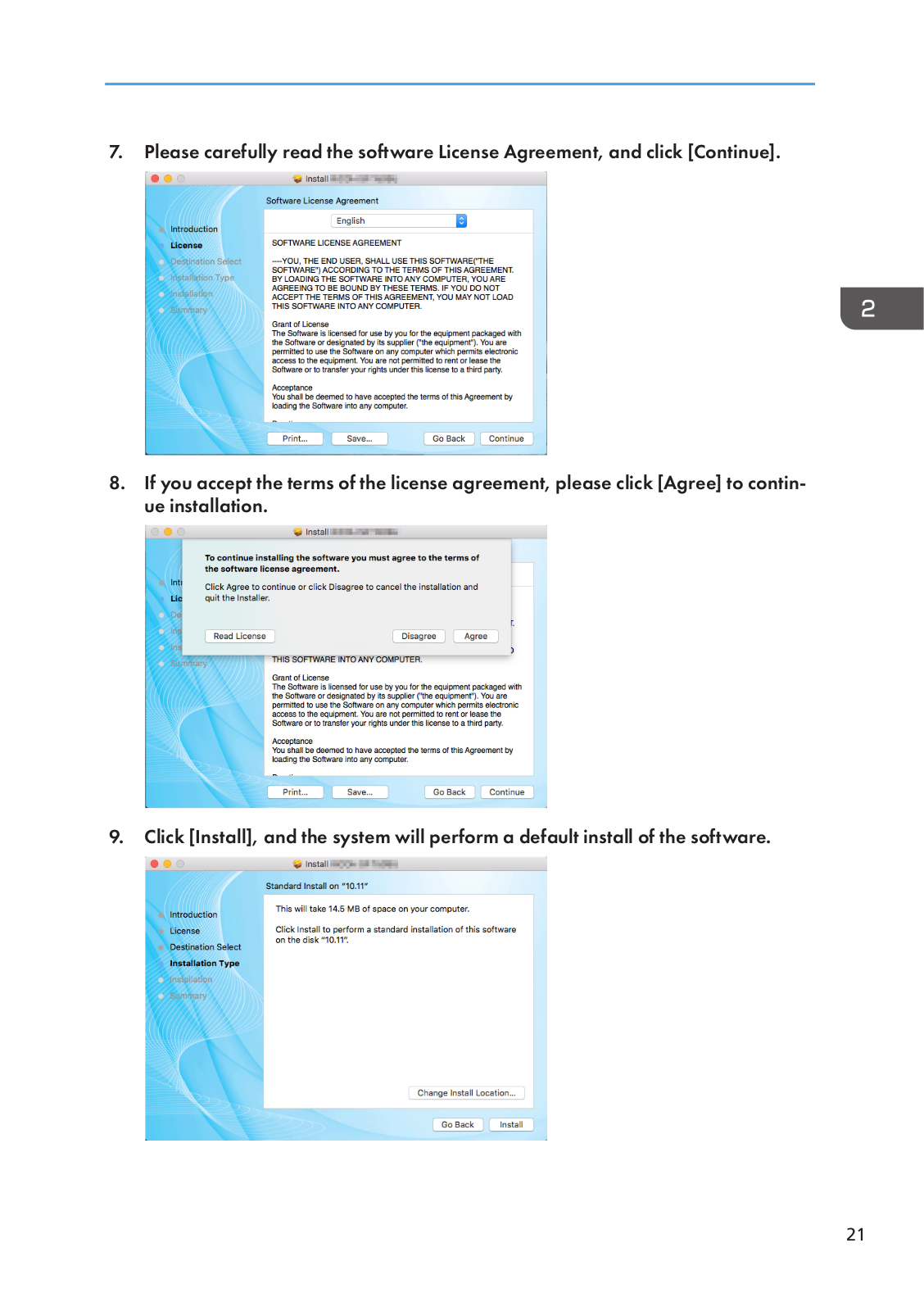
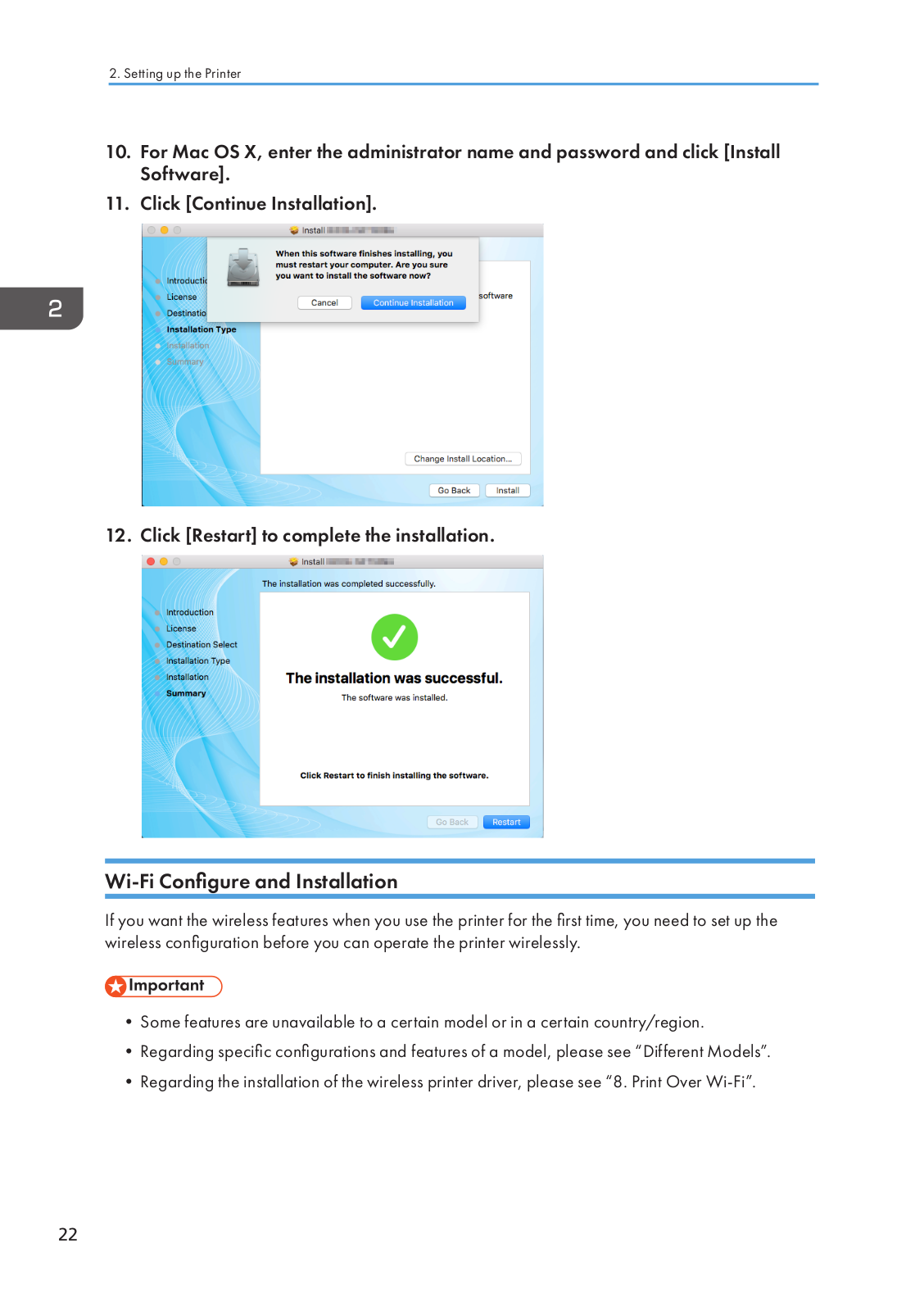
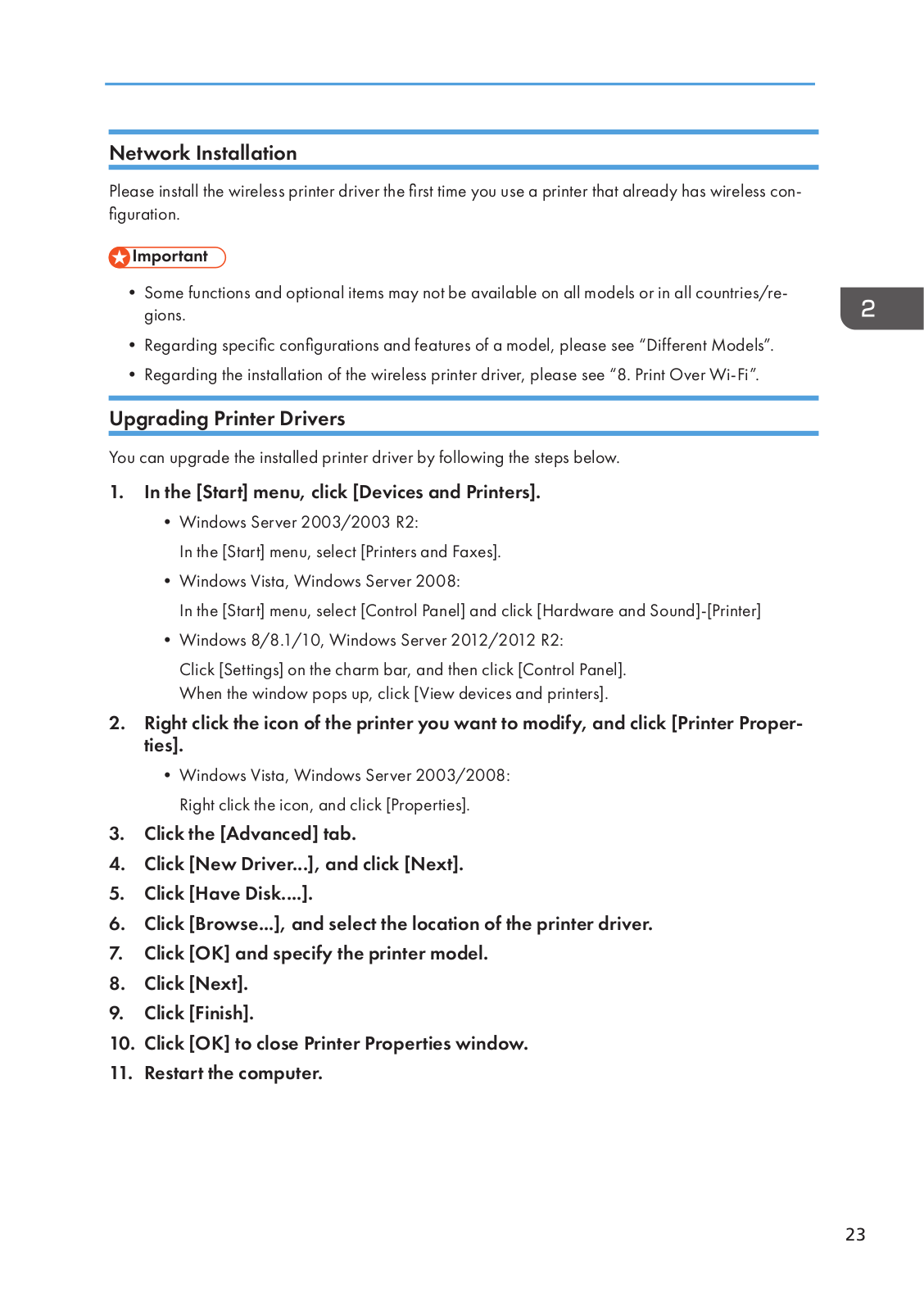
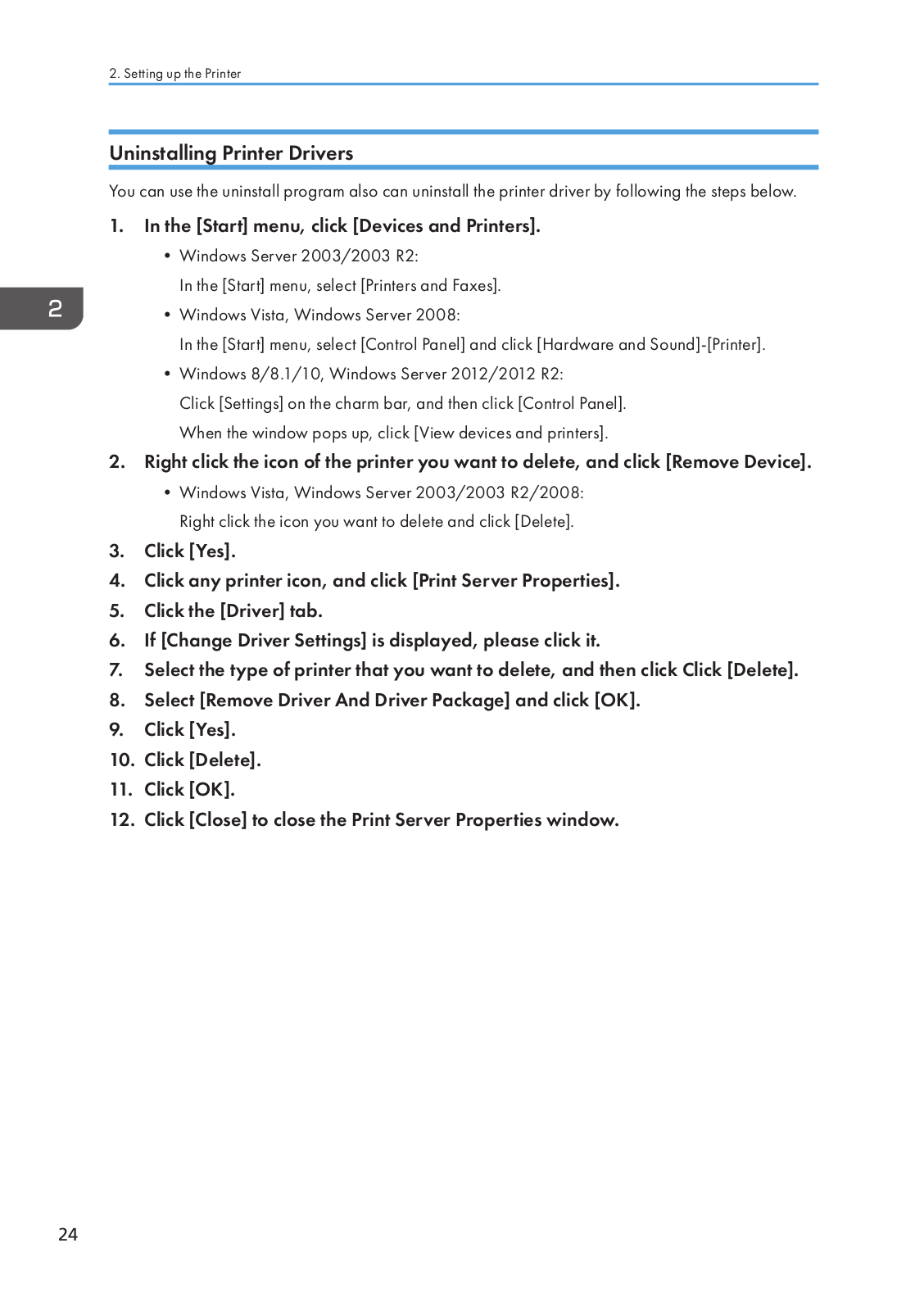
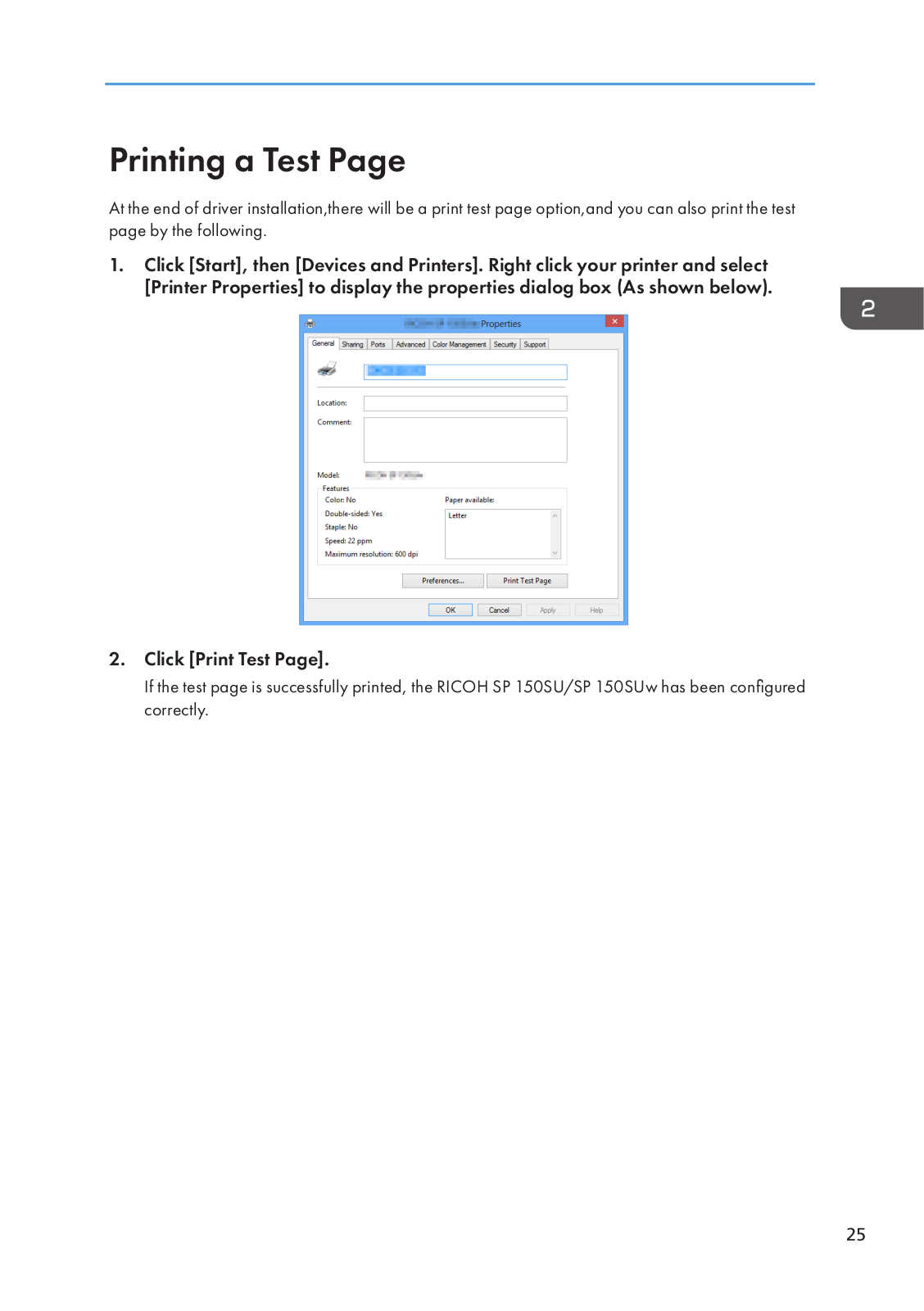
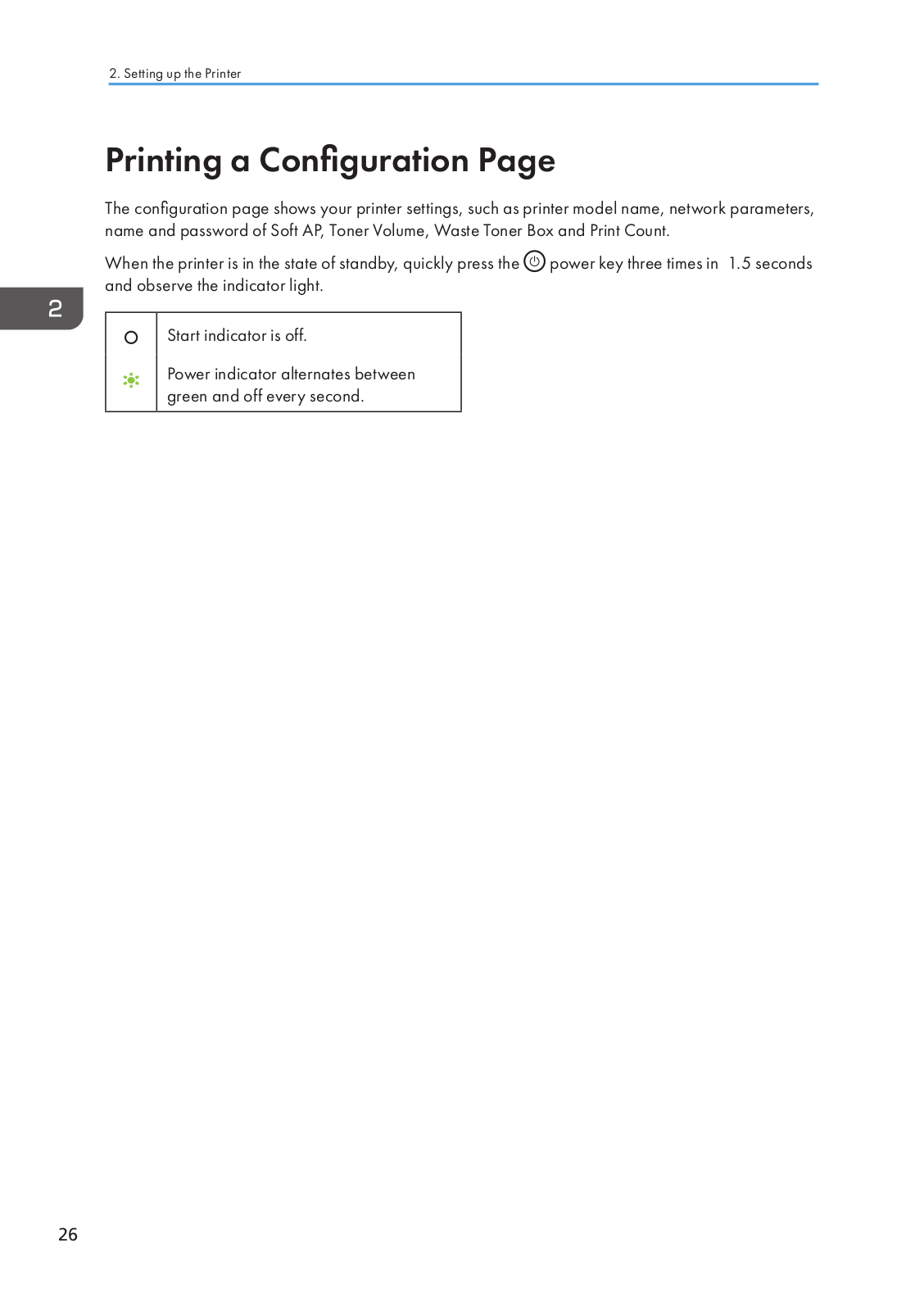
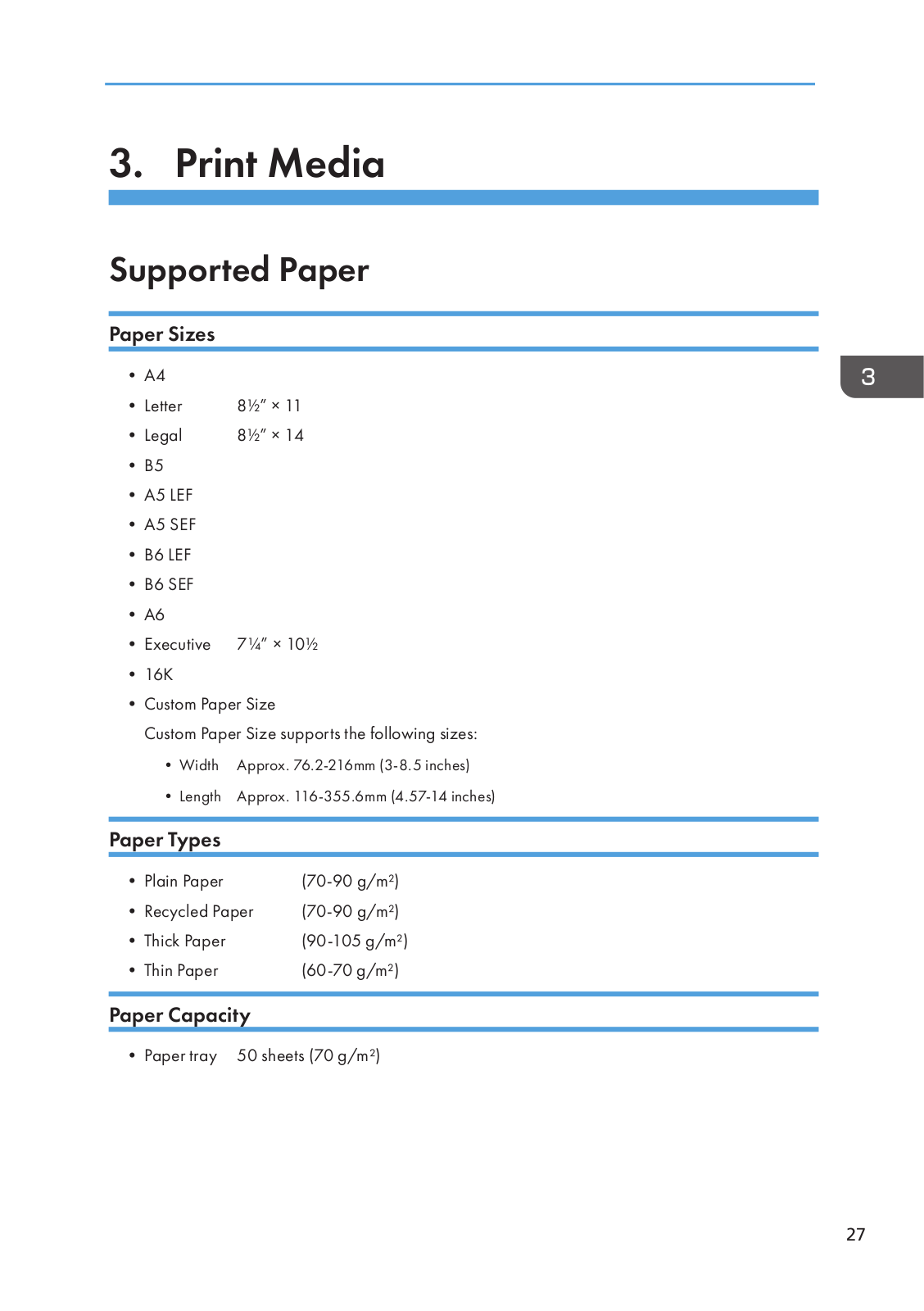
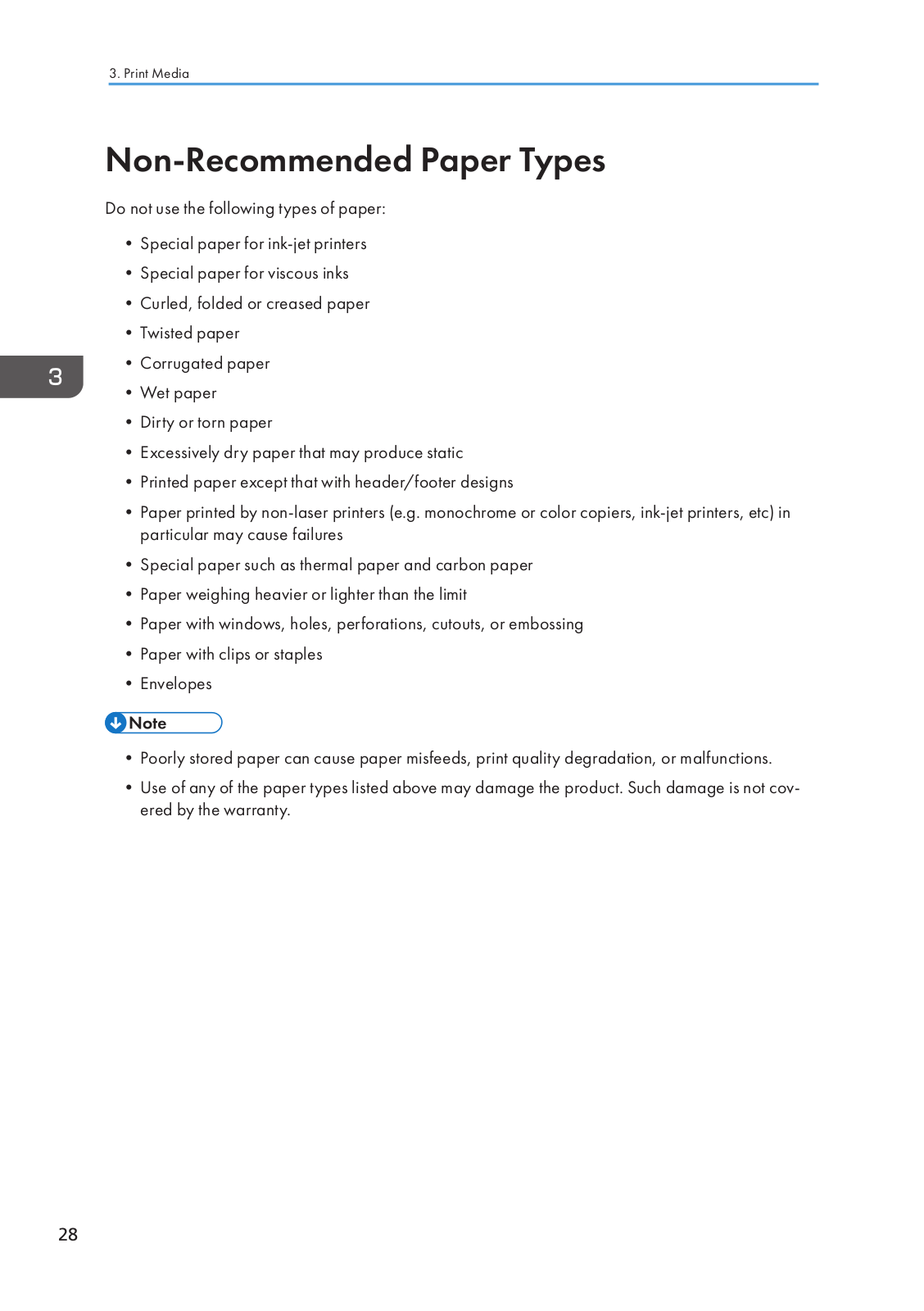
Loading…
+ 90 hidden pages
You need points to download manuals.
1 point = 1 manual.
You can buy points or you can get point for every manual you upload.
Buy points
Upload your manuals
Ricoh SP 150 Series SP 150SU Printer PDF User Guides and Manuals for Free Download: Found (1) Manuals for Ricoh SP 150 Series SP 150SU Device Model (Setup Manual)
Ricoh SP 150 Series SP 150SU Setup Manual
Details:
- Manufacturer: Ricoh
- Product Name/ID: Ricoh SP 150 Series SP 150SU / #1566029
- Category: Printer
- File Path: ricoh/sp-150-series-sp-150su_1566029.pdf
- Last Updated: 13 May 2025
- Description: This manual for Ricoh SP 150 Series SP 150SU is your essential resource, offering detailed setup instructions, feature overviews, and maintenance tips to keep your device performing optimally.
- Document Type: User Manual
- Pages: 2
|
Pages Preview: |
Download PDF
Read Online
The Ricoh SP 150 Series SP 150SU stands out as a reliable and efficient option for users seeking a compact yet powerful multifunction printer. Designed to cater to both home and small office environments, this device combines printing, scanning, and copying capabilities into a single device, making it an attractive solution for those who require versatility without sacrificing space.
One of the most notable features of the Ricoh SP 150 Series SP 150SU is its impressive print quality. With a resolution of up to 1200 x 600 dpi, it produces sharp and clear documents that meet the expectations of any professional setting. Whether producing text-heavy reports or vibrant images, this printer does not disappoint. Additionally, its fast print speeds—up to 22 pages per minute for black-and-white printing—make it a time-efficient choice for busy users.
When it comes to scanning and copying, the Ricoh SP 150 Series SP 150SU also delivers commendably. The flatbed scanner allows for high-resolution copies and scans, and features an easy-to-use interface that simplifies the process, even for users who are not tech-savvy. The ability to produce both single- and multi-page documents enhances overall functionality, making it an invaluable tool for managing office tasks efficiently.
Another strong point of this printer is its compact design. Measuring just a few inches in width, depth, and height, the Ricoh SP 150 Series SP 150SU can fit into tight spaces without compromising on performance. Its sleek aesthetic also ensures that it can blend into a variety of office styles seamlessly.
However, users should be aware that this model is monochrome only, which may be a limitation for those who frequently require color printing. Nevertheless, for businesses focused primarily on black-and-white documentation, this printer offers a cost-effective solution, ensuring that operational costs remain low. The use of Ricoh’s energy-efficient technologies also contributes to reduced power consumption, each time the printer is in use.
Here are some key specifications and features of the Ricoh SP 150 Series SP 150SU:
- Print, scan, and copy functions.
- Black-and-white print speed: up to 22 pages per minute.
- Print resolution: up to 1200 x 600 dpi.
- Compact design suitable for small spaces.
- Flatbed scanner for versatile document handling.
- Cost-effective operational costs due to efficient design.
In summary, the Ricoh SP 150 Series SP 150SU is an excellent choice for users who prioritize quality and efficiency in a compact design. Its multifunction capabilities, combined with fast performance and economic efficiency, make it a valuable addition to any small office or home office setup. Although it is limited to black-and-white printing, the overall reliability and print quality more than make up for this limitation. For anyone needing a workhorse without taking up too much space, this printer stands as a competent choice that meets a wide range of document-related needs.
Хорошее руководство по эксплуатации
Законодательство обязывает продавца передать покупателю, вместе с товаром, руководство по эксплуатации Ricoh SP 150SU. Отсутствие инструкции либо неправильная информация, переданная потребителю, составляют основание для рекламации в связи с несоответствием устройства с договором. В законодательстве допускается предоставлении руководства в другой, чем бумажная форме, что, в последнее время, часто используется, предоставляя графическую или электронную форму инструкции Ricoh SP 150SU или обучающее видео для пользователей. Условием остается четкая и понятная форма.
Что такое руководство?
Слово происходит от латинского «instructio», тоесть привести в порядок. Следовательно в инструкции Ricoh SP 150SU можно найти описание этапов поведения. Цель инструкции заключается в облегчении запуска, использования оборудования либо выполнения определенной деятельности. Инструкция является набором информации о предмете/услуге, подсказкой.
К сожалению немного пользователей находит время для чтения инструкций Ricoh SP 150SU, и хорошая инструкция позволяет не только узнать ряд дополнительных функций приобретенного устройства, но и позволяет избежать возникновения большинства поломок.
Из чего должно состоять идеальное руководство по эксплуатации?
Прежде всего в инструкции Ricoh SP 150SU должна находится:
— информация относительно технических данных устройства Ricoh SP 150SU
— название производителя и год производства оборудования Ricoh SP 150SU
— правила обслуживания, настройки и ухода за оборудованием Ricoh SP 150SU
— знаки безопасности и сертификаты, подтверждающие соответствие стандартам
Почему мы не читаем инструкций?
Как правило из-за нехватки времени и уверенности в отдельных функциональностях приобретенных устройств. К сожалению само подсоединение и запуск Ricoh SP 150SU это слишком мало. Инструкция заключает ряд отдельных указаний, касающихся функциональности, принципов безопасности, способов ухода (даже то, какие средства стоит использовать), возможных поломок Ricoh SP 150SU и способов решения проблем, возникающих во время использования. И наконец то, в инструкции можно найти адресные данные сайта Ricoh, в случае отсутствия эффективности предлагаемых решений. Сейчас очень большой популярностью пользуются инструкции в форме интересных анимаций или видео материалов, которое лучше, чем брошюра воспринимаются пользователем. Такой вид инструкции позволяет пользователю просмотреть весь фильм, не пропуская спецификацию и сложные технические описания Ricoh SP 150SU, как это часто бывает в случае бумажной версии.
Почему стоит читать инструкции?
Прежде всего здесь мы найдем ответы касательно конструкции, возможностей устройства Ricoh SP 150SU, использования отдельных аксессуаров и ряд информации, позволяющей вполне использовать все функции и упрощения.
После удачной покупки оборудования/устройства стоит посвятить несколько минут для ознакомления с каждой частью инструкции Ricoh SP 150SU. Сейчас их старательно готовят или переводят, чтобы они были не только понятными для пользователя, но и чтобы выполняли свою основную информационно-поддерживающую функцию.