
[metaslider id=26002]
Чтобы настроить время на ваших часах Casio G-Shock GBA-400 нужно вначале ознакомиться с названиями кнопок [смотри буквенные обозначения на картинке]. Только тогда вы сможете правильно понимать дальнейшие действия.
Советуем изучить инструкцию к модулю Casio 5413
- Смотреть онлайн → (без скачивания, удобно на мобильных и планшетах);
- Скачать русскую инструкцию → (типичная «как у всех», не всегда понятные картинки);
- Скачать английскую инструкцию → (детальная, много фото, более понятная).
Как бы вам не хотелось, но инструкция действительно поможет решить проблемы с настройкой. Важно понимать логику действий.
Установка времени и даты
- Удерживайте кнопку (A) в течение двух секунд. Отобразится [SET Hold], а затем начнет мигать значок часового пояса.
- Нажмите кнопку (C) три раза, после чего цифры секунд начнут мигать.
- Нажмите кнопку (D) для сброса счетчика секунд до значения 00. Если на счетчике секунд отображено значение в интервале от 30 до 59, при нажатии кнопки (D) текущее значение минут будет увеличено на 1.
- Нажмите кнопку (C), после чего цифры со значением часов начнут мигать.
- Установка даты. Для изменения мигающего значения поверните поворотный переключатель. При каждом нажатии (C) происходит переключение между мигающими значениями в следующей последовательности: часы o минуты o год o месяц o день.
- Нажмите кнопку (A), чтобы выйти из экрана настроек.
РЕЖИМ АНАЛОГОВОГО ВРЕМЕНИ
- Удерживайте кнопку (A) около пяти секунд. На экране отобразится [H.SET Hold], затем начнет мигать [Sub].
- Если указатель диска не установлен на 12 часов, поверните поворотный переключатель, чтобы переместить его в это положение.
- Три раза поверните поворотный переключатель чтобы запустить быстрый перевод стрелок часов.
- Нажмите кнопку (C). Это позволит скорректировать положение часовой и минутной стрелки. При повторном нажатии кнопки (C) произойдет возврат к скорректированному положению ука- зателя диска. Во время перемещения стрелок использование кнопок и по- воротного переключателя недоступно.
- Если часовая и минутная стрелки не установлены на 12 часов, поверните поворотный переключатель, чтобы переместить его в это положение.
- Для возврата в режим «Часы» нажмите кнопку (A).
Так и не смогли настроить? Спрашивайте на форуме G-Shock →
[box]Последние новости о часах GBA-400 на блоге:
[display-posts tag=»GBA-400″ posts_per_page=»5″]
Все новости о G-Shock GBA-400 →
[/box]
C
C
C
C
C
C
Setup Mode
Timer Mode Stopwatch Mode
Alarm Mode
World Time ModeTimekeeping Mode
B
(Approximately
0.5 seconds)
Control Mode*
MA1410-EC
© 2014 CASIO COMPUTER CO., LTD.
Operation Guide 5413
The information below applies to all
modes.
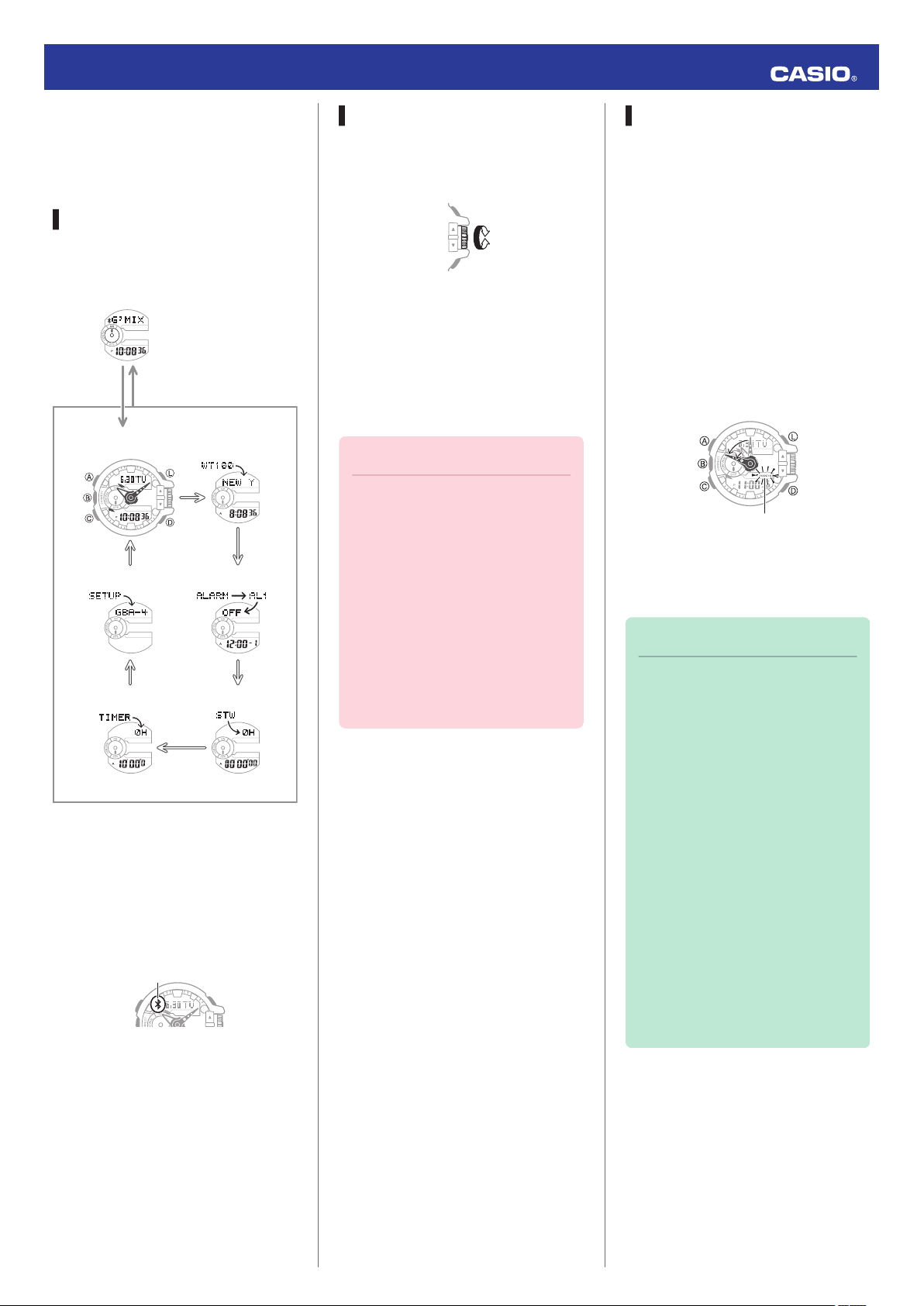
Your watch has seven modes. Navigate
between modes as shown below.
Use the (C) button to navigate between
modes. To enter the Control Mode, hold
down (B) for about 0.5 seconds.
* When the watch enters the Control
Basic Operations
Navigating Between Modes
Mode, it will establish a connection
with the phone and the Bluetooth
indicator will appear on its display.
Using the Rotary Switch
Rotate the rotary switch to change
settings.
●
Rotating the rotary switch quickly three
times starts a fast forward or fast
reverse operation. To stop a fast
forward or fast reverse operation,
rotate the rotary switch in the opposite
direction or press any button.
Important!
●
Rotate the rotary switch without
pulling it out. Pulling with strong
force can cause malfunction or
damage.
●
To prevent error, the first
rotation performs no operation.
Keep rotating to perform the
desired operation. Error
prevention re-activates about
three minutes after the last
operation.
Shifting the Hands
Hour and minute hand shift moves the
hands for easy viewing of display info.
1. To shift the hour and minute hands,
hold down (L) as you press (C).
●
This will cause the hour and minute
hands to move to a position where
they do not block the digital
display.
●
The HANDS indicator flashes
while the hands are shifted.
Example:
Shifting the hands when it is 11:00
2. To return the hands to their normal
positions, holding down (L) as you
press (C) again.
Note
●
This function can be used in any
mode.
●
Watch button operations remain
the same when the hands are
shifted.
●
Changing to another mode
returns the hands to their normal
positions.
●
Shifted hands will return to their
normal positions if no button
operation is performed for one
hour.
●
In all modes, hands shift
automatically while settings are
being configured. They move
back to their normal positions
after settings are complete.
1
Operation Guide 5413
Using Mobile Link with a
Mobile Phone
While there is a Bluetooth connection
between the watch and phone, the watch
time setting is adjusted automatically and
you can perform music app operations
from the watch.
Note
●
This section describes watch
and phone operations.
X : Watch operation
Y : Phone operation
Getting Ready
A Installing required app on your
phone
To use the watch with a phone, first tap
one of the links below and install the
CASIO G-SHOCK+ app on the phone.
●
iOS (iPhone)
https://itunes.apple.com/us/app/
id550075201?ls=1&mt=8
●
Android (GALAXY, etc.)
https://play.google.com/store/apps/
details?id=com.casio.gshockplus
Android Users
Enable Bluetooth.
●
If you are presented with a choice
between “Bluetooth” and “Bluetooth
Smart”, select “Bluetooth Smart”.
Note
●
For details about setting
procedures, see your phone
documentation.
C Pairing the watch with a phone
Before you can use the watch in
combination with a phone, you first need
to pair them. Once the watch is paired
with a phone, you normally do not need
to pair them again.
1. Move the phone you want to pair with
close to (within one meter of) the
watch.
2.
Y On the Home Screen, tap the “G-
SHOCK+” icon.
●
If G’MIX App is not installed on the
phone, the G’MIX App installation
screen will appear. Follow the
instructions that appear to install
the app.
3.
Y Select “GBA-400” and then tap
“Next”.
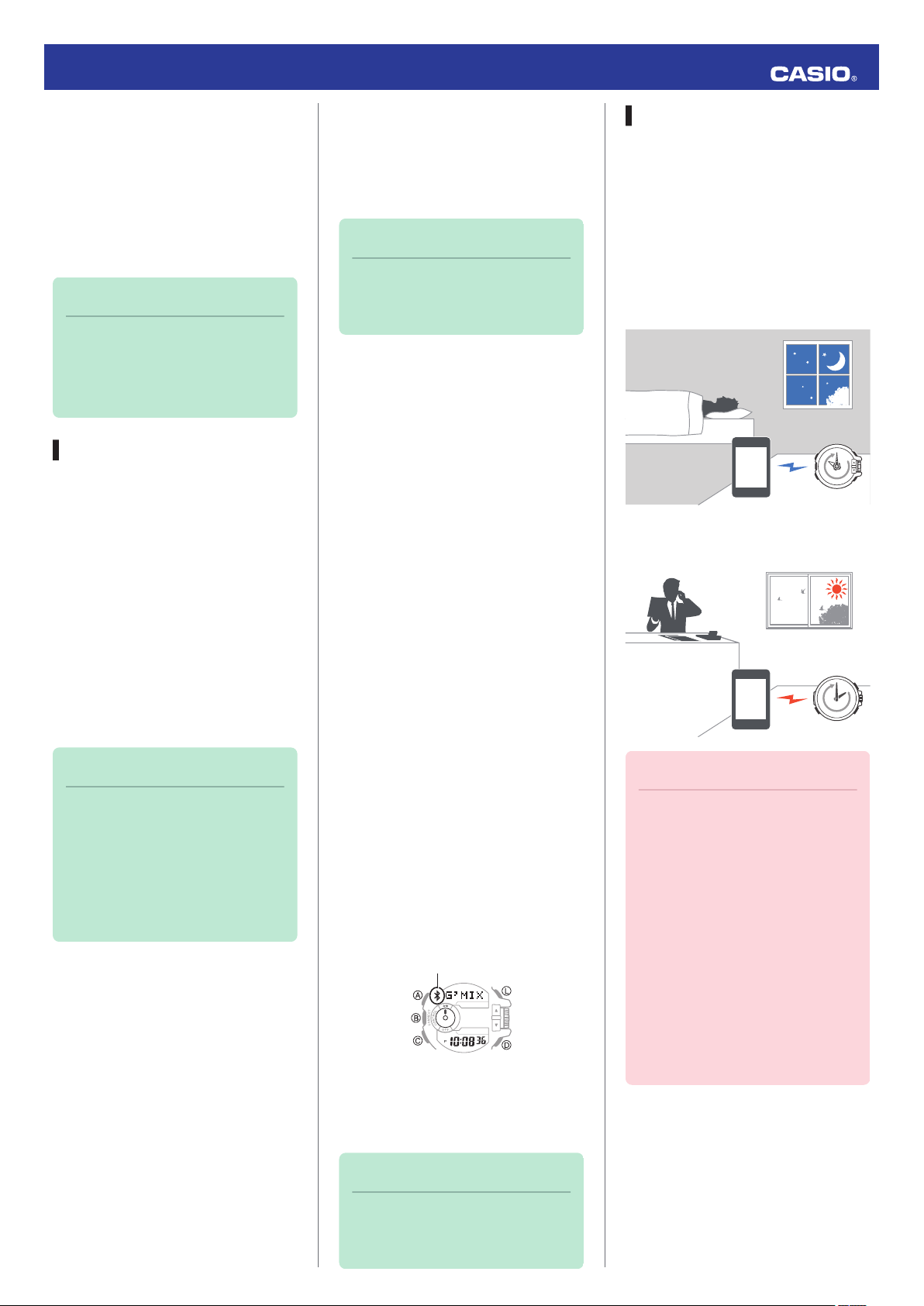
Auto Time Adjustment
The watch can be set to adjust its time
setting automatically each day in
accordance with the phone time.
●
Using Auto Adjust
Schedule auto adjust for times the watch
and phone are normally close to each
other as shown in the illustration below.
●
While you sleep at night
●
While you work at your desk in the
afternoon
Note
●
In addition to G-SHOCK+, there
is also another G-SHOCK music
app named G’MIX App. You can
install G’MIX App on your phone
by starting up G-SHOCK+ and
then following the instructions
that appear on the screen.
B Configuring Bluetooth settings
Enable the phone’s Bluetooth.
iPhone Users
1.
Y On the Home Screen, tap
“Settings” n “Bluetooth”.
2.
Y Enable “Bluetooth”.
3.
Y Tap “Settings” to return to the
“Settings” screen.
4.
Y Tap in the following sequence:
“Privacy” n “Bluetooth Sharing”.
5.
Y Enable “G-SHOCK+”.
4.
Y Perform operations as instructed
by the app.
●
If a pairing prompt message
appears, perform the operation
shown on the phone screen.
●
After pairing is complete, the
Bluetooth indicator will appear on
the watch to indicate it is
connected with the phone.
5.
Y Tap “Start”.
This displays the G-SHOCK+ top
screen.
Note
●
If pairing fails for some reason,
perform the procedure again
from step 2.
Important!
●
Even if there is no Bluetooth
connection when the auto adjust
time is reached, a connection is
established and adjustment is
performed automatically. The
connection is automatically
terminated after time
adjustment is complete.
●
The watch adjusts its time
setting automatically in
accordance with the phone time
while they are connected with
each other.
2
Operation Guide 5413
●
Setting the Auto Adjust Time
Use G-SHOCK+ on the phone to set the
auto adjust time.
1.
Y On the Home Screen, tap the “G-
SHOCK+” icon.
This displays “Searching for
watch…”.
2.
X Hold down the (B) button for about
0.5 seconds.
This causes the watch and phone to
connect with each other, and the
watch to enter the Control Mode.
3.
Y Tap “Watch settings”.
4.
Y Tap “Basic settings”.
5.
Y Tap “Time adjustment”.
●
Perform the operation shown on
the phone screen.
Note
●
Actual adjustment of the watch
time setting will occur about 30
seconds after the auto adjust
time.
Example: When 22:00 is set as
the auto adjust time, watch time
setting adjustment will start 30
seconds after 22:00.
●
If time adjustment fails for some
reason, the watch will beep. If
this happens, move the watch
and phone close to each other.
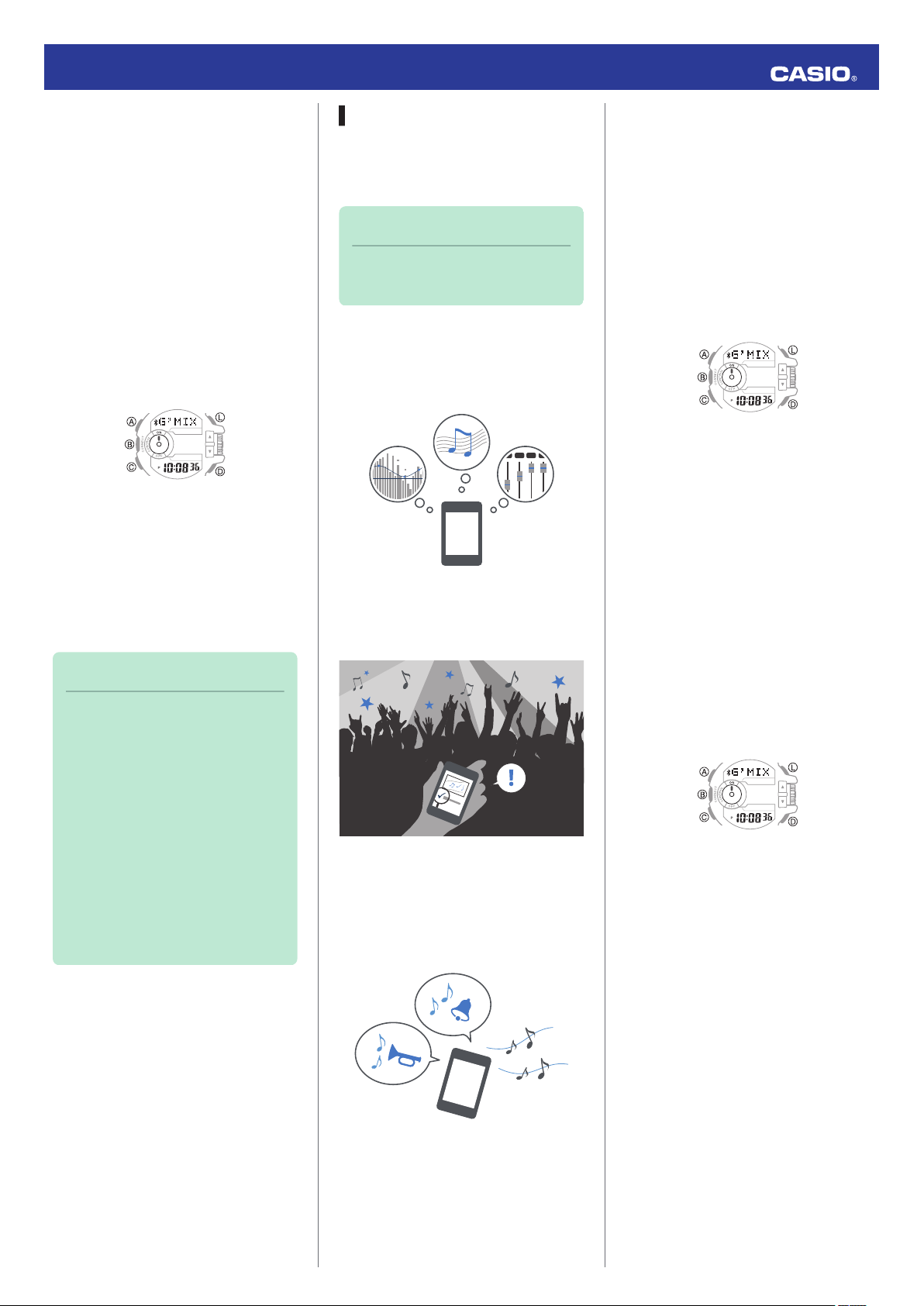
Music App Operations
The CASIO G’MIX App music app
running on your phone can be controlled
from your watch.
Note
●
G’MIX App provides three
modes for enjoying music.
●
PLAYER Mode
This mode lets you adjust sound quality
and ambiance and playback music from
your phone’s music library.
●
SEARCH Mode
When there is music playing in your area,
you can use this mode to find out its title.
●
SOUNDER Mode
Use this mode to perform watch
operations for playing G’MIX App built-in
sounds or sounds you have created
yourself.
●
Installing the G’MIX App
To use the functions described above
you need to install G’MIX App on your
phone as described below.
1.
Y Tap the “G-SHOCK+” icon.
This displays “Searching for
watch…”.
2.
Y Hold down the (B) button for about
0.5 seconds.
3.
Y Tap “Music App settings”.
Perform the operation shown on the
phone screen.
●
Using G’MIX App
There must be a connection between the
watch and phone to use G’MIX App.
Perform the operation below.
1.
Y On the Home Screen, tap the “G-
SHOCK+” icon.
2.
X Hold down the (B) button for about
0.5 seconds.
The watch enters the Control Mode.
3.
X Use buttons or the rotary switch to
perform the operation you want.
3
Operation Guide 5413
Note
●
With G’MIX App, you can assign
the following functions to the
rotary switch:
volume level, select track, select
album, select artist, select
playlist, select effect, select
SOUNDER sound.
●
In the case of an iPhone, you
can control G’MIX App or the
standard iPhone Music app
from the watch. If you want to
control the standard iPhone
Music app from the watch,
perform the procedure below.
1. Remove G’MIX App from the
phone.
2. On the G-SHOCK+ top
screen, tap: “Music App
settings” n “Music”.
●
Certain music file types may not
be supported for playback with
G’MIX App.
Song Title Search
When there is music playing in your area,
you can use Song Title Search to find out
its title.
Important!
●
Your phone needs to have the
CASIO G’MIX App music app
installed to use this functions.
l Music App Operations
1.
X If the watch is connected with a
phone, hold down (B) for about 0.5
seconds to terminate the connection.
2.
X On the watch, enter the
Timekeeping Mode and then quickly
rotate the rotary switch twice.
This will cause [SEARCH] to appear
on the display, indicating that search
has started.
●
If the song title search is
successful, the song title will
appear on the watch display.
3.
X Press any button other than (L) to
clear the song title from the display.
Note
●
The displayed song title can be
up to 17 alpha characters
(letters, numbers, symbols) or
five Japanese (katakana)
characters long.
●
[*CHECK App] will appear if
characters that are not
supported for display are
included or if there are multiple
titles for the song. If this
happens, use your phone to
check the song title.
●
[*FAILED] will appear if the song
title cannot be found.
●
This function is available only
while G-SHOCK+ and G’MIX
App are running on the phone.
Phone Finder
You can use phone finder to trigger a
tone on the phone to make it easy to find.
The tone is forced to sound even if the
phone is in the manner mode.
●
This function is available only while G-
SHOCK+ is running on the phone.
Important!
●
Do not use this function in areas
where phone call tones are
restricted.
●
The tone sounds at a high
volume. Do not use this function
when listening to phone output
over earphones.
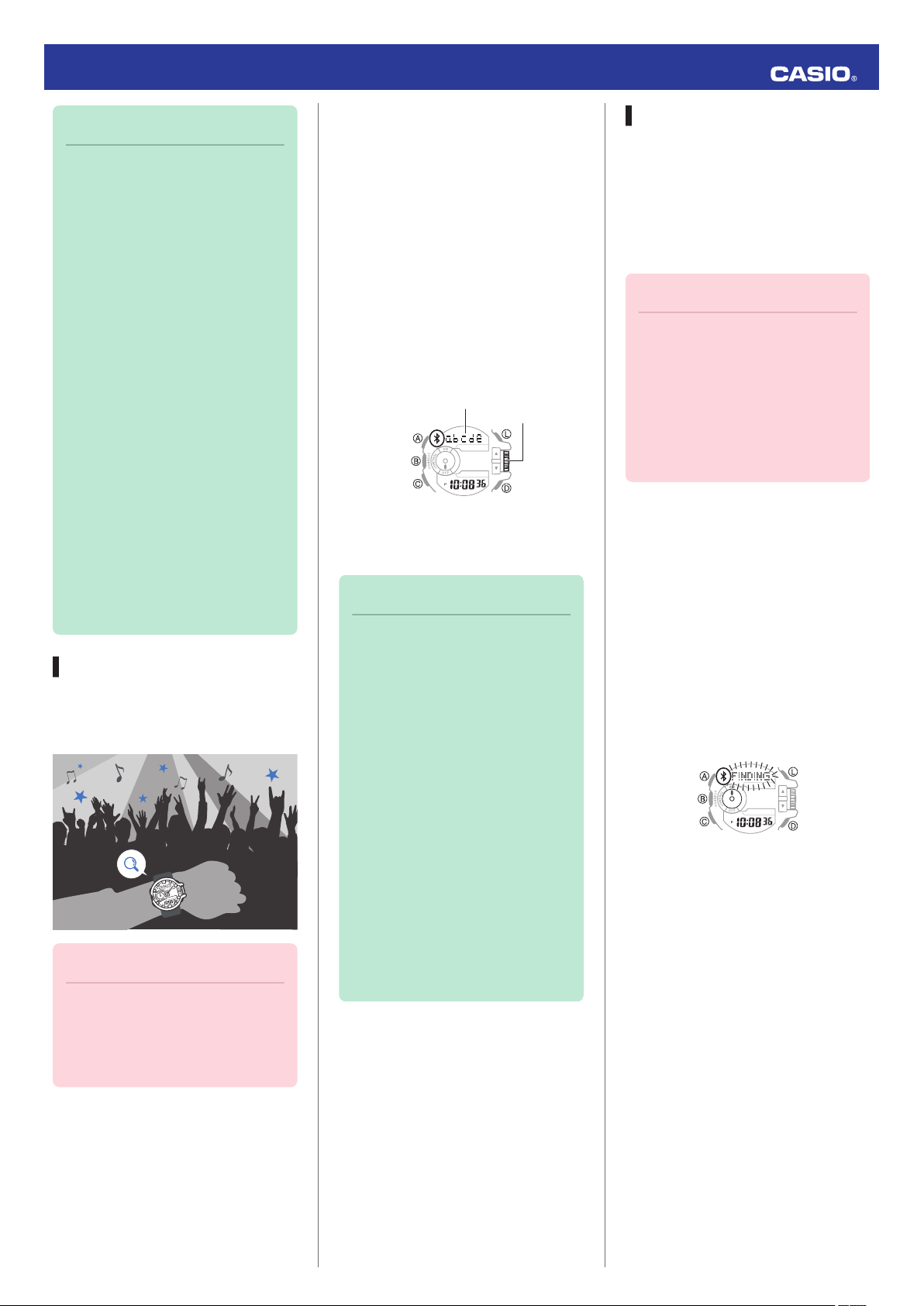
1.
X If the watch is connected with a
phone, hold down (B) for about 0.5
seconds to terminate the connection.
2.
X In the Timekeeping Mode, hold
down the (D) button for about one
second.
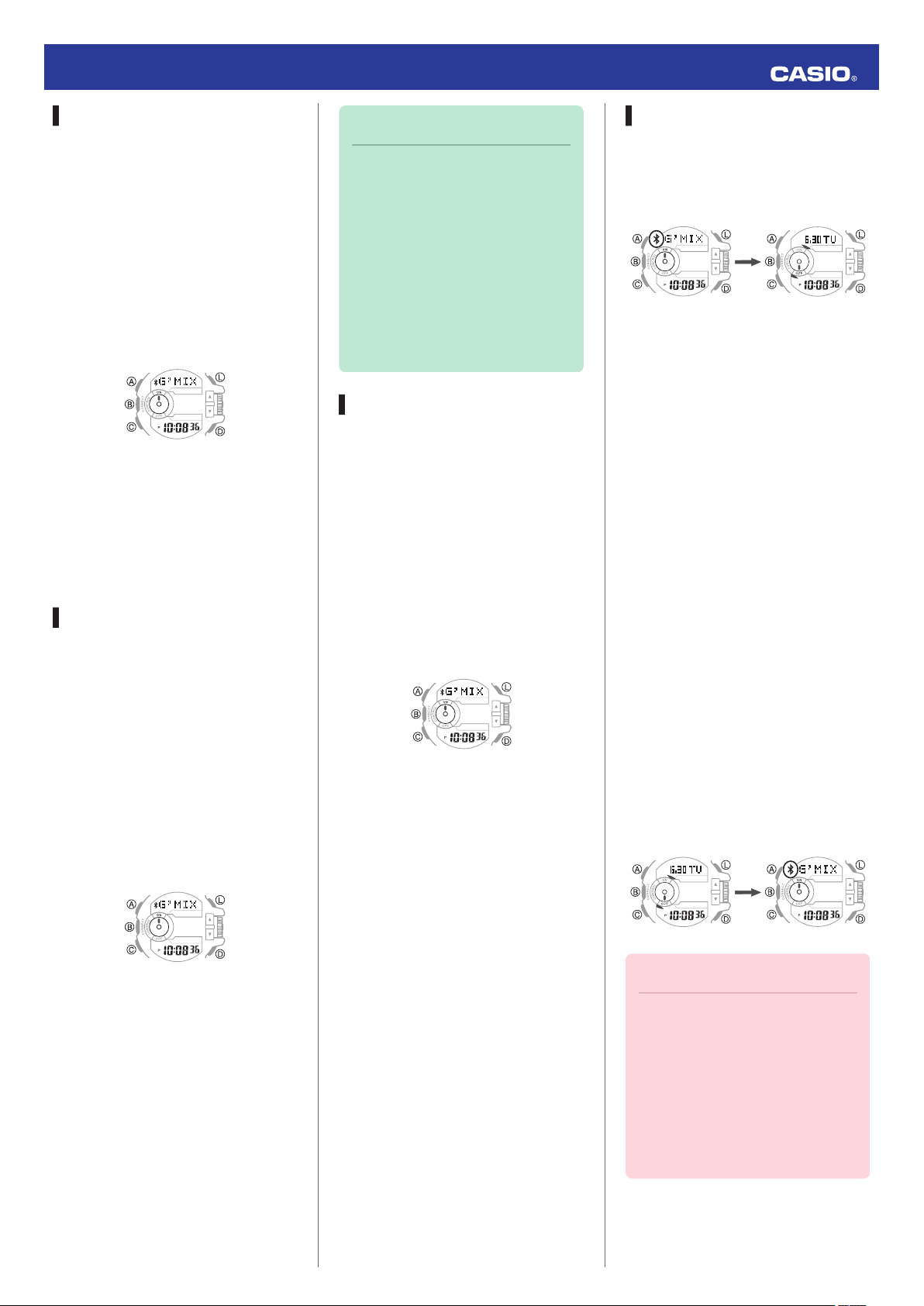
This will display the watch screen
shown below and cause the tone to
sound on the phone.
●
It will take a few seconds before
the phone tone sounds.
3.
X Press any button to stop the tone.
●
You can press any watch button to
stop the phone tone only during
the first 30 seconds after it starts to
sound.
Perform the procedure below when there
is no connection between the watch and
a phone.
4
After disconnectionConnected
Operation Guide 5413
Configuring Watch Settings
G-SHOCK+ can be used to easily
configure alarm, timer, and 12/24-hour
timekeeping settings.
1.
Y Tap the “G-SHOCK+” icon.
2.
X Hold down the (B) button for about
0.5 seconds.
This causes the watch and phone to
connect with each other, and the
watch to enter the Control Mode.
3.
Y Tap “Watch settings”.
4.
Y Select the setting you want to
change and then perform the
operation shown on the phone
screen.
World Time City Setting
With World Time, you can select the
desired World Time City from one
displayed in the G-SHOCK+ city list or
world map.
1.
Y Tap the “G-SHOCK+” icon.
2.
X Hold down the (B) button for about
0.5 seconds.
This causes the watch and phone to
connect with each other, and the
watch to enter the Control Mode.
Note
●
G-SHOCK+ World Time lets
you select from among
approximately 300 cities as the
World Time City. If the city you
select with G-SHOCK+ is not
included in the 100 cities
supported by the watch, that
city’s time zone will be
registered to [EXTRA] in the
watch’s city list.
Adjusting Hand Alignment
You can use G-SHOCK+ to correct the
watch’s hand positions when they do not
indicate the same time as the digital
display.
1.
Y Tap the “G-SHOCK+” icon.
2.
X Hold down the (B) button for about
0.5 seconds.
This causes the watch and phone to
connect with each other, and the
watch to enter the Control Mode.
3.
Y Tap “Watch settings”.
4.
Y Tap “Basic settings”.
5.
Y Tap “Adjusting home positions”.
6.
Y Perform the operation shown on
the phone screen.
Connection
Cancelling a Connection with a
Phone
To terminate the Bluetooth connection,
hold down (B) for about 0.5 seconds until
the Bluetooth indicator disappears.
Connecting with a Phone
This section explains how to establish a
Bluetooth connection between a phone
that is paired with the watch.
●
If the watch is not paired with the phone
you want to connect with, perform the
procedure under “C Pairing the watch
with a phone” to pair them.
1. Move the phone close to (within one
meter of) the watch.
2.
X If the Bluetooth indicator is not
displayed, hold down (B) for about
0.5 seconds to connect.
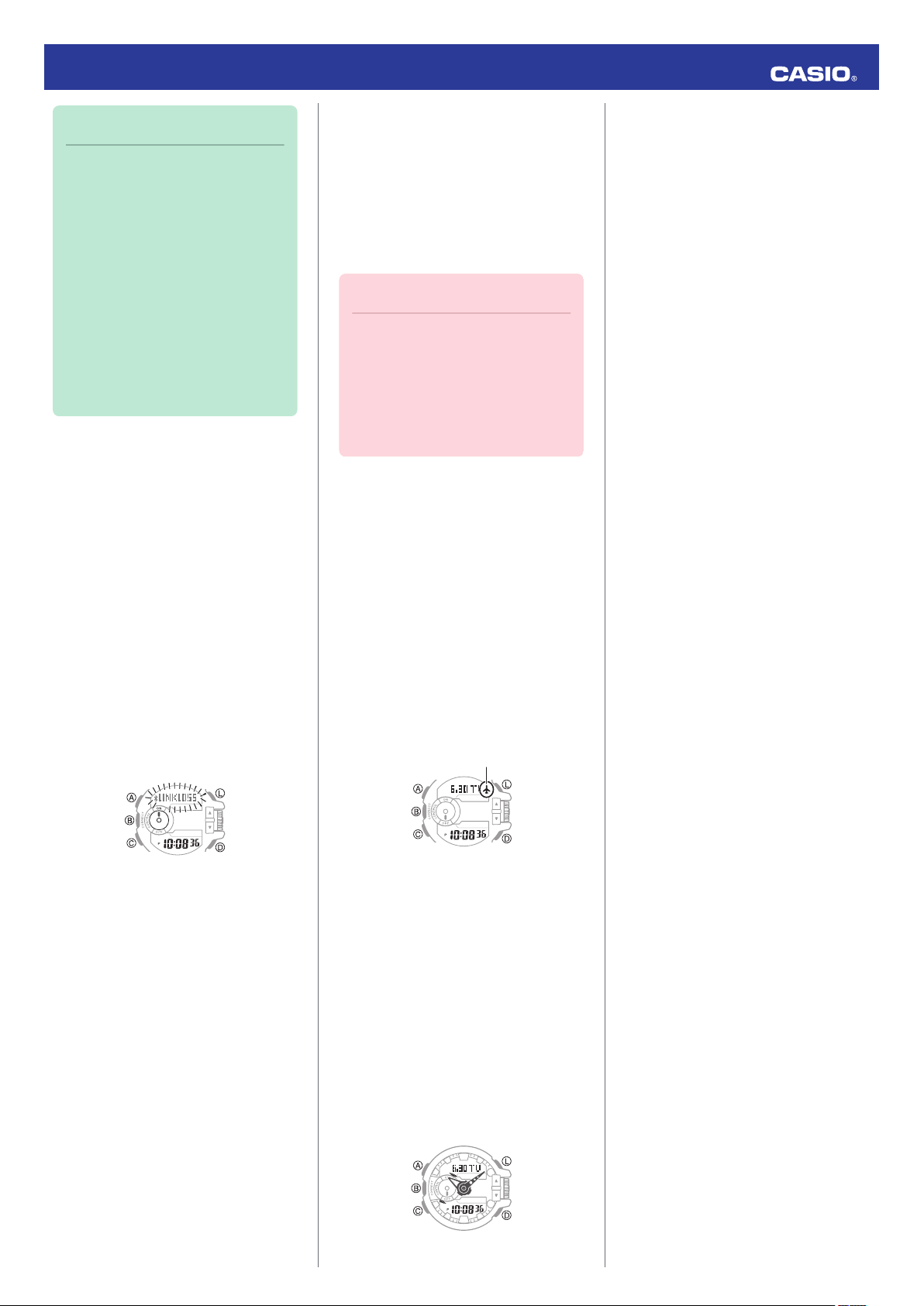
This will establish a Bluetooth
connection and cause the Bluetooth
indicator to appear.
●
The watch will enter the Control
Mode.
3.
Y Tap “Watch settings”.
4.
Y Tap “World time”.
5.
Y Perform the operation shown on
the phone screen.
Important!
●
If you have problems
establishing a connection, it
could mean that G-SHOCK+ is
not running on the phone. On
the phone’s home screen, tap
the “G-SHOCK+” icon. Then on
the watch, hold down the (B)
button for about 0.5 seconds.
5
Operation Guide 5413
Note
●
The connection will be
terminated if you do not perform
any operation on the watch or
phone for a fixed amount of time
(connection limit time).
To specify the connection limit
time, perform the following
operation with G-SHOCK+:
“Watch settings”n“Basic
settings”n“Connection time”.
Next, specify a setting of 1 hour,
1.5 hours, or 2 hours.
Link Loss Alert
While there is a Bluetooth link between
the watch and a phone, the [LINKLOSS]
warning will appear on the watch display
in the following cases: if you do not
perform any phone operation, if the
distance between the watch and phone
becomes too great, if the phone is turned
off, if the connection is lost due to radio
interference or some other cause. A loss
of connection will cause the watch to
return to the Timekeeping Mode.
To re-connect, move the watch and
phone close to each other and then hold
down the watch’s (B) button for about 0.5
seconds.
Entering the Watch Airplane Mode
Use the Airplane Mode to disable
Bluetooth radio wave emissions.
Enter the Airplane Mode when in a
hospital, in an aircraft, or anywhere else
where radio wave emissions are
restricted.
Important!
●
The functions below are
disabled in the Airplane Mode.
ー
Auto adjust
ー
Song title search
ー
Phone finder
ー
Bluetooth connection
1.
X If the watch is connected with a
phone, hold down (B) for about 0.5
seconds to terminate the connection.
2.
X Hold down (C) for about four
seconds.
This causes the watch to enter the
Airplane Mode and displays the
Airplane indicator.
●
Each time the (C) button is held
down for about four seconds, the
watch enters or exits the Airplane
Mode.
2.
X Press (C) five times to enter the
Setup Mode.
[SETUP] will appear on the display
followed by the watch device name.
Each press of (D) cycles the display
contents in the sequence shown
below.
Watch device name
p
Watch device address
p
Type of phone currently connected
* Displayed only when the watch is
paired with a phone.
3.
X Press (C) to return to the
Timekeeping Mode.
Clearing Pairing Info
To unpair the watch from a phone, delete
the pairing information from G-SHOCK+,
the phone, and the watch.
●
Clearing Pairing Information from
G-SHOCK+
1.
X If the watch is connected with a
phone, hold down (B) for about 0.5
seconds to terminate the connection.
2.
Y In the upper right corner of the G-
SHOCK+ top screen, tap i to
display the “Connection settings”
screen.
*
●
If “Tone” is selected for the G-SHOCK
+ “Link loss alert” setting, the watch will
beep when link loss occurs.
l Configuring Watch Settings
Viewing Mobile Link Info
Use the procedure below to view Mobile
Link Info on the watch.
1.
X Hold down the (C) button for about
two seconds.
This will cause the watch to enter the
Timekeeping Mode.
●
If the watch is connected with a
phone, hold down (B) for about 0.5
seconds to terminate the
connection.
3.
Y On the “Previously registered
watch” list, select the one whose
pairing information you want to clear.
4.
Y Tap “Delete pairing registration”.
5.
Y Tap “Yes”.
This clears the watch’s pairing
information from G-SHOCK+.
6
Loading…
Basic Operations
The information below applies to all
modes.
Navigating Between Modes
Your watch has seven modes. Navigate
between modes as shown below.
C
C
C
C
C
C
Setup ModeTimer Mode Stopwatch ModeAlarm ModeWorld Time ModeTimekeeping Mode
B
(Approximately 0.5 seconds)Control Mode*
Use the (C) button to navigate between
modes. To enter the Control Mode, hold
down (B) for about 0.5 seconds.
* When the watch enters the Control
Mode, it will establish a connection
with the phone and the Bluetooth
indicator will appear on its display.
Bluetooth indicator
MA1410-EC© 2014 CASIO COMPUTER CO., LTD.
Using the Rotary Switch
Rotate the rotary switch to change
settings.
●
Rotating the rotary switch quickly three
times starts a fast forward or fast
reverse operation. To stop a fast
forward or fast reverse operation,
rotate the rotary switch in the opposite
direction or press any button.
Important!
●
Rotate the rotary switch without
pulling it out. Pulling with strong
force can cause malfunction or
damage.
●
To prevent error, the first
rotation performs no operation.
Keep rotating to perform the
desired operation. Error
prevention re-activates about
three minutes after the last
operation.
Shifting the Hands
Hour and minute hand shift moves the
hands for easy viewing of display info.
1. To shift the hour and minute hands,
hold down (L) as you press (C).
●
This will cause the hour and minute
hands to move to a position where
they do not block the digital
display.
●
The HANDS indicator flashes
while the hands are shifted.
Example:
Shifting the hands when it is 11:00
HANDS indicator
2. To return the hands to their normal
positions, holding down (L) as you
press (C) again.
Note
●
This function can be used in any
mode.
●
Watch button operations remain
the same when the hands are
shifted.
●
Changing to another mode
returns the hands to their normal
positions.
●
Shifted hands will return to their
normal positions if no button
operation is performed for one
hour.
●
In all modes, hands shift
automatically while settings are
being configured. They move
back to their normal positions
after settings are complete.
Operation Guide 5413
1
Casio Watch Line: G-Shock
Module number: 5413
Manual in PDF: Watch 5413 Online → (without downloading, good for mobile);
English Instruction Manual in PDF: Download
Save your watch with GBA-400 Protective Screen

Keep your watch collection safe and guard!
Recent News about Casio G-Shock GBA-400 Series
All G-Shock GBA-400 News →
Being a fan of CASIO watches since 2009, I strive to share my passion and knowledge with others. Through publishing short notes and curating all listings on this site, I hope to inspire fellow enthusiasts to explore the world of high-quality CASIO watches. A proud owner of GST-B200, GG-1000, GA-110. Remember: Fake Watches are for Fake People.