Xiaomi 3 Smart Doorbell User Manual

Function Introduction
Image quality is further upgraded with 2K resolution for higher quality image
capture, not only ensuring good viewing results but also clearer and more
detailed recording of doorstep activity.The built-in 5200mAh high-capacity
lithium battery further improves battery life, so there is no need for
frequent charging and battery replacement. The USB Type-C charging port
enables faster and easier charging.With the diagonal 180° equipped with a
human body sensor and AI human shape recognition technology, Xiaomi Smart
Doorbell 3 monitors abnormal movements of your doorway and sends notifications
to your smartphone once they are detected.
Smart doorbell x 1. Chime x 1. Type-C charging cable x 1. Mounting base x 1.
Removal pin x 1. User manual x 1. Screws x 1. Attention sticker x 1Warranty
notice x 1
The built-in 5200mAh high-capacity lithium battery further improves battery
life, so there is no need for frequent charging and battery replacement. The
USB Type-C charging port enables faster and easier charging. Only needs
charging 3 times a year.
Xiaomi Smart Doorbell 3 has two installation methods.Double-sided tape
installation: suitable for smooth wood, metal, and smooth ceramic tile
surfaces, please clean the surface before installation; tear off the double-
sided adhesive release paper from the installation base, and stick the
backboard at the selected position.Expansion screw installation: Drill holes
with an electric drill and install expansion screws on the wall on one side of
the door lock, suitable for cement and grey walls.
After selecting a suitable position, after the mounting base is pre-placed in
the selected position, use a pencil to mark the punching position according to
the 4 openings Punch holes, the hole diameter is 6mm, and the hole depth is
about 30mm (matching KA3×20, 3mm countersunk head self-tapping screws and
matching expansion pipes) Nail the 4 expansion tubes into the drilled holesThe
arrow direction of the installation base is upward, and the 4 holes are
aligned with the holes on the wall. Put the screws through the holes of the
installation base and use a Phillips screwdriver. screwed into the expansion
nut on the wall after the bottom of the doorbell installation is fixed, the
doorbell is buckled on the base and the installation is completed. Note The
installation wall needs to be able to withstand at least 10 times the total
weight of the doorbell To prevent injury, the device must be firmly fixed on
the wall as specified in the installation instructions.The doorbell does not
have door-to-door installation service. Careful operation is required during
installation and removal to avoid damage to the wall.
Installation height: After the APP is added and paired, enter the real-time
screen before installation, and select the installation height and location
according to the screen displayed on the phone. After a good position, tear
off the 3M adhesive release paper and mount it. Recommended installation
height: The camera is 1.4-1.6 meters away from the ground, please choose the
installation height and location according to the height of you and your
family; Please find a suitable installation height according to the height of
most members of the family.
Not supported.
Xiaomi Smart Doorbell 3 has a two-colour button light. When you get the
doorbell for the first time reset it and wait for the connection to the
network, the indicator light will flash orange The orange light is always on
when the binding and distribution network fails, and you need to reconnect at
this time After the doorbell is successfully paired, the white light of the
indicator light will be on, and the white light will be off after entering the
sleep mode In the charging state, the white light is in a breathing state;
when fully charged, the white light is always on When the charging state is
abnormal, the white light is flashing When someone passes in front of the
door, triggers the doorbell to shoot or presses the doorbell, the white
indicator light stays on until the shooting ends.
Not supported.
If you need to change the network connected to the doorbell or the Mi Home APP
account, use the card pin to open the back panel of the doorbell, press and
hold the RESET button on the back of the doorbell, and hear the prompt tone
“reset successful, beep the doorbell is reset successfully.
Support. Xiaomi Smart Doorbell 3 can automatically switch to night vision mode
according to the degree of change in surrounding light. Infrared lights are
940nm light waves, invisible to the naked eye. When the infrared light is on,
it can be viewed through the phone camera, which is normal.
Not supported.
The SN number can be viewed from the product packaging and the label on the
back of the doorbell (the receiver is an accessory, the receiver SN is the
factory serial number, and it is normal to be inconsistent with the doorbell
SN). Product packaging There will be an SN barcode label on the back of the
product box, you can check the SN number here.
Xiaomi Smart Doorbell 3 adopts a diagonal 180° large viewing angle lens, with
a 3 million high-definition pixel sensor, the picture is real and clearF2.0
large aperture lens, which greatly increases the amount of light entering, and
can capture the details of the picture even in weak light.
The infrared detection angle of Xiaomi Smart Doorbell 3 is 100° (the angle
that can be detected by motion detection).
How to adjust the volume of Xiaomi Smart Doorbell 3 receiver?
Short press the pairing button, the volume can be adjusted cyclically.
Mi Home APP doorbell settings (3 dots icon in the upper right corner) doorbell
settings automatic reply voice Add voice recording completed name recording
OK.Support adding 2 automatic reply voices. The length of the recorded voice
is up to 10 seconds.After the setting is completed, it is only set in the APP.
After you need to trigger the doorbell (press the doorbell or move the
trigger), the doorbell will go online again to take effect.
How to check the running status of Xiaomi Smart Doorbell 3?
Mi Home APP doorbell settings (3 dots icon in the upper right corner) doorbell
settings device information The device status information is as follows
Doorbell firmware version: the current firmware version of the doorbell The
number of days used: the number of days the doorbell has been used since the
last charge of the doorbell Power-on time: The accumulated power-on time of
the doorbell since the last charge (the length of video recording and
uploading) Power-on times: the number of times the doorbell has been turned on
since the last charge of the doorbell (including the number of times when no
humanoid was detected when the doorbell was turned on – no video upload)
Number of videos shot: The number of videos shot by the doorbell since the
last charge of the doorbell (the doorbell is displaced, and the humanoid is
not detected, and the minimum 5-second video is shot) Wi-Fi name: the name of
the WiFi the doorbell is connected to. Wi-Fi strength: The WiFi signal
strength of the doorbell when it was connected to the Internet recently (if it
is lower than 40%, it is recommended to adjust the routing position or install
a WiFi signal amplifier to try to improve the WiFi signal strength of the
doorbell installation location) IP address: the IP address assigned to the
doorbell by the route MAC Address: Doorbell MAC address.
How to download the video recorded by the doorbell on Xiaomi Smart Doorbell 3?
Mi Home APP–doorbell–settings (3 dots icon in the upper right corner)–storage
management–local–download list–download the desired video. Downloaded videos
can be downloaded in batches up to a maximum of 50. The storage location is
the local album. (Same for iOS and Android)
Mi Home APP—doorbell—three dots in the upper right corner—face
recognition—face management—mark the face that needs to be marked.
Mi Home APP–Settings (3 dots icon in the upper right corner)–Device
Sharing–Click Edit in the upper-right corner–Select to delete the shared
device.
Mi Home APP—doorbell—three dots in the upper right corner—face
recognition—face management faces that have not been annotated cannot be
deleted, and faces that have been annotated will be released and saved in the
unannotated faces after they are deleted. 10 faces can be set. Xiaomi Smart
Doorbell 3 comes with one month of face recognition.
Trigger conditions: Someone rings the doorbell, the doorbell is removed, the
battery is exhausted Execution condition: The doorbell has no execution
condition
Not supported.
Troubleshooting
What should I do if the Xiaomi Smart Doorbell 3 has noise when viewing the
live image?
Check whether the doorbell microphone hole is covered or there is foreign
matter If there is noise in the real-time video, please keep the phone away
from the doorbell (to avoid howling), and avoid installing the doorbell next
to the electronic door lock Wait next to electronic equipment.
Check whether the sound on the phone is too low to cause silence Check whether
the Mi Home APP has obtained permission to use the phone’s microphone
(recording), if not, please enable the relevant permission in the phone
settings.
Check whether the sound on the phone is too low to cause silence. Check
whether the Mi Home APP has obtained permission to use the phone’s microphone
(recording), if not, please enable the relevant permission in the phone
settings.
When making a call, please try not to place the phone and the device in the
same space, and keep the device more than 10 meters away. Call).
Xiaomi Smart Doorbell 3 is a 3-megapixel high-definition video recording,
which requires high decoding requirements for phones. Due to the limited CPU
computing power of iPhone6/6S series models (or older phones), it will cause
freezes when watching high-definition videos. , it is recommended to switch to
smooth mode to watch.
The principle of power display in Xiaomi Smart Doorbell 3 APP The doorbell is
displayed in the APP by converting the battery voltage into the number of
battery cells or a percentage.The power display is not real-time, the doorbell
needs to be online, the data is transmitted to the cloud, and the cloud is fed
back to the mobile APP for display.If the network is abnormal and the power
consumption is abnormal in a short period APP cannot accurately obtain the
synchronization data of the doorbell After the charging is completed, you can
press the doorbell several times. After the doorbell is connected to the
Internet and transmits the battery information to the cloud, refresh the Mi
Home APP, and the APP can quickly display the battery level of the doorbell.
Xiaomi Smart Doorbell 3s voice cannot prompt for wrong password.
Why do I add (bind) a doorbell to the Mi Home APP, and the doorbell prompts
that it is paired by another account?
The cause the doorbell can only be paired by one Xiaomi account, and after
binding, it can be added (paired) to other accounts, and it cannot be added
successfully Popularization of knowledge Mi Home APP has several login methods
The phone number has passed the verification code Xiaomi account through
password, email through password If the user’s account is not paired to a
phone number, each login method may generate an associated Xiaomi account (You
can also manually associate the relevant login methods after logging in) —
Whether to bind the association can be found in the Mi Home APP–Profile–avatar
(left Upper corner)–personal information–account binding & confidential
information view If the user uses any of the above login methods to log in to
bind the doorbell, and then changes other login methods, the new account will
If there is no doorbell, other accounts cannot bind the doorbell until the
original account is unpaired (delete the doorbell in the APP). Method of
exclusion Confirm whether the paired phone number is the main paired phone
number. If it is the main paired phone number, please try to use the phone
number and Xiaomi account. Log in to the Mi Home App to check which account is
paired, and unbind (long press the doorbell icon in the APP and click the pop-
up delete button) after the device can be paired to another account, and the
non-primary paired phone cannot be unpaired Make sure that the above 2 ways to
log in to Mi Home do not have a device, and the customer service determines
whether it can be unpaired
After the receiver is powered on, it will ring the default bell once by
default. If it does not ring, check whether the power supply of the socket is
normal; if the power supply is normal, the receiver is abnormal Press and hold
the receiver pairing button for 3 seconds according to the prompt, and he
receiver will make a “beep” sound, and the doorbell will enter the pairing
mode. The pairing mode lasts for 2 minutes, and the receiver exits the pairing
mode after two beeps. The network connected to the doorbell should be normal
when pairing The best distance for pairing is 2 meters from the doorbell and
the receiver (do not install the doorbell on the door for pairing)
Check whether the doorbell and the receiver are powered on normally and the
pairing is successful. If the power is on and the pairing is successful,
please bring the receiver close to the doorbell and try again. The doorbell
and the receiver are connected by RF 433MHz radio frequency, and the
transmission distance is affected by the obstacles between the two. 433MHz is
the public frequency band (the car remote control key uses this frequency
band). If the interference of the adjacent frequency band in the use
environment is large, the transmission distance and the use effect will be
reduced.
What should I do if the Xiaomi Smart Doorbell 3 consumes abnormally?
Reasons affecting power consumption If the signal strength of the WiFi
connected to the doorbell is high, the video recorded by the doorbell will be
uploaded soon; if the signal strength is low, the upload time of the recorded
video will be longer. The signal strength is low, the transmission power of
the doorbell is high, the power consumption is high, and the power consumption
is high) Temperature: the battery capacity will drop significantly when the
temperature is lower than 0 degrees Boot time The time of the video shot and
uploaded by the doorbell the time of the user’s real-time video (live
monitoring) the shooting interval the length of stay Note Even if the doorbell
is not paired in the Mi Home APP, when the ordinary doorbell is used, the
motion detection is turned on by default. After someone triggers the doorbell
(someone rings the doorbell or detects someone moving), the doorbell will try
to connect to the Internet and shoot video, but the doorbell cannot connect to
wifi successfully, and cannot upload videos to the cloud. In the most power-
saving mode, you need to turn off the motion detection function in the APP.
After it takes effect, you can only take photos or videos when you ring the
doorbell.
What should I do if Xiaomi Smart Doorbell 3 cannot be charged?
When the doorbell 3 is charging, the button light will be in the state of
white breathing light, and it will light up in white when fully charged. If
the button light still does not turn on after being plugged in and charged for
some time, please try to press the power button or rethe set button for a long
time.
The battery report can only be done when the doorbell is online (press the
doorbell button or detect a human body). Please click the doorbell after
charging is complete. (physical) button, and then check the power display on
the Mi Home app, so you need to refresh the APP (or log out and log in again).
Why is the data in the device information not updated after the Xiaomi Smart
Doorbell 3 is fully charged in the Mi Home APP (the doorbell charging
indicator (button light) shows a solid white light)?
The information in the device will not be recalculated until the battery power
is below 10 and charged to more than 50.
Read User Manual Online (PDF format)
Read User Manual Online (PDF format) >>
Download This Manual (PDF format)
Download this manual >>
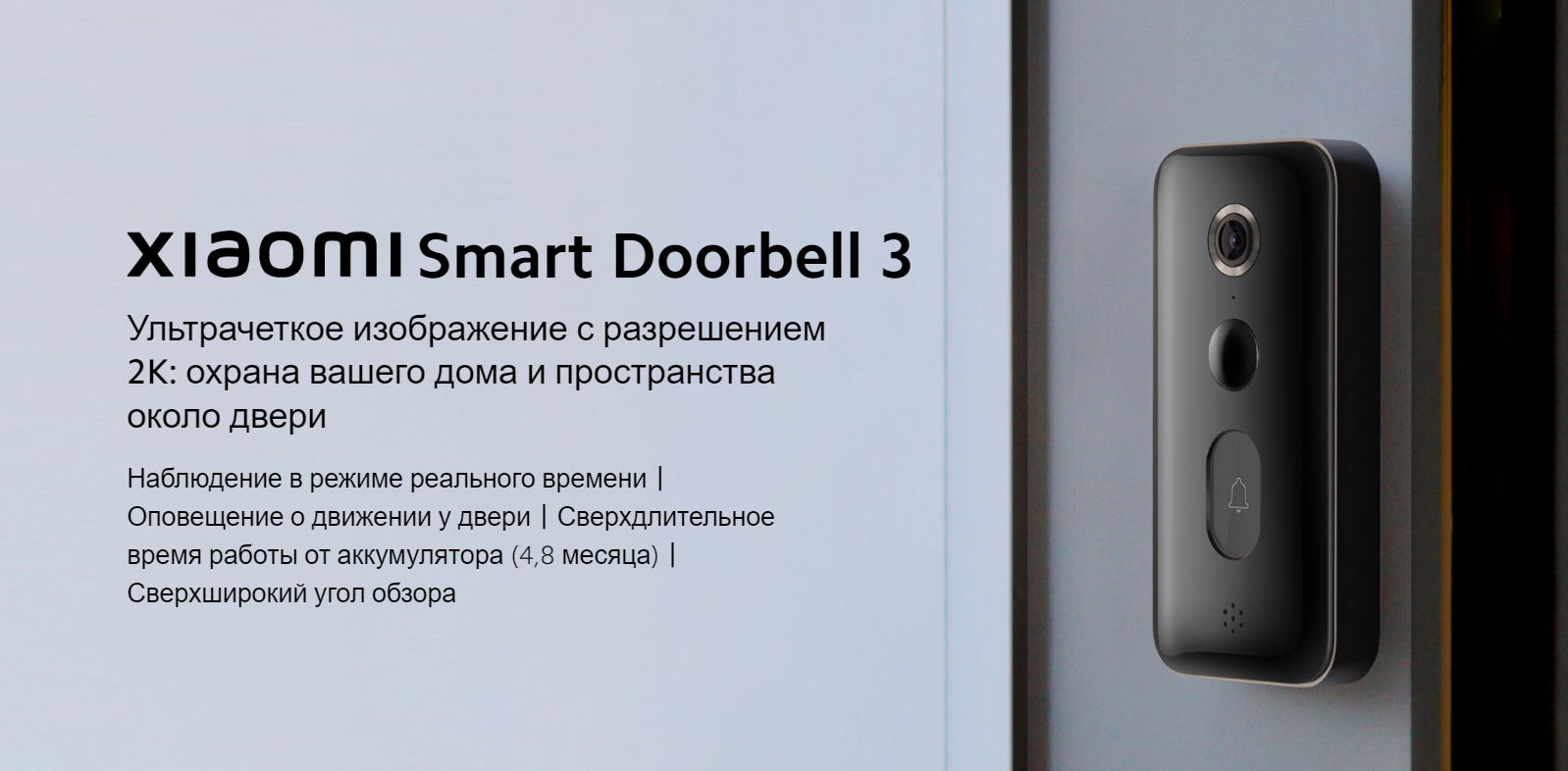
Smart Doorbell 3
Ультрачеткое изображение с разрешением 2K: охрана вашего дома и пространства около двериНаблюдение в режиме реального времени丨Оповещение о движении у двери丨Сверхдлительное время работы от аккумулятора (4,8 месяца)丨Сверхширокий угол обзора
Сверхчеткое разрешение 2K
ИИ для распознавания людей
Аккумулятор емкостью 5200 мА ч
Бесплатное облачное хранилище*
С электронной звуковой сигнализацией
Двусторонний звук

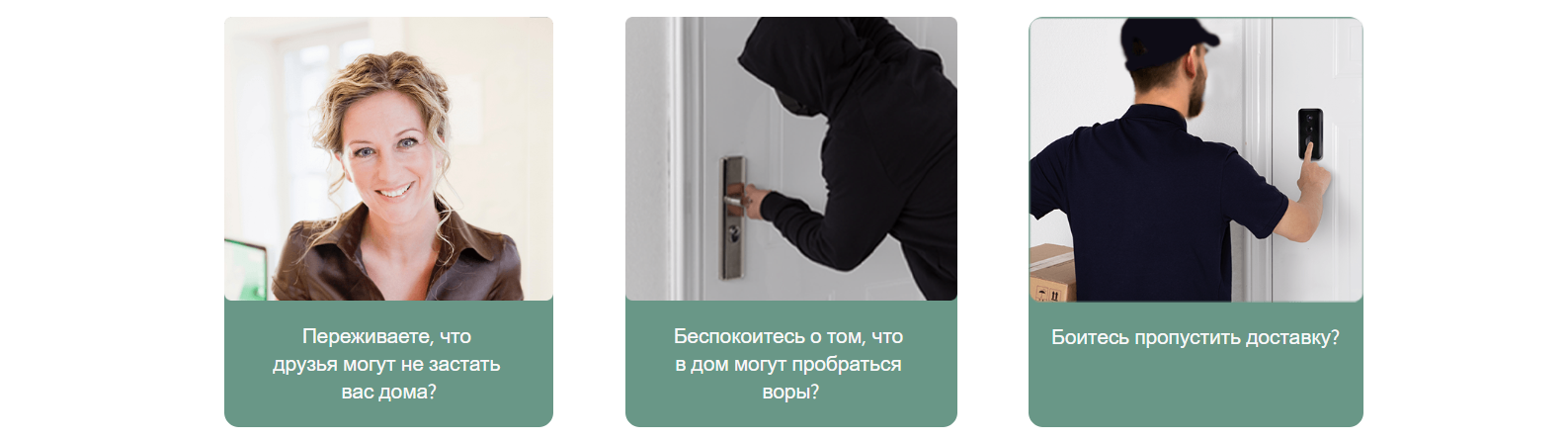
Переживаете, что друзья могут не застать вас дома?
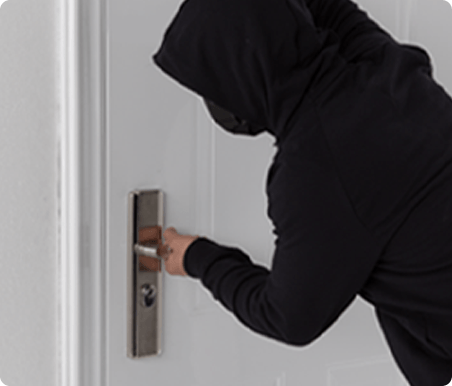
Беспокоитесь о том, что в дом могут пробраться воры?
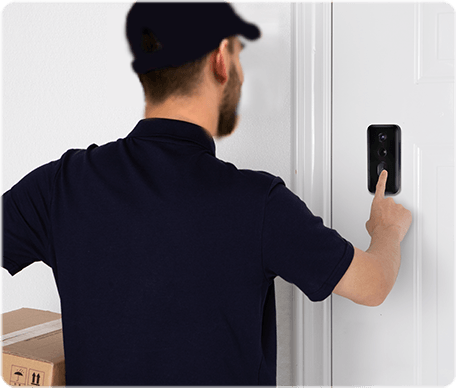
Боитесь пропустить доставку?
Круглосуточный умный датчик движенияАвтоматическая видеозапись движений и отправка оповещений на ваш смартфонУмный дверной звонок Xiaomi Smart Doorbell 3 оснащен датчиком для распознавания и ИИ для распознавания форм. Он определяет нетипичные движения около вашей двери и отправляет на ваш смартфон оповещения о них.
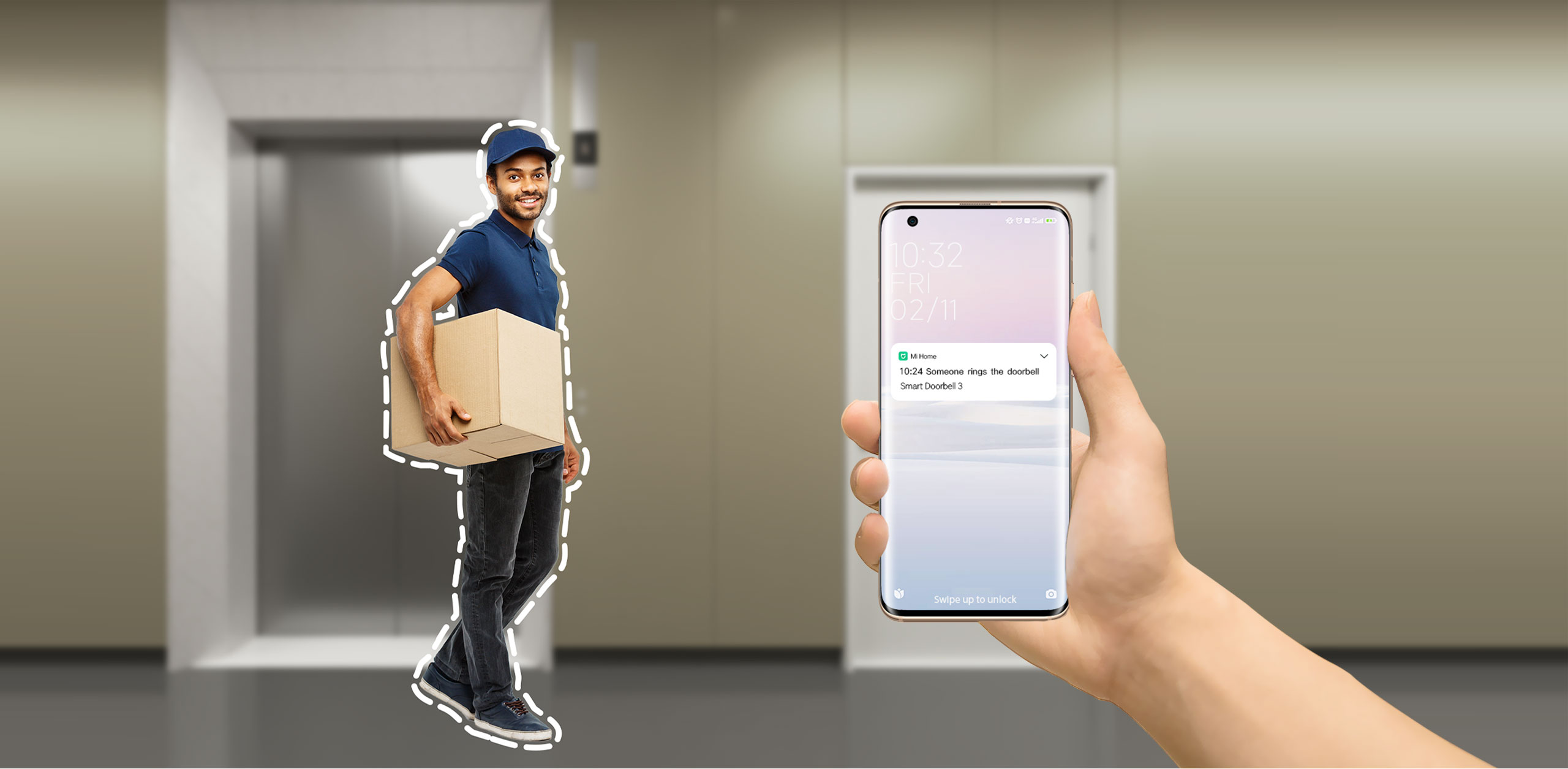
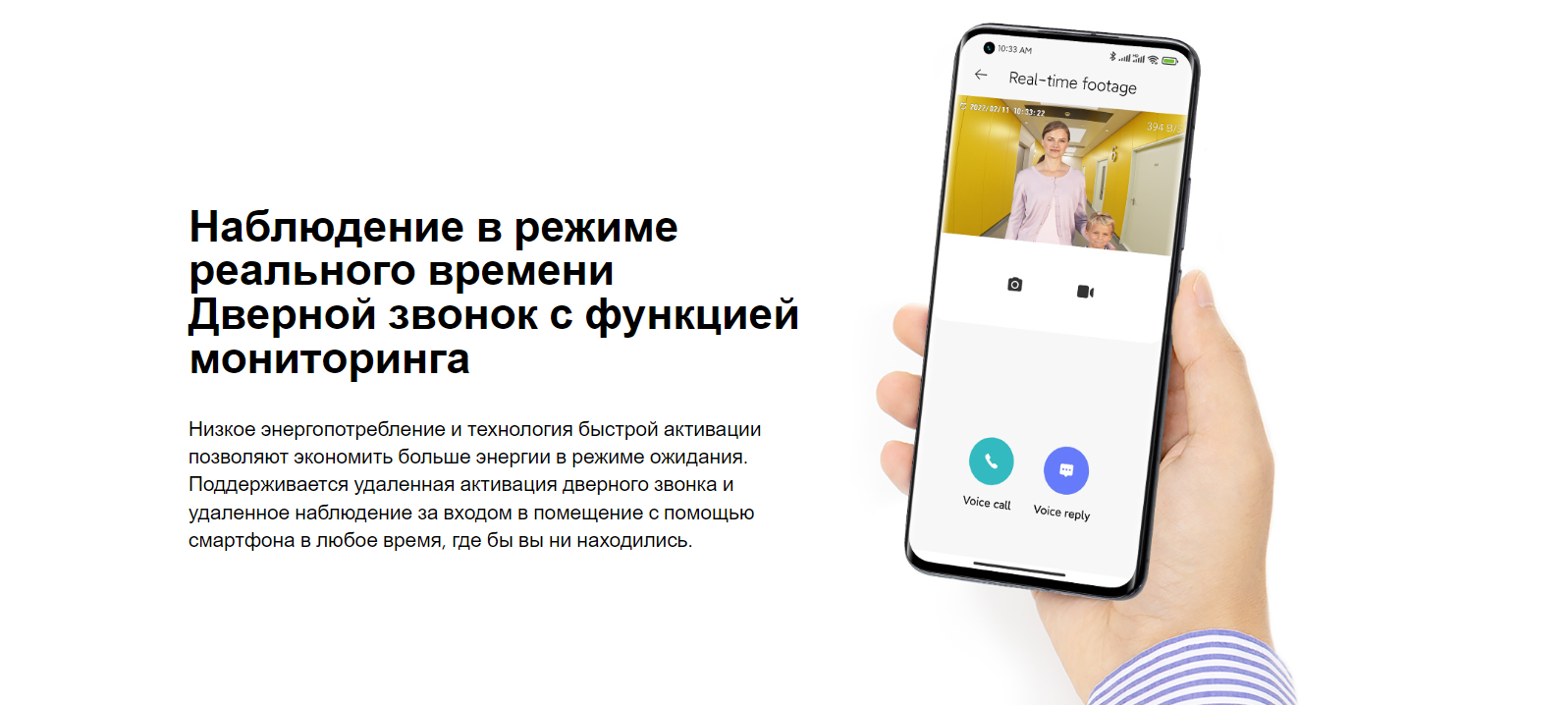
Наблюдение в режиме реального времениДверной звонок с функцией мониторингаНизкое энергопотребление и технология быстрой активации позволяют экономить больше энергии в режиме ожидания. Поддерживается удаленная активация дверного звонка и удаленное наблюдение за входом в помещение с помощью смартфона в любое время, где бы вы ни находились.
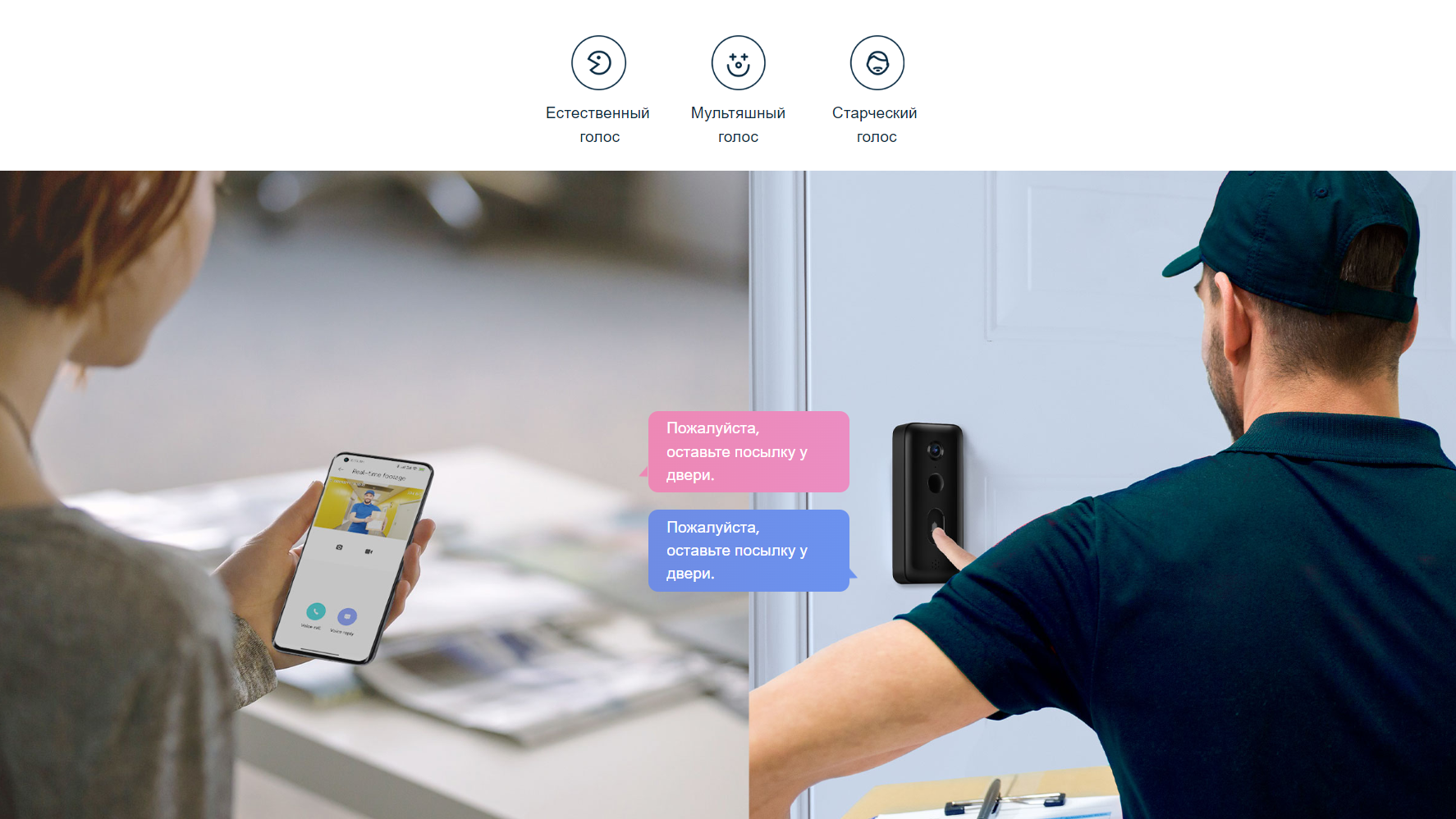
Двусторонняя аудиосвязь, умный преобразователь голосаБудьте уверены в своей безопасности, даже когда вы одни домаЕсли кто-то позвонит в дверь, вы можете посмотреть, кто это, и пообщаться с посетителем с помощью смартфона. В целях защиты конфиденциальности устройство оснащено преобразователем голоса.
Естественный голос
Мультяшный
голос
Старческий
голос
Пожалуйста, оставьте посылку у двери.
Пожалуйста, оставьте посылку у двери.
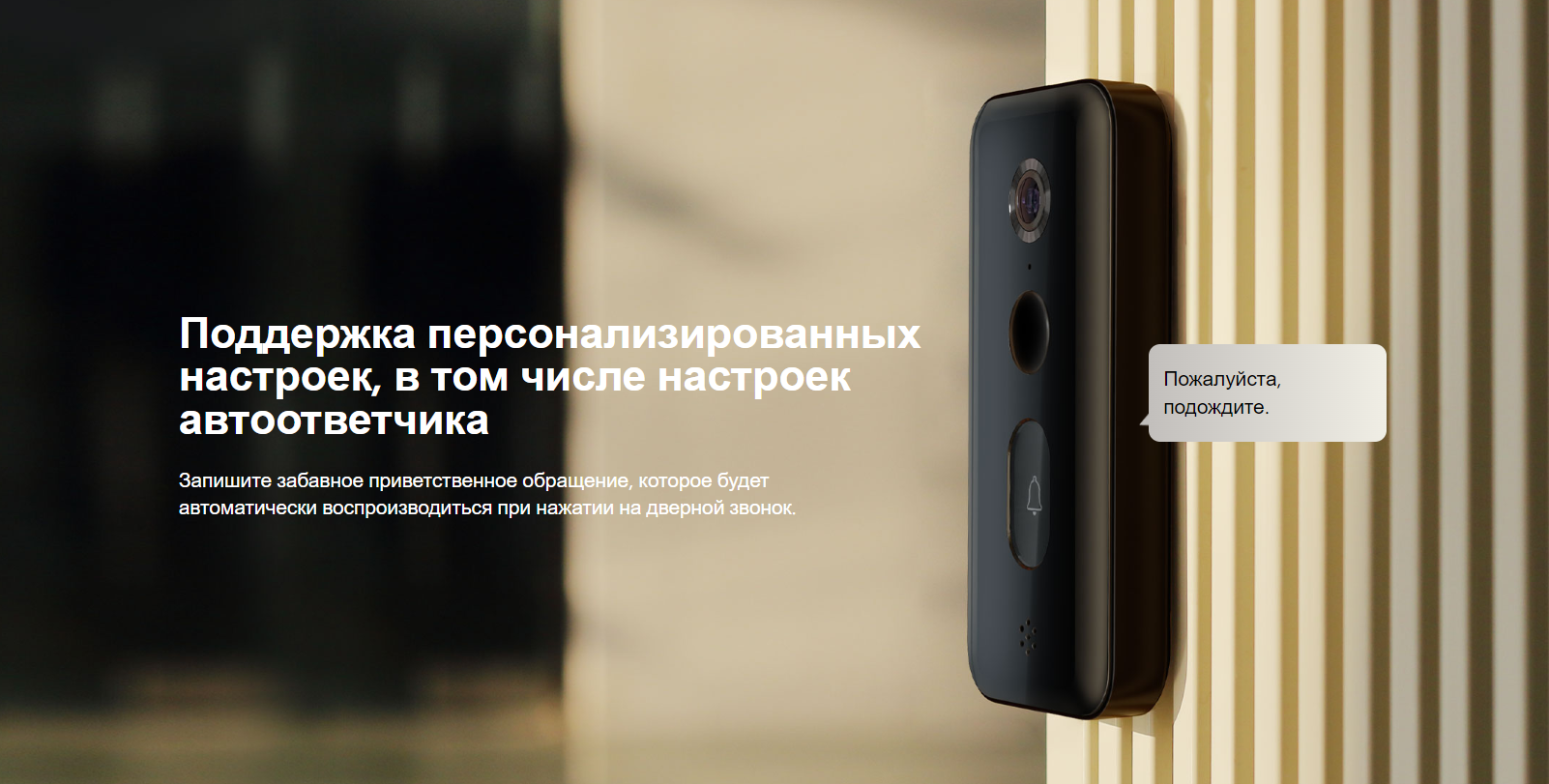
Поддержка персонализированных настроек, в том числе настроек автоответчикаЗапишите забавное приветственное обращение, которое будет автоматически воспроизводиться при нажатии на дверной звонок.
Пожалуйста, подождите.
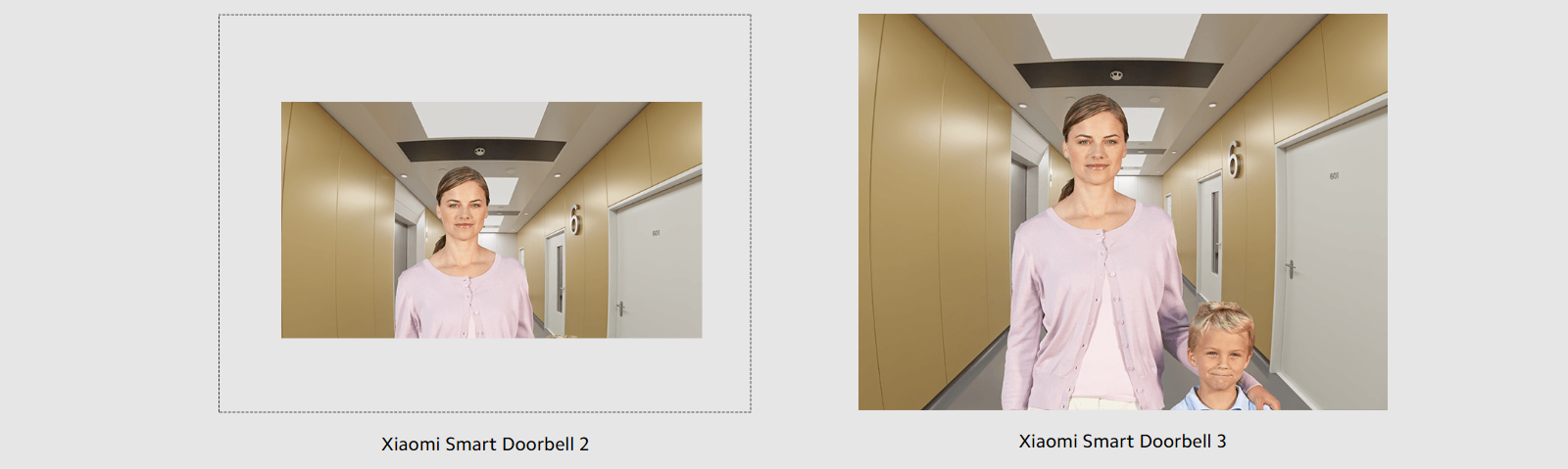
Сверхширокий угол обзора: 180°*Ультраширокоугольный объектив нового поколения увеличивает вертикальный угол обзора до 180°, обеспечивая панорамный вид всего пространства напротив двери при наблюдении.
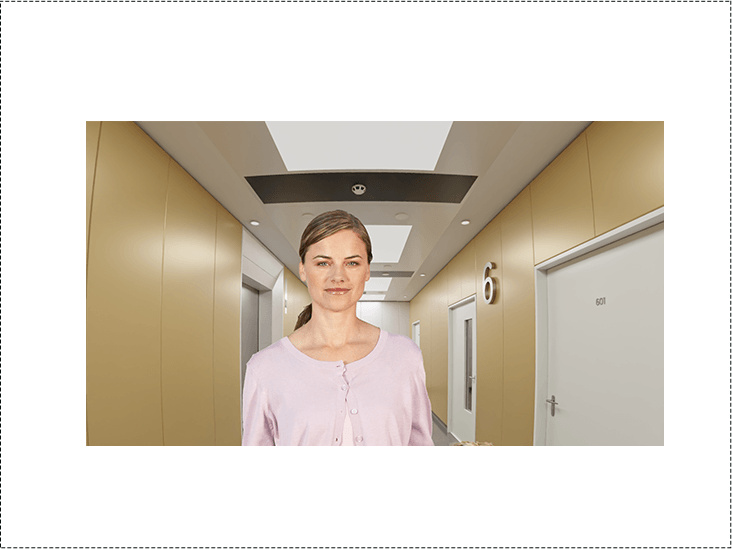
Xiaomi Smart Doorbell 2
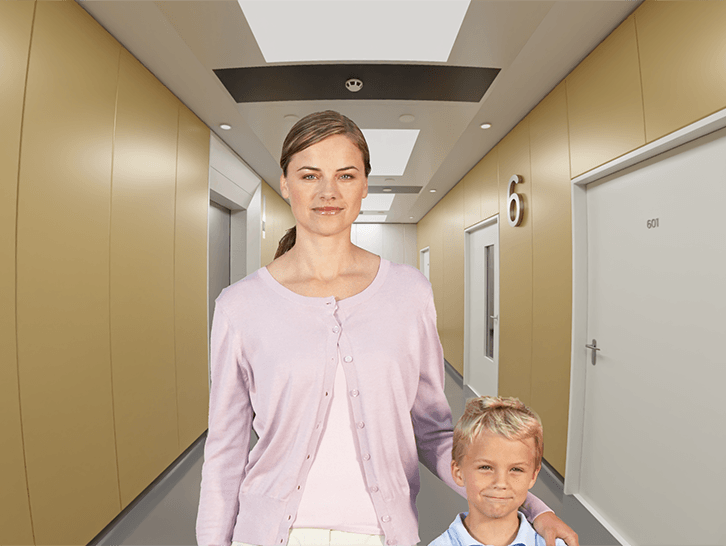
Xiaomi Smart Doorbell 3
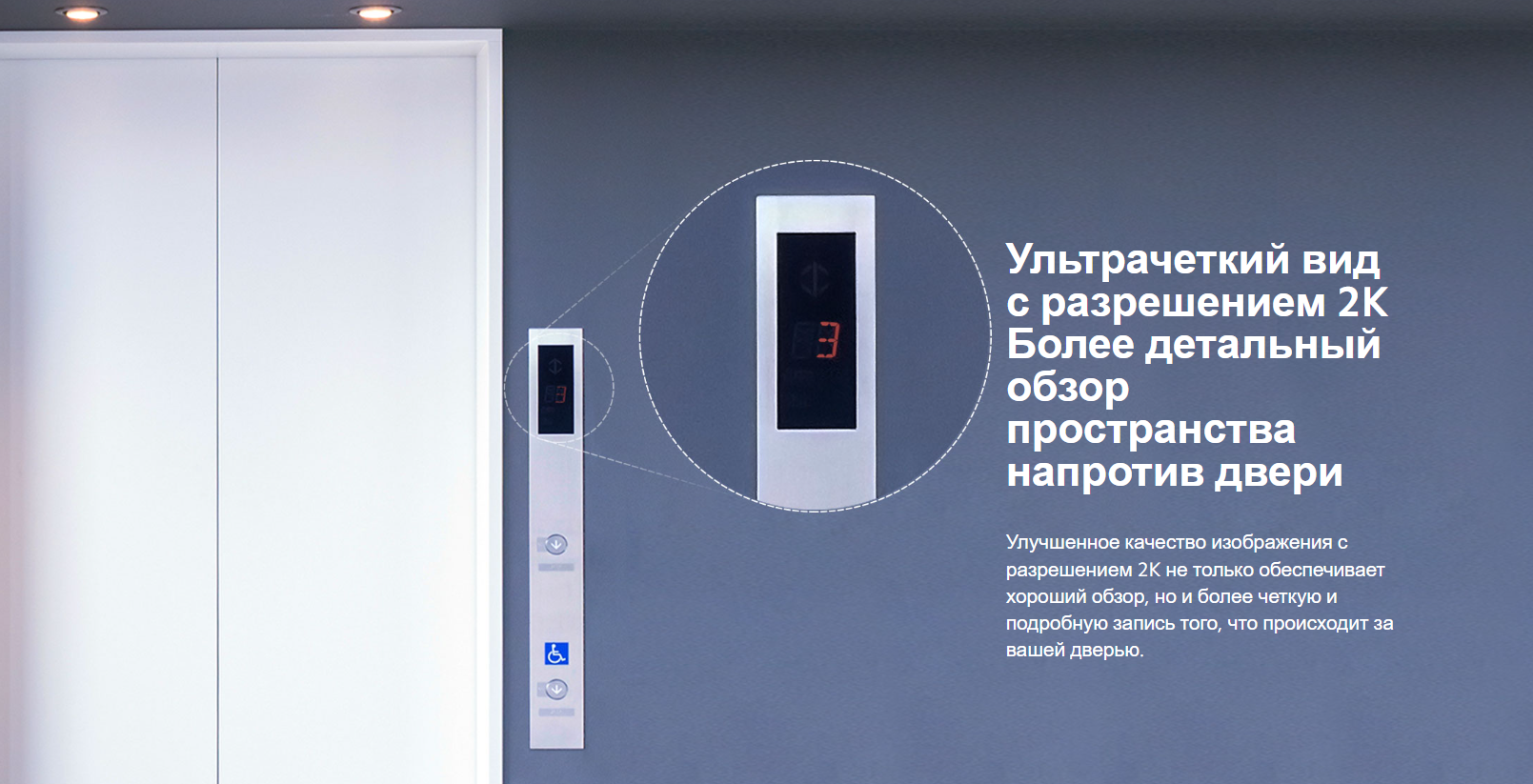
Ультрачеткий вид с разрешением 2KБолее детальный обзор пространства напротив двериУлучшенное качество изображения с разрешением 2K не только обеспечивает хороший обзор, но и более четкую и подробную запись того, что происходит за вашей дверью.
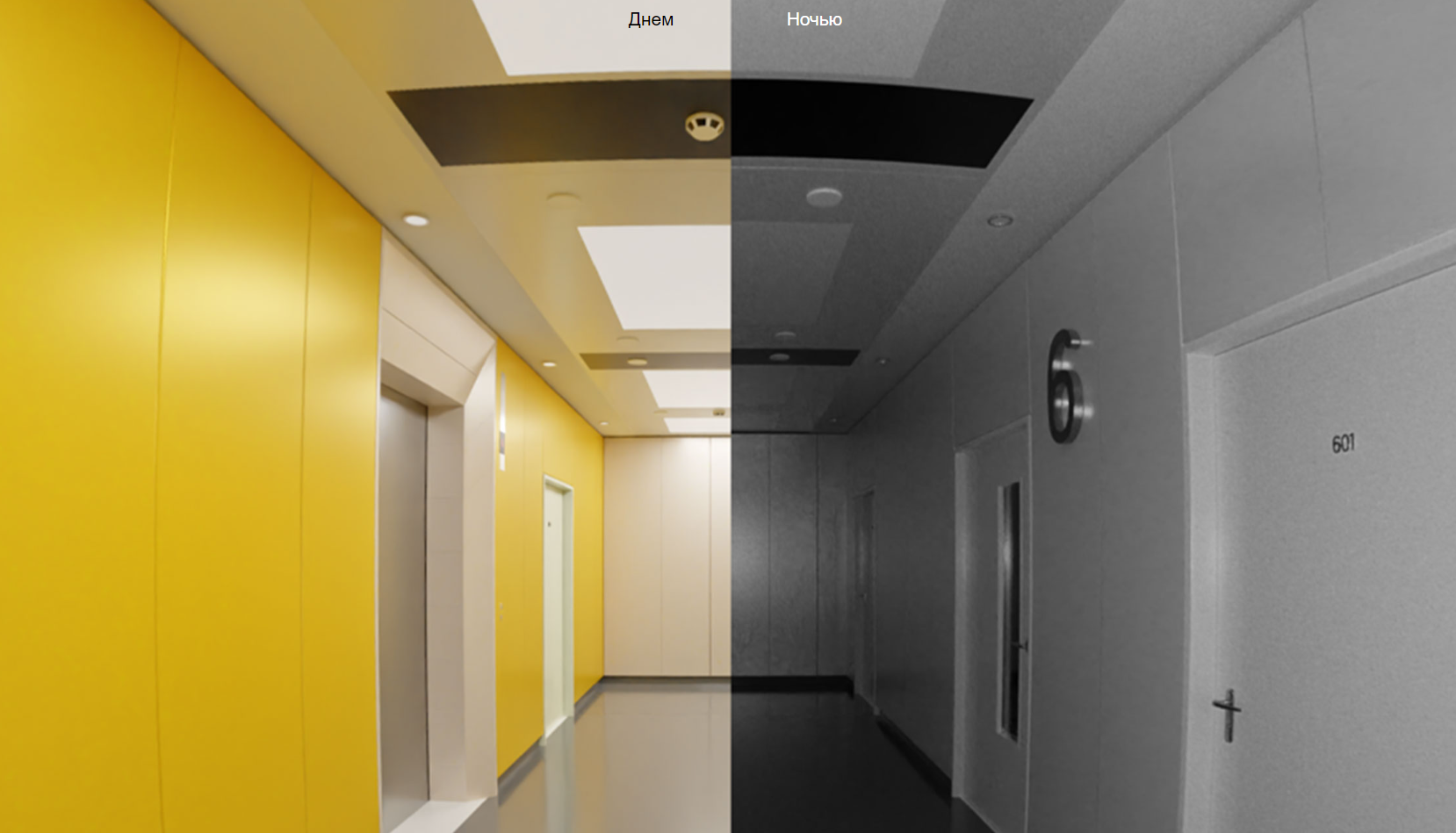
Четкая видеозапись даже в темноте4 встроенных высокомощных инфракрасных лампы с длиной волны 940 нм* обеспечивают четкость изображения даже при слабом освещении или в темноте.
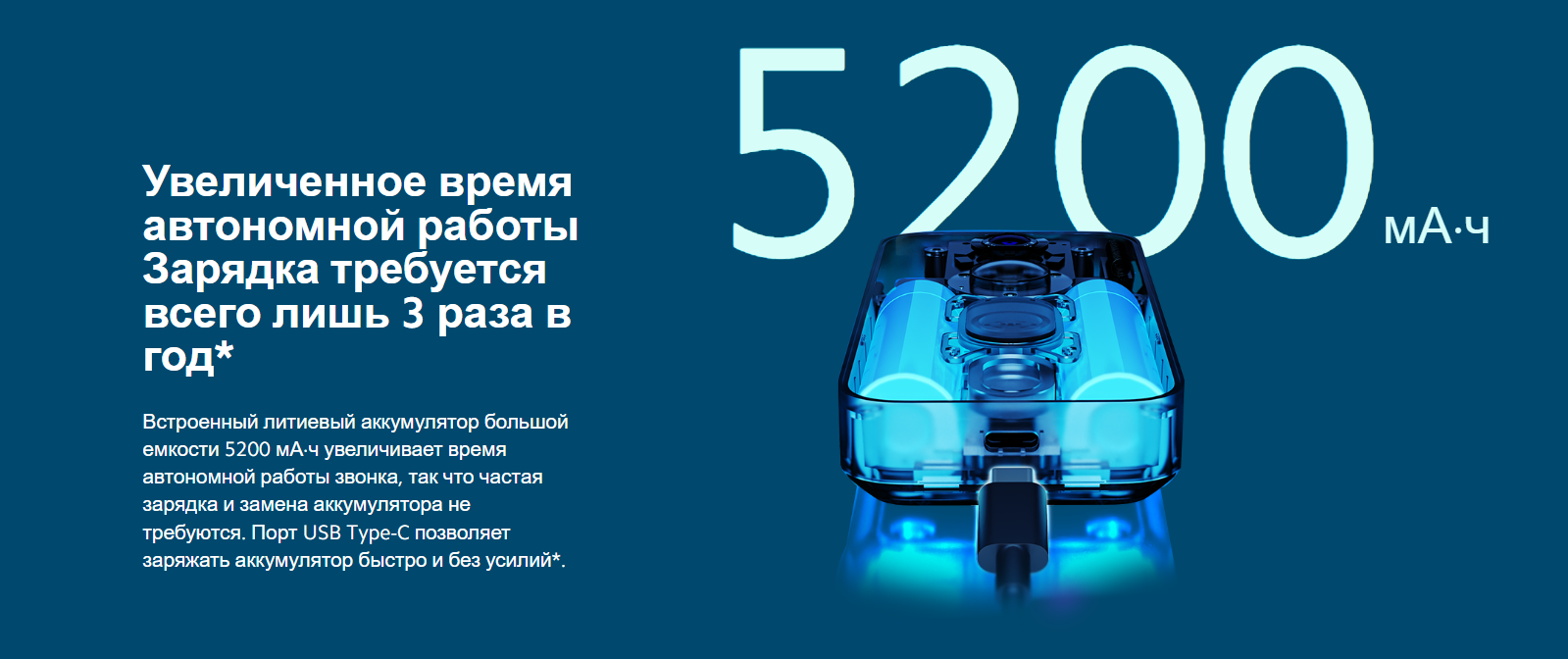
Увеличенное время автономной работыЗарядка требуется всего лишь 3 раза в год*Встроенный литиевый аккумулятор большой емкости 5200 мА·ч увеличивает время автономной работы звонка, так что частая зарядка и замена аккумулятора не требуются. Порт USB Type-C позволяет заряжать аккумулятор быстро и без усилий*.
5200мА·ч

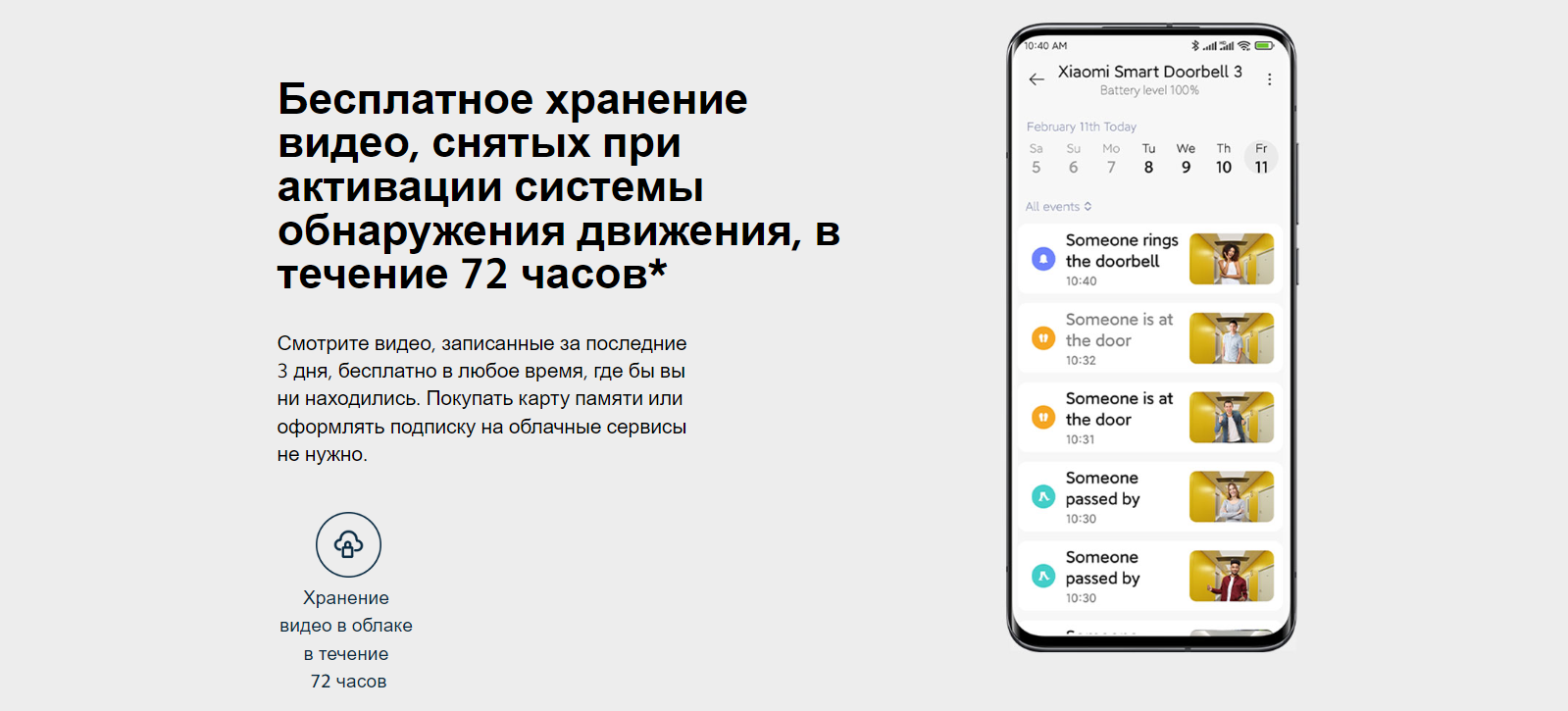
Бесплатное хранение видео, снятых при активации системы обнаружения движения, в течение 72 часов*Смотрите видео, записанные за последние 3 дня, бесплатно в любое время, где бы вы ни находились. Покупать карту памяти или оформлять подписку на облачные сервисы не нужно.
Хранение видео в облаке в течение 72 часов
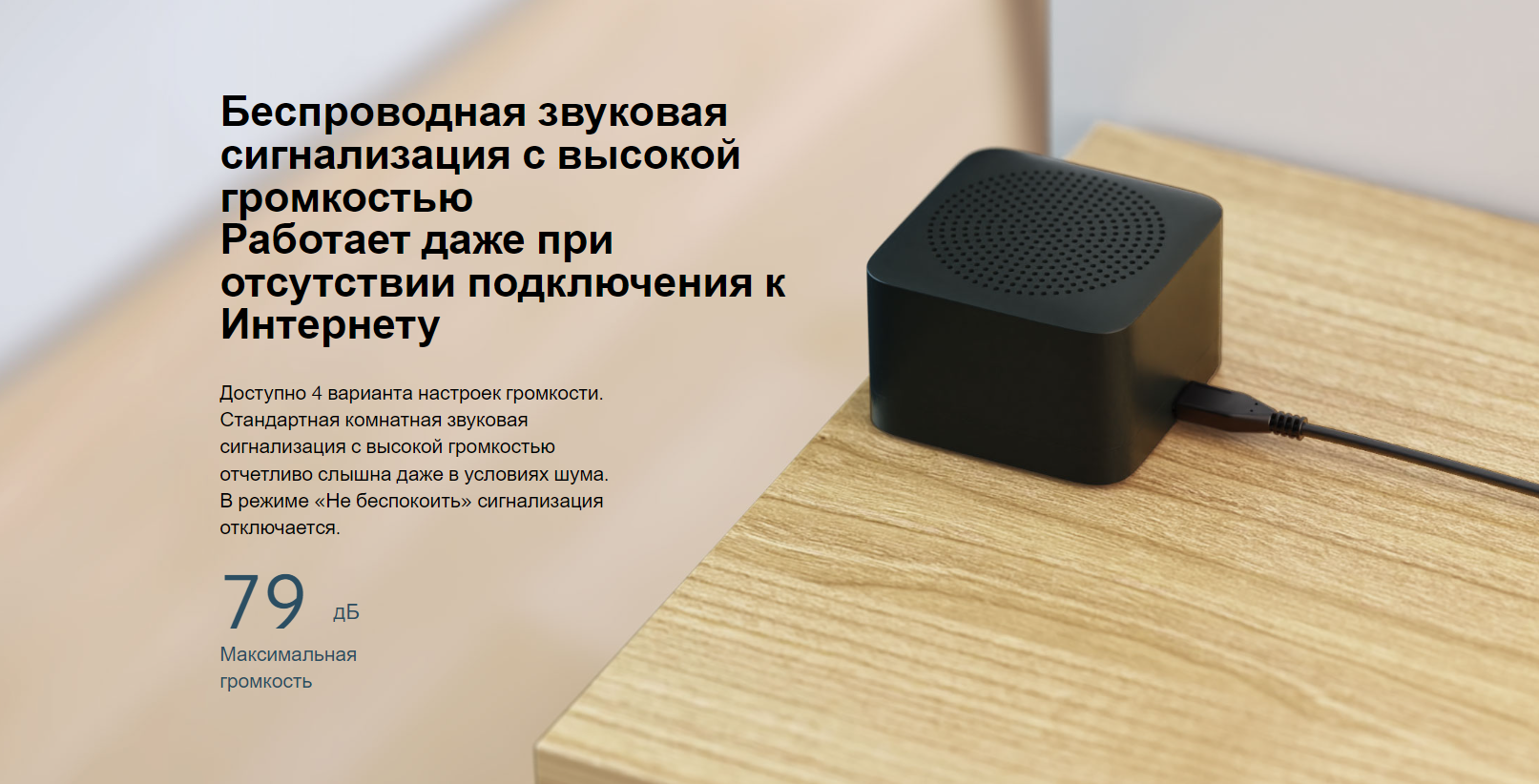
Беспроводная звуковая сигнализация с высокой громкостьюРаботает даже при отсутствии подключения к ИнтернетуДоступно 4 варианта настроек громкости. Стандартная комнатная звуковая сигнализация с высокой громкостью отчетливо слышна даже в условиях шума. В режиме «Не беспокоить» сигнализация отключается.
79дБ
Максимальная громкость
Несколько уровней защиты от кражиСигнализация при снятии звонка + сильный клейкий материал 3M + крепление винтами + сопряжение звонка с учетной записью*.Если кто-то попытается снять дверной звонок, будет включена сигнализация, записано видео и отправлено уведомление на ваш смартфон.
Срабатывание сигнализации при снятии дверного звонка
Сильный клей 3M
Сопряжение с учетной записью
Простота использования
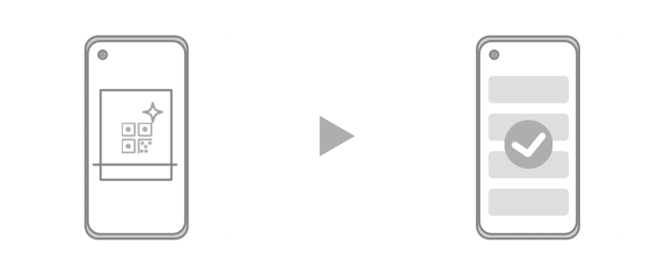
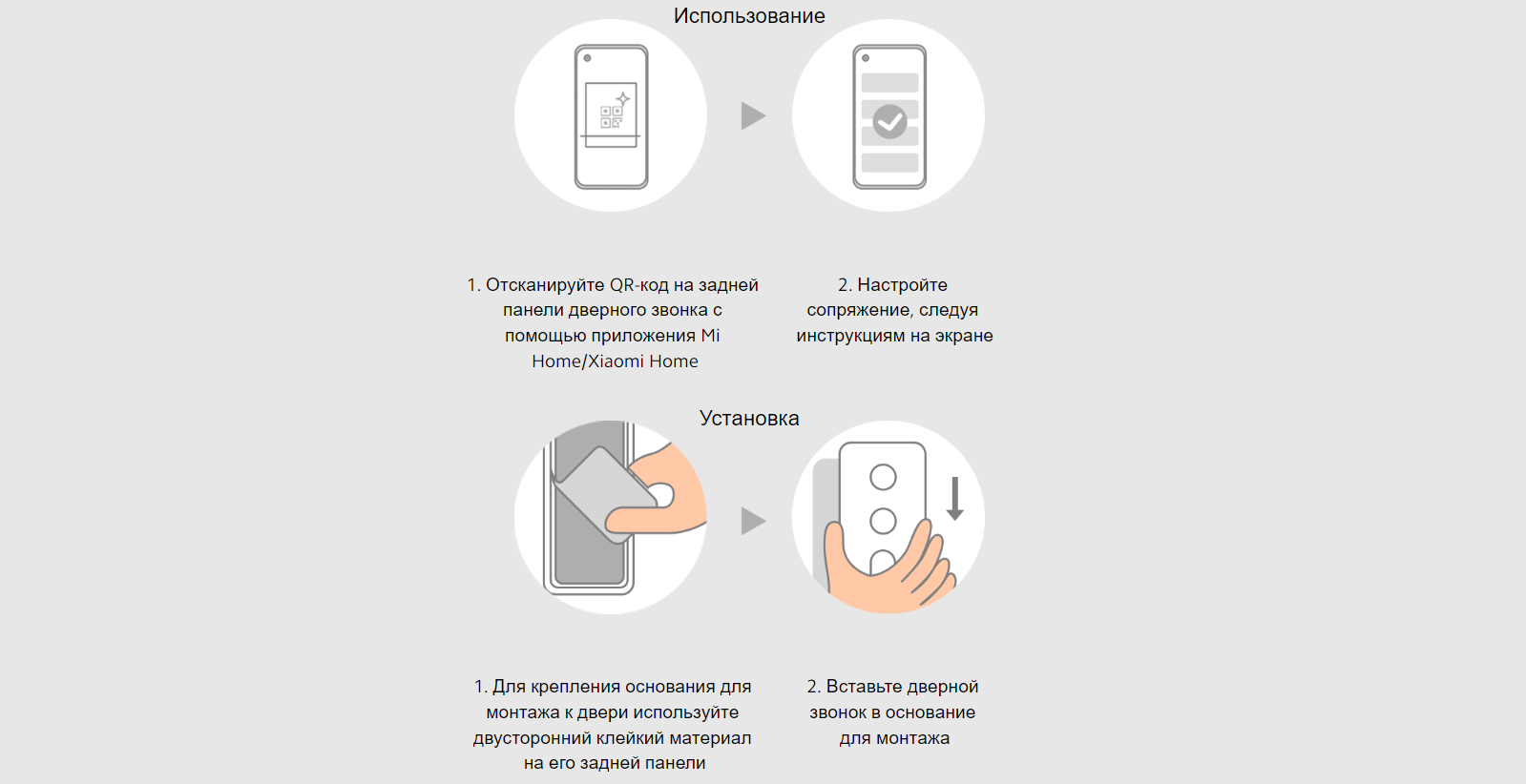
1. Отсканируйте QR-код на задней панели дверного звонка с помощью приложения Mi Home/Xiaomi Home2. Настройте сопряжение, следуя инструкциям на экране
Использование
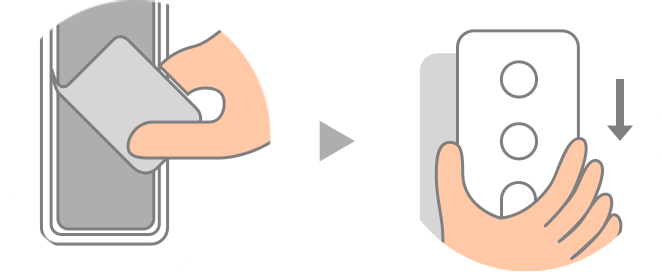
1. Для крепления основания для монтажа к двери используйте двусторонний клейкий материал на его задней панели2. Вставьте дверной звонок в основание для монтажа
Установка
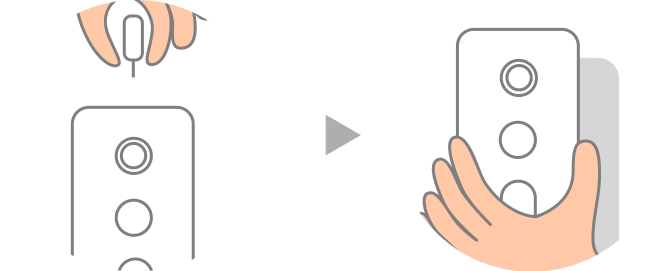
1. Вставьте булавку для извлечения устройства в специальное отверстие и потяните дверной звонок вверх.2. Для зарядки используйте прилагаемый кабель питания Type-C
Снятие
* Данный продукт не является водонепроницаемым, и его нельзя использовать вне помещения.* Бесплатное облачное хранилище: 3-дневное перезаписываемое облачное хранилище означает, что камера записывает новые видео поверх старых на постоянной основе. Каждое видео будет храниться в облаке в течение 3 дней, а затем будет удалено.* Высокомощные инфракрасные лампы с длиной волны 940 нм (это невидимый свет).* Зарядка требуется всего лишь 3 раза в год: данные об аккумуляторе и работе от него предоставлены лабораторией MadV. Стандартная емкость аккумулятора составляет 5200 мА ч. В лабораторных условиях дверной звонок использовался в стандартном режиме в течение 4,8 месяца при нормальных температуре (25°C) и давлении, и каждый день он записывал 20 10-секундных видео (другие операции при этом не выполнялись). Фактическая емкость аккумулятора и время работы от него могут незначительно отличаться в зависимости от конкретного продукта, условий эксплуатации и других факторов.* Громкость измерялась на расстоянии 50 см в лабораторных условиях. Фактические данные могут незначительно отличаться в зависимости от конкретного продукта и факторов окружающей среды.* Дверной звонок сопряжен с учетной записью пользователя на облачном сервере. Если его снимут или украдут, никто не сможет установить с ним сопряжение и использовать его.* Дверной звонок следует прикрепить к входной двери, используя клейкий материал 3M на задней панели для монтажа или винты. Подробные сведения о способах крепления приведены в руководстве пользователя.
Xiaomi Smart Doorbell 3 — больше, чем просто дверной звонок. Это охранник и администратор в одном небольшом устройстве. Он поможет усилить безопасность дома, офиса и других помещений. Третья версия умного звонка получила камеру с разрешением 2К и работает от встроенного аккумулятора, а не батареек, как предыдущая.
Устройство круглосуточно следит за происходящим у двери, позволяет удаленно в режиме реального времени осматривать пространство перед дверным проемом и выполняет функцию домофона благодаря двусторонней аудиосвязи. Рабочая температура внешнего блока — от -10° до +45 °C, его можно использовать даже в неотапливаемых подъездах.
Стиль и габариты
Smart Doorbell 3 — компактный прибор прямоугольной формы. Его размеры 60х128 мм, а толщина — 23 мм. Корпус выполнен в черном цвете, поэтому на нем не видны пыль и отпечатки пальцев. Качественный прочный пластик выглядит добротно и надежно.
На передней панели расположен глазок камеры, инфракрасный сенсор, кнопка звонка с изображением колокольчика и решетка динамика. На нижнем торце находится разъем для зарядного кабеля USB Type-C.
Монтаж и безопасность
Наружная часть звонка состоит из основания и непосредственно электронного блока. Основание крепится к двери с помощью липкого слоя с мощным клеем 3М. Звонок защелкивается на нем одним движением.
Снять устройство не так просто, как установить — понадобится специальный штифт, который нужно вставить в отверстие на верхней части, чтобы разблокировать застежку. Благодаря такой системе устройство защищено от кражи и несанкционированного снятия. Кроме того, Xiaomi Smart Doorbell 3 оснащен сигнализацией на случай принудительного удаления без ведома хозяев.
В комплект входит небольшой беспроводной звуковой блок, который располагается внутри квартиры. Он имеет четыре уровня громкости с максимальным 79 дБ и режим «Не беспокоить». Даже в шумной обстановке звуковой сигнал слышен отчетливо.
Камера 2К и видеонаблюдение
Разработчики оснастили звонок широкоугольной камерой с разрешением 2К — 2048х1152. Угол обзора глазка составляет 180 градусов по диагонали и 107 по вертикали. Такие параметры позволяют получать четкое панорамное изображение области перед дверью.
Устройство получило инфракрасную подсветку с длиной волны 940 нм. Такой диапазон безопасен для человека и не виден глазу, но делает изображение четким даже при полном отсутствии освещения.
Умный звонок работает, не только когда посетитель нажимает кнопку. Круглосуточно искусственный интеллект следит за происходящим в пространстве перед дверью. Он способен обнаруживать движение и определять человеческое тело. При фиксации активности в зоне видимости искусственный интеллект включает камеру и отправляет уведомление на телефон хозяина.
При необходимости камеру можно включить через приложение и в реальном времени наблюдать за происходящим у двери. Xiaomi внедрили в устройство технологию низкого энергопотребления, благодаря чему режим мониторинга не разряжает аккумулятор.
Хранение записей в облаке
Записанные клипы автоматически подгружаются в облачное хранилище в личный аккаунт хозяина. Там они бесплатно хранятся в течение 72 часов, а затем автоматически удаляются. Если какой-либо клип нужно сохранить, пользователь может скачать его на компьютер.
Даже если звонок будет похищен, злоумышленники не смогут использовать его, не зная пароль для доступа к облаку.
Как видеодомофон, только лучше
Когда посетитель позвонит в дверь, хозяева не только увидят его на экране смартфона, но и смогут ответить благодаря функции двусторонней аудиосвязи, даже если находятся не дома. Это поможет не пропустить важный визит, ответить, не открывая дверь, — например, попросить курьера оставить посылку на пороге. Функция аудиосвязи работает в двустороннем режиме, звук воспроизводится четко, без задержек при наличии хорошего сигнала беспроводной сети на смартфоне.
Еще одна отличительная особенность умного дверного звонка — возможность изменения голоса. Одним нажатием кнопки в приложении можно выбрать, ответить звонящему оригинальным голосом или включить «Клоунский», «Голос старика». Когда дети остаются одни дома, они смогут легко изменить тембр голоса, чтобы отпугнуть злоумышленников.
Автономная работа
Модель Smart Doorbell 3 работает от собственного встроенного аккумулятора емкостью 5200 мАч с напряжением 5 В. В умеренно интенсивном режиме использования заряда батареи хватит больше чем на 4 месяца.
Подключение и управление
Устройство подключается к смартфону по беспроводной сети Wi-Fi после сканирования уникального QR-кода. Управление производится с помощью приложения Mi Home для Android и iOS с простым и интуитивно понятным интерфейсом. Пользователь может записать приветствие, которое устройство автоматически будет воспроизводить каждый раз при нажатии кнопки звонка.
Функция изменения голоса и имитация голосов взрослых в видеозвонке Xiaomi Smart Doorbell 3 поможет отпугнуть злоумышленников, когда дети остаются дома одни.
Изображение высокого качества обеспечивает четкую и детализированную запись действий у входной двери.
4 мощных светодиода инфракрасной подсветки с длиной волны 940 нм обеспечивают четкую съемку изображений даже при слабом освещении или при его отсутствии.
Низкое энергопотребление и технологии быстрого пробуждения экономят больше энергии в режиме ожидания.
Поддержка дистанционного включения дверного звонка и удаленного просмотра околодверного пространства с помощью смартфона в любое время и в любом месте.
Переадресация вызова на смартфон в Mi Home
Сверхширокий угол обзора 180° по диагонали
Обнаружение движения с помощью искусственного интеллекта
Дверной звонок, оснащенный датчиком движения и технологией распознавания человека с ИИ, отслеживает аномальные движения перед дверью и при их обнаружении отправляет уведомления на смартфон.
Умный домофон
Двусторонняя аудиосвязь и интеллектуальный голосовой симулятор дарят спокойствие, даже когда вы дома одни.
Бесплатное 72-часовое облачное хранилище
Хранение видео, записанных при обнаружении движения, в течение 3 дней
Встроенный аккумулятор емкостью 5200 мАч
Встроенный литиевый аккумулятор большой емкости помогает повысить долговечность и отказаться от частой зарядки и замены аккумулятора.
Разъем USB Type-C для зарядки делает ее более быстрой и легкой.
Общие характеристики
Остальные характеристики
- Описание
- Технические характеристики
- Отзывы (1)
Описание

Круглосуточный умный датчик движения
Автоматическая видеозапись движений
и отправка оповещений на ваш смартфон
Умный дверной звонок Xiaomi Smart Doorbell 3 оснащен датчиком для распознавания и ИИ для распознавания форм. Он определяет нетипичные движения около вашей двери и отправляет на ваш смартфон оповещения о них.
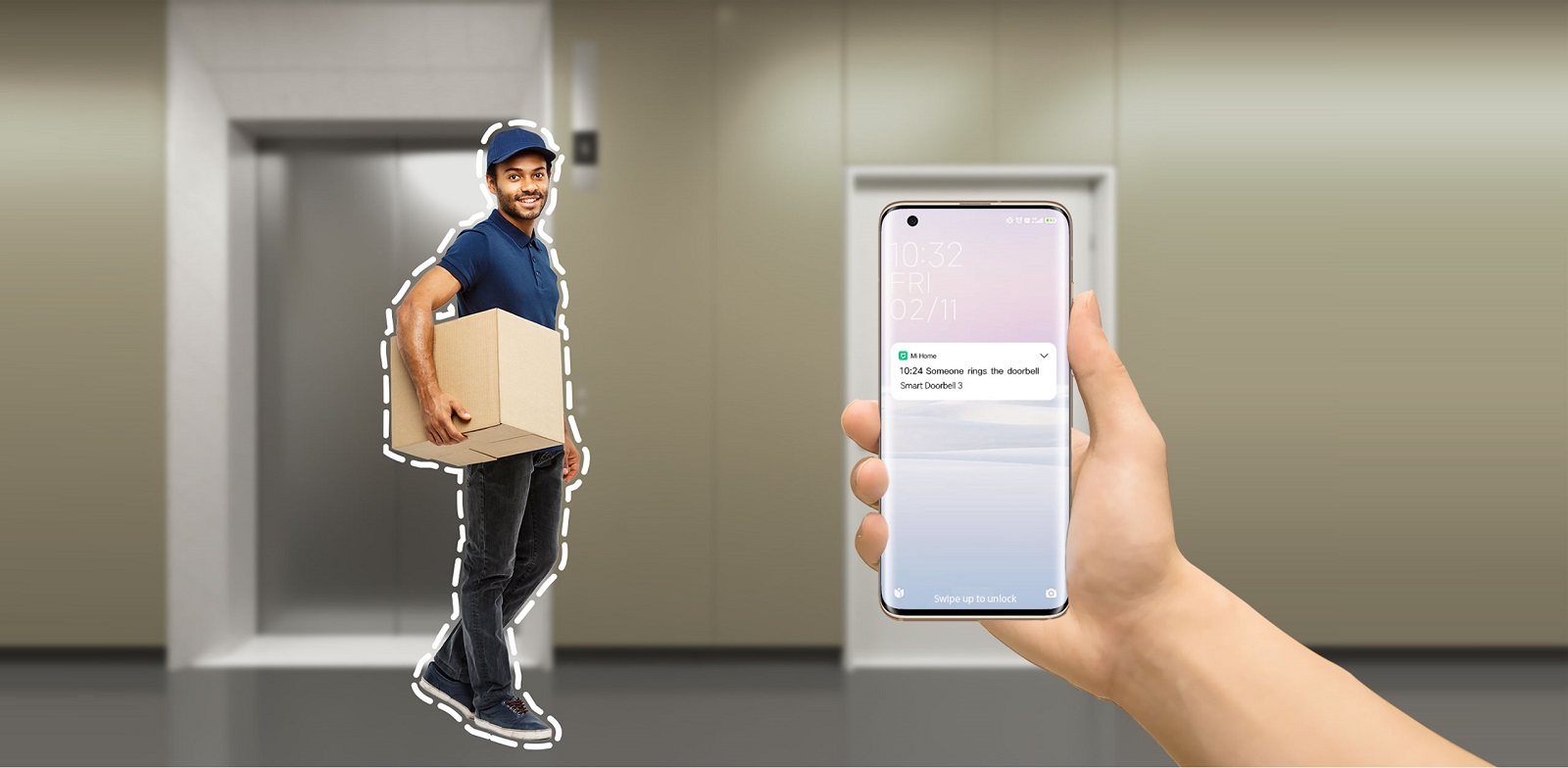
Двусторонняя аудиосвязь, умный преобразователь голоса
Если кто-то позвонит в дверь, вы можете посмотреть, кто это, и пообщаться с посетителем с помощью смартфона. В целях защиты конфиденциальности устройство оснащено преобразователем голоса.
Сверхширокий угол обзора: 180°
Ультраширокоугольный объектив нового поколения увеличивает вертикальный угол обзора до 180°, обеспечивая панорамный вид всего пространства напротив двери при наблюдении.
Четкая видеозапись даже в темноте
4 встроенных высокомощных инфракрасных лампы с длиной волны 940 нм обеспечивают четкость изображения даже при слабом освещении или в темноте.
Несколько уровней защиты от кражи
Сигнализация при снятии звонка + сильный клейкий материал 3M + крепление винтами + сопряжение звонка с учетной записью. Если кто-то попытается снять дверной звонок, будет включена сигнализация, записано видео и отправлено уведомление на ваш смартфон.

Простота использования