
- Фотография
- Техника
- Cancel
Инструкция по эксплуатации к фотоаппарату «Зенит-ЕМ»
Полная оригинальная инструкция по эксплуатации зеркального фотоаппарата «Зенит-ЕМ», выпускавшегося в 1970 — 1980-е годы на Красногорском механическом заводе.

[01]

[02]
[03]

[04]

[05]

[06]

[07]

[08]

[09]

[10]

[11]

[12]

[13]

[14]

[15]

[16]

[17]

[18]

[19]

[20]

[21]

[22]

[23]

[24]

[25]

[26]

[27]

[28]

[29]

[30]

[31]

[32]
This page is no longer actively maintained. (Pardon?)
This page contains a literal transcript of a 1970’s Zenit-EM manual. (In so far as it’s possible to make a
literary HTML conversion of a neatly typeset document.) Unlike the manuals
usually supplied with Zenits, this one was actually printed in Russia by the
manufacturer, KMZ. Consequently, it’s uncut Soviet original: thick and fibrous
paper, rusty steel staples. Even the English is strange.
The Russian version
of this manual is also online, courtesy of Zenit R&D.
PURPOSE
ZENIT-EM is a 35 mm reflex camera fitted with an
instant return mirror. It is designed for making various amateur and special
kinds of shooting on black-and-white or color films.
The camera has a built-in exposure meter using a photocell, a self-timer, a
shutter setting lever, a synchronising device for flash bulbs and electronic
flash. The camera accepts interchangeable lenses with M42×1 thread and
mechanical back focal distance of 45.5 mm.
With the help of extension tubes ZENIT-EM camera may
be used for reproduction works. It allows to take pictures of small-size objects
with large magnification and at short distances (macrophotography) as well as to
take pictures with the help of a microscope (microphotography).
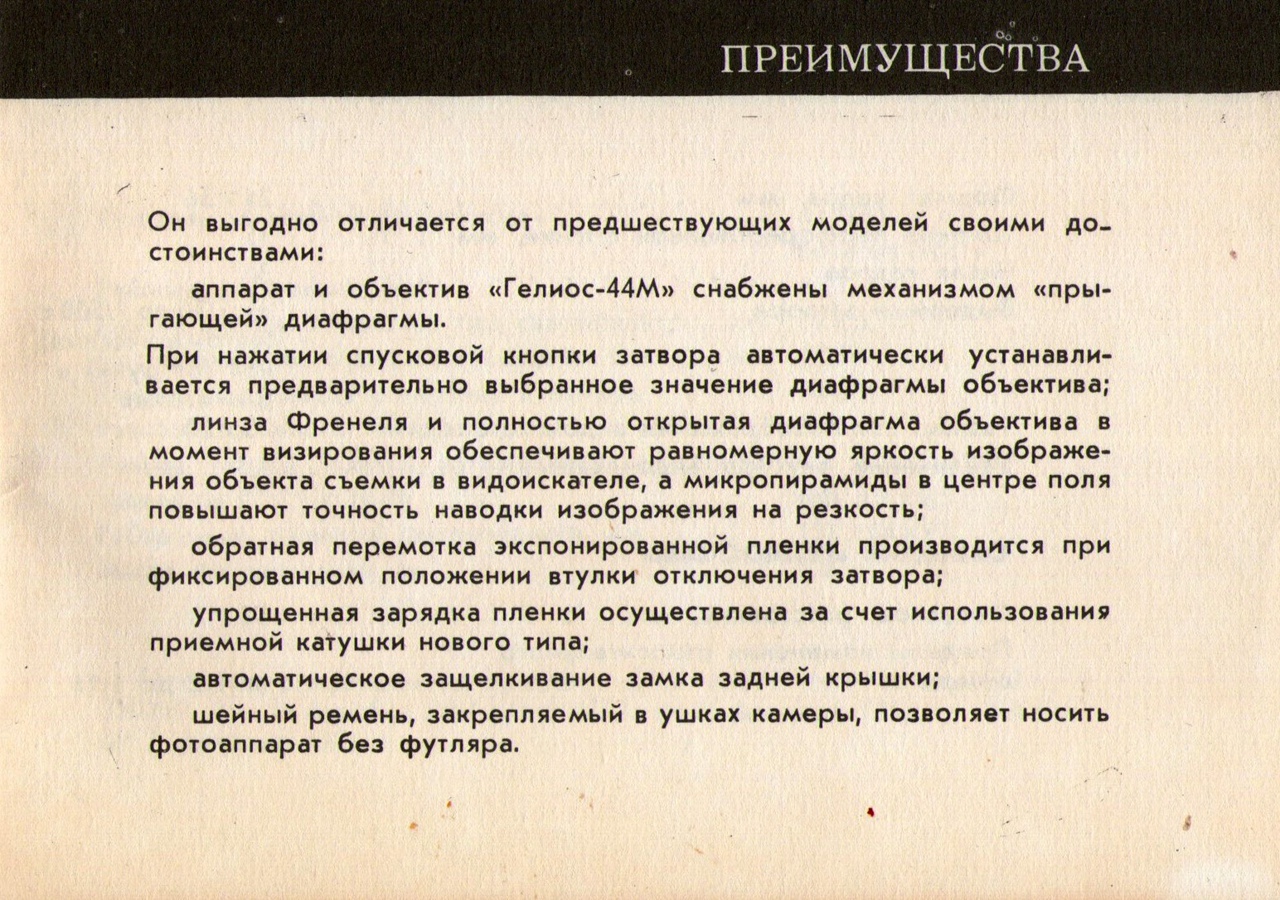
ADVANTAGES
ZENIT-EM camera has a number of certain advantages
over the previous models:
- the camera and HELIOS-44M lens are provided with a mechanism of
automatic pre-set diaphragm. The shutter release button being pressed,
the diaphragm automatically closes to the pre-set value; - Fresnel lens and diaphragm, fully open at the moment of viewing, ensure
uniform image brightness of the object to be photographed in the
viewfinder; micropyramids in the centre provide for perfect image
sharpness; - exposed film is rewound with the shutter disengaging bush being
fixed; - a new kind of a take-up spool simplifies the process of film
loading; - the back door lock latches automatically;
- the carrying strap, attached to the camera eyes, makes the camera
possible to carry without its case.
SPECIFICATIONS
| Picture size | 24×36 mm |
| Width of perforated film | 35 mm |
| Number of frames | 36 |
| Shutter speeds | From 1/30 to 1/500 sec (automatic), «B» (by hand) and long exposure time |
| Viewfinder field of view | 20×28 mm |
| Eyepiece magnification | 4.3× |
HELIOS-44M LENS
| Focal length | 58 mm |
| Aperture scale | f/2 to f/16 |
| Focusing range | 0.55 m to infinity |
| Mechanical back focal distance | 45.5 mm |
| Light filter mounting thread | 52×0.75 mm |
| Seat for sun shade | Ø 54 mm |
| Lens mounting thread | M42×1 |
| Tripod socket thread | 1/4″ |
| Thread of shutter button bush for cable release | KF 3.5×0.5 |
| Overall dimensions | 141×100×93 mm |
| Mass | 1.1 kg |
Certificates of ownership of «Zenit-EM»: 366447 of 14
June 1972; 150360 of 18 December 1961; 153652 of 26 February 1952; 102683 of 7
February 1951.
Attention!
The present Instruction Manual contains the basic characteristics and
essential operating principles of ZENIT-EM camera, but
it can not be regarded as a hand-book on photography.
Before using the camera make thorough study of its handling rules given in
the present Manual.
Due to ever-advancing development in camera construction, minor differences
may occur between the text and your camera.
Load and unload the camera in subdued light avoiding direct sun rays.
Do not rotate the shutter speed dial within the interval between «B» and
«500».
Do not rotate the shutter release button for no reason to avoid disengagement
of the shutter cocking mechanism.
Wind the shutter by two-three small turnings of the winding lever until stop
to avoid blank exposures.
Do not keep the camera for a long period of time with the shutter cocked
since this is likely to cause deterioration of the shutter.
Main units and details
- self-timer lever
- self-timer release button
- release button with bush for cable release
- flash unit connector socket
- photocell
- synchronisation dial
- shutter speed dial
- shutter disengaging bush
- exposure counter dial
- exposure meter needle
- calculator pointer
- film sensitivity scale
- calculator shutter speed scale
- calculator aperture scale
- film rewind knob
- cassette spool guide
- viewfinder eyepiece
- shutter cocking lever
- folding back door
- take-up spool
- sprocket
- cassette chamber
- lens mounting ring
- aperture scale
- depth-of-field scale
- distance scale
- focusing ring
- diaphragm setting ring
- automatic pre-set diaphragm lever
- pusher
With the diaphragm lever set at index mark «A», the spring-loaded diaphragm
operates in automatic mode. This device provides for focusing with the diaphragm
fully open. At pressing the shutter release button the diaphragm automatically
closes to a pre-set value.
To check the depth of field set the diaphragm manually. In such a case bring
the automatic diaphragm lever opposite to index mark «M» or press the shutter
release button till a definite stop.
Loading the camera
The camera should be loaded in the following order:
-
pull the lock latch upward to open the back door;
-
pull the film rewind knob up and place the cassette with the film in
its seat; -
return the rewind knob to its original position and fix it by turning
in the direction of the arrow; -
pull the film loading end out of the cassette as long as to the
camera edge and insert it into the groove of the take-up spool in such a way
that a sprocket tooth would enter the film perforation hole; -
close the back door;
-
cock the shutter by turning the lever as far as it will go and press
the shutter release button. As the shutter is cocked, the film is advanced
by one exposure. To transport nonexposed film to the film gate, cock the
shutter two times, pressing the release button after each cocking.Should the film be wound tightly in the cassette, the film rewind knob
will rotate when the shutter is being cocked. If the film is loose in the
cassette, the film rewind knob will fail to rotate at the first
frames; -
bring figure «0» of the exposure counter dial opposite to the index
mark. Set the exposure counter only when the shutter is cocked.
SETTING THE FILM SENSITIVITY
On the film sensitivity scale there are figures 16, 32, 65, 130, 250, 500,
indicating film sensitivity in GOST-ASA units. The opposite side of the scale
carries figures 13, 16, 19, 22, 25, 28, indicating film sensitivity in DIN
grades.
To set film sensitivity (for example, 65 GOST-ASA units), turn the diaphragm
scale till figure 65 of the film sensitivity scale would appear opposite to the
index mark on the diaphragm scale. The film sensitivity is set in the same way
if the film is marked in DIN grades.
COMPARATIVE TABLE OF FILM SENSITIVITY UNITS
[Unreproducable… -A.]
EXPOSURE DETERMINING
Direct the camera to an object to be photographed. Match the calculator
pointer with the needle of the exposure meter by turning the shutter speed
scale. Using the scales find a number of combinations of shutter speeds and
apertures. Each of these combinations enables to obtain a negative of normal
density. Figures from 500 to 2 on the shutter speed scale show shutter speed
values in fractions of a second and those from 1 to 30 show whole seconds. Black
figures on the shutter speed scale of the calculator correspond to the figures
of the shutter speed scale of the shutter. The shutter speed and the appropriate
apertures chosen depending on the subject to be photographed should be
correspondingly set on the camera and the lens. For example, figure 125 of the
shutter speed scale would match figure 5.6 of the aperture scale. It means that
with the aperture of f/5.6 the shutter speed of 1/125 sec should be used; with
the aperture of f/4 – the shutter speed should be 1/250 sec; with the aperture
of f/8 – 1/60 sec and so on.
If necessary, it is possible to set the required aperture by a selected
shutter speed.
Should the scales fail to match by half an interval, the lens diaphragm ring
should be set into a fixed intermediate position in between the corresponding
values of the aperture scale.
Cases of sharply heterogenous illumination of a scene require special
attention:
-
the main object of the scene is less illuminated than the background. Such a case usually takes place when taking pictures against snow, sky or water background lighted with the sun.
To obtain the correct exposure of the main (dark) object open the diaphragm 1–2 stops more as compared with the exposure meter system reading;
-
the main object is more illuminated than the background (when photographing an illuminated face of a person against a dark background and so on). In such a case close the diaphragm by 1-2 stops.
BRIGHTNESS MEASUREMENT RANGE OF EXPOSURE METER
| Film sensitivity: | Shutter speed in sec: | |
|---|---|---|
| GOST-ASA | DIN | |
| 16 | 13 | 1/30 to 1/500 |
| 32 | 16 | 1/30 to 1/500 |
| 65 | 19 | 1/30 to 1/500 |
| 130 | 22 | 1/60 to 1/500 |
| 250 | 25 | 1/125 to 1/500 |
| 500 | 28 | 1/250 to 1/500 |
Beyond the indicated range exposure can be determined by calculation tables
or in any other way.
SHUTTER SPEED SETTING
Lift the shutter speed dial and turn it round its axis until the required
figure is opposite to the index dot. Release the dial in such a way that it
would drop into a fixed position.
Each figure, engraved on the shutter speed dial, corresponds to a certain
fraction of a second, and letter «B» indicates a hand-controlled shutter speed.
At this shutter speed the shutter stays open till the release button is
pressed.
To obtain a long exposure cock the shutter, set the shutter speed dial at
«B», press the release button and turn it counter-clockwise as far as it will
go. The exposure over, return the button to its normal position.
Long exposures and «B» exposure are recommended to use with the help of a
tripod.
STOP SETTING
To obtain a necessary aperture match the index mark with one of the figures
(2; 2.8; 4; 5.6; 8; 11; 16), engraved on the diaphragm setting ring. For this
purpose rotate the ring until a slight click is heard, which indicates that the
ring is in a fixed position.
In so doing you set the value, to which the diaphragm will automatically
close, when the shutter release button is pressed (the diaphragm lever should be
in the automatic mode position «A»). The diaphragm stays fully open until the
moment the shutter release button is pressed.
FOCUSING
Focusing the lens as well as its setting by distance scale is performed by
turning the lens focusing ring.
In the centre of the viewfinder eyepiece field of view one can see a
microraster with a ground glass ring. Turn the lens focusing ring until the
image seen in the circle (microraster) and ground glass ring becomes sharp.
In cases where several objects are to be included in the shot and the
distances between objects and the camera vary, the depth-of-field scale should
be used. The scale consists of the lens aperture numbers repeated on each side
of the main index mark. When the diaphragm is set and the lens is focused, the
limits of depth of field can e read against these number pairs on the distance
scale.
For example, with the lens focused at 3 m and the aperture set at f/8, the
image of objects, placed within the limits from 2.2 m to 4.5 m, will be sharp on
the film. Approximate depth of field limits can be determined visually as
well.
With the shutter release button pressed till definite stop before the moment
the shutter operates, the diaphragm closes to the pre-set value. In this
position it is possible to determine what objects are sharp in the viewfinder
eyepiece field of view.
When infrared film is used, the red dash with letter «R» serves as the
reading index of the lens distance scale. After focusing the lens the distance
scale value, set against the usual index mark on the lens, should be set against
the red dash with the letter «R».
PICTURE TAKING
To take a picture cock the shutter, set the shutter speed and the aperture,
having brought the automatic diaphragm lever to a required position: «A» –
automatic mode or «M» – manual operation. Focus the lens and smoothly press the
release button.
UNLOADING THE CAMERA
When the exposure counter dial shows 36 shots, the exposed film should be
rewound into the cassette. To do this:
- press the film rewind knob and turn it against the direction shown by the
arrow. In so doing the knob should go out of its seat; - disengage the shutter mechanism by turning the shutter disengaging bush in
the direction, shown by the arrow; - rotate the film rewind knob in the direction shown by the arrow until the
feel of the applied force indicates that the end of the film has left the
spring of the take-up spool; - open the back door of the camera;
- pull the film rewind upwards and remove the cassette.
OPERATING THE SELF-TIMER
To use the self-timer mount the camera on a tripod, cock the shutter and wind
the self-timer mechanism by turning its lever until it points straight down. Set
the shutter speed and focus the lens. Set the required aperture, having changed
preliminarily the diaphragm lever from the position of automatic mode to that of
manual operation (from «A» to «M»). Press the self-timer release button till
stop and take your place in front of the lens.
The shutter operates in no less than 7 seconds after pressing the button.
OPERATION OF FLASH SYNCHRONISER
To take pictures in conditions of poor illumination flash bulbs are used. To
use a flash bulb set the synchronisation dial opposite to letters «MF». When an
electronic flash is to be used, set the synchronization dial against letter «X».
Setting the synchronisation dial see to it that the dial dash is matched with
the dash of index «MF» or index «X» with the accuracy of half of a dash
thickness.
Only the shutter speed of 1/30 sec. (when gating is full) may be used when
photographing with either flash bulbs or an electronic flash.
Hand-controlled exposure «B» is not desirable when using flash bulbs, since a
considerable amount of stray light (after flash) gets into the camera and, may
result in a blurred image.
N o t e. When operating without flash bulbs, the synchronisation dial index
mark should be set against the release button.
OPERATION WITH INTERCHANGEABLE LENSES AND PHOTOGRAPHING AT CLOSE DISTANCE
The camera accepts various interchangeable lenses provided with M42×1
mounting thread and mechanical back focal distance of 45.5 mm, which are
designed for ZENIT type of cameras with focal plane shutter.
HELIOS-44M lens should be screwed in or out by the lens mounting ring
only.
If an interchangeable lens has no automatic diaphragm mechanism, the
diaphragm should be handled manually.
When long focus lenses are used, a slight cutting of the left or right edges
of the image on negative is likely to take place. When using lenses MTO-500 and
MTO-1000 the camera exposure meter can not be used since the outer mount of
these lenses overlaps the photocell window.
With the help of a special stand the camera can be used for making
reproductions of drawings, manuscripts, photographs and so on. When making
reproduction works, use should be made of extension tubes by setting them
between the camera body and the lens. In so doing either one tube or a
combination of some tubes can be used.
When using extension tubes, the lens diaphragm should be operated manually
and the automatic diaphragm lever should be set at index «M».
CARE OF THE CAMERA
The camera should be handled carefully, kept clean and protected from
mechanical damage, moisture and sharp changes in temperature.
When using the camera in frosty weather (below -10°C), do not keep the camera
in the open air, keep it under your street-clothes, taking it out only for the
moment of photographing.
The photocell window requires special care. It should be kept clean otherwise
the exposure meter accuracy would be disturbed.
Keep the camera in a closed carrying case. In so doing the lens should be
capped and the shutter and self-timer should be released.
Do not touch the optical details with hands since this is likely to damage
their coating.
Clean the coated optical surfaces (except for the Fresnel lens which is
placed inside the camera) only from outside with a clean soft piece of fabric or
cotton, slightly moistened with rectified alcohol or ether.
The Fresnel lens may be cleaned only with an air jet. Using wet means of
cleaning is not allowed.
Zenit
Loading…
#
- 112
- 12
- 12 XP2
- 19
- 1223
- 205pc
- 212k
- 3M
A
- APE 200/2/G50H A0CM(T)-E
- APE Series
- APS 100/2/G40H A0CM(T)-E
- APS Series
B
- B
- Blue PROfessional Series
- Blue Series
C
- Comet
D
- DG Blue 100/2/G40V A1BM
- DG Blue 40/2/G40V A1BM
- DG Blue 50/2/G40V A1BM
- DG Blue 75/2/G40V A1BM
- DG BluePRO 100/2/G40V A1BMT
- DG BluePRO 150/2/G50V A1CM
- DG BluePRO 150/2/G50V A1CMT
- DG BluePRO 200/2/G50V A1CM
- DG BluePRO 200/2/G50V A1CMT
- DG BluePRO 50/2/G40V A1BMT
- DG BluePRO 75/2/G40V A1BMT
- DGB Series
- DGO Series
- DGX Series
- DR Blue 100/2/G32V A1BM
- DR Blue 100/2/G32V A1BMT
- DR Blue 40/2/G32V A1BM
- DR Blue 50/2/G32V A1BM
- DR Blue 50/2/G32V A1BMT
- DR Blue 75/2/G32V A1BM
- DR Blue 75/2/G32V A1BMT
- DR BluePRO 150/2/G50V A1CM
- DR BluePRO 150/2/G50V A1CMT
- DR BluePRO 200/2/G50V A1CM
- DRB Series
- DRO Series
- DRX Series
E
- E4
- EM
F
- FS12
G
- GRE 200/2/G50H A0CM(T)-E
- GRE Series
- GRI 200/2/G50H A0CM(T)-E
- GRI Series
- GRS 100/2/G40H A0CM(T)-E
H
- HORIZON 2022
- Horizon 203
K
- KM2
P
- PhotoSniper
T
- TTL2
Z
- z523
- z530
- z531
- z532
- z533
- z631
- z632
- Zenit
- ZENIT-E
- ZENITH-C
- ZENIT-S
Loading…
Loading…
Nothing found
EM
Instruction Manual
23 pgs2.44 Mb0
Table of contents
Loading…
…
Zenit Instruction Manual
Download
Specifications and Main Features
Frequently Asked Questions
User Manual


Loading…
+ 16 hidden pages
You need points to download manuals.
1 point = 1 manual.
You can buy points or you can get point for every manual you upload.
Buy points
Upload your manuals
FAQ: Types of Manuals and Their Contents
Zenit EM Manuals come in various types, each serving a specific purpose to help users effectively operate and maintain their devices. Here are the common types of Zenit EM User Guides and the information they typically include:
- User Manuals: Provide comprehensive instructions on how to use the device, including setup, features, and operation. They often include troubleshooting tips, safety information, and maintenance guidelines.
- Service Instructions: Designed for technicians and repair professionals, these manuals offer detailed information on diagnosing and repairing issues with the device. They include schematics, parts lists, and step-by-step repair procedures.
- Installation Guides: Focus on the installation process of the device, providing detailed instructions and diagrams for proper setup. They are essential for ensuring the device is installed correctly and safely.
- Maintenance Manuals: Provide guidance on routine maintenance tasks to keep the device in optimal condition. They cover cleaning procedures, part replacements, and regular servicing tips.
- Quick Start Guides: Offer a concise overview of the essential steps needed to get the device up and running quickly. They are ideal for users who need immediate assistance with basic setup and operation.
Each type of Zenit EM instruction is designed to address specific needs, ensuring users have the necessary information to use, maintain, and repair their devices effectively.
Related Instructions for Zenit EM:
3
S-E-O-I-N-P-X-B-Y
First installation manual PDF User Manual (@A17G5F), Zenit S-E-O-I-N-P-X-B-Y Water Pump (Wed 11.2024)
56
161
36
4
AG-180/1800
Instruction manual PDF User Guide (@W7R8XF), Zenit AG-180/1800 Grinder (03rd Jan 2025)
10
670
141
5
Semi-Profi Series
8
1431
244
6
Semi-Profi Series
Instruction manual Zenit Semi-Profi Series Guide (Instruction manual), @9A7V3W
10
1490
373
7
Horizon 203 S3 PRO
6
1187
179
Film Camera Devices by Other Brands:
|
Kodak TI-2037 Technical Data #95I9MY: TI-2037 Film Camera Technical data ©Eastman Kodak Company, 2005 23 Nov 2024 | 4 |
|
|
Olympus 10 Instructions Manual Olympus Voice Recorder Instructions manual (File: olympus-10-instructions-manual-72, 20/10/2024) 1 20 Oct 2024 | 72 |
|
|
Olympus m-III 150 Instructions Manual #897XH1: m-III 150 Film Camera Instructions manual EN INSTRUCTIONS 19 Nov 2024 | 65 |
|
|
Ikelite pdf #4104.6 ….. Nikonos TTL Cord Film Camera Instruction Manual pdf #4104.6 ….. Nikonos TTL Cord Film Camera (Film Camera ePDF Guide, #2R5BAQ) 2 12 May 2025 | 2 |
Categories:
Drill
Water Pump
Plumbing Product
Chainsaw
Power Tool
Power Hammer