
- Настройка
- Загрузка
- Руководство
- Замена расходных материалов
- Устранение замятия бумаги
Здесь описываются способы настройки и эксплуатации устройства.
Выберите операционную систему:
Для получения информации об использовании устройства и управлении его функциями загрузите Руководство по эксплуатации с вкладки [Руководство].
Здесь можно загрузить драйверы и утилиты.
Здесь можно загрузить руководства пользователя.
Выберите язык документации.:
Процедуры замены расходных материалов.
Узнайте, как устранить замятие бумаги в принтере.
В зависимости от места замятия выберите нужную строку из нижеприведенного списка и посмотрите ролик.
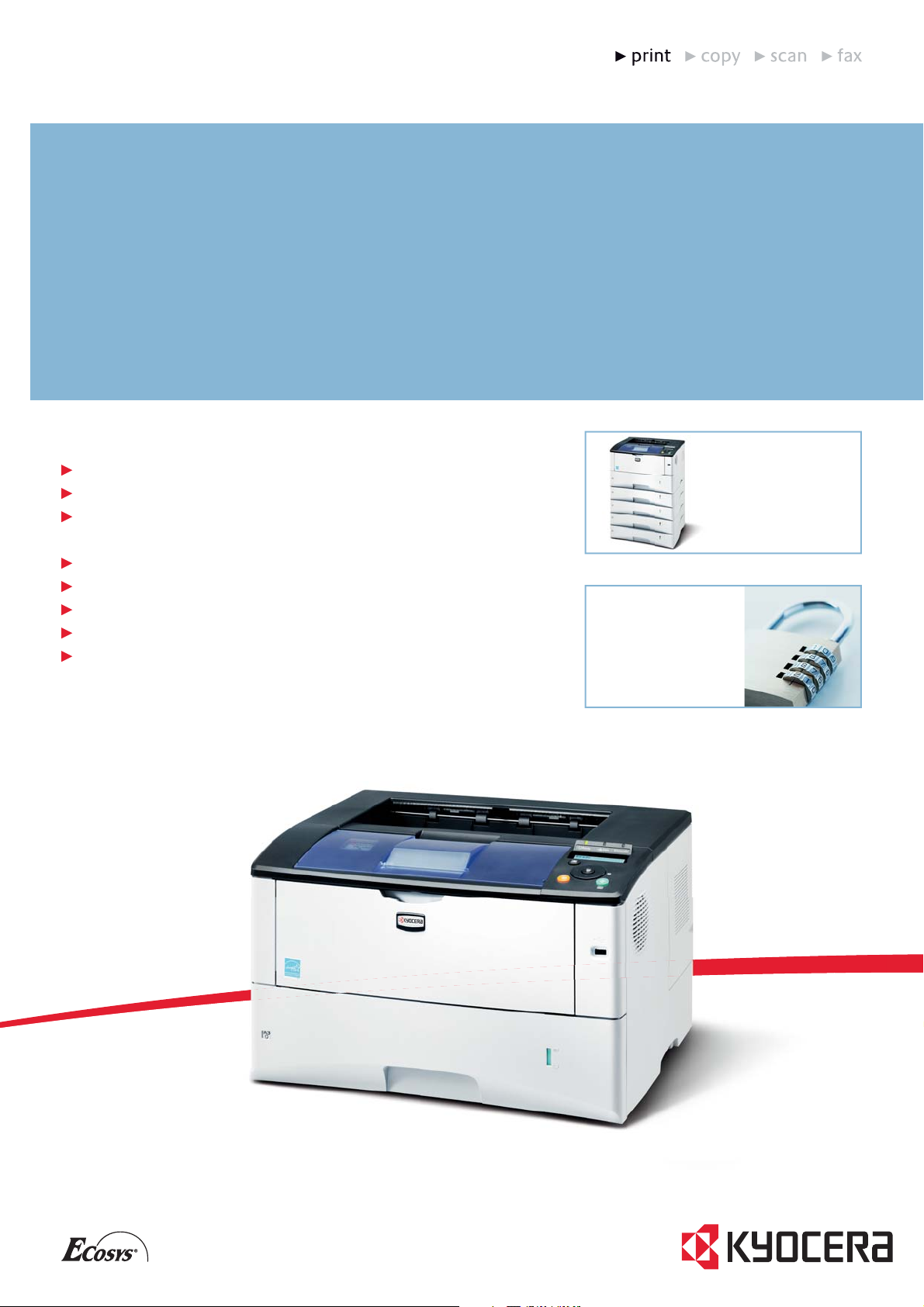
FS-6970DN
MONOCHROME WORKGROUP PRINTER FOR A3 FORMATS
THE
A3 PRINTER
FOR
Up to 35 pages per minute in A4, up to 17 pages per minute in A3
Duplex unit for double-sided printing as standard
Up to 6 paper trays for superior flexibility and support for up to
PowerPC 440 / 600 MHz, 128 MB–1,152 MB RAM, optional hard disk
USB, parallel and network connectivity as standard
High security with SSL encryption
Direct PDF Print from USB Flash memory device
Exceptionally low printing costs in its class
COMPACT
WORKGROUPS
1,350 sheets
The FS-6970DN is the ideal solution for
workgroups that require a wide variety
of output sizes up to A3. The fast and
compact printer offers an expandable
paper capacity of up to 6 paper trays for
flexible paper handling. Uniquely, it
combines comprehensive security
features and ECOSYS Long-life Technology
for an exceptionally low cost per page.
The FS-6970DN is able
to cope with large print
volumes and additionally
offers a high degree of
flexibility, accommodating
a total of 1,350 sheets in
up to 6 paper trays.
Now also as standard for
A3: Enhanced security
features such as network
authentication, IPv6, IP
sec and SSL encryption.
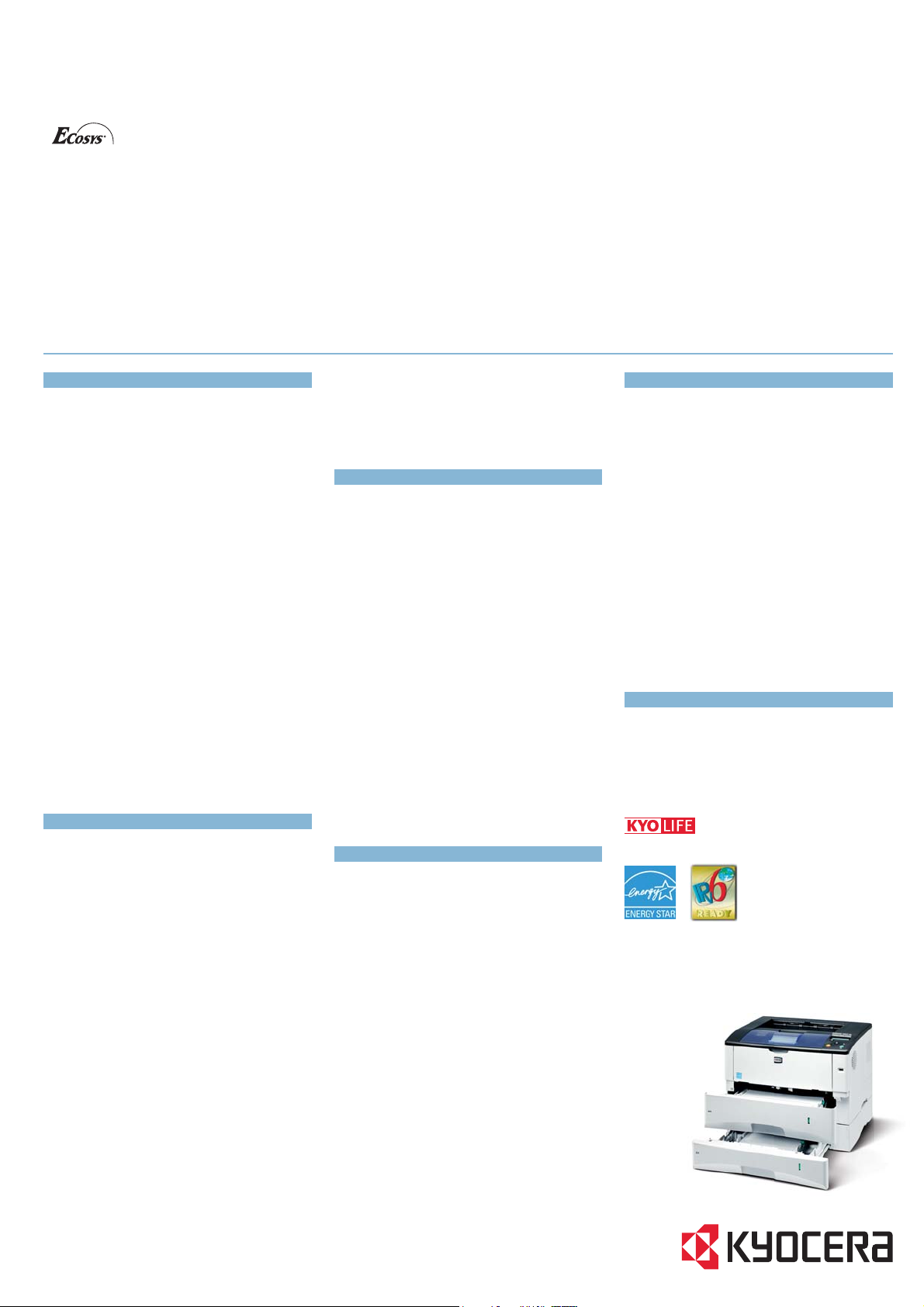
FS-6970DN
MONOCHROME WORKGROUP PRINTER FOR A3 FORMATS
With their long-life components,
ECOSYS devices are designed to
maximise durability and minimise both direct
costs such as consumables, and indirect costs
such as maintenance and administration. The
cartridge-free system requires that only the
toner has to be replaced regularly. The modular
design concept allows you to add productivityenhancing options and a wide-variety of paperhandling capabilities as required. Integrated
system software provides long-term crossnetwork compatibility. Kyocera’s long-life
components cost you and the environment less.
General
Technology
KYOCERA ECOSYS Laser
Engine speed
Up to 35/17 pages per minute in A4/A3
Resolution
1,200 dpi
Duty cycle
Max. 150,000 pages per month
Max. average 20,000 pages per month
(average 5,000 pages per month)
Warm-up time
Approx. 15 seconds or less from power on
Time to first page
Approx . 9 seconds or less
Dimensions (W x D x H)
Main unit: 469 mm x 395 mm x 285 mm
Weight
Main unit: Approx. 19.5 kg
Power source
AC 220~240 V, 50/60 Hz
Power consumption
Printing: 516 W
Stand-by: 9.6 W
Power-Saving (ECOpower): 6.3 W
Noise (ISO 7779 / ISO 9296)
Printing: 51 dB(A)
Stand-by: 29 dB(A)
Power-Saving (ECOpower): Immeasurably low
Safety standards
GS, TÜV, CE
This unit is manufactured according to ISO 9001 quality
standard and ISO 14001 environmental standard.
Paper Handling
All paper capacities quoted are based on a paper thickness of ma x. 0.11 mm. Please use paper recommended by
KYOCERA under normal environmental conditions.
Input capacity
100-sheet multi- purpose tray; 60–220 g/m
A3, B4, A4-R, A 4, A5, A6-R, B5, Letter, Letter-R , Legal,
Ledger, Custom (70 x 148 mm to 297 x 450 mm)
250-sheet univer sal paper cassette, 60–120 g/m
A3, B4, A4-R, A 4, A5, B5, Let ter, Letter-R, Legal, Ledger,
2
;
2
;
PRESCRIBE IIe
With the Kyocera page design and control language PRESCRIBE lle, even complex graphics, logos and forms (including multipart forms) can be
created on any system and stored in the printer. They can be recalled from the printer’s memory as needed, reducing network congestion.
The KM NetViewer
KMnet Viewer enables complete monitoring and control of all ECOSYS printers and KYOCERA multifunction copiers from any Windows
It provides ideal network administration usingthe industry-standard SNMP protocol.
Status Monitor and Command Center
The Status Monitor visually portrays the printer’s condition and gives direct access to the Command Center for the modification of advanced
settings not available in the standard driver (e.g. IP settings, sleep mode or blocking of the control panel).
USB Host Interface for USB Flash Memory
PDF files can be printed directly from a USB Flash Memory (e.g. USB stick) via the USB host interface. Documents are selected directly using the
printer’s control panel. No computer is required.
Custom (140 x 148 mm to 297 x 432 mm)
Max. input capacit y incl. option s: 1,350 sheets
Duplex unit
Duplex as standard supports A3–A5-R, 60–120 g/m
Output capacity
250 sheets face- down with paper full sensor and optional
250 sheets face-up with PT-430
Controller
CPU
PowerPC 440/600 MHz
Memory
Standar d 128 MB, max. 1,152 MB
Standard interface
High-speed bi- directional parallel (IEEE 1284), USB 2.0
(Hi-Speed), USB Host Interface dedicated for USB Flash
Memory device, Fast Ethernet 10Base-T/100Base-TX,
Slot for optional internal print server or hard disc
Slot for optional CompactFlash
Controller language
PRESCRIBE IIe
Emulations
PCL6/PCL5c incl. PJL, KPDL 3 (Pos tScript 3 compatible),
KC-GL (HP-7550A), PDF Direct Print, Line Printer, IBM
Proprinter X24E, Epson LQ-850, Diablo 630
Operating systems
All current Windows operating systems,
Mac OS X Version 10.2 or higher,
UNIX, LINUX as well as other operating systems on request
Fonts/Barcodes
93 scalable fonts for PCL/PostScript*, 8 fonts for Windows
Vista*, 1 Bitmap font, 45 barcodes (e.g. EAN8, EAN13,
EAN128) with automatic generation of checksums as well
as support of two-dimensional barcodes PDF- 417 under
PRESCRIBE (PCL and other barcode s available as an option)
Integrated Accounting
100 department codes
Consumables
TK-450 Toner-Kit
Microfine toner for 15,00 0 pages in accordance with ISO/
IEC 19752
Capacity of star ter toner is 7,500 pages in accor dance
with ISO/IEC 19752
®
-Card
2
Options
Paper handling
PF-430 Paper feeder (max. 4 units)
Max. 250 sheets; 60 –120 g/m
Letter, Letter-R , Legal, Ledger, Custom (140 x 210 mm to
297 x 432 mm)
PT-430 Bulk Paper tray
250 sheets face-up output tray
Memory upgrade
MDDR2-128: 128 MB; MDDR2-256: 256 MB;
MDDR2- 512: 512 MB, MDDR2-1024: 1,024 MB
CompactFlash*-Card
1 slot (up to 4 GB) for printing forms, fonts , logos, macr o
storage
USB Flash Memory
Suppor ts PDF direc t printing via USB Host Inter face
HD-5a Hard disc
40 GB for easy document management
Optional interface
PS159: Wireless LAN (802 .11b/g)
PS1109 Gigabit Ethe rnet:
10BaseT / 100BaseTX / 1000BaseT (RJ -45)
PS129 Fibre Optic: 100B aseSX (SC)
PS1129 Gigabit Fibre Optic: 1000BaseSX (SC)
Warranty
2-year warranty as standard. In addition KYOCERA guarantees
the drum and developer for 3 years or maximum 300,000
pages A4 (whichever occurs sooner), provided the printer is
used and cleaned in accordance with the service instructions.
Up to 5-year on-site warranty extensions are available for
printer and options.
2
; A3, B4, A4-R, A 4, A5, B5,
©
PC.
Your KYOCERA Business Partner:
KYOCERA MITA (UK) Ltd, 8 Beacontree Plaza, Gillette Way, Reading RG2 0BS
Tel 0118 9311 500, Fax 0118 9311 108
www.k yoceramita.co.uk, info@kyoceramita.co.uk
* KYOCERA does not warrant that any specifications mention ed will be error-free. Specifications are subject to change without
notice. Information is correc t at time of going to press. All other brand and product names may be registered trademarks and
their respective holders are hereby acknowledged.
0904DSE6970DNEMC
Product depicted includes optional extras.
Manufacturer:Kyocera
Category:Computers & Peripherals
Device:Kyocera FS-6970DN
Name:Comprehensive List of Ports Used by KYOCERA DOCUMENT SOLUTIONS devices Rev.1
Language:English
Pages:3
Size:348.89 KB
Manufacturer:Kyocera
Category:Computers & Peripherals
Device:Kyocera FS-6970DN
Name:Has developed a countermeasure against the Vulnerability of the Command Center by releasing Firmware updates for the effected machines
Language:English
Pages:1
Size:61.62 KB
Manufacturer:Kyocera
Category:Computers & Peripherals
Device:Kyocera FS-6970DN
Name:SAP note 1135057 (Printer Vendor Wizard Note) 44 (EN)
Language:DeutschEnglish
Pages:18
Size:174.89 KB
Manufacturer:Kyocera
Category:Computers & Peripherals
Device:Kyocera FS-6970DN
Name:SAP note 1135057 (Printer Vendor Wizard Note) 44 (DE)
Language:DeutschEnglish
Pages:19
Size:177.98 KB
Manufacturer:Kyocera
Category:Computers & Peripherals
Device:Kyocera FS-6970DN
Name:Linux rendering time phenomenon with PDF files and standard renderer
Language:English
Pages:1
Size:132.57 KB
Manufacturer:Kyocera
Category:Computers & Peripherals
Device:Kyocera FS-6970DN
Name:The port numbers used for NW-FAX were not documented in the fax manuals. When fax communication is not possible using the Network fax card it can be because of blocked ports in the firewall.
Language:English
Pages:1
Size:139.41 KB
Manufacturer:Kyocera
Category:Computers & Peripherals
Device:Kyocera FS-6970DN
Name:How to install a non-signed driver on Windows 8.x
Language:English
Pages:6
Size:369.07 KB
Manufacturer:Kyocera
Category:Computers & Peripherals
Device:Kyocera FS-6970DN
Name:Technical FAQ — Distribution of print drivers and settings in a cross platform architecture (Server 2008 R2 64 bit — Clint Windows XP 32 bit; Vista / Windows 7 32 bit)
Language:English
Pages:9
Size:485.17 KB
Manufacturer:Kyocera
Category:Computers & Peripherals
Device:Kyocera FS-6970DN
Name:FAQ — OID set by PJL/Print job
Language:English
Pages:1
Size:440.63 KB
Manufacturer:Kyocera
Category:Computers & Peripherals
Device:Kyocera FS-6970DN
Name:BENUTZERHANDBUCH DRUCKERTREIBER VER. KX6.x
Language:Deutsch
Pages:157
Size:7.04 MB
Manufacturer:Kyocera
Category:Computers & Peripherals
Device:Kyocera FS-6970DN
Name:KX_6.1 User Guide_(Generic) Rev. 16.24 2014.05_(ENG)
Language:English
Pages:120
Size:595.19 KB
Manufacturer:Kyocera
Category:Computers & Peripherals
Device:Kyocera FS-6970DN
Name:_KX_6.x_User_Guide_(Generic)
Language:English
Pages:122
Size:645.82 KB
Manufacturer:Kyocera
Category:Computers & Peripherals
Device:Kyocera FS-6970DN
Name:PRESCRIBE Commands Technical Reference_Ver.4.9_(ENG)
Language:English
Pages:260
Size:10.12 MB
Manufacturer:Kyocera
Category:Computers & Peripherals
Device:Kyocera FS-6970DN
Name:PRESCRIBE Commands_Command Reference_Ver.5.1_(ENG)
Language:English
Pages:410
Size:3.73 MB
Manufacturer:Kyocera
Category:Computers & Peripherals
Device:Kyocera FS-6970DN
Name:File Management Utility_ENG
Language:English
Pages:17
Size:223.81 KB
Manufacturer:Kyocera
Category:Computers & Peripherals
Device:Kyocera FS-6970DN
Name:KMnet Viewer_Ver.5.2_(ENG)
Language:English
Pages:94
Size:855.07 KB
Manufacturer:Kyocera
Category:Computers & Peripherals
Device:Kyocera FS-6970DN
Name:KX Printer Driver User Guide (ENG)
Language:English
Pages:86
Size:818.70 KB
Manufacturer:Kyocera
Category:Computers & Peripherals
Device:Kyocera FS-6970DN
Name:COMMAND_CENTER_OG_(ENG) Rev. 5.3W 2009.10
Language:English
Pages:64
Size:1.17 MB
Manufacturer:Kyocera
Category:Computers & Peripherals
Device:Kyocera FS-6970DN
Name:Bedienungsanleitung_COMMAND_CENTER_(DE)
Language:Deutsch
Pages:64
Size:2.02 MB
Manufacturer:Kyocera
Category:Computers & Peripherals
Device:Kyocera FS-6970DN
Name:Anwenderhandbuch_(DE)
Language:Deutsch
Pages:235
Size:7.12 MB
Manufacturer:Kyocera
Category:Computers & Peripherals
Device:Kyocera FS-6970DN
Name:FS-2020D_3920DN_4020DN_6970DN_OG_(IT)
Language:Italiano
Pages:223
Size:6.51 MB
Manufacturer:Kyocera
Category:Computers & Peripherals
Device:Kyocera FS-6970DN
Name:FS-2020D_3920DN_4020DN_6970DN_OG_(FR)
Language:Français
Pages:231
Size:6.50 MB
Manufacturer:Kyocera
Category:Computers & Peripherals
Device:Kyocera FS-6970DN
Name:Guia de uso
Language:Español
Pages:231
Size:6.32 MB
Manufacturer:Kyocera
Category:Computers & Peripherals
Device:Kyocera FS-6970DN
Name:FS-2020D_3920DN_4020DN_6970DN_OG_(ENG)
Language:English
Pages:219
Size:5.88 MB
Manufacturer:Kyocera
Category:Computers & Peripherals
Device:Kyocera FS-6970DN
Name:FS-2020D_3920DN_4020DN_6970DN_OG_(TR)
Language:Türkçe
Pages:99
Size:4.86 MB
Manufacturer:Kyocera
Category:Computers & Peripherals
Device:Kyocera FS-6970DN
Name:FS-2020D_3920DN_4020DN_6970DN_OG_(NL)
Language:Nederlands
Pages:107
Size:5.00 MB
Manufacturer:Kyocera
Category:Computers & Peripherals
Device:Kyocera FS-6970DN
Name:View PDF DS FS-6970DN
Language:English
Pages:2
Size:393.47 KB
Manufacturer:Kyocera
Category:Computers & Peripherals
Device:Kyocera FS-6970DN
Name:FS-2020D_3920DN_4020DN_6970DN_OG_(GR)
Language:Ελληνικά
Pages:113
Size:5.13 MB
Manufacturer:Kyocera
Category:Computers & Peripherals
Device:Kyocera FS-6970DN
Name:FS-2020D_3920DN_4020DN_6970DN_OG_(SV)
Language:Svenska
Pages:101
Size:4.91 MB
Manufacturer:Kyocera
Category:Computers & Peripherals
Device:Kyocera FS-6970DN
Name:FS-2020D_3920DN_4020DN_6970DN_OG_(RU)
Language:Русский
Pages:111
Size:5.28 MB
Manufacturer:Kyocera
Category:Computers & Peripherals
Device:Kyocera FS-6970DN
Name:FS-2020D_3920DN_4020DN_6970DN_OG_(RO)
Language:Română
Pages:105
Size:4.81 MB
Manufacturer:Kyocera
Category:Computers & Peripherals
Device:Kyocera FS-6970DN
Name:FS-2020D_3920DN_4020DN_6970DN_OG_(PT)
Language:Português
Pages:105
Size:5.00 MB
Manufacturer:Kyocera
Category:Computers & Peripherals
Device:Kyocera FS-6970DN
Name:FS-2020D_3920DN_4020DN_6970DN_OG_(PL)
Language:Polski
Pages:105
Size:5.25 MB
Manufacturer:Kyocera
Category:Computers & Peripherals
Device:Kyocera FS-6970DN
Name:FS-2020D_3920DN_4020DN_6970DN_OG_(PL)
Language:Polski
Pages:101
Size:5.04 MB
Manufacturer:Kyocera
Category:Computers & Peripherals
Device:Kyocera FS-6970DN
Name:FS-2020D_3920DN_4020DN_6970DN_OG_(HU)
Language:Magyar
Pages:103
Size:4.79 MB
Manufacturer:Kyocera
Category:Computers & Peripherals
Device:Kyocera FS-6970DN
Name:FS-2020D_3920DN_4020DN_6970DN_OG_(FI)
Language:Suomi
Pages:99
Size:5.03 MB
Manufacturer:Kyocera
Category:Computers & Peripherals
Device:Kyocera FS-6970DN
Name:FS-2020D_3920DN_4020DN_6970DN_OG_(DK)
Language:Dansk
Pages:103
Size:5.04 MB
Manufacturer:Kyocera
Category:Computers & Peripherals
Device:Kyocera FS-6970DN
Name:FS-2020D_3920DN_4020DN_6970DN_OG_(CZ)
Language:Čeština
Pages:103
Size:4.80 MB
Manufacturer:Kyocera
Category:Computers & Peripherals
Device:Kyocera FS-6970DN
Name:Guia de uso
Language:Español
Pages:105
Size:3.95 MB
Manufacturer:Kyocera
Category:Computers & Peripherals
Device:Kyocera FS-6970DN
Name:Guida alle funzioni Avanzati (IT)
Language:Italiano
Pages:218
Size:6.21 MB
Manufacturer:Kyocera
Category:Computers & Peripherals
Device:Kyocera FS-6970DN
Name:Manuel D´Utilisation Avance (FR)
Language:Français
Pages:226
Size:6.27 MB
Manufacturer:Kyocera
Category:Computers & Peripherals
Device:Kyocera FS-6970DN
Name:Erweitetes Anwenderhandbuch (DE)
Language:Deutsch
Pages:226
Size:6.71 MB
Manufacturer:Kyocera
Category:Computers & Peripherals
Device:Kyocera FS-6970DN
Name:Advanced Operation Guide (ENG)
Language:English
Pages:212
Size:8.24 MB
Manufacturer:Kyocera
Category:Computers & Peripherals
Device:Kyocera FS-6970DN
Name:FS-2020D_3920DN_4020DN_6970DN_OG_(HEB)
Language:עברית
Pages:99
Size:7.08 MB
Manufacturer:Kyocera
Category:Computers & Peripherals
Device:Kyocera FS-6970DN
Name:FS-2020D_3920DN_4020DN_6970DN_OG_(ARA)
Language:العربية
Pages:99
Size:7.06 MB
Kyocera FS-6970DN/KL3
ADVANCED OPERATION GUIDE
F S —110 0
FS —130 0D
870CKGB20008
*870CKGB20008*
FS-2020D/FS-3920DN/FS-4020DN
View the manual for the Kyocera FS-6970DN/KL3 here, for free. This user manual comes under the category printers and has been rated by 1 people with an average of a 7.9. This manual is available in the following languages: English. Do you have a question about the Kyocera FS-6970DN/KL3?
Ask your question here
Index
- Contents
- 1 Machine Parts
- 2 Paper Handling
- 3 Loading Paper
- 4 Connecting and Printing
- 5 Maintenance
- 6 Troubleshooting
- 7 Using the Operation Panel
- 8 Option
- 9 Computer Interface
- 10 Appendix
- Glossary
- Index
Product Images (13)

Kyocera FS-6970DN/KL3 specifications
Below you will find the product specifications and the manual specifications of the Kyocera FS-6970DN/KL3.
Processor frequency
600 MHz
Maximum input capacity
1350 sheets
Maximum duty cycle
150000 pages per month
ISO A-series sizes (A0…A9)
A3, A4, A6
General
| Brand | Kyocera |
| Model | FS-6970DN/KL3 | 870B61102J53EU0 |
| Product | printer |
| EAN | 632983931332, 0632983931332 |
| Language | English |
| Filetype | Manual (PDF) |
Printing
| Colour | Yes |
| Maximum resolution | 1200 x 1200 DPI |
| Print speed (black, normal quality, A4/US Letter) | 35 ppm |
| Warm-up time | 15 s |
| Time to first page (black, normal) | 9 s |
| Duplex printing | Yes |
| Print technology | Laser |
| Duplex print speed (black, normal quality, A4/US Letter) | 17 ppm |
Performance
| Processor frequency | 600 MHz |
| Internal memory | 128 MB |
| Maximum internal memory | 1152 MB |
| Sound pressure level (printing) | 51 dB |
| Processor model | 440 |
| Processor family | PowerPC |
| Sound power level (standby) | 29 dB |
| Built-in processor | Yes |
Input & output capacity
| Maximum input capacity | 1350 sheets |
| Total input capacity | 350 sheets |
| Total output capacity | 250 sheets |
| Multi-Purpose tray input capacity | 100 sheets |
| Maximum output capacity | 500 sheets |
| Multi-Purpose tray | Yes |
Features
| Maximum duty cycle | 150000 pages per month |
| Recommended duty cycle | 20000 pages per month |
| Number of print cartridges | 1 |
| Page description languages | Epson LQ, IBM ProPrinter, PCL 5c, PCL 6, PostScript 3 |
| Printing colours | Black |
Paper handling
| ISO A-series sizes (A0…A9) | A3, A4, A6 |
| Paper tray media types | Glossy paper, Plain paper |
| Maximum print size | 297 x 432 mm |
| Multi-Purpose Tray media weight | 60 — 220 g/m² |
| Non-ISO print media sizes | Letter |
| Paper tray media weight | 60 — 120 g/m² |
| Duplex media weight | 60 — 120 g/m² |
| Custom media width | 70 — 297 mm |
| Custom media length | 148 — 450 mm |
| Maximum ISO A-series paper size | A3 |
Network
| Network ready | Yes |
| Ethernet LAN | Yes |
| Wi-Fi | No |
| Management protocols | SNMPv3 |
| Security algorithms | 802.1x RADIUS, SSL/TLS |
| Mobile printing technologies | Not supported |
Other features
| Power requirements | 220/240 V 50/60 Hz |
Power
| Power consumption (standby) | 9.6 W |
| Power consumption (printing) | 516 W |
| AC input voltage | 220 — 240 V |
| AC input frequency | 50 — 60 Hz |
| Power consumption (PowerSave) | 6.3 W |
Weight & dimensions
| Dimensions (WxDxH) | 469 x 395 x 285 mm |
| Weight | 19500 g |
Design
| Display | LED |
| Certification | GS, TÜV, CE |
| Product colour | Black, Grey |
Ports & interfaces
| Standard interfaces | Ethernet, Parallel, USB 2.0 |
| Direct printing | Yes |
System requirements
| Windows operating systems supported | Yes |
| Mac operating systems supported | Mac OS X 10.2 Jaguar, Mac OS X 10.3 Panther, Mac OS X 10.4 Tiger, Mac OS X 10.5 Leopard, Mac OS X 10.6 Snow Leopard, Mac OS X 10.7 Lion, Mac OS X 10.8 Mountain Lion |
| Linux operating systems supported | Yes |
Sustainability
| Sustainability certificates | ENERGY STAR |
show more
Frequently asked questions
Can’t find the answer to your question in the manual? You may find the answer to your question in the FAQs about the Kyocera FS-6970DN/KL3 below.
What is the weight of the Kyocera FS-6970DN/KL3?
The Kyocera FS-6970DN/KL3 has a weight of 19500 g.
What is the best way to remove jammed paper from my printer?
It is best to gently pull the paper out of the printer. Turn the printer off, and make sure that the printhead is not hanging over the paper and that no paper remains in the printer.
How come my prints are of poor quality?
There can be various reasons for poor print quality. Check if the cartridges or toners are full. If so, inkjet printers often require cleaning the printer, the cartridges have dried out, or the print head is broken. With laser printers, calibrating the laser printer is recommended.
How come my printer does not accept original cartridges?
Non-genuine cartridges may not be recognised by the printer. In that case you will receive a message that the cartridge is empty. The manual of the purchased cartridge usually contains the solution, if this does not work, it is advisable to contact the seller.
What certifications does the Kyocera FS-6970DN/KL3 have?
The Kyocera FS-6970DN/KL3 has the following certifications: GS, TÜV, CE.
How many cartridges can be placed in the Kyocera FS-6970DN/KL3?
1 cartridges can be placed in the Kyocera FS-6970DN/KL3.
How come my inkjet printer has black stripes?
In most cases, the inkjet printer cartridge is broken and the cartridge needs to be replaced.
What is the difference between a laser printer and an inkjet printer?
A laser printer prints with a toner and an inkjet printer prints with ink.
What does DPI stand for?
DPI stands for Dots Per Inch and is the number of ink droplets (per inch) that end up on the paper when printing.
Is the manual of the Kyocera FS-6970DN/KL3 available in English?
Yes, the manual of the Kyocera FS-6970DN/KL3 is available in English .
Is your question not listed? Ask your question here
Страницы и текст этой инструкции
Инструкция лазерного принтера Kyocera FS-6970DN
Информация отображена на картинке
Информация отображена на картинке
Информация отображена на картинке
Информация отображена на картинке
Как использовать наш сайт инструкций OnlineManuals.ru
Наша цель состоит в том, чтобы предоставить вам быстрый доступ к содержанию инструкции для лазерного принтера Kyocera FS-6970DN.
С помощью онлайн просмотра, Вы можете быстро просмотреть содержимое инструкции и найти решение проблемы с лазерного принтера Kyocera FS-6970DN.
Для Вашего удобства
Если листать руководство пользователя лазерного принтера Kyocera FS-6970DN прямо на сайте, не очень удобно для Вас, есть два возможных решения:
• Просмотр в полноэкранном режиме — легко просмотреть руководство пользователя (без загрузки его на свой компьютер), Вы можете использовать режим полноэкранного просмотра.
Для просмотра инструкции пользователя лазерного принтера Kyocera FS-6970DN на полном экране, используйте кнопку «Открыть в Pdf-viewer».
• Загрузка на компьютер — Вы можете также скачать Инструкция лазерного принтера Kyocera FS-6970DN на свой компьютер и сохранить его в файлах.
Многие люди предпочитают читать документы не на экране, а в печатной версии.
Возможность печати руководства пользователя также была предусмотрена на нашем сайте,
и вы можете использовать ее, нажав на иконку «печать» в Pdf-viewer.
Нет необходимости печатать все руководство лазерного принтера Kyocera FS-6970DN, можно выбрать только нужные страницы инструкции.