
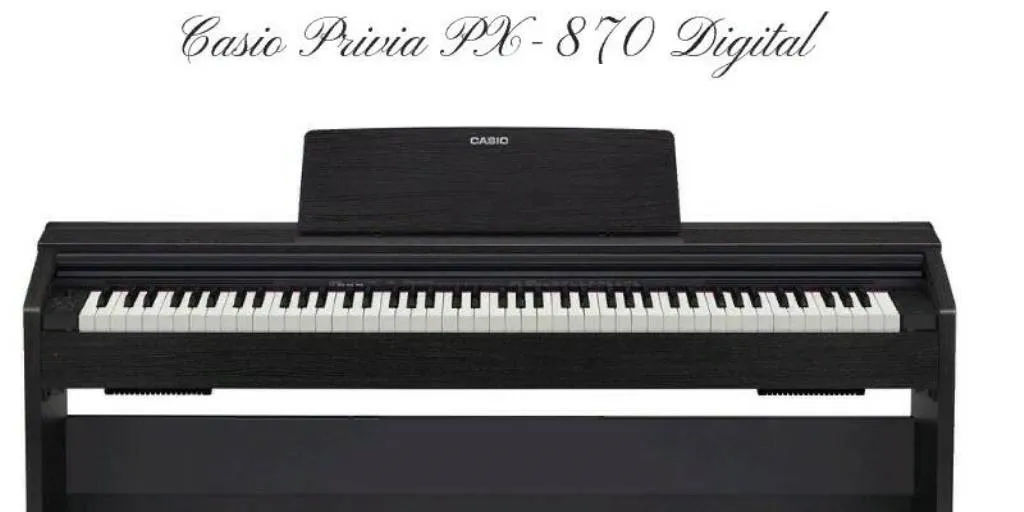
Casio Privia PX-870
PX870/770-E-3A
EN
USER’S GUIDE (Full)
Before using this Digital Piano for the first time,
be sure to read the separate USER’S GUIDE to
familiarize yourself with basic operations.
PX
—
870
PX-770
Illustrations in this User’s Guide show the PX-870.
View the manual for the Casio Privia PX-870 here, for free. This manual comes under the category piano’s and has been rated by 3 people with an average of a 9.5. This manual is available in the following languages: English. Do you have a question about the Casio Privia PX-870 or do you need help?
Ask your question here
Index
- General Guide EN-3
- FUNCTION ButtonEN-4
- Auto Resume and Operation Lock EN-4
- About Music Score data EN-4
- Power OutletEN-5
- Turning Power On or Off EN-5
- Returning the Digital Piano to Its Factory DefaultSettingsEN-5
- Playing with Different Tones EN-6
- Selecting and Playing a ToneEN-6
- Adjusting Acoustic Piano Sound Characteristics(PX-870) EN-7
- Layering Two Tones EN-8
- Using Effects EN-9
- Using the Digital Piano’s PedalsEN-10
- Using the Metronome EN-11
- Splitting the Keyboard for Duet PlayEN-12
- Using Built-in Songs(Concert Play, Music Library,Demo Tunes) EN-14
- Performing Demo Play EN-14
- Concert Play EN-14
- Practicing with a Concert Play Song EN-14
- Music Library EN-16
- Playing Back a Specific Music Library Song EN-16
- Practicing with a Music Library SongEN-17
- Playing Back Audio Data Stored ona USB Flash Drive (PX-870)EN-17
- Recording and Playback EN-18
- Recording to Built-in MIDI RecorderEN-18
- Using the MIDI REC ButtonEN-18
- Recording to a USB Flash Drive (Audio Recorder)(PX-870) EN-21
- Configuring Settings withthe Keyboard EN-25
- To configure settings with the keyboard EN-25
- Keyboard Keys Used for Configuring Settings EN-26
- Parameter List EN-28
- Hall simulator (PX-870) EN-28
- Reverb (PX-770) EN-28
- Tone selectionEN-28
- ChorusEN-28
- BrillianceEN-28
- Layer balanceEN-28
- Lower Pedal EN-28
- Damper noiseEN-28
- Hammer response (PX-870) EN-28
- String resonance (PX-870)EN-28
- Lid simulator (PX-870) EN-28
- Key-on action noise (PX-870) EN-28
- Key-off action noise (PX-870) EN-28
- Select layer tone EN-29
- Duet modeEN-29
- Music Library song select(MUSIC LIBRARY SELECT)EN-30
- Tempo (TEMPO)EN-30
- Beat (BEAT) EN-30
- METRONOME TEMPOEN-30
- METRONOME BEAT EN-30
- CONCERT PLAY aEN-30
- LISTENEN-30
- LESSONEN-30
- PLAY EN-30
- CONCERT PLAY SELECT (Song) (SELECT +/–) … EN-30
- CONCERT PLAY VOLUME (VOLUME +/–) EN-30
- Music Library volume EN-30
- Metronome volume EN-30
- TemperamentEN-31
- Temperament Base noteEN-31
- Temperament select EN-31
- Touch response EN-31
- Transpose EN-31
- A-tuningEN-31
- Octave shift EN-31
- Keyboard volume EN-31
- USB flash drive mode EN-32
- Local controlEN-32
- Send channel EN-32
- Audio Recorder Volume (PX-870)EN-32
- Operation tone EN-32
- Panel lockEN-32
- USB flash drive mode (PX-870) EN-33
- Format (PX-870) EN-33
- Save (PX-870)EN-33
- Load (PX-870)EN-33
- Delete (PX-870) EN-33
- Getting Ready EN-49
- Speaker out (PX-870) EN-33
- Head phone mode (PX-870) EN-33
- Volume Sync Equalizer (PX-870) EN-33
- Auto Resume EN-33
- Linking with an Application (APP Function)EN-34
- USB Flash Drive (PX-870) EN-35
- Storing Standard Audio Data (WAV Files) toa USB Flash Drive EN-36
- Connecting a USB Flash Drive to andDetaching It from the Digital Piano EN-37
- Formatting a USB Flash DriveEN-37
- Saving a Recorded Song to a USB Flash Drive EN-38
- Loading Song Data from a USB Flash Drive intoDigital Piano Memory EN-40
- Deleting Data from a USB Flash Drive EN-41
- Simple Play Back of a Song on a USB Flash DriveEN-42
- Error Indicators EN-43
- Connecting to a ComputerEN-45
- Minimum Computer System RequirementsEN-45
- Connecting the Digital Piano to Your ComputerEN-45
- Using MIDIEN-46
- Transferring Song Data with a Computer EN-46
- Reference EN-57
- TroubleshootingEN-57
- Product Specifications EN-58
- Appendix A-1
- Tone ListA-1
- Concert Play List A-1
- Music Library ListA-1
- Settings” (page EN-26).
- (Audio Recorder) (PX-870)” on page EN-21 for more
- Flash Drive” on page EN-36 for more information.
- Piano Play (Audio Recorder)” (page EN-21). If you
- Recorded on a USB Flash Drive” (page EN-22). To
- Settings” (page EN-26).
- to a USB Flash Drive” (page EN-36) and “Playing
- EN-46)
- EN-18)
- (PX-870)” (page EN-17).
- Drive” (page EN-38)
- into Digital Piano Memory” (page EN-40)
- Drive” (page EN-42).
- Recorder) (PX-870)” (page EN-21).
- Audio Data Stored on a USB Flash Drive (PX-870)”
- EN-55
- EN-32
- EN-31
- EN-31
- EN-31
- EN-31
- EN-53
- EN-33
- EN-45
- EN-46
- EN-43
Product Images (2)


Casio Privia PX-870 specifications
Below you will find the product specifications and the manual specifications of the Casio Privia PX-870.
The Casio Privia PX-870 is an electronic piano that delivers a high-quality performance suitable for both beginners and more experienced players. It features the latest sound production technology, generating a rich, expressive sound that mimics an acoustic piano with excellent accuracy. The instrument features 88 full-size, scaled, hammer-action keys that provide a realistic feel, similar to that of an acoustic piano. It also features a powerful speaker system, responsible for the fantastic sound quality, comprising four speakers that deliver clear sound and vibrantly rich tones.
The PX-870 is an advanced instrument that includes features that assist in learning, including the ability to practice with hands separately, and a built-in lesson system that offers guidance and feedback on performance. It also includes MIDI capabilities, allowing users to easily connect it to other instruments or computers. The instrument includes 19 different tones that range from concert grand pianos to electric pianos, organs, and strings.
The Piano’s design is sleek and modern, making it an excellent addition to any living space. As for connectivity, there is a headphone jack, line-out jacks, a USB port, and a three-pedal unit. Overall, the Casio Privia PX-870 is an excellent investment for any piano player or aspiring musician looking to enhance their music skills.
General
| Brand | Casio |
| Model | Privia PX-870 |
| Product | piano |
| Language | English |
| Filetype | User manual (PDF) |
Frequently Asked Questions
Can’t find the answer to your question in the manual? You may find the answer to your question in the FAQs about the Casio Privia PX-870 below.
Is the manual of the Casio Privia PX-870 available in English?
Yes, the manual of the Casio Privia PX-870 is available in English .
Is your question not listed? Ask your question here
Casio Privia PX-870
PX870/770-E-3A
EN
USER’S GUIDE (Full)
Before using this Digital Piano for the first time,
be sure to read the separate USER’S GUIDE to
familiarize yourself with basic operations.
PX
—
870
PX-770
Illustrations in this User’s Guide show the PX-870.
View the manual for the Casio Privia PX-870 here, for free. This manual comes under the category piano’s and has been rated by 3 people with an average of a 9.5. This manual is available in the following languages: English. Do you have a question about the Casio Privia PX-870 or do you need help?
Ask your question here
Index
- General Guide EN-3
- FUNCTION ButtonEN-4
- Auto Resume and Operation Lock EN-4
- About Music Score data EN-4
- Power OutletEN-5
- Turning Power On or Off EN-5
- Returning the Digital Piano to Its Factory DefaultSettingsEN-5
- Playing with Different Tones EN-6
- Selecting and Playing a ToneEN-6
- Adjusting Acoustic Piano Sound Characteristics(PX-870) EN-7
- Layering Two Tones EN-8
- Using Effects EN-9
- Using the Digital Piano’s PedalsEN-10
- Using the Metronome EN-11
- Splitting the Keyboard for Duet PlayEN-12
- Using Built-in Songs(Concert Play, Music Library,Demo Tunes) EN-14
- Performing Demo Play EN-14
- Concert Play EN-14
- Practicing with a Concert Play Song EN-14
- Music Library EN-16
- Playing Back a Specific Music Library Song EN-16
- Practicing with a Music Library SongEN-17
- Playing Back Audio Data Stored ona USB Flash Drive (PX-870)EN-17
- Recording and Playback EN-18
- Recording to Built-in MIDI RecorderEN-18
- Using the MIDI REC ButtonEN-18
- Recording to a USB Flash Drive (Audio Recorder)(PX-870) EN-21
- Configuring Settings withthe Keyboard EN-25
- To configure settings with the keyboard EN-25
- Keyboard Keys Used for Configuring Settings EN-26
- Parameter List EN-28
- Hall simulator (PX-870) EN-28
- Reverb (PX-770) EN-28
- Tone selectionEN-28
- ChorusEN-28
- BrillianceEN-28
- Layer balanceEN-28
- Lower Pedal EN-28
- Damper noiseEN-28
- Hammer response (PX-870) EN-28
- String resonance (PX-870)EN-28
- Lid simulator (PX-870) EN-28
- Key-on action noise (PX-870) EN-28
- Key-off action noise (PX-870) EN-28
- Select layer tone EN-29
- Duet modeEN-29
- Music Library song select(MUSIC LIBRARY SELECT)EN-30
- Tempo (TEMPO)EN-30
- Beat (BEAT) EN-30
- METRONOME TEMPOEN-30
- METRONOME BEAT EN-30
- CONCERT PLAY aEN-30
- LISTENEN-30
- LESSONEN-30
- PLAY EN-30
- CONCERT PLAY SELECT (Song) (SELECT +/–) … EN-30
- CONCERT PLAY VOLUME (VOLUME +/–) EN-30
- Music Library volume EN-30
- Metronome volume EN-30
- TemperamentEN-31
- Temperament Base noteEN-31
- Temperament select EN-31
- Touch response EN-31
- Transpose EN-31
- A-tuningEN-31
- Octave shift EN-31
- Keyboard volume EN-31
- USB flash drive mode EN-32
- Local controlEN-32
- Send channel EN-32
- Audio Recorder Volume (PX-870)EN-32
- Operation tone EN-32
- Panel lockEN-32
- USB flash drive mode (PX-870) EN-33
- Format (PX-870) EN-33
- Save (PX-870)EN-33
- Load (PX-870)EN-33
- Delete (PX-870) EN-33
- Getting Ready EN-49
- Speaker out (PX-870) EN-33
- Head phone mode (PX-870) EN-33
- Volume Sync Equalizer (PX-870) EN-33
- Auto Resume EN-33
- Linking with an Application (APP Function)EN-34
- USB Flash Drive (PX-870) EN-35
- Storing Standard Audio Data (WAV Files) toa USB Flash Drive EN-36
- Connecting a USB Flash Drive to andDetaching It from the Digital Piano EN-37
- Formatting a USB Flash DriveEN-37
- Saving a Recorded Song to a USB Flash Drive EN-38
- Loading Song Data from a USB Flash Drive intoDigital Piano Memory EN-40
- Deleting Data from a USB Flash Drive EN-41
- Simple Play Back of a Song on a USB Flash DriveEN-42
- Error Indicators EN-43
- Connecting to a ComputerEN-45
- Minimum Computer System RequirementsEN-45
- Connecting the Digital Piano to Your ComputerEN-45
- Using MIDIEN-46
- Transferring Song Data with a Computer EN-46
- Reference EN-57
- TroubleshootingEN-57
- Product Specifications EN-58
- Appendix A-1
- Tone ListA-1
- Concert Play List A-1
- Music Library ListA-1
- Settings” (page EN-26).
- (Audio Recorder) (PX-870)” on page EN-21 for more
- Flash Drive” on page EN-36 for more information.
- Piano Play (Audio Recorder)” (page EN-21). If you
- Recorded on a USB Flash Drive” (page EN-22). To
- Settings” (page EN-26).
- to a USB Flash Drive” (page EN-36) and “Playing
- EN-46)
- EN-18)
- (PX-870)” (page EN-17).
- Drive” (page EN-38)
- into Digital Piano Memory” (page EN-40)
- Drive” (page EN-42).
- Recorder) (PX-870)” (page EN-21).
- Audio Data Stored on a USB Flash Drive (PX-870)”
- EN-55
- EN-32
- EN-31
- EN-31
- EN-31
- EN-31
- EN-53
- EN-33
- EN-45
- EN-46
- EN-43
Product Images (2)


Casio Privia PX-870 specifications
Below you will find the product specifications and the manual specifications of the Casio Privia PX-870.
Casio Privia PX-870 is a digital piano that is designed to deliver a realistic piano-playing experience. The piano has 88 keys, fully weighted and graded hammer action. The keys are textured to simulate the feel of ivory and ebony, providing a natural, comfortable playing experience. The piano features a powerful sound engine that employs Casio’s AiR (Acoustic and intelligent Resonator) technology. This enables the piano to produce a rich and dynamic sound that accurately reflects the nuances of a traditional acoustic piano.
The Casio Privia PX-870 has 19 different voices, including different types of pianos, organs, and strings. The piano can also accommodate split and layer modes, allowing players to create unique sounds. Pedals can also be connected to the piano, allowing for greater control over the sound.
The piano also features a built-in two-track MIDI recorder for recording and playback of songs. Furthermore, the piano features a Lesson function that enables players to practice with built-in classical pieces or custom recordings. The function dissects pieces into left and right-hand parts, allowing users to practice them separately.
In terms of design, the Casio Privia PX-870 has a sleek and modern appearance with a slim profile. The piano is made with a wooden cabinet that comes in two different finishes, black and white.
Overall, the Casio Privia PX-870 is a high-quality digital piano that provides a realistic playing experience. The piano’s features and functionalities make it a suitable instrument for both beginners and experienced pianists.
General
| Brand | Casio |
| Model | Privia PX-870 |
| Product | piano |
| Language | English |
| Filetype | User manual (PDF) |
Questions & answers
Can’t find the answer to your question in the manual? You may find the answer to your question in the FAQs about the Casio Privia PX-870 below.
Is the manual of the Casio Privia PX-870 available in English?
Yes, the manual of the Casio Privia PX-870 is available in English .
Is your question not listed? Ask your question here
Casio Privia PX-870 Musical Instrument PDF User Guides and Manuals for Free Download: Found (2) Manuals for Casio Privia PX-870 Device Model (Operation & User’s Manual)
The Casio Privia PX-870 is an exceptional digital piano that stands out in the crowded market of portable pianos. Designed with both beginners and experienced musicians in mind, it delivers an authentic piano experience with a range of features that enhance playability and performance. This review will explore the characteristics, advantages, and overall performance of the Privia PX-870, highlighting why it deserves a spot in your music-making arsenal.
One of the most notable features of the Casio Privia PX-870 is its realistic sound engine. The piano is equipped with AiR (Acoustic and Intelligent Resonator) technology, which provides a rich, resonant sound that mimics an acoustic grand piano. With over 19 different instrument sounds, including electric pianos, strings, and organs, players have a breadth of tonal options at their fingertips. The sound quality is further enhanced by the concert grand piano samples, making every note resonate beautifully, whether you’re playing softly or with full force.
The keyboard itself is another highlight. The Privia PX-870 features Casio’s Tri-Sensor Scaled Hammer Action II keyboard, which replicates the feel of an acoustic piano by providing graded weight across the keys. This technology ensures a responsive touch, allowing players to convey emotion and dynamics effectively. Additionally, the keys are made from high-quality materials that give them a realistic texture, enhancing the tactile experience.
Portability is a significant advantage for users who enjoy playing on the go. Weighing approximately 42 pounds, the Casio Privia PX-870 is relatively lightweight compared to traditional acoustic pianos. Its sleek and compact design makes it easy to transport while also fitting in various spaces, whether at home or in a performance setting.
- **Realistic sound engine with AiR technology**
- **Tri-Sensor Scaled Hammer Action II keyboard**
- **19 diverse instrument tones**
- **Built-in speaker system for a strong audio experience**
- **USB connectivity for easy integration with software and devices**
In addition to its impressive sound and playability, the Casio Privia PX-870 comes equipped with various features that enrich the playing experience. It includes a built-in metronome, a recording function, and the ability to layer sounds or split the keyboard into different timbres. These capabilities make it an excellent tool for students learning music, as well as for seasoned pros looking to hone their craft.
Another important aspect is connectivity. The PX-870 offers USB connectivity, which allows for seamless integration with music software and other devices. This feature makes it easy to record your performances directly into a DAW or use educational apps that can accelerate your learning process. Furthermore, the 2 headphone jacks are a useful addition for duet practice or teaching sessions.
Overall, the Casio Privia PX-870 is an outstanding digital piano that successfully combines aesthetics, sound quality, and advanced features. Whether you’re a beginner exploring the joys of music or a professional looking for a reliable instrument, this model provides versatility and high performance in a compact package. While there are many options available on the market, the unique qualities of this piano make it a model worth considering.
Когда вы думаете о цифровых пианино, вы, вероятно, вспоминаете о марке Casio и некоторых других.
Casio производит огромное количество цифровых пианино, и вы можете выбрать между базовыми, легкими и портативными пианино или такими моделями, как Casio Privia.
Если вам нужно цифровое пианино, имитирующее акустическое, то наш обзор Casio Privia PX-870 — прекрасный выбор, который можно приобрести как в комплекте, так и самостоятельно.
Если вам нужен стильный внешний вид, не требующий настройки, а также современные функции, такие как множество звуков и возможность легко подключать пианино к другим устройствам и системам звукоусиления, то этот продукт может вам подойти.
Оправдывают ли характеристики шумиху?
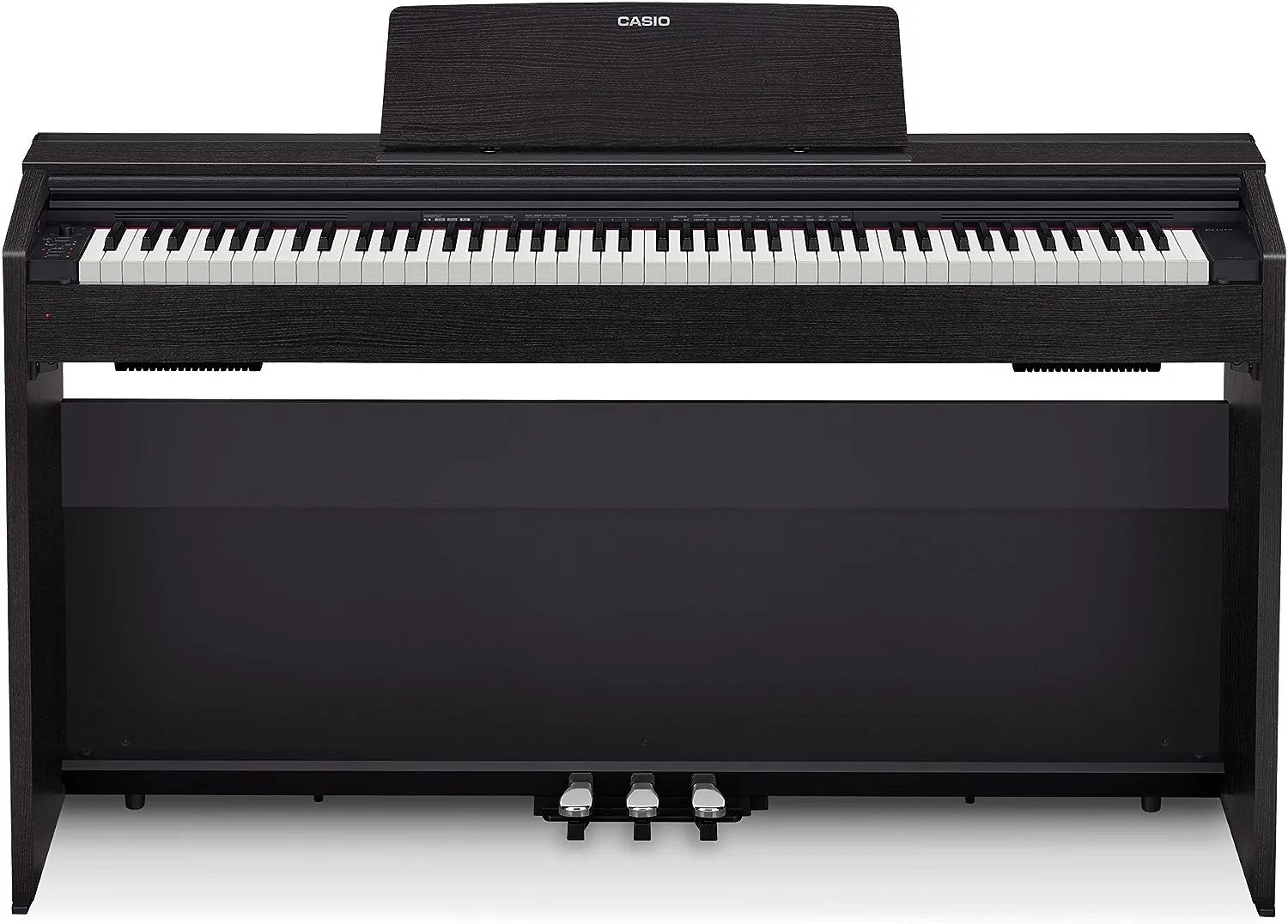
Конструкция и размеры
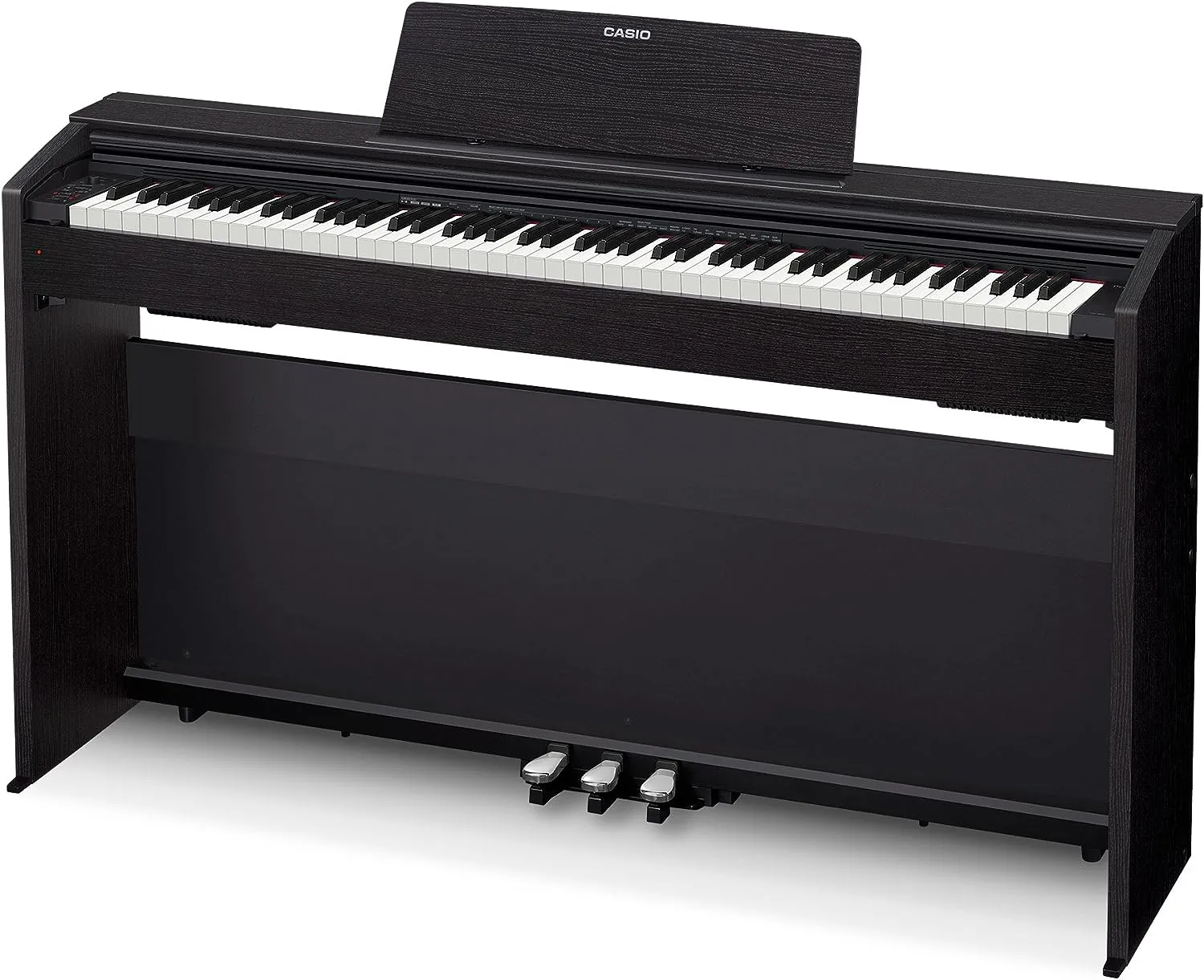
Это тяжелое цифровое пианино. Если вам нужно что-то, что легко носить с собой, обратите внимание на другие модели. PX-870 компактно, и если у вас в доме не так много места для него, то оно вполне может подойти. Он имеет небольшую длину — менее 12 дюймов, поэтому не будет сильно выступать за стену, если вы планируете хранить его именно там. Имейте в виду, что, разместив его в музыкальной комнате или в другом месте дома, вы не захотите брать его с собой на концерты или в тренировочные секции, поскольку его вес составляет почти 80 кг.
Casio PX-870 не создавалось как портативное цифровое пианино, и его внешний вид и возможности компенсируют тот факт, что его нелегко носить с собой.
Настроить его несложно. Пианино px-870 поставляется почти как мебель, собранная в плоскую упаковку, и требуется некоторая сборка, но не настолько, чтобы вы умели делать ее самостоятельно! Возможно, из-за большого веса пианино вам придется прибегнуть к помощи друга.
PX-870 в сравнении с PX-860
Если вы хоть немного знакомы с модельным рядом Casio, то, возможно, знаете, что существует модель PX-860, а также модель 870, рассматриваемая в этом посте. Если посмотреть на эти две модели, то можно не заметить особой разницы. Так в чем же заключаются изменения? Стоит ли покупать обновленную модель 870 или остановиться на модели 860?
Одним из изменений является динамик: PX-870 оснащен четырьмя динамиками, что является частью нового и улучшенного дизайна звуковой проекции.
Звуки
Звуки Casio Privia PX-870 — один из наиболее важных аспектов его дизайна. Он имеет 19 различных тембров инструментов с 256-нотной полифонией, поэтому даже при воспроизведении быстрых и сложных мелодий звук остается естественным и соответствует звучанию акустической модели.
При необходимости 19 различных звуков можно наслаивать и разделять по клавиатуре. Это означает, что левой рукой вы можете играть мелодию в стиле струнных, а правой — фортепиано.
Имитатор крышки и реалистичный демпфирующий резонанс звучат очень богато. Имитация крышки также эмулирует четыре различных положения «крышки», как у фортепиано, которое открыто в разной степени. При учете всего этого у вас появляется множество вариантов звучания.
Ощущение и удобство игры
Ваше фортепиано должно быть естественным и приятным для игры. Если вы когда-нибудь играли на цифровом пианино с дешевой пластмассой, вы поймете, что это неприятно. Цифровое пианино должно имитировать звучание акустических клавиш и давать аналогичное ощущение пальцам. Вы хотите иметь возможность переключаться с акустического на цифровое пианино, когда захотите, и не подстраиваться под стиль.
Каковы же ощущения от игры на этом инструменте?
PX-870 обладает великолепным естественным звучанием. Молоточковый механизм обеспечивает реалистичное звучание в зависимости от силы нажатия на клавишу, как у акустического пианино. Три разных датчика вызывают различные сэмплированные звуки. При нажатии на клавишу можно передать тонкость мягкого нажатия или силу более жесткого. Это придает игре больше динамики и создает ощущение профессиональной игры на фортепиано.
Клавиши ощущаются так, как будто вы играете на старинном фортепиано. Синтетические материалы в стиле эбенового дерева и слоновой кости обеспечивают приятное ощущение на пальцах без каких-либо проблем, связанных с настоящим эбеновым деревом и слоновой костью.
Три встроенные педали также напоминают старинные фортепиано и удобны в использовании. Хотя по размеру можно сказать, что это новая цифровая модель, ощущение такое, что вы играете на старом пианино.
Другие технические характеристики
Современное цифровое пианино должно быть оснащено как можно большим количеством функций. Вычислительные мощности выросли, и опции высокотехнологичных функций, помогающих учиться и играть, являются привлекательным моментом для производителей цифровых пианино.
Модель PX-870 не разочаровала.
В его библиотеке имеется 60 полных композиций, которые помогут вам в процессе обучения. В режиме «Концертная игра» вы можете сыграть еще 10 оркестровых композиций. Вы можете даже заглушить фортепианные партии этих композиций, чтобы потом сыграть их самостоятельно. Записи можно замедлять в соответствии с вашими возможностями.
Запись — важная составляющая современных цифровых фортепиано и клавишных инструментов. Вы можете записать то, что играете, на MIDI-рекордер и прослушать то, что вы сыграли, чтобы проанализировать свое исполнение.
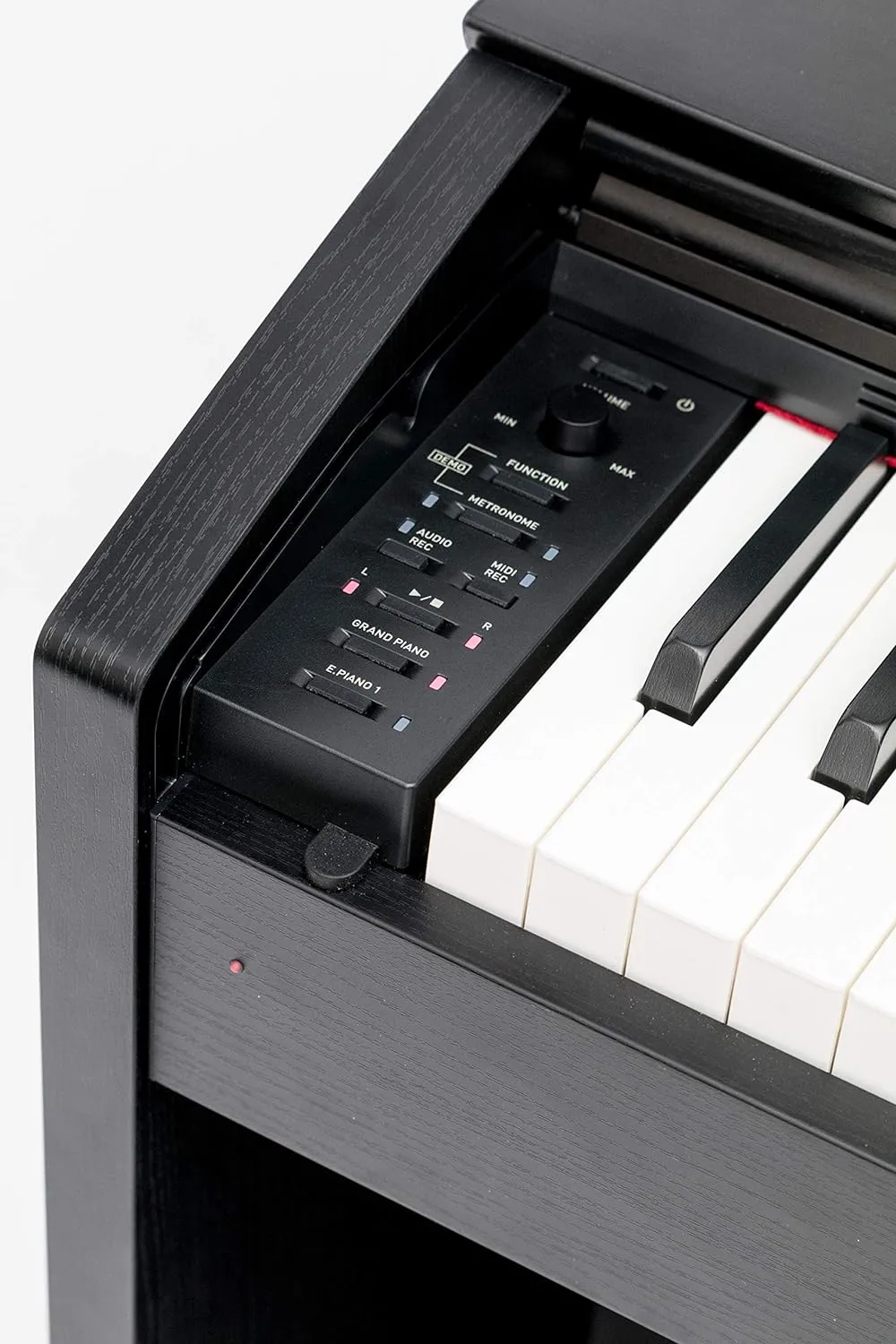
Самое приятное?
Он совместим практически со всеми устройствами, которые только можно себе представить. PX-870 можно подключать к компьютерам mac или windows, устройствам Android и планшетам. Вы можете использовать его в качестве MIDI-контроллера практически в любом музыкальном приложении.
Линейный выход и USB-выход позволяют легко подключать усилители и другие акустические системы. 40-ваттная акустическая система отлично подходит для игры дома, так что, скорее всего, вам это не понадобится. Можно также использовать наушники — в Px-870 есть специальный режим для наушников, оптимизирующий четкость звучания для приватной игры.
Аксессуары
Это не просто цифровое пианино, оно продается в комплекте, куда входит прочная подставка. В комплект также входит множество других аксессуаров.
Что же входит в комплект?
В коробке с этим комплектом вы получите скамейку для пианино, книгу с инструкциями и DVD-диск, который поможет вам научиться играть, доступ к онлайн-урокам и полировочную ткань. Вы можете приобрести более объемный комплект, включающий наушники.
Заключение
Casio PX-870 — не самая дешевая модель на рынке. Кроме того, она не очень портативна, поэтому если вам нужно что-то для концертных выступлений, то, возможно, вам понадобится что-то другое.
Если же вы хотите, чтобы Casio PX-870 стал постоянным украшением вашего дома и отлично смотрелся, то, безусловно, стоит обратить на него внимание. Современные функции сочетаются с классическим звучанием и акустическим моделированием, что позволяет получить лучшее из двух миров.
FAQ: Types of Manuals and Their Contents
Casio Privia PX-870 Manuals come in various types, each serving a specific purpose to help users effectively operate and maintain their devices. Here are the common types of Casio Privia PX-870 User Guides and the information they typically include:
- User Manuals: Provide comprehensive instructions on how to use the device, including setup, features, and operation. They often include troubleshooting tips, safety information, and maintenance guidelines.
- Service Instructions: Designed for technicians and repair professionals, these manuals offer detailed information on diagnosing and repairing issues with the device. They include schematics, parts lists, and step-by-step repair procedures.
- Installation Guides: Focus on the installation process of the device, providing detailed instructions and diagrams for proper setup. They are essential for ensuring the device is installed correctly and safely.
- Maintenance Manuals: Provide guidance on routine maintenance tasks to keep the device in optimal condition. They cover cleaning procedures, part replacements, and regular servicing tips.
- Quick Start Guides: Offer a concise overview of the essential steps needed to get the device up and running quickly. They are ideal for users who need immediate assistance with basic setup and operation.
Each type of Casio Privia PX-870 instruction is designed to address specific needs, ensuring users have the necessary information to use, maintain, and repair their devices effectively.
Related Instructions for Casio Privia PX-870:
2
fx-350MS
Booklet Casio fx-350MS User Manual (Booklet), @RZ7RFS
28
644
116
4
EXILM EX-Z70
Operation & user’s manual Casio Digital Camera Operation & user’s manual (File: casio-exilm-ex-z70-operation-user-s-manual-18, 30.12.2024)
18
291
67
5
K823PCM1DMX
247
1310
262
6
Exilim EX-H5
186
1050
210
7
IT-600 Series
56
1488
313
9
CTK-530
Service manual Casio Electronic Keyboard Service manual (File: casio-ctk-530-service-manual-18, Friday 17-01-2025)
18
1194
299
10
ALGEBRA FX 2.0
Manual Casio Calculator Manual (File: casio-algebra-fx-2-0-manual-56, 12th Dec 2024)
56
974
176
Musical Instrument Devices by Other Brands:
|
Casio WK-200 Operation & User’s Manual Casio Electronic Keyboard Operation & user’s manual (File: casio-wk-200-operation-user-s-manual-154, Sun 12.2024) GUÍA DEL USUARIO 15 Dec 2024 | 154 |
|
|
Yamaha TYROS Data List TYROS (Electronic Keyboard ePDF User Manual, #693YAO) Data List 07 May 2025 | 64 |
|
|
Roland PK-25A Owner’s Manual #3Q1MDV: PK-25A Musical Instrument Owner’s manual 04122301 ’05-11-1N 05 Apr 2025 | 18 |
|
|
Roland TD-10 Settings Manual TD-10 Settings manual — 32N2R3 K D -1 2 0 とオリジナルT D -1 0 * をお使いのお客様へ 30 Apr 2025 | 4 |
Categories:
Digital piano
Conference System
Projector Accessories
Digital keyboard
LCD TV
Wrist watch